How To Convert A PDF To Word?
Know Here!
Author: Kanika Gupta
Date: 1 Jan 2023
Time: 11:57 am
Author: Kanika Gupta
Date: 1 Jan 2023
Time: 11:57 am
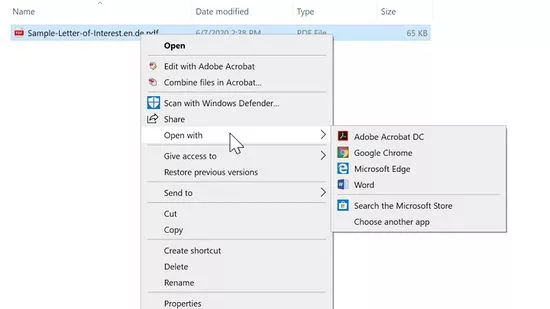
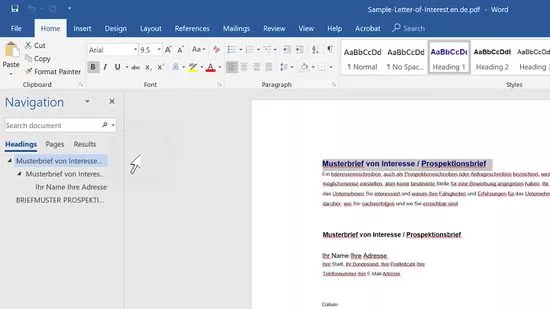
Right-click the PDF you want to open. If you're using a Mac and don't have a right mouse button, press Control as you click the file. This will open a context menu.
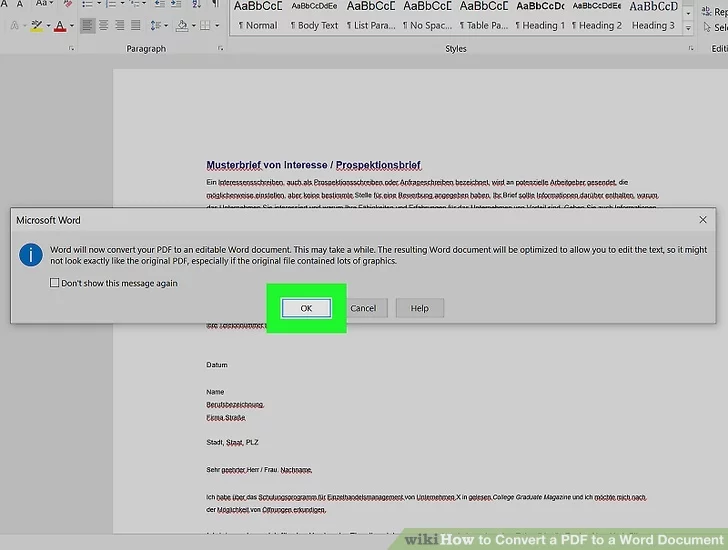
Click OK to convert the file. Word will convert the file to its own format and display the results. If you're converting a larger file, it can take a few minutes to complete.
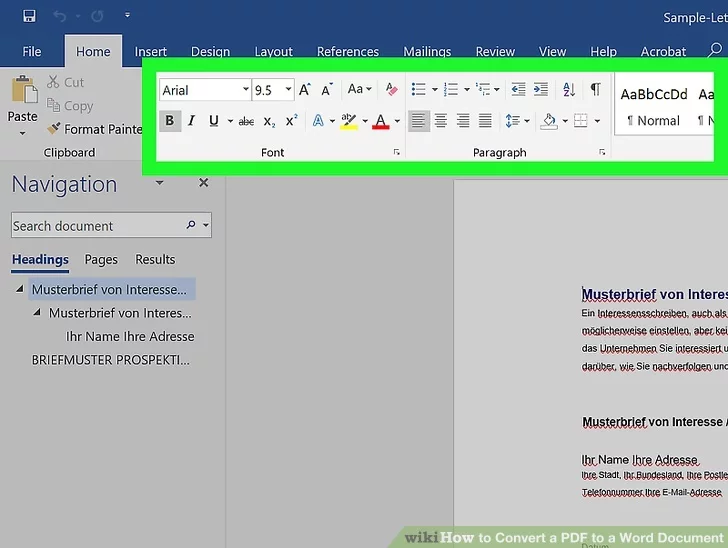
Edit the Word document. The converted document may not have perfect page to page correspondence due to line and page breaks, graphics, and other details. Making manual adjustments may be necessary.
Save the converted PDF,do the following:
Click File, click Save As, click This PC, enter a file name, select a save location on the left side of the window, and click Save.
Looks like your cart is empty. Why not go ahead and add some products in?

Use the following gestures to browse story content