If you are comparing ColorOS 16 vs ColorOS 17, here’s what you need to know. ColorOS 16 is the latest stable version currently available. While ColorOS 17 is still in beta testing and is based on Android 17. ColorOS 16 focuses heavily on smooth performance, AI features, and cross-device connectivity. ColorOS 17 aims to refine those features further with smarter AI tools, improved animations, and a more polished design.
So, should you upgrade? If you’re already on ColorOS 16, there’s no urgent reason to jump to a beta version. But if ColorOS 17 happens to deliver on its promises, it could be worth an upgrade. Of course, once the stable release arrives.
Also read: Everything About iOS 18.5: Release Date, Features, And More!
What Is ColorOS? Visiting The Basics…
ColorOS is Oppo’s custom Android skin that powers its smartphones and tablets. Over the years, it has evolved. It went from a heavily customised Android interface into a feature-rich operating system. It is packed with AI tools, productivity features, gaming enhancements, and extensive personalisation options.
With each update, Oppo focuses on making devices feel faster, smarter, and more connected. That’s exactly what we’re seeing with the ColorOS 16 vs ColorOS 17 comparison.
ColorOS 16 vs ColorOS 17: Key Differences At A Glance
| Feature | ColorOS 16 | ColorOS 17 (Beta/Expected) |
|---|---|---|
| Android Version | Android 16 | Android 17 |
| Release Status | Stable (widely available) | Early Beta/Developer Preview; Stable H2 2026 |
| Performance | Luminous + Trinity Engines | Further optimisations (Aurora Rendering?, Tidal Energy Efficiency 2.0), better CPU/RAM, reduced micro-stutters |
| Design | Luminous Design (depth, glows) | Refinements to existing (possible subtle Liquid Acrylic/light effects, unified rounded corners, dynamic lighting; no major redesign) |
| AI Features | Mind Space, Gemini Live, AI Recorder | Enhanced/expanded AI (summaries, editing, privacy tools); broader availability |
| Gaming | Dynamic Frame Sync | Improved frame stability, thermal/CPU scheduling |
| RAM Management | Advanced | Expected better retention & allocation |
| Battery | Trinity Engine efficiency | Further tuning (potential 10-13% gains in some scenarios) |
| Connectivity | Phone/PC Connect, O+ Connect | Expanded cross-device |
| Stability | Mature | Beta bugs possible; focus on polish |
| Best For | Daily users | Early adopters (post-stable) |
Also read: One UI 8 Update: Release Date, Eligible Devices, Features Revealed!
ColorOS 16: The Current Stable OS
ColorOS 16 brought major architectural improvements on Android 16. It includes the Luminous Rendering Engine (faster responses, smoother animations) and Trinity Engine (resource management). It delivers noticeable gains in app opening, scrolling, multitasking, and thermal control.
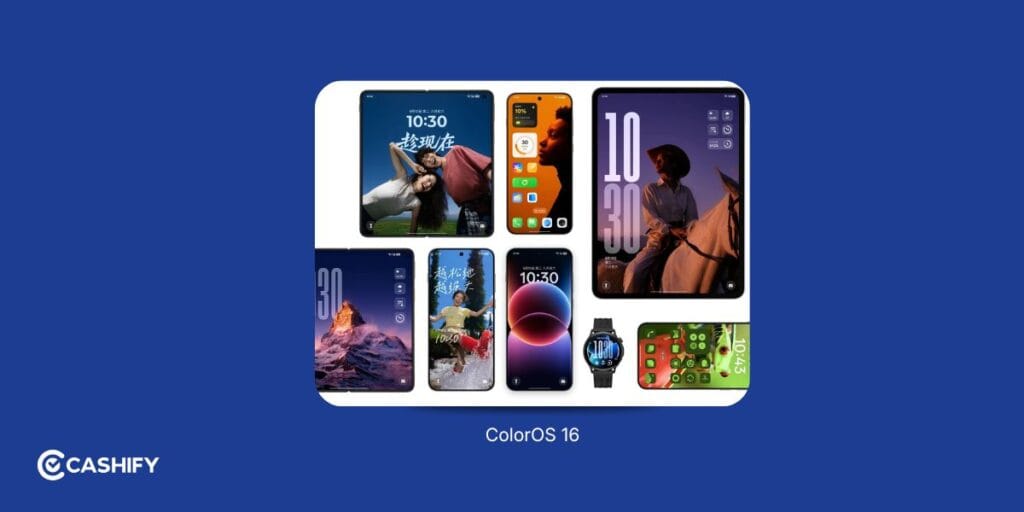
Here’s the thing: ColorOS 16 isn’t just a normal update that they do routinely. It represents one of Oppo’s biggest software overhauls in recent years.
This OS introduces a new architecture performance while being built on Android 16. This facilitates deeper AI integration and a refreshed visual experience.
Performance That Actually Feels Faster
One of the biggest highlights is the Luminous Rendering Engine in ColorOS 16.
Instead of relying on the older parallel rendering system, Oppo redesigned how the interface responds to user interactions. The result is faster touch response, smoother animations, and fewer frame drops.
When you use it daily, this means:
- Apps open quicker
- Scrolling feels smoother
- Multitasking is more fluid
- Fewer stutters during heavy usage
Alongside it sits the Trinity Engine, which intelligently manages system resources.
The good news is that users don’t need to understand the technical details to notice the benefits. So, you can do gaming, edit videos, or switch between multiple apps, the phone remains responsive and cool.
Luminous Design Brings A Fresh Look
ColorOS 16 introduces a more modern visual language called Luminous Design. It adds modern visuals.
Key improvements include:
- Glowing icons with depth effects
- Glass-like Control Center
- Enhanced lock screen widgets
- Improved Always-On Display
- More flexible home screen layouts
If you’re wondering whether the interface feels different, the answer is yes. It feels cleaner, more premium, and more polished than previous ColorOS versions.
AI Features That Are Actually Useful
Unlike some AI features that feel like marketing buzzwords, Oppo’s implementation in ColorOS 16 is surprisingly practical.
Practical AI: Mind Space for notes/ideas, AI Recorder for transcription/summaries, Gemini integration.
Think of it as your digital second brain.
You can quickly save:
- Voice notes
- Screenshots
- Images
- Ideas
- Important reminders
The AI then organizes everything intelligently for easy retrieval.
AI Recorder
This feature can:
- Transcribe conversations
- Generate summaries
- Identify speakers
- Create automatic titles
For students, professionals, and content creators, this can be a genuine productivity boost.
Gemini Live Integration
With Gemini Live support, users can interact with AI using both camera and screen sharing capabilities, making assistance more contextual and interactive.
Also read: Android 15 Features, Eligible Devices List, All Details!
What’s New/Expected In ColorOS 17?
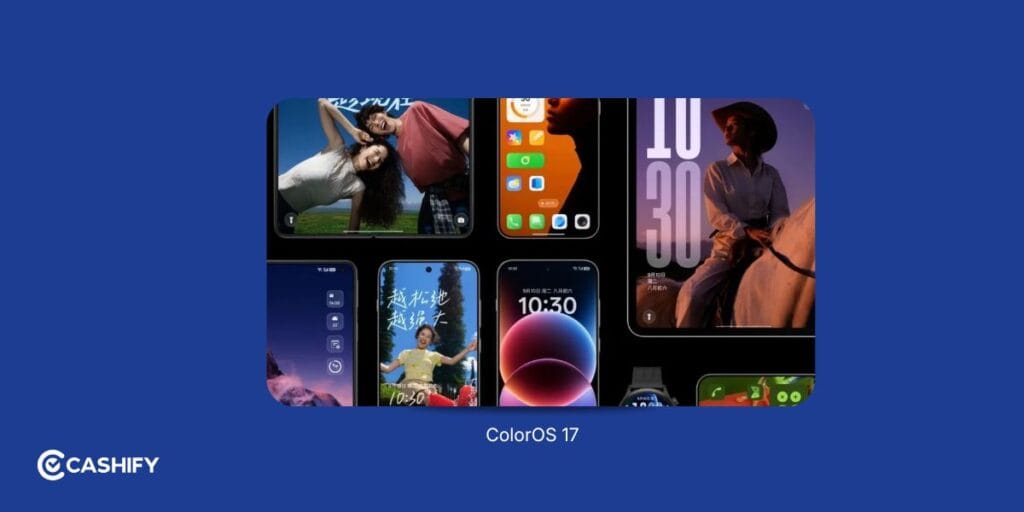
It’s early beta. Focus is on refinement:
- UI/Design: Polish to Luminous Design. Possible subtle “Liquid Acrylic” effects, better blur, unified rounded corners, dynamic lighting/animations for cohesion. No major overhaul per Oppo exec.
- Performance: Deeper optimizations (CPU scheduling, memory, garbage collection), smoother animations/camera zoom, better app retention. Aims for fewer stutters and improved efficiency.
- AI & Features: Refinements and broader rollout of editing tools, summaries, privacy features (e.g., AI Privacy Guardian). Some new organization/translation enhancements reported in leaks.
- Battery/Gaming: Expected tuning for better idle consumption, thermal management, and frame stability.
Beta users report improvements but also typical early issues (bugs, heat). Not for daily use yet.
Also read: Realme UI 7.0: Release Date, Eligible Devices, Features, and More!
Performance Comparison: ColorOS 16 vs ColorOS 17
You hung around here this far. This is probably the part you were waiting for. Performance is everything. And yes, there is indeed an interesting comparison.
ColorOS 16
ColorOS 16 introduced major architectural improvements through:
- Luminous Rendering Engine
- Trinity Engine
- Dynamic Frame Sync
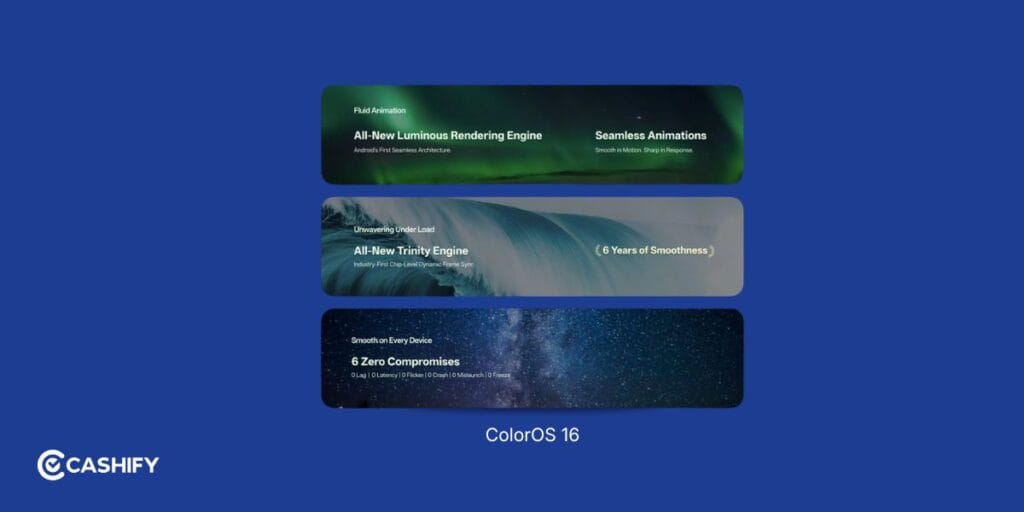
These changes significantly improved responsiveness and efficiency.
ColorOS 17
ColorOS 17 doesn’t appear to be introducing a completely new engine.
Instead, Oppo seems focused on refining what’s already working.
Expected improvements include:
- Better memory allocation
- Reduced micro-stutters
- Faster app transitions
- More stable frame rates
Winner: ColorOS 16 (For Now)
ColorOS 16 is proven and stable. ColorOS 17 promises evolutionary gains (smoother transitions, better resource use) but is unproven in stable form. Since ColorOS 17 is still in beta, ColorOS 16 remains the more reliable choice for daily use.
Design & User Interface:
ColorOS 16 introduced many new things, as mentioned. Luminous Design language, depth effects, glowing icons, glass-inspired panels, and so on. The interface feels modern without becoming overly flashy, which many users appreciated.
With ColorOS 17, the design gets refined. Early previews suggest a stronger focus on liquid acrylic-style effects. We can see softer corners and more dynamic lighting throughout the system. If you have noticed smartphone brands moving toward more visually layered interfaces, ColorOS 17 follows a similar direction.
In daily use, the changes are less about functionality and more about feel. Everything looks slightly more premium, animations appear more natural, and the interface feels more cohesive overall.
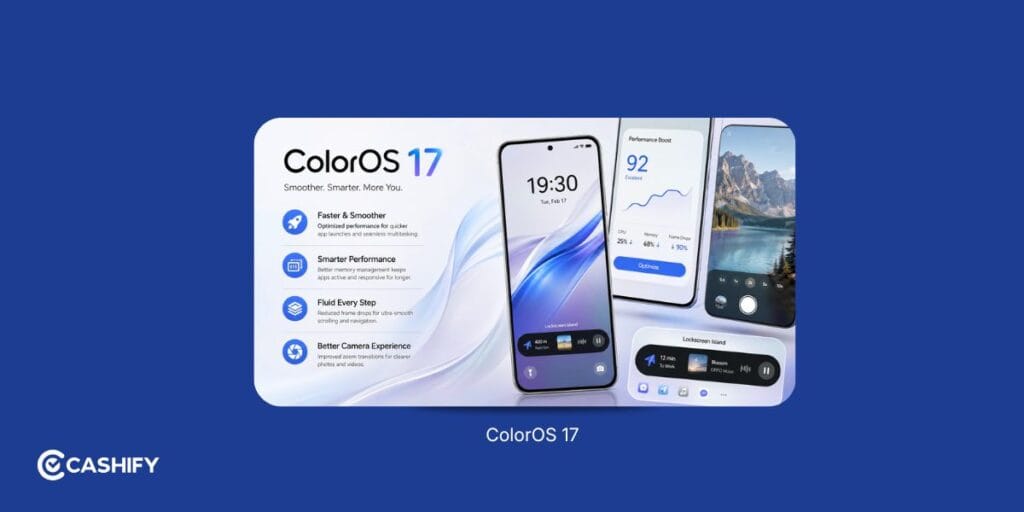
ColorOS 16 introduced Luminous. ColorOS 17 refines with more fluid/polished elements. Changes feel incremental.
Battery Life Comparison
Battery optimisation remains a major focus for Oppo.
ColorOS 16 Battery
Thanks to the Trinity Engine, users benefit from:
- Lower power consumption
- Better background app management
- Improved thermal control
- Longer standby time
Many users report consistent battery performance even during gaming and video recording sessions.
ColorOS 17 Battery
ColorOS 17 is expected to continue this approach with additional optimisations for memory and background processes. Current beta builds suggest additional improvements in:
- Background resource management
- Idle power consumption
- App optimisation
However, real-world results won’t be clear until the stable release arrives.
Winner: ColorOS 16
ColorOS 16 is strong. ColorOS 17 may improve further but stable data pending.
Also read: OxygenOS 16 Features, Expected Release, Upgrades And Supported Devices!
Gaming Experience: Which Is Better?
If you’re a gamer, the difference in ColorOS 16 vs ColorOS 17 is less about new gaming features and more about overall system efficiency. The following are the features that make it happen.
ColorOS 16 Gaming Features
- Dynamic Frame Sync
- Improved thermal efficiency
- Stable frame rates
- Better touch responsiveness
- Resource prioritisation
Games run smoothly even during extended sessions.
ColorOS 17 Gaming Improvements
Now, Coloros 17 takes it a notch higher. Expected enhancements include:
- Better frame consistency
- Improved memory handling
- Reduced frame drops
- Faster asset loading
While promising, most improvements appear evolutionary rather than revolutionary.
Winner: Tie (Until Stable Release)
ColorOS 17 has potential, but ColorOS 16 is currently the safer choice.
Also read: HyperOS Features, Eligible Devices List!
Privacy And Security Features
Privacy has become increasingly important, and both versions take it seriously.
ColorOS 16
Key privacy features include:
- OPPO Lock
- Remote device protection
- Private Computing Cloud
- Advanced permission controls
- Secure data handling
ColorOS 17
Expected additions include:
- Smarter privacy notifications
- Enhanced app monitoring
- Improved permission management
- More transparent data controls
For now, the difference isn’t huge. Incremental improvements expected in both areas. ColorOS 16 is solid today.
Customisation Features
If you enjoy personalising your phone, both versions offer plenty of options.
ColorOS 16
Customisation highlights:
- Flux Home Screen
- Resizable icons
- Flexible folders
- Lock screen widgets
- Enhanced Always-On Display
ColorOS 17
Expected additions:
- Dynamic widgets
- More interactive lock screens
- Improved theming
- Additional visual effects
The customisation gap between the two versions appears relatively small.
Also read: ColorOS 17 Release Date And Eligible Devices: All Details Here!
ColorOS 16 vs ColorOS 17: Pros And Cons
| Feature | ColorOS 16 | ColorOS 17 |
| Pros | Stable, smooth, and widely available with strong battery life, fast performance, useful AI tools, and broad device support. | Expected to bring smarter AI, a refreshed design, smoother animations, better customisation, and improved cross-device connectivity. |
| Cons | Some AI features are limited to newer devices, and the interface may feel dated compared to newer versions. | Still in beta, so bugs, heating, and stability issues are possible. Availability is limited, and real-world battery performance remains unverified until the stable release. |
Also Read: One UI 5 vs One UI 6: A Complete Interface Comparison!
Should You Upgrade To ColorOS 17?
Perhaps the biggest difference between ColorOS 16 and ColorOS 17 isn’t a feature at all. Its availability. If you’re wondering whether you should upgrade immediately, the answer depends on your priorities.
For Casual Users
Stay on ColorOS 16 until the stable release arrives.
For Gamers
ColorOS 16 currently offers the most reliable experience.
For Power Users
If you enjoy testing new software, the beta may be interesting, but expect bugs.
For Content Creators
ColorOS 17’s AI editing enhancements could be valuable once finalised.
For Older Devices
Wait for official compatibility announcements before making upgrade plans.
Also Read: HyperOS 3.1 Release Date, Eligible Devices, More Details!
ColorOS 16 vs ColorOS 17: FAQs
Is ColorOS 17 faster than ColorOS 16?
Based on early beta testing, ColorOS 17 may offer slightly smoother animations and better memory management. However, ColorOS 16 remains the more stable performer today.
Does ColorOS 17 improve battery life?
Potentially yes, but the stable version hasn’t been released yet, so long-term battery improvements are still unconfirmed.
Is ColorOS 17 good for gaming?
Early tests look promising, but ColorOS 16 currently provides a more reliable gaming experience.
Which phones will support ColorOS 17?
Oppo is expected to prioritize Find X, Find N, and newer Reno series devices first. An official device list has not been released.
Can I downgrade from ColorOS 17 to ColorOS 16?
In many cases, yes, but the process may require data backup and a manual rollback package.
Does ColorOS 17 have new AI features?
Yes. Expected additions include AI Unblur, reflection removal, smarter summaries, and enhanced editing tools.
Is ColorOS 17 more secure?
Security improvements are expected, but ColorOS 16 already offers robust privacy and protection features.
Should I update to ColorOS 17 immediately?
For most users, waiting for the stable release is the better option. Beta software is best suited for enthusiasts and developers.
Also read: ColorOS 17 Features, AI Tools, Performance Upgrades: Everything Explained!
In The End
When comparing ColorOS 16 vs ColorOS 17, the biggest takeaway is simple:. ColorOS 16 is the better choice today, while ColorOS 17 looks promising for tomorrow.
ColorOS 16 delivers everything at the current times. Be it performance, AI integration, customisation, and connectivity. More importantly, it’s stable, polished, and available on a growing list of Oppo devices.
ColorOS 17, on the other hand, focuses on refining that foundation. It introduces smarter AI features, smoother animations, and a more modern visual style. However, because it’s still in beta, it isn’t ready to replace ColorOS 16 for most users.
If your device supports ColorOS 16, you’re already getting one of Oppo’s best software experiences. Once ColorOS 17 reaches stable release, it should offer an even smoother and smarter experience. For that, we will have to wait till the newer flagship devices arrive.
If you’ve just bought a new phone and don’t know what to do with your old phone, then here’s your answer. Sell old mobile to Cashify and get the best price for it. If you are planning to buy a new phone, check out Cashify’s refurbished mobile phones. You can get your favourite phone at almost half price with six-month warranty, 15 days refund and free delivery.