OPPO has officially unveiled ColorOS 17. This is the latest major software update based on Android 17. ColorOS 17 was officially announced at OPPO Developer Conference 2026 on September 17. OPPO has also published its China rollout plan, starting October 8, 2026. The global and India rollout timeline has not yet been announced.
The update has new visual effects, fluid animations, flexible touch feedback, the Tidal Engine for personalised resource management, AI Photo Editor, AI Notes, proactive AI assistance, Care Mode, accessibility, and connectivity across devices.
Let’s check out all the details about the ColorOS 17 update and see everything that is confirmed so far:
Also Read: HyperOS 4 Release Date In India & Full List of Supported Devices!
ColorOS 17: Fresh Visual Identity
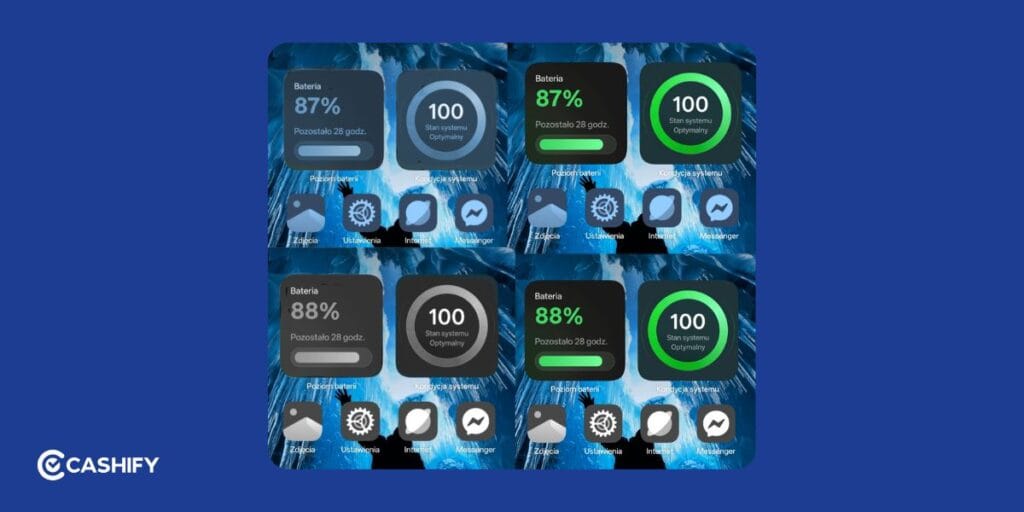
The first thing users will notice in ColorOS 17 is the new Fluid Design. OPPO has redesigned visual elements across the interface. We can now see translucent effects, fluid animations, interactions, and better visuals.
Fluid Design Language
At the centre of the redesign is OPPO’s new Fluid Design language. It has translucent visual effects, fluid motion, and flexible feedback across system elements. The new Luminous visual effects add light and transparency while keeping icons and text readable.
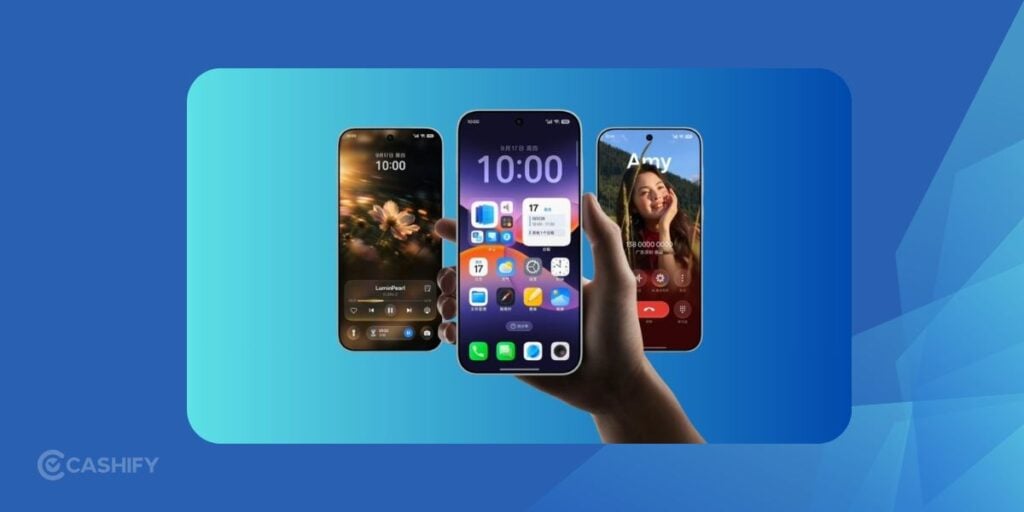
Animations now respond more naturally to touch. Elements can stretch, compress, and bounce during interactions. This creates a more connected feel across the interface.
Real-Time Lighting Effects
ColorOS 17 introduces Luminous visual effects across the interface. Light effects can respond to touch and movement. It has added visual feedback to interactions such as dragging controls or navigating through system elements.
OPPO has also refined transparency and lighting. We can see it in notifications, navigation elements, and other parts of the UI.
Consistent Rounded Corners Across The System
Visual consistency plays a major role in ColorOS 17.
The new interface uses consistent shapes, spacing, transparency, and visual treatments. This creates a more unified appearance across settings, notifications, widgets, and native applications.
Fluid Cloud Transitions
ColorOS 17 expands the Fluid Cloud experience across notifications and navigation. The interface uses pill-shaped elements, fluid animations, and responsive transitions. It does that to keep ongoing activities visible.
Fluid Cloud can also integrate navigation in supported markets. The selected activities can also move across compatible OPPO devices and accessories.
Dynamic Widget Colour Adaptation
Widgets are becoming smarter in ColorOS 17.
This new update has focus on personalisation across the home screen. System elements and widgets can adapt visually to wallpapers and selected themes. It all helps create a more consistent home-screen appearance.
Also Read: Xiaomi HyperOS 3.0 Release Date, Eligible Devices, Features!
ColorOS 17 Performance Upgrades
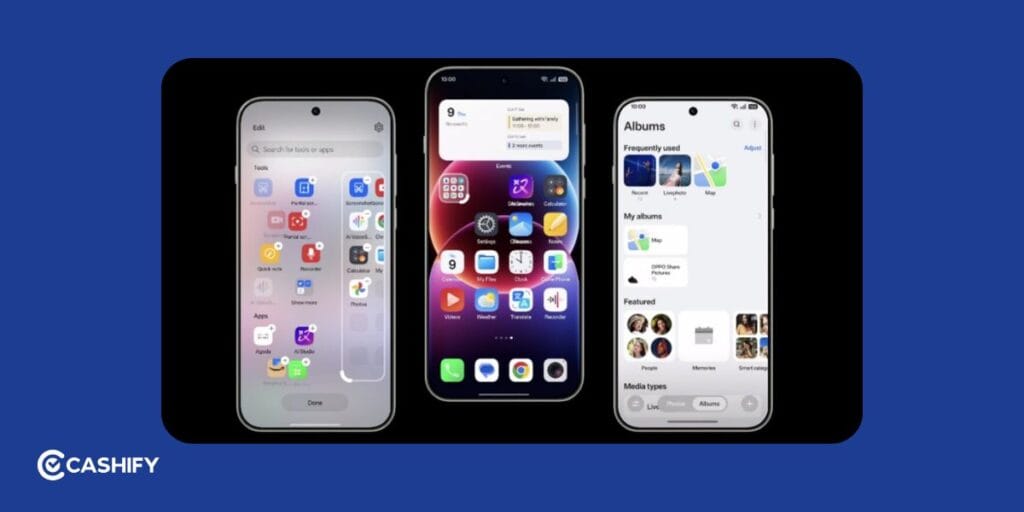
OPPO has introduced two major system engines in ColorOS 17: the Polar Light Engine and Tidal Engine. These systems target rendering efficiency, app responsiveness, memory management, and personalised resource allocation.
Smarter CPU And Memory Management
The Tidal Engine learns usage patterns such as app frequency, usage duration, and user behaviour. It adjusts system resources according to those patterns.
OPPO calls this capability “Memory Background”. Important apps can stay active in the background, while less important apps can be placed into a lower-power state.
Smoother Animations Across The System
ColorOS 17 uses the Polar Light Engine to move deeper into the rendering layer. The new rendering architecture can reduce runtime memory usage by 25 percent and workload by up to 30 percent.
The flexible feedback allows interface elements to respond naturally to taps, swipes, and dragging.
Improved Camera Performance
ColorOS 17 also improves high-frequency camera and gallery interactions. OPPO says common scenarios such as selecting photos can load faster. Also, third-party gallery scrolling and loading can improve by up to 50 percent.
Actual performance can vary depending on the device, application, storage, and workload.
Better App Retention
ColorOS 17’s Memory Background system reduce unnecessary app reloads. Important background applications can receive priority for continued memory allocation. This helps users return to tasks such as feeds, forms, and other in-progress activities.
OPPO claims a 55.6 percent improvement in background app retention.
Also Read: HyperOS 3.1 Release Date, Eligible Devices, More Details!
ColorOS 17 AI Features
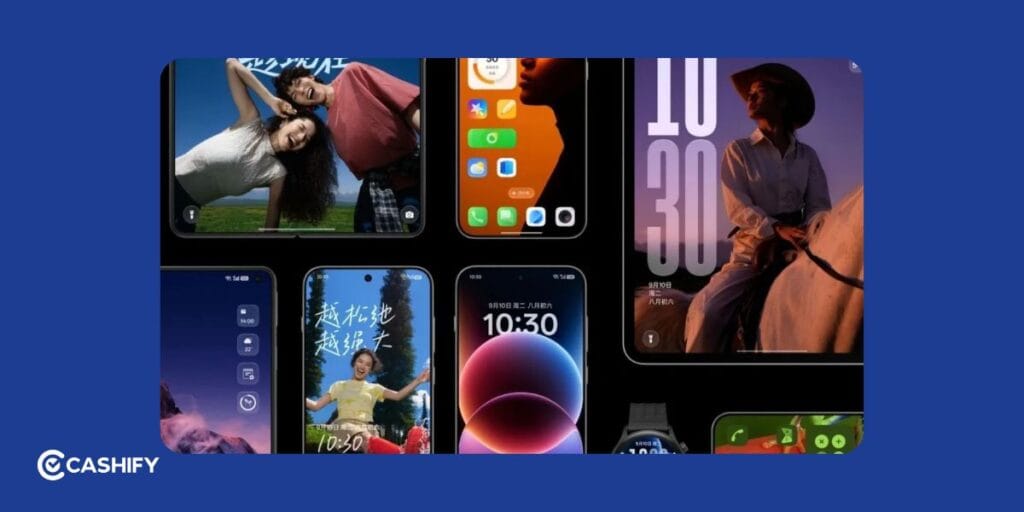
AI is a major part of ColorOS 17. OPPO is integrating AI into memory, personalisation, photo editing, notes, accessibility, and more.
AI Photo Editor
ColorOS 17 introduces an AI Photo Editor based on OPPO’s Da Vinci visual understanding model. It can help users edit images through natural-language instructions. It also suggests edits based on the content.
The system can help reduce motion blur, adjust colours and tones, remove unwanted elements, and recreate visual characteristics from a reference image. It can preserve 2K resolution and HDR in supported scenarios.
AI Notes
AI Notes turns the native notes application into a broader personal knowledge-management tool. You can record, write, scan images, import video links, add documents, and bring in info from AI memory.
The AI assistant can reorganise content using natural-language instructions. It can generate structured information cards for easier reading and sharing.
AI Memory And Proactive Assistance
ColorOS 17 introduces deeper proactive AI features. It does that through OPPO’s Persona X memory engine and Agent Matrix framework. It can identify relevant information from apps and notifications. You will get reminders or suggested actions in supported scenarios.
OPPO says Xiaobu (AI assistant) can support longer context and access more than 700 service scenarios.
AI Accessibility And Scam Protection
ColorOS 17 also adds AI-assisted accessibility and security tools. The intelligent screen reader can identify elements and read screen content aloud for users who need visual assistance.
A new Care Mode can enlarge text, improve audio and touch feedback, and activate additional protection against unwanted software installation and permissions. The AI anti-fraud system can analyse behavioural patterns to provide earlier warnings.
Also Read: One UI 5 vs One UI 6: A Complete Interface Comparison!
Everything Else Expected From ColorOS 17
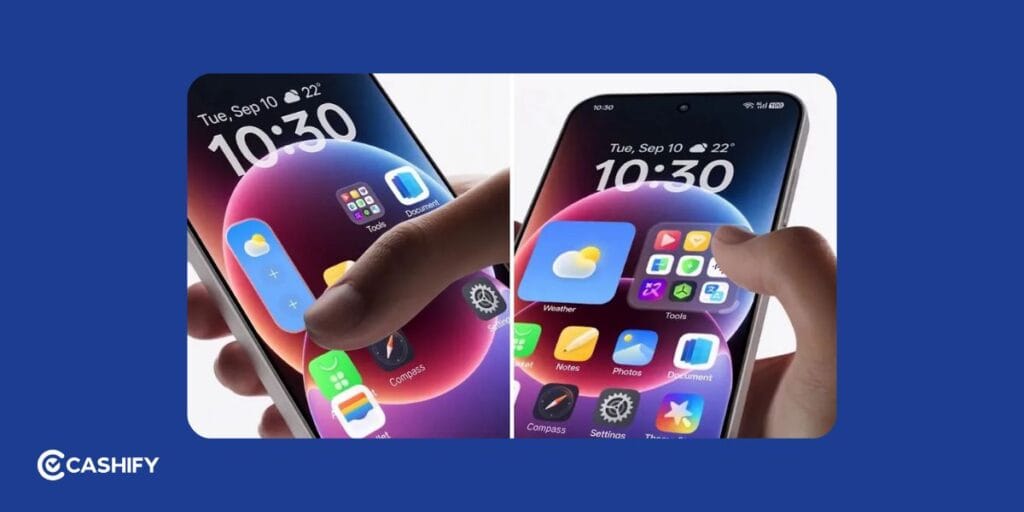
If you are into customisations, you will like how ColorOS 17 interacts. OPPO is developing a dedicated customisation platform. This is similar to Samsung’s Good Lock ecosystem.
Expanded Lock Screen Controls
ColorOS 17 has updated lock-screen interactions and visual personalisation. Fluid animations connect the lock screen, home screen, notifications, and other system elements more naturally.
Advanced App Icon Customisation
The updated Fluid Design has refreshed icons, translucent visual treatments, and additional personalisation options. But then, it will also depend on your region if you will get extra customisations.
Cross-Device Connectivity
ColorOS 17 adds deeper integration across compatible devices. Car+ can continue navigation between the car and phone. Even the supported cameras can make photos accessible through the phone’s gallery. Compatible earphones can also provide real-time bilingual conversation translation.
OPPO Watch devices can sync selected activity information across phones and tablets.
Frequently Asked Questions
What is ColorOS 17?
ColorOS 17 is OPPO’s latest major software update based on Android 17. It has a new Fluid Design, performance, AI, smarter memory, and deeper cross-device connectivity.
When was ColorOS 17 announced?
OPPO announced ColorOS 17 at the OPPO Developer Conference on September 17, 2026.
When will ColorOS 17 roll out?
The ColorOS 17 rollout in China starts on October 8, 2026. OPPO has not yet announced the global or India rollout timeline.
Is ColorOS 17 based on Android 17?
Yes. ColorOS 17 is based on Android 17 and adds interface, performance, AI, and connectivity features.
What is the Tidal Engine in ColorOS 17?
The Tidal Engine is OPPO’s system resource management technology. It learns usage patterns and adjusts CPU and memory resources to improve app responsiveness, power efficiency, and background app retention.
Does ColorOS 17 have new AI features?
Yes. ColorOS 17 adds AI Photo Editor, AI Notes, AI Memory, proactive AI assistance, an intelligent screen reader, and AI-assisted scam protection.
What is the AI Photo Editor in ColorOS 17?
AI Photo Editor lets users edit photos using natural-language instructions. It can help remove unwanted objects, reduce motion blur, adjust colours, and apply other AI edits..
What is Care Mode in ColorOS 17?
Care Mode is designed to make devices easier and safer to use. It can enlarge text, improve audio and touch feedback, and add protections against unwanted software installations and permissions.
Final Thoughts
ColorOS 17 is a major software update for OPPO devices. We all get a new Fluid Design, rendering architecture, smarter memory, deeper AI, and device connectivity. You can now see AI Photo Editor, AI Notes, proactive AI assistance, Care Mode, intelligent screen reading, and AI-assisted scam protection. The Tidal Engine also improved app retention by adapting resource allocation to user behaviour.
ColorOS 17 is based on Android 17, and its stable China rollout starts on October 8, 2026. India and global users will have to wait for OPPO’s regional rollout announcement.
If you’ve just bought a new phone and don’t know what to do with your old phone, then here’s your answer. Sell old mobile to Cashify and get the best price for it. If you are planning to buy a new phone, check out Cashify’s refurbished mobile phones. You can get your favourite phone at almost half price with six-month warranty, 15 days refund and free delivery.