- Head over to the settings menu on your Android smartphone.
- Enter the Apps section.
- Tap on Cashify, and then Uninstall.
- Tap and hold on the Cashify app icon on your home screen.
- Tap the ‘X’ icon on the Cashify app, followed by Remove on the confirmation box that follows.
Fortunately, Cashify delivers all over India.
Sadly, Cashify does not have a return policy. In case of physical damage, inform the courier rider.
If you receive a package that has been tampered with or damaged in any way, please refuse it. If already accepted, please inform us within 4 hours so that we can rectify the situation. In case of physical damage, inform the courier rider or reach out to us at warranty@cashify.in.
A refurbished product is a pre-owned product that has been tested and repaired (high-quality repair) for optimal performance and functionality while being covered by a specific warranty offered by Cashify.
Each repair service (screen, mic, battery, speaker, receiver, charging port) takes about 30-60 minutes approximately since trained and efficient professionals handle your phone. You can relax while it is being repaired, we will ensure everything is done perfectly!
Repair or replacement of your phone is possible at any place as per your convinience. It can either be your home or office. We just need a table/chair setup near a power plug outlet to sit and get to work. Just ensure there is a power plug nearby for us to use some of our tools. And now, to make things even more convenient for you, you can walk to the nearest Cashify store in your city & get your phone repaired instantly.
To uninstall the Cashify app from your Android smartphone:
Head over to the settings menu on your Android smartphone.
Enter the Apps section.
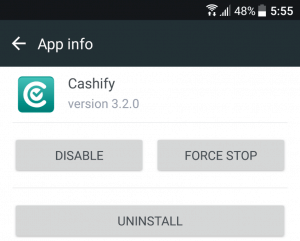
Alternately, if your phone permits, you could tap and hold the Cashify app on your app screen, and drag it to the Uninstall option that appears.
To uninstall the Cashify app from your iOS device:
All the features on the Cashify app are entirely free to the users and do not attract any charges.
The Cashify app is available on both the Android & iOS platforms. It can be downloaded for iOS from the App Store here, and for Android devices from the Google Play Store here.
Android minimum requirements:
Android 4.1 or later.
At least 15 MB of free storage space on the device.
iOS minimum requirements:
iOS 9.0 or later.
At least 100 MB of free storage space on the device.
There’s no limitation on the Cashify app in terms of the amount of data you can transfer. It is only limited by the storage space on the receiver device.
The data transfer feature requires you to meet the following criteria:
Both devices should be Android devices.
Both your devices should be within 100-150 meters of each other.
You should have the latest version of the Cashify app installed on both devices.
You should have Wi-Fi Direct enabled on both devices. If they are disabled, head over to the Wi-Fi settings of your smartphone and turn it on.