Motorola has expanded its Android 16 beta program to include the Motorola Moto G56, allowing users to try out the latest features ahead of the official release. This follows the beta rollout for other models in the Moto G-series, such as the Motorola Moto G75 and Motorola Moto G67. The Android 16 update promises several new features and improvements for users in select regions, including Brazil, Latin America, and Europe. So, read ahead for more details on this update.
Android 16 Beta Features For Moto G56
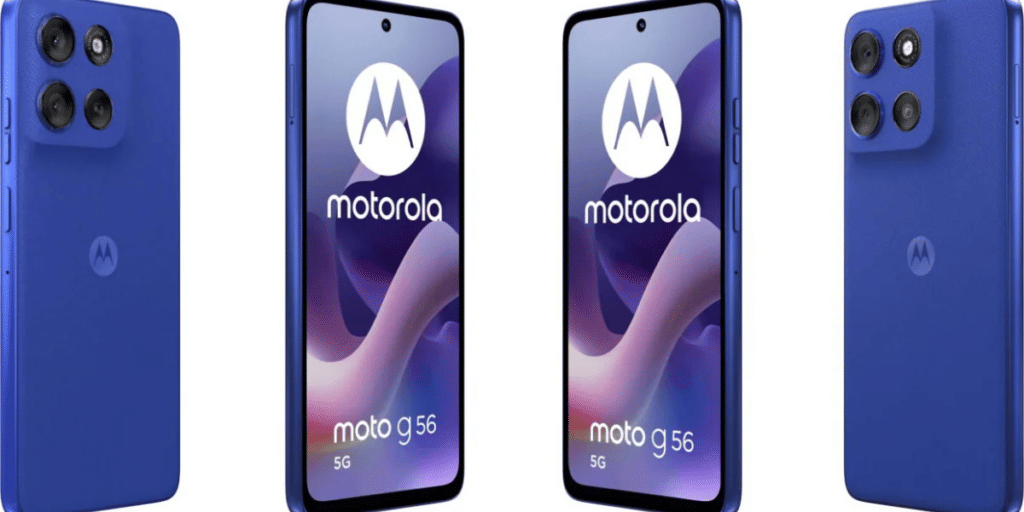
The Android 16 beta update for the Moto G56 introduces several exciting features designed to enhance the user experience:
Also Read: Motorola Edge 70 vs iPhone Air: Slim Design, Big Performance Battle
- Notification Cooldown: A new feature that prevents you from getting overwhelmed by frequent app notifications in a short time period.
- Flash Notification: This feature flashes the screen or camera when receiving calls or notifications, making it easier to notice alerts.
- Custom Modes: Users can now create personalized profiles for different activities, allowing the device to adapt to their needs.
- Advanced Protection: A new security feature designed to protect the phone from various vulnerabilities and threats.
- Improved Bluetooth LE Audio Support: Better compatibility with Bluetooth LE audio devices for improved sound quality and connectivity.
How to Register For The Program
If you own a Moto G56 and live in one of the supported regions, you can easily register for the Android 16 beta by following these steps:
- Create an Account: Sign up on Motorola’s community website (if you haven’t already).
- Update Your Details: Update your IMEI or serial number on your profile page.
- Opt-in for MFN: Select the Motorola Feedback Network (MFN) option on your profile.
- Check for Beta Opportunities: Visit the MFN Beta Testing Opportunities page to find the Android 16 beta.
- Fill in the Details: Complete the registration form with the necessary information and submit your application.
If accepted, you’ll receive an OTA update for Android 16 directly on your Moto device. Be sure to back up your data, ensure your device has sufficient storage, and at least 40% battery before installing the update.
Motorola continues to refine its software, and the Android 16 beta program is a great way for users to get an early taste of the new features.
Are you still browsing through your broken screen? Don’t worry! Book at-home mobile phone screen repair with Cashify—an affordable and one-stop destination for all your mobile phone needs. In case you break your screen within 1 month of repair, we will replace your screen again—for FREE.