OnePlus has begun rolling out the OxygenOS 15.0.0.851 update for the OnePlus Open in India and North America. The release is happening in stages, with a limited number of users getting it first before it becomes more widely available in the coming days. The update carries the build number CPH2551_15.0.0.851(EX01). So, here is everything you need to know.
OxygenOS 15 For OnePlus Open: Know The Features
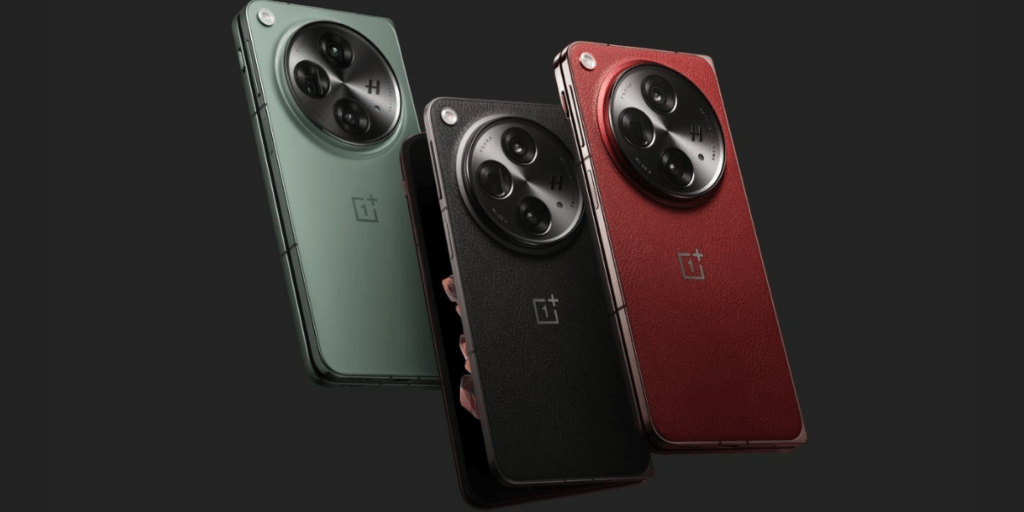
The new update of the OxygenOS 15 rolls out for OnePlus Open. So, here are the new enhancements and features that it will bring:
Also Read: OxygenOS 15 Vs. HyperOS 2.0: Which OS Suits Your Style?
- Private Safe Feature
The Private Safe feature has been improved with new options. Users can now share stored photos and videos, set custom album covers, and organize files by time. It also allows adding items directly to the “Other files” category.
- Animations and multitasking
This update brings smoother animations for opening, moving, and resizing floating windows. Split View is now more adaptable, letting users adjust the size ratio of two apps by dragging the divider. On the recent tasks screen, swiping down on an app preview will now toggle its lock status.
Connectivity And Notifications Changes
Some more features and enhancements which OxygenOS 15 will get for OnePlus Open are as follows:
- Notifications in landscape
When the device is in landscape mode, notifications now show up as simplified banners to minimize interruptions. Swiping down on a banner opens the app in a floating window, while tapping a button on the banner also launches it in floating view instead of full screen. The placement of these banners has been adjusted to keep distractions to a minimum.
- Connectivity
A new feature called BeaconLink allows users to send text, images, and voice messages to nearby devices without needing an internet connection. It can be turned on through Settings > Mobile network > BeaconLink.
Are you still browsing through your broken screen? Don’t worry! Book at-home mobile phone screen repair with Cashify—an affordable and one-stop destination for all your mobile phone needs. In case you break your screen within 1 month of repair, we will replace your screen again—for FREE.