Microsoft has launched Windows 11 Recall AI for Copilot+ PCs. This AI-powered feature helps you find anything you’ve seen on your PC. It comes with the Windows 11 KB5055627 update. The rollout starts with the May 2025 Patch Tuesday update.
What Windows 11 Recall AI Does?
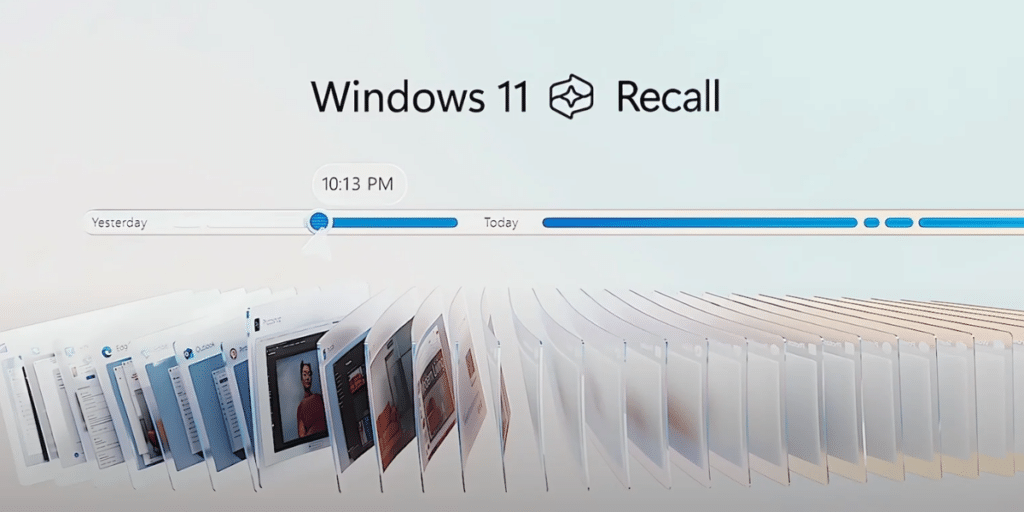
Windows 11 Recall AI acts like a photographic memory. It captures screenshots of your screen. You can search for files, photos, or links using simple words. For example, if you forgot the name of a PowerPoint file, describe it. Recall will find it. It sees everything on your screen. The feature uses local AI models for fast searches. It keeps data private and secure. You must opt-in to use it.
- Captures screen snapshots every few seconds.
- Searches files, apps, or websites with natural language.
- Stores data locally, encrypted for privacy.
- Requires Windows Hello authentication to access.
This makes finding lost files or websites easy.
Also Read: How To Fix Windows Blue Screen Errors?
Journey to Launch
Microsoft announced Windows 11 Recall AI in May 2024. It was set to be a key feature for Snapdragon-powered Copilot+ PCs. But privacy concerns arose. Early versions stored sensitive data, like passwords, in plain text. Microsoft delayed the launch. They tested it with Windows Insiders to fix issues. Now, Recall is optional. It filters out sensitive information. The feature is secure and encrypted. It’s rolling out gradually to all Copilot+ PCs.
It is a big step for AI on PCs. It’s designed for users who want quick access to past activities. Only Copilot+ PCs with powerful NPUs support it. Stay updated as Microsoft expands this feature!
Are you still browsing through your broken screen? Don’t worry! Book at-home mobile phone screen repair with Cashify—an affordable and one-stop destination for all your mobile phone needs. In case you break your screen within 1 month of repair, we will replace your screen again—for FREE.