Is your Acer TravelMate P2 P214-52 keyboard giving you trouble? It gets pretty annoying when some of the keys stop working. A space bar doesn’t let you get that space! Or your laptop keeps typing random characters. Before you think about replacing your laptop, it’s worth checking if a simple repair can fix the problem. Acer TravelMate P2 keypad repair can help get your laptop back in shape without the expense of buying a new device.
Let’s look at a few fixes you can try at home and how Cashify can help if the issue needs professional attention.
Also read: IdeaPad Screen Issue: How To Troubleshoot Effectively!
Acer TravelMate P2 Keypad Problems That Are Too Relatable!
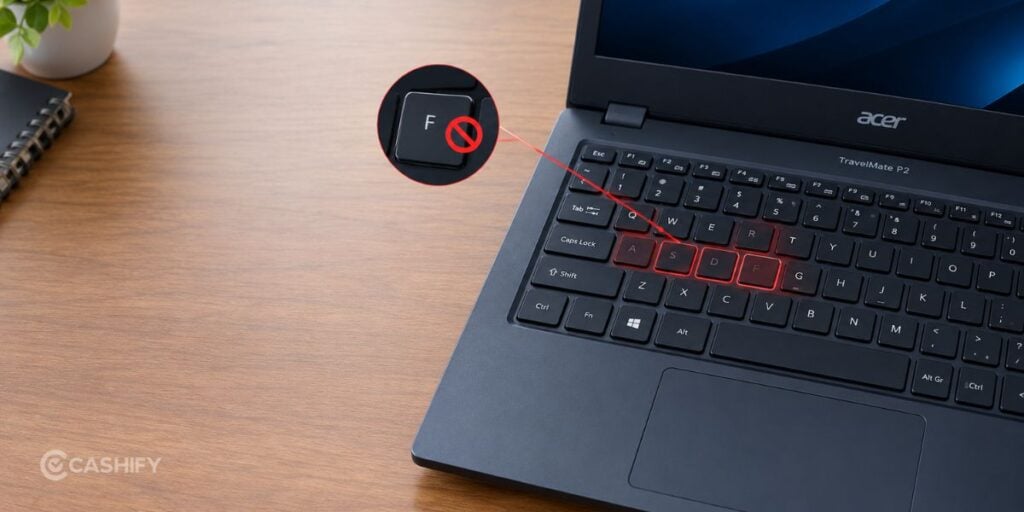
Here are some common issues you might face:
- Some keys aren’t working: Dust, damaged keys or internal connection issues could be the reason.
- Wrong characters appear: Your keyboard layout or language settings may have changed.
- Keys feel stuck: Dirt, debris or liquid residue may be affecting the keys.
- Random characters appear: A stuck key, software glitch or faulty keyboard could be responsible.
- The entire keyboard has stopped working: This could be a driver issue, connection problem or hardware fault.
How To Fix Acer TravelMate P2 Keyboard Issues
Try these fixes that won’t cost you anything before booking a repair.
1. Restart Your Laptop
Save your work and restart your Acer TravelMate P2. Sometimes, a temporary software glitch is all that’s causing the problem.
2. Check Keyboard Settings
If you’re getting the wrong characters, check your Windows keyboard language and layout settings. You can also search for On-Screen Keyboard in the Start menu to test typing.
3. Check Keyboard Drivers
Open Device Manager from the Start menu, expand Keyboards and check for warning symbols. Follow Windows’ available troubleshooting or driver update options if needed. Avoid installing drivers from unverified sources.
4. Clean The Keyboard Gently
Turn off your laptop, unplug the charger and use a soft, dry brush to remove loose dust. Don’t force stuck keys or remove keycaps without knowing how they are attached.
Spilt liquid on your keyboard? Shut down your laptop, disconnect the charger if safe and stop using it. Don’t apply heat or keep testing the keys. Get it checked before powering it on again.
Also Read: Vivobook Keyboard Not Working? Workarounds Before Meeting Professionals!
Acer TravelMate P2 Keypad Repair At Cashify
If home fixes don’t help, Cashify is one smart laptop repair platform to reach out to.
Cashify has a dedicated repair listing for the TravelMate P2 Series P214-52, Intel Core i5 10th Gen, 14-inch. So you can start by checking your model’s repair options.
Here’s what you can check through Cashify:
- Model-specific repair listing: Find the repair page for your laptop.
- Booking convenience: Explore available booking and service options.
- Doorstep service: Check pickup or doorstep availability for your location.
- Repair warranty: Cashify also offers warranty but the coverage varies. Like screen replacement gets six months warranty while a battery replacement would get 3 months warranty. Check with the technican for more clarity on your particular situation.
Actual repair options and service availability depend on your model and booking. If you happen to have a Cashify store nearby, you can also visit the store and talk to a technician to understand what’s really wrong with your laptop. They will give you exact guidance on the problem, and then you can decide whether you need the repair.
How To Book A Repair
- Visit the Cashify Laptop Repair page.
- Select your laptop model or open the P214-52 repair listing.
- Check the available keypad repair or replacement options.
- Review the quote and available service options.
- Confirm your booking after checking the charges and terms.
If keypad repair isn’t listed, contact Cashify support to confirm availability before booking.
Things To Do Before Sending Your Laptop For Repair
- Back up your important files.
- Note down which keys aren’t working.
- Take pictures of your laptop’s condition.
- Keep your booking confirmation and invoice.
- Check repair charges, warranty terms and estimated turnaround time.
- Avoid sharing your main account password unnecessarily.
Also read: Liquid Damage In Laptops: What To Do Immediately!
Final Thoughts
A faulty keyboard doesn’t mean you need a new laptop. Start with basic troubleshooting and get the issue checked if the problem continues.
For Acer TravelMate P2 keypad repair, check Cashify’s model-specific listing, available services and repair quote. If your P214-52 is otherwise working well, repairing the keyboard can be a practical way to get back to work without replacing your laptop.
If you’ve just bought a new phone and don’t know what to do with your old phone, then here’s your answer. Sell your old mobile to Cashify and get the best price for it. If you are planning to buy a new phone, check out Cashify’s refurbished mobile phones. You can get your favourite phone at almost half price with a six-month warranty, 15-day refund and free delivery.