Finding a brand new laptop under 10000-20000 price might look like a challenge, but actually, it is not. There are several leading brands that offer decent laptops in this price range. Of course, keeping high expectations from these products like intensive gaming, hard-core multitasking or heavy editing would not be right but they can certainly help you with your daily basic tasks. So, let’s get started with our list in this blog.
Also Read: 5 Best HP Laptops Under 50000 In India November 2024
Best Laptops Under 10000-20000 Price At A Glance
Listed below are some great options for basic tasks like web browsing, content streaming, and light office work. Here’s a list of the top five budget laptops under 10000-20000 price with direct buying link:
| Laptops | Price | Buying Link |
| Acer Aspire 3 | Rs. 19,990 | Buy on Flipkart |
| Primebook S | Rs. 10,989 | Buy on Flipkart |
| ASUS Chromebook CX1 | Rs. 13,990 | Buy on Flipkart |
| Lenovo Chromebook | Rs. 11,990 | Buy on Flipkart |
| JioBook 11 | Rs. 10,990 | Buy on Amazon |
| Ultimus APEX Pro | Rs. 11,990 | Buy on Amazon |
| Primebook 2 Neo | Rs. 15,990 | Buy on Amazon |
| Acer One 14 (Z8-415) | Rs. 19,990 | Buy on Amazon |
Let us now have a detailed look at each of these products.
1. Acer Aspire 3
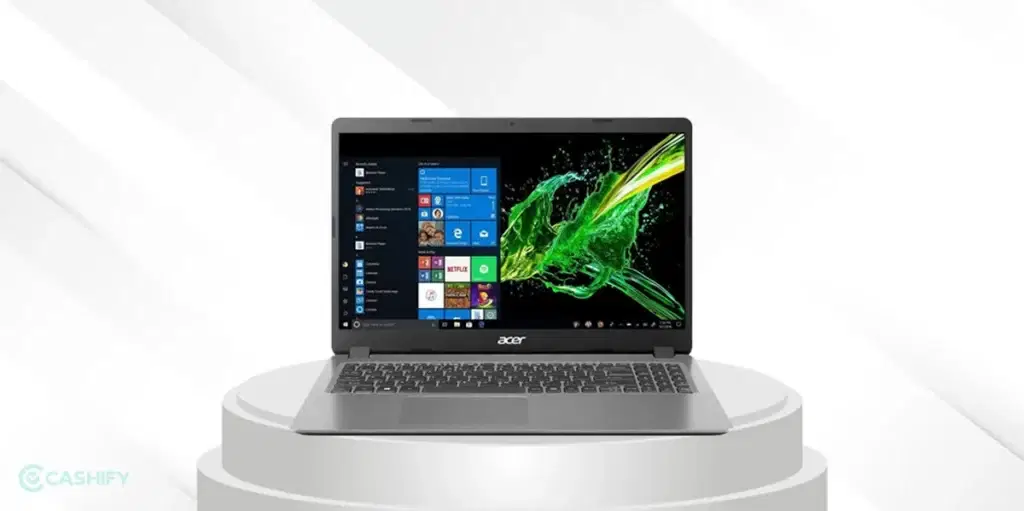
The first name on our list of the best laptop under 10000-20000 price is the Acer Aspire 3. The Acer Aspire 3 is an excellent option for those looking for a balance between performance and price. With a 14-inch HD display and an Intel Core Celeron processor and DDR4 system memory, this laptop is ideal for web browsing, watching videos, and using office applications. The 8GB RAM and 256GB SSD storage provide enough space for your daily needs, though multitasking beyond light use may not be smooth.
Pros:
- Good build quality
- Large screen for better productivity
- Spacious storage
Cons:
- Moderate processing power for more demanding tasks
Also Read: 5 Best 5G Mobile Phones Under 5000 In India November 2024
2. Primebook S
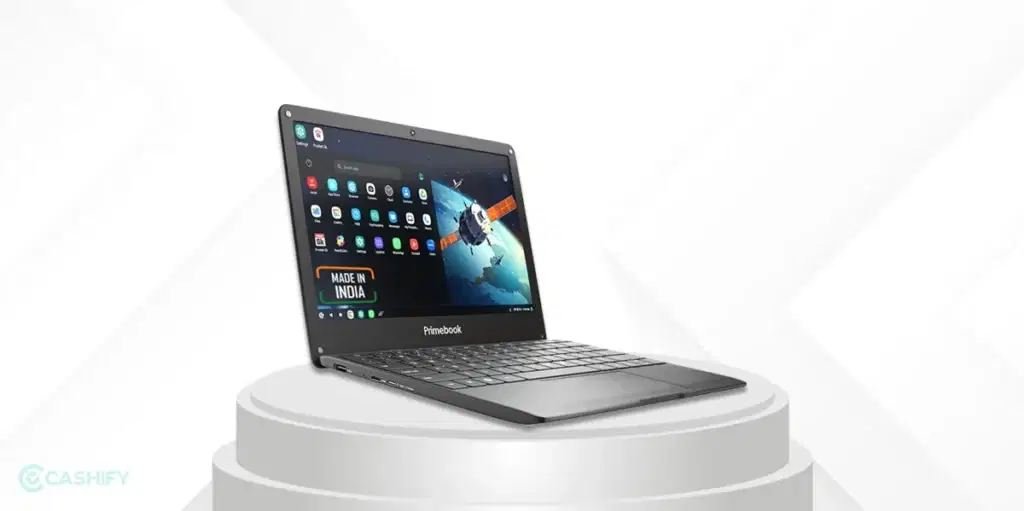
Next, we have the Primebook S on our list of the best laptop under 10000-20000 price. If you are on a strict budget, the Primebook S could be of great value. With 4GB RAM and 128GB storage, this is more of a basic entry-level laptop, suitable for simple tasks like web browsing and document editing. It also features a 11.6-inch display, which is compact and portable. It runs on PrimeOS, offering a lightweight and fast experience for users who primarily rely on web-based applications.
Pros:
- Extremely affordable
- PrimeOS is efficient
- Compact and portable
Cons:
- Limited storage
- No access to traditional Windows applications
3. ASUS Chromebook CX1
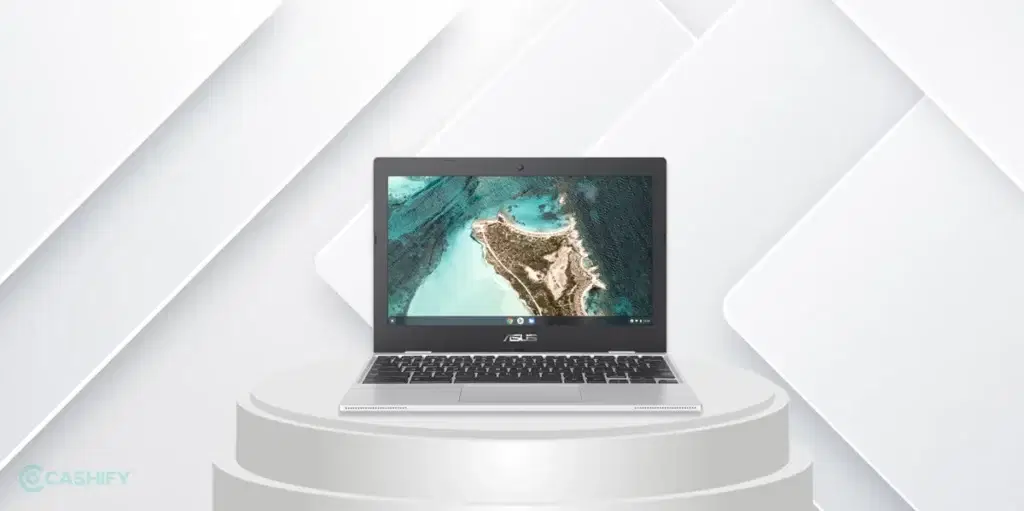
Another great option on our list of the laptop under 10000-20000 price is the ASUS Chromebook CX1. This Chromebook features a 14-inch display, 4GB RAM, and 64GB storage. It’s powered by a Intel Celeron N4500 processor, which is good enough for web browsing and light productivity tasks. With ChromeOS, you get the benefit of fast startup times, excellent security, and smooth integration with Google apps. Plus, the long battery life makes it great for students or professionals who need a portable option.
Pros:
- Fast and responsive ChromeOS
- Good build quality
- Long battery life
Cons:
- Limited storage for heavy use
- Not suitable for heavy coding or programming
Also Read: 4 Apple iPhone Under 15000-20000 Rupees In India November 2024
4. Lenovo Chromebook
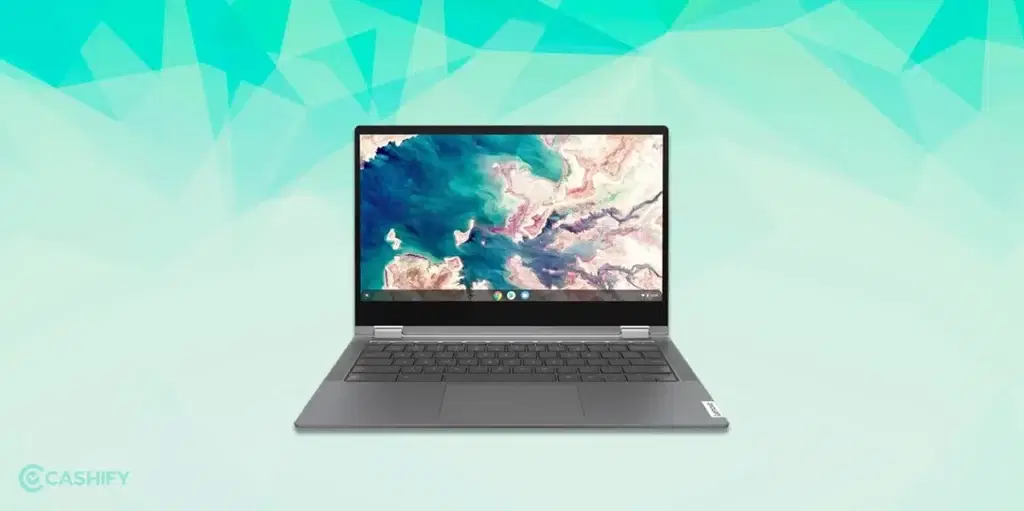
The Lenovo Chromebook offers a solid choice for those looking for a budget laptop for basic usage. It sports a 14-inch display, making it ultra-portable and easy to carry around. It comes with 4GB RAM and 128GB storage, running on ChromeOS. This laptop is perfect for light work, such as browsing the internet, using Google Docs, or streaming content. Definitely, one of the best laptop under 10000-20000 price.
Pros:
- Ultra-portable and lightweight
- Great for students or casual users
- Affordable price point
Cons:
- Small display may not be ideal for everyone
- Limited storage
5. JioBook 11
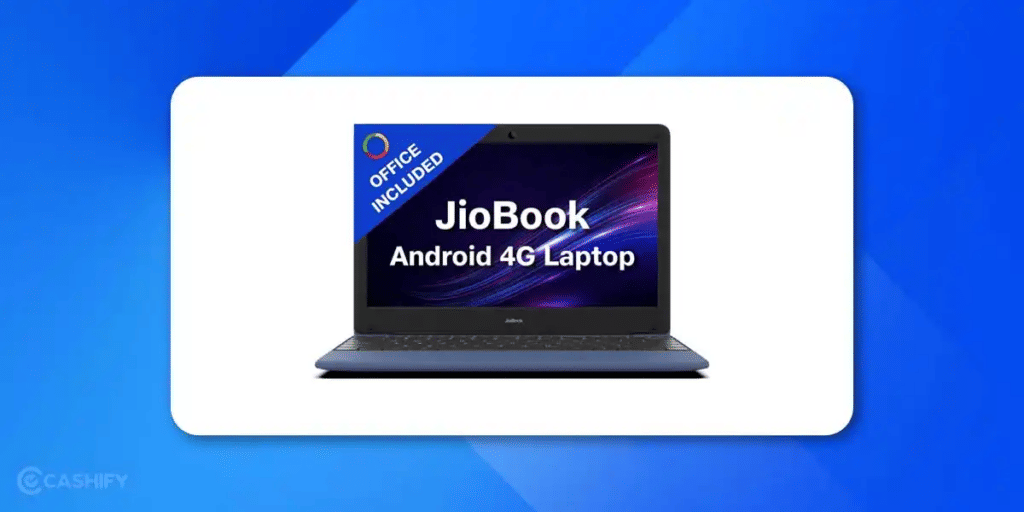
The JioBook 11 is an affordable, lightweight 4G laptop designed for students and basic users. Powered by a Mediatek octa-core processor and JioOS, it offers lifetime Office, 4GB RAM, and 64GB storage. Ideal for browsing, online classes, and typing work, it’s compact, always connected, and budget-friendly.
Pros
- Lightweight (only 990 grams) — easy to carry
- Built-in 4G SIM + Dual-band WiFi for constant internet
- Lifetime Office 2024 included
- 8-hour battery backup
- Expandable storage up to 256GB
- Anti-glare HD screen for comfortable viewing
- Great for students, beginners, and travel use
Cons
- Not suitable for heavy tasks (coding, gaming, or editing)
- Limited 64GB internal storage
- JioOS is new — not all apps are available
- Works best with Jio SIM only
- Build quality and speed are basic
6. Futopia Ultimus APEX Pro
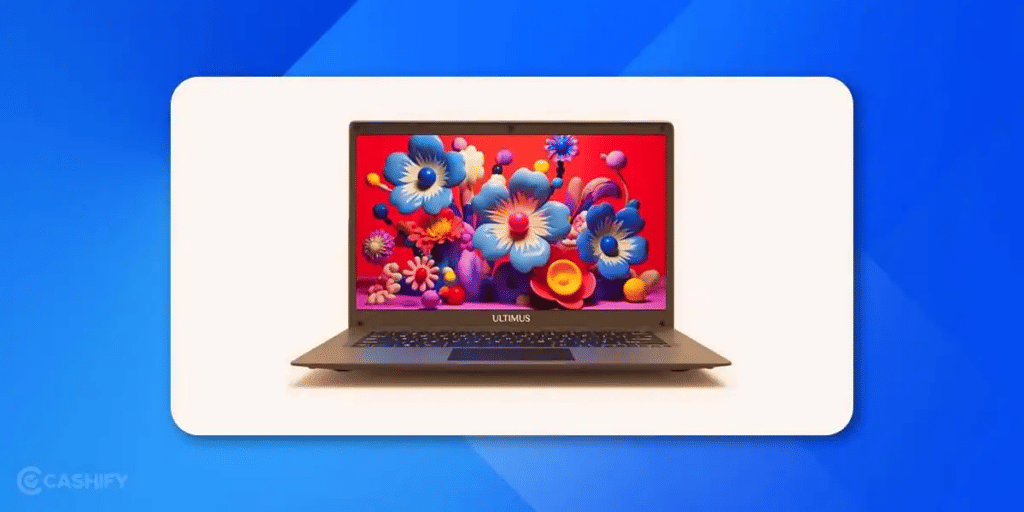
The Futopia Ultimus APEX Pro is a lightweight, budget-friendly Windows 11 laptop built for everyday use. Powered by an Intel Pentium Quad-Core processor, it offers 4GB RAM, 128GB storage (expandable to 512GB), and a 14-inch HD display. Ideal for students, office users, and online learning, it’s compact yet efficient.
Here are some pros and cons of it.
Pros
- Affordable Windows 11 laptop (~₹11,990)
- 14.1-inch anti-glare IPS display with clear visuals
- Lightweight at just 1.2 kg — easy to carry
- Decent performance for browsing, office work, and study
- Expandable storage up to 512GB via SSD or SD card
- Good battery life (up to 8 hours)
- Multiple ports (USB 2.0, 3.0, HDMI, SD slot)
- Sleek 180° hinge design
Cons
- Not suitable for gaming or heavy multitasking
- 4GB RAM is limited for power users
- Basic camera and sound quality
- Integrated graphics are not suitable for gaming.
7. Primebook 2 Neo (2026)
The Primebook 2 Neo is India’s own Android 15 laptop. It runs on PrimeOS 3.0 and comes with MediaTek Helio G99, 6GB RAM, 128GB UFS storage, and an 11.6-inch thin and light design. What makes it stand out at this price is the built-in AI features and access to a Cloud PC platform for Windows and Linux use. It costs around Rs. 15,990 and is best for students, Android-first users, and budget buyers who want AI features.
Pros:
- Most affordable laptop with built-in AI features
- Customers find speed impressive as it handles apps and basic workloads without lag
- Lightweight and very portable at just 1.1 kg
- Expandable storage up to 512GB
- Good battery life, nearly a full day for normal use
Cons:
- Not the right choice if you need a good display, solid audio, or strong performance. In that case, a standard Windows laptop starting around ₹30,000 would serve better.
- Windows Cloud access is still in beta
- App availability on PrimeOS is more limited than on Windows
8. Acer One 14 (Z8-415) — Intel Core i3 11th Gen
The Acer One 14 Z8-415 is a Windows ultrabook powered by the 11th Gen Intel Core i3 1115G4 processor, paired with 8GB RAM and a 512GB SSD. It features a 14-inch IPS display and uses Intel UHD Graphics. For buyers who want a real Windows machine under ₹21,000, this is one of the better options available. It costs around Rs. 20,990 and is the best for office users, students who need a proper Windows laptop with more power.
Pros:
- Best-in-class processor for this price range. Core i3 beats Celeron and Pentium chips easily.
- A large 512GB SSD gives you plenty of storage
- Long battery life of up to 9.5 hours
- The IPS anti-glare display is easier on the eyes
- Runs full Windows 11 without OS limitations
Cons:
- It sits right at the Rs. 20,000 boundary. However, prices can fluctuate
- Some user reviews flag concerns about build quality and after-sales service
- Integrated graphics only, no video editing or gaming
What to Check Before Buying a Laptop Under Rs 10000(and Why It Matters)
Buying a laptop under ₹20,000 can feel confusing — there are so many options, and every brand claims to be “the best.” But don’t worry. If you focus on a few key features, you’ll easily find something that fits your needs and budget. Here’s what really matters:
Processor (CPU)
Think of the processor as the brain of your laptop — it decides how fast and smooth everything runs.
In this price range, you’ll usually get an Intel Celeron, Intel Pentium, or MediaTek/AMD processor. These are perfectly fine for everyday tasks like browsing the web, attending online classes, or working on Word and Excel.
Just remember: these aren’t built for gaming or video editing. If you stick to light work, you’ll be happy.
RAM (Memory)
RAM is what helps your laptop handle multiple tasks at once.
With 4GB of RAM, you can browse, type, and watch videos smoothly — but if you find a model with 8GB, go for it. It’ll give you more breathing space and help your laptop stay fast longer.
Storage (SSD / eMMC / HDD)
Storage decides how much space you have for files, and how quickly your laptop opens apps.
Try to get a laptop with an SSD or eMMC drive — these are much faster than the older hard disks (HDDs). A 128GB SSD is enough for basic work and online study.
Bonus tip: If the laptop supports storage expansion (via SD card or SSD slot), that’s a big plus — you can always add more later.
Display & Size
Screen size affects both comfort and portability.
A 14-inch display is a sweet spot — big enough to see clearly, but light enough to carry. You’ll usually get HD (1366×768) resolution at this price, and if you find Full HD (1920×1080), consider it a win.
Also check the weight — a lighter laptop is much easier to use on the go.
Battery Life
Battery backup can vary a lot in budget laptops.
You should look for something that promises at least 6–8 hours on a single charge. Real-world usage will be a bit less, but it’s enough for classes, browsing, or watching movies.
If you travel a lot, this becomes even more important.
Ports, Connectivity & Build Quality
Even simple things like the number of USB ports, an HDMI output, and SD card slot make daily life easier.
Dual-band Wi-Fi and Bluetooth 5.0 are nice bonuses for faster connectivity.
In this price range, expect plastic builds — and that’s fine. Just focus on a laptop that feels sturdy and comfortable to type on.
Operating System & Software
Most laptops under ₹20,000 come with Windows 11 (Home), Chrome OS, or JioOS.
Pick the one you’re most comfortable using. If you mainly work online, even ChromeOS or JioOS will do the job.
Also, check if it includes any extra software — some come with lifetime Office, which can save you a few thousand rupees.
Who Should Buy a Laptop Price Under Rs. 10,000?
A laptop price under Rs. 10,000 is not built for heavy gaming, video editing, or running large software. But that does not mean it is useless. In fact, for many people, these budget-friendly laptops can do the job quite well.
If you are a student attending online classes, someone who mainly uses Google Docs, watches YouTube, browses the internet, or handles light office work, a budget laptop can be enough. These laptops are also useful as a secondary device at home.
For parents looking for an affordable laptop for kids or senior citizens who only need basic internet access, spending more may not always make sense.
New Laptop vs Refurbished Laptop: Which One Makes More Sense?
When shopping in this price range, many buyers face one common question: Should you buy a new budget laptop or a refurbished one?
A new laptop gives you peace of mind. You get a warranty, untouched hardware, and no previous usage history. However, in the under Rs. 20,000 range, new laptops often come with entry-level processors, lower RAM, and limited storage.
A refurbished laptop can sometimes offer better performance for a similar budget. You may find older business laptops with stronger build quality and better processors. However, buyers should always purchase from trusted sellers who provide a warranty and quality checks.
If performance matters more than having a brand-new device, a refurbished laptop can be worth considering. But if reliability and warranty are your top priority, a new laptop may be the safer option.
What Can You Actually Do With a Laptop Price Under Rs.10,000?
It is important to set realistic expectations before you buy a laptop price under 10,000.
A budget laptop can easily handle:
- Web browsing
- Online classes and Zoom meetings
- Watching YouTube and OTT content
- Microsoft Office or Google Docs work
- Email and basic productivity tasks
However, these laptops may struggle with:
- Heavy multitasking
- High-end gaming
- Professional video editing
- Running large software programs
- Advanced graphic design work
If you know this in advance, it helps you avoid disappointment later.
Final Thoughts – Laptop Under 10000
That brings us to the end of our segment- best laptop under 10000-20000 price in India. A budget-friendly laptop can help you with basic streaming, web browsing, content writing and other basic tasks. The Acer Aspire 3 mentioned in the above list is a worthy option. Another great option for students and professionals could be Primebook S. Do you have anything to add to the list, feel free to share in the comments section below. We would be happy to hear.
Also Read: 5 Best Laptops Under 30000 Price In India November 2024
FAQs – Laptop Price Under 10000
Which laptop options do I get under Rs. 20,000 in India?
Some of the best laptops you can get under Rs. 20,000 include Acer Aspire 3, Primebook S, AXL Vayu Book, Lenovo Chromebook, and ASUS Chromebook CX1 etc.
How has the budget laptop market evolved in 2026?
The budget laptop market has significantly improved in 2025. These days, many laptops under Rs. 20,000 come with 8GB RAM, good battery life, and a full HD display.
What should I consider while buying a budget laptop?
While selecting the budget laptop, you need to consider your main use case. After that, focus on key features such as screen size, battery life, and performance according to your needs. You should also choose between Chrome OS and Windows OS as it can impact the performance and software compatibility.
Are refurbished laptops a good option in the under Rs. 20,000 range?
Yes, refurbished laptops are a good option in this price range. However, you need to ensure that you buy from a reputable source like Cashify with good warranty coverage.
What kind of performance can I expect from laptops under Rs. 20,000?
You can’t expect high performance from these laptops. However, they can easily handle basic tasks such as document editing, video streaming, web browsing, etc. If you’re expecting resource-intensive or heavy multitasking from these laptops, it is not possible. The reason behind it is that most laptops in this price range use entry-level processors and have limited RAM. Therefore, set realistic expectations for performance.
Which are reliable brands for laptops?
Acer, Lenovo, HP, and ASUS are reliable and popular brands for laptops in this price range.
Is 4GB RAM enough for daily use?
Yes, 4GB RAM is enough for the basic tasks such as web browsing, emails, and working on documents.
If you’ve just bought a new phone and don’t know what to do with your old phone, then here’s your answer. Sell old mobile to Cashify and get the best price for it. If you are planning to buy a new phone, check out Cashify’s refurbished mobile phones. You can get your favourite phone at almost half price with six-month warranty, 15 days refund and free delivery.