Your smartphone goes everywhere with you. So when it suddenly starts acting up, your first thought is probably, “How do I fix my phone?” Secondly, “without spending a fortune”
The good news is that not every phone problem needs professional repair. Sometimes a simple restart, a quick settings adjustment, or a little cleaning is enough to get everything working again. Knowing what you can safely fix at home can save both time and money.
That said, it’s equally important to know your limits. Some repairs can make the damage worse if you try fixing them yourself. Let’s walk through common smartphone problems, and simple DIY solutions. We will also explain when it’s best to let professionals like Cashify handle the phone repair.
Also read: Phone Screen Replacement: Things To Check Before And After Service!
Is Your Phone Running Slow?
One of the most common complaints is a slow smartphone.
Try these fixes before looking to fix my phone:
- Restart your phone.
- Delete apps you no longer use.
- Clear app cache.
- Free up storage space by removing old photos and videos.
- Close apps running in the background.
- Install pending software updates.
If your phone becomes slow only after installing a specific app, uninstall it and check if performance improves.
Battery Draining Too Fast?
A battery that barely lasts through the day can be frustrating.
Here’s what you can do:
- Lower screen brightness.
- Turn off Bluetooth, GPS, and Wi-Fi when not needed.
- Enable Battery Saver mode.
- Reduce screen timeout.
- Check Battery settings to identify apps consuming excessive power.
- Update apps regularly.
If your battery still drains unusually fast after trying these steps, the battery itself may have degraded and could need replacement.
Phone Not Charging Properly?
Before assuming the charging port is damaged, check a few simple things.
DIY troubleshooting:
- Try another charging cable.
- Test a different charger.
- Plug into another power outlet.
- Carefully remove lint or dust from the charging port using a soft brush or wooden toothpick.
- Restart the phone before charging again.
Avoid inserting metal objects into the charging port, as they can permanently damage internal components.
Also read: Screen Repair Vs Screen Glass Repair: Know The Whole Truth!
Facing Overheating Issues?
Phones naturally get warm while gaming or charging. But excessive heat is never normal.
Try these tips:
- Remove the phone case while charging.
- Stop using heavy apps for a while.
- Avoid direct sunlight.
- Close unused apps.
- Update apps that may be causing high CPU usage.
- Let the phone cool naturally before using it again.
Never place an overheated phone inside a refrigerator or freezer.
Apps Keep Crashing!
If apps suddenly close or freeze, the issue is often software-related.
You can try:
- Restart the phone.
- Update the affected app.
- Clear the app cache.
- Free some storage.
- Reinstall the app.
If multiple apps crash together, updating your phone’s software may solve the issue.
Wi-Fi or Mobile Network Problems
Poor connectivity isn’t always your network provider’s fault.
Troubleshooting steps:
- Toggle Airplane Mode on and off.
- Restart your phone.
- Forget and reconnect to the Wi-Fi network.
- Reset network settings.
- Remove and reinsert the SIM card if needed.
If only one location has poor signal, the problem may simply be network coverage.
Also Read: Do You Lose Data When Replacing LCD Screen?
Bluetooth Isn’t Connecting
Bluetooth pairing issues are usually easy to solve.
Try this:
- Turn Bluetooth off and back on.
- Restart both devices.
- Forget the paired device and reconnect.
- Make sure both devices are within range.
- Remove old paired devices if your phone has reached its pairing limit.
Phone Speaker Sounds Muffled
Dust buildup is often the reason behind poor speaker quality.
Safe cleaning tips:
- Use a soft brush to clean the speaker grille.
- Blow away loose dust gently.
- Remove any protective case blocking the speaker.
Avoid using sharp objects or compressed air at high pressure.
Fingerprint Sensor Not Working
Fingerprint sensors may stop responding due to dirt or software glitches.
Fixes worth trying:
- Clean the fingerprint sensor.
- Wash and dry your fingers.
- Delete and register your fingerprint again.
- Restart the phone.
- Install software updates.
If the sensor remains unresponsive after these steps, it may require professional inspection.
Phone Freezes Frequently
A frozen phone doesn’t always mean hardware failure.
To Fix My Phone, First try:
- Force restart the phone.
- Delete recently installed apps.
- Free storage space.
- Scan for software updates.
If freezing continues every day, there could be deeper hardware or software issues.
Also read: Samsung Galaxy A52 Screen Shattered: Click For A Quick Solution!
Camera Isn’t Focusing Properly
Blurry photos don’t always mean a broken camera.
Check these things:
- Clean the camera lens.
- Remove any protective film.
- Restart the camera app.
- Tap the screen to manually focus.
- Update your camera app if applicable.
If photos remain blurry even after cleaning, the camera module could be damaged.
Screen Not Responding
Touchscreen problems can sometimes be fixed without opening the device.
Try these steps:
- Remove the screen protector temporarily.
- Restart your phone.
- Clean the display with a microfiber cloth.
- Remove moisture if the phone has been exposed to water.
If only one area of the display doesn’t respond, physical screen damage is likely.
What You Should Never Try At Home!
While searching online for “Fix My Phone,” you’ll probably come across plenty of risky repair videos. Some of them can cause permanent damage.
Avoid:
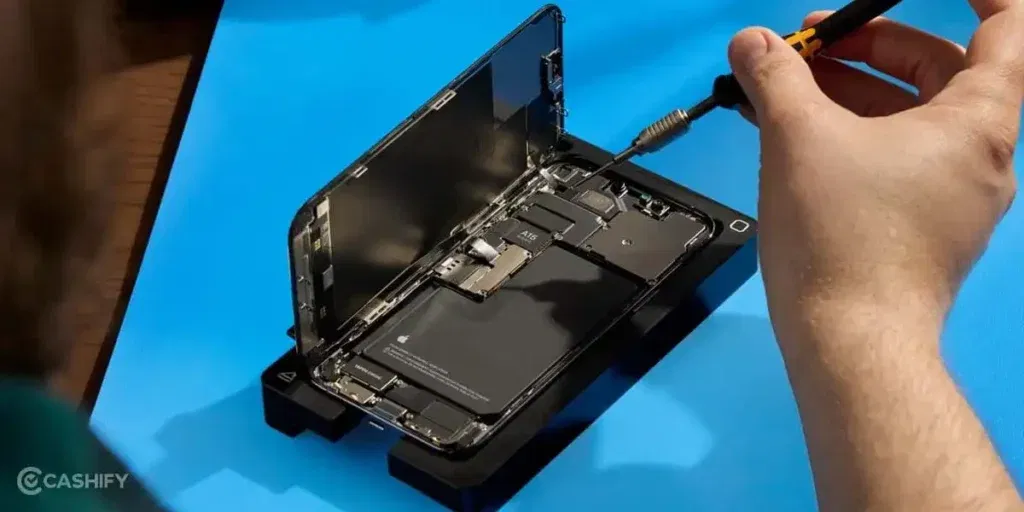
- Opening the phone without proper tools.
- Replacing batteries yourself.
- Heating the phone to loosen adhesive.
- Using super glue on cracked screens.
- Repairing motherboard components.
- Drying water-damaged phones with a hairdryer.
DIY repairs are only worth attempting when they’re safe and low-risk.
When It’s Better To Choose Professional Repair
Some issues simply need expert attention.
It’s time to seek professional help for mobile repair if:
- Your screen is cracked or completely black.
- The battery is swollen.
- The phone has suffered water damage.
- Charging still doesn’t work after basic troubleshooting.
- The motherboard may be damaged.
- The camera or speakers have stopped working completely.
- The phone won’t turn on at all.
Trying to repair these problems yourself can easily increase repair costs. If you need professionals who are easily approachable and affordable, choose Cashify.
Also read: 3 Types Of Screen Issues In Samsung Galaxy A70 You Can Solve Right Away!
Cashify’s Certified Mobile Repair Service
Cashify makes the mobile phone repair process simple.
Here’s why many users choose Cashify:
- Skilled technicians experienced with major smartphone brands.
- Quality-tested compatible replacement parts.
- Doorstep repair for selected locations.
- Free pickup and drop where available.
- Transparent pricing before repair begins.
- Up to 6 months warranty on screen replacements.
- 3 months warranty on battery and eligible spare part replacements.
What All Can You Repair At Cashify?
- Screen breakage or display damage
- Battery failure
- Charging port issue
- Speaker/Reciever/Mic problem
- Camera lens (both front and back)
- Back panel
The services are subject to availability of parts
Final Thoughts
Searching for ways to “Fix My Phone” doesn’t always mean you need a repair shop immediately. Many common problems can be handled on own. Like slow performance, charging issues, app crashes, or connectivity problems can often be solved at home with simple troubleshooting.
However, when you notice physical damage, battery swelling, water exposure, or hardware failures, it’s safer to stop experimenting. Choosing an experienced repair service like Cashify helps ensure your phone is repaired properly. Quality-tested parts are used, and you get peace of mind and helping your device last longer.
Also read : Understanding Repair Timelines for Phone Screen Issues
If you’ve just bought a new phone and don’t know what to do with your old phone, then here’s your answer. Sell your old mobile to Cashify and get the best price for it. If you are planning to buy a new phone, check out Cashify’s refurbished mobile phones. You can get your favourite phone at almost half price with a six-month warranty, 15-day refund and free delivery.