You are lying in bed, it’s past 12 am. You are scrolling through Instagram Reels when suddenly your Pixel 7 Pro starts being spooky. The screen starts swiping by itself, opens random apps, and types gibberish in your WhatsApp chat. That might sound like some supernatural interference, but it’s just a technical glitch. This is the infamous Google Pixel 7 Pro screen ghost touch issue. It has frustrated thousands of owners since late 2022 and even today in 2025!
Let’s understand the causes better so that you don’t get spooked out by your phone again!
Also read: Broken Glass Or Dead Pixels? What Is Your Phone Screen Issue Type?
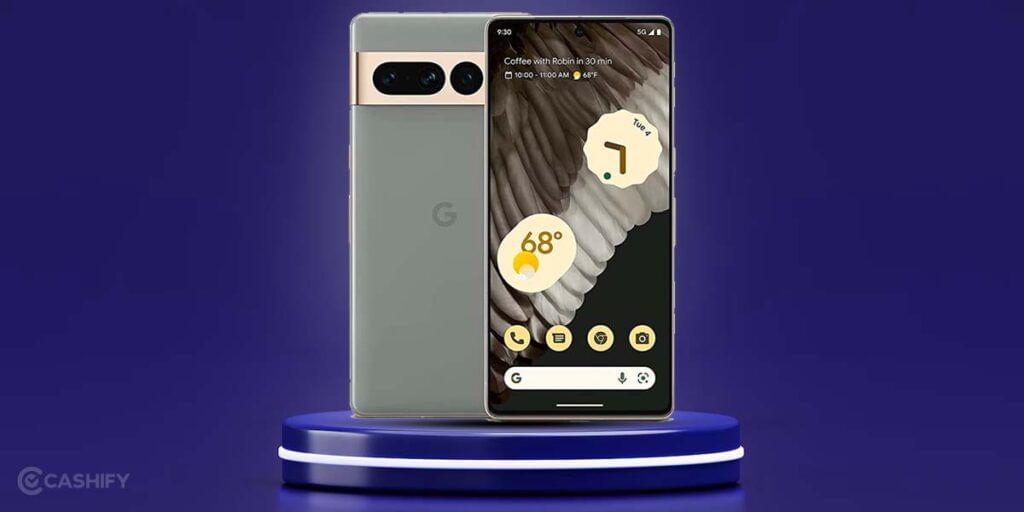
Google Pixel 7 Pro Screen Ghost Touch Reasons
The Google Pixel 7 Pro ghost touch usually starts after:
- Updating to a new monthly security patch
- Using the phone with wet or sweaty hands
- Putting on a cheap/low-quality tempered glass
- Slight water exposure (even though it’s IP68 rated)
- Or… for no apparent reason at all
The good news? In 85 to 90 per cent of cases, you can fix ghost touch at home in under 15 minutes without spending a single rupee on a new screen. But don’t worry, we will also mention a safe professional option for Pixel mobile repair. For now, here are the fixes that actually work!
Also Read: What Is Repair Mode On Android Devices And How Does It Work?
Things You Can Do For the Google Pixel 7 Pro Screen Ghost Touch!
1. Force Restart
Hold the Power button + Volume Down button together for 10–15 seconds until the Google logo appears.
This clears any software glitch causing phantom inputs. Most users report that the ghosting completely disappears after this simple reboot.
2. Boot into Safe Mode & Test
- Press and hold the Power button > long-press “Power off” > tap “Reboot to safe mode”
- If ghost touch stops in Safe Mode > a third-party app is the culprit
- Uninstall recently installed apps (especially screen recorders, gesture apps, launchers, or “touch booster” apps)
3. Remove Screen Protector & Check Case Interference
Cheap tempered glass (especially the Rs. 199 ones from the local shop) with poor oleophobic coating or bad adhesive is bad. They can cause false touches, especially around curved edges.
Fix:
- Remove the tempered glass completely for 24 hours and test
- Clean the bare screen with microfiber + isopropyl alcohol
4. Disable “Tap to Wake” & “Lift to Wake”
Settings > Display > Advanced > turn OFF:
- Tap to wake
- Lift to check the phone
- Always On Display (temporarily)
Sometimes always-on display digitiser misreads ambient light changes as touches.
Also read: 5 Key Warnings: Your Phone Needs Repair ASAP!
5. Clear Cache Partition (No Data Loss)
- Power off the phone
- Hold Power + Volume Down until the bootloader appears
- Use volume keys to select “Recovery mode” > Power button
- When the Android logo with “No command” appears, hold Power + tap Volume Up once
- Select “Wipe cache partition” > Reboot
This has fixed ghost touch permanently for many users after the March–June 2024 updates.
6. Update to the Latest Software (Yes, Really)
Google silently fixed most ghost touch cases in the QPR (Quarterly Platform Release) updates:
Go to Settings > System > System update and install everything available.
7. Calibrate Touch Sensitivity (Hidden Setting)
- Open Phone dialer
- Dial ##2666#*#*
- Tap “Touch Screen Test” and follow the pattern
- Also run “Touch Accuracy Test”
If calibration fails repeatedly > hardware digitiser issue.
Also Read: What Is LCD Damage On Phone? Find Causes And Solutions
When Nothing Works, It’s Probably Hardware!
If ghost touch:
- Happens only in one specific area of the screen.
- Continues in Safe Mode and after a factory reset.
- Gets worse when the phone is warm.
- The digitiser has failed.
In this case, don’t waste time! Get the screen + digitiser assembly replaced. Choose an authorised service centre or trusted professional like Cashify!
How To Solve Google Pixel 7 Pro Screen Ghost Touch Professionally!
Screen repairs can get expensive, especially if it’s the display that is completely damaged. If it ever comes to replacement or you simply want a diagnosis, Cashify is the go-to place! This is a certified platform for phone repair and facilitates repairs for all phone brands.
Why choose Cashify? Because..
- You get to consult with skilled technicians who are trained for the job.
- Quality diagnosis and repair by fine hands
- Premium quality replacements for the screen
- Six months repair warranty.
- One month complimentary
- 7-day refund if not satisfied.
The best part is you can book a mobile repair from the comfort of your own location, time, and date! You only have to schedule it from the website or app. There’s no extra charge for the visit. You only pay for the repair cost after the process is complete. Cashify makes phone repair affordable and accessible with 200-plus stores across the country.
Mobile phone repair during sale to reduce the cost, but phone damage doesn’t come with an itinerary, right? Here’s a coupon code you can use anytime when booking your Pixel phone repair online –
Use code: TECH25 to avail of a discount of up to Rs. 300 by using the code (on the minimum order value of Rs. 2499)
Also read: Fix Screen Burn Most Effectively For iPhone And Android Users!
Final Thoughts
So when the Google Pixel 7 Pro screen ghost touch happens, you know what to do now. Just perform the easy troubleshoots first. If you are concerned about causing further damage or you are sure it needs a screen replacement, stay calm. Cashify has your back!
For old and refurbished smartphones, Cashify is a great platform. It offers 32 distinct checkpoints that phones must pass through before receiving a grade from one of three quality grades. Via Cashify, you can recycle, buy, and sell smartphones. So, what are you waiting for? Go to the Cashify Store and purchase any of the refurbished phones.