UPI payments have been the heartbeat of the Indian financial ecosystem, and now this heartbeat has decided to become greater by bringing one of the most important innovations! We can all now make UPI payments without the internet! Yes, you heard that right: no data, no wi-fi, and you will be able to transfer money. But not every smartphone is getting this feature. So, which phones are eligible for this new feature? How to access this feature? How to make UPI payment without the internet? We will tell you all in this news story.
Also Read: Why Is My Phone Camera Blurry And Not Focusing: Know The Answer Here
PhonePe Launches 123Pay: A New Innovation That Brings No-Data Payments
PhonePe has rolled out UPI 123Pay, a groundbreaking solution bringing secure, offline digital transactions to over 200 million feature phone users across India.
Operating via a proprietary SMS-based architecture on basic 2G networks, the service eliminates smartphone and internet dependencies entirely. Pre-bundled on devices from Nokia, Lava, HMD, and itel, it supports P2P transfers, merchant payments, QR scanning, and multi-language AI voice assistance.
By bridging the digital divide, this innovation accelerates grassroots financial inclusion, unlocking seamless cashless commerce across rural and underserved Indian economies.
A New Era For Middle Class And Rural India
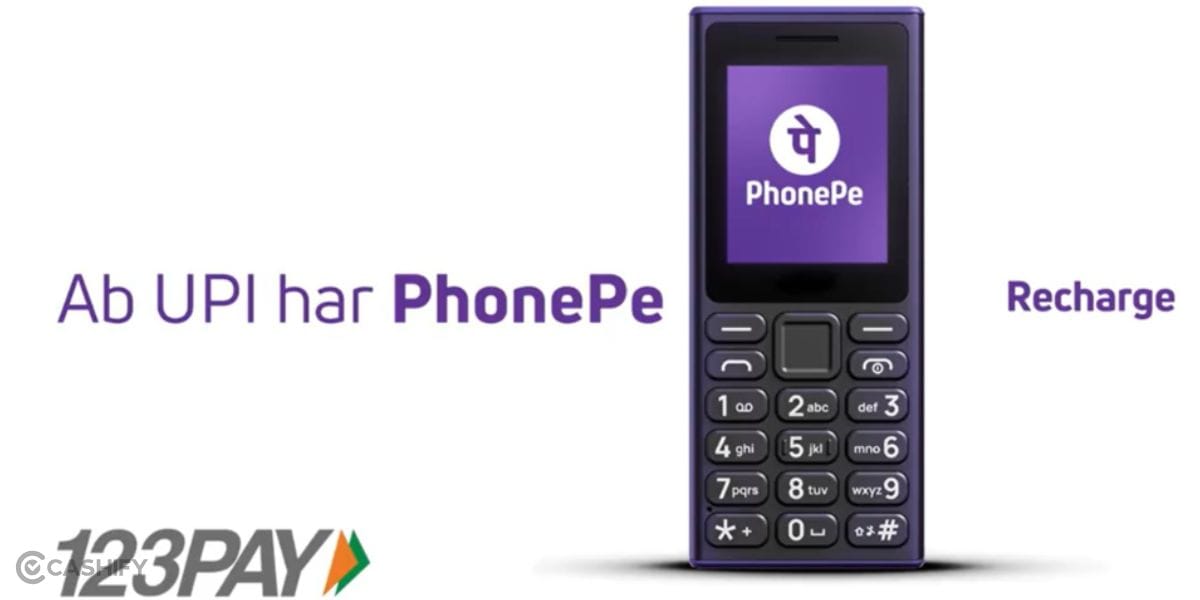
UPI in India has been a nationwide success, but still a large part of the population has been deprived of this technology. Senior citizens who were not technologically savvy, poor rural people who used to have keypad phones, and even many categories of people with disabilities, who were not able to join this UPI revolution, all will now have this boon coming into their lives.
The new 123Pay is easier, simpler, and involves technology that is inclusive. Such measures ensure that the revolution of no-data payments is not just about knowing how to make UPI payment without the internet; instead, it is about being inclusive and bringing a common ground of innovation and development that is available to all!
So, now, let us tell you about the procedures to answer how to make UPI payment without the internet right here.
How Does The 123Pay App Work? How To Activate Your Account?
Before we tell you how to make UPI payment without the internet, it is important to know the initial procedure. You own a feature phone, but how do you get the PhonePe app inside it. Well, for that, we have gone through the whole mechanism and understood how the 123Pay app works.
Instead of relying on the smartphone-based PhonePe app and mobile internet, PhonePe has built a feature-phone version around an SMS-based architecture. This is intended to allow transactions even in areas with limited 2G connectivity. Now let us explain further how to make UPI payment without internet right here.
Also Read: Android Pulse App: What Is It and What Does It Do?
How To Make UPI Payment Without The Internet Using 123Pay? Know Here
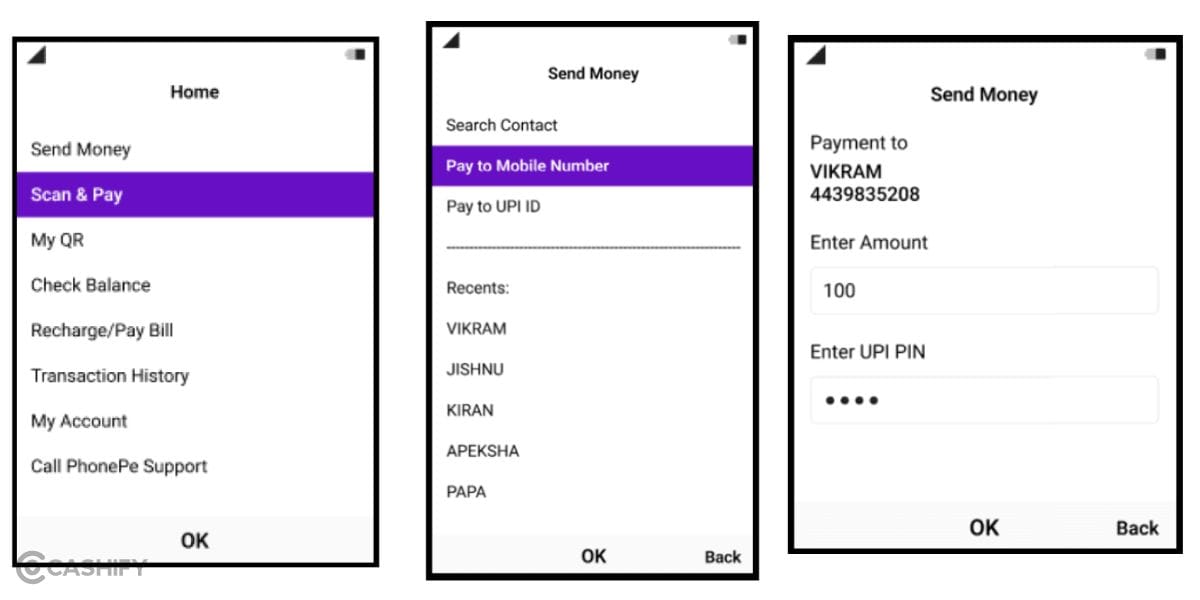
Here is how to make UPI payment without the internet using PhonePe’s 123Pay option:
- One-Time Registration: Open the pre-installed PhonePe app on your feature phone, link your bank account, verify with debit card details (last 6 digits and expiry), and set a secure UPI PIN.
- Select Payment Mode: Choose how you want to pay. There are multiple options: via Mobile Number, UPI ID, saved contact, or Scan & Pay (for camera-enabled feature phones).
- Enter Details: Input the recipient's information or scan the merchant's QR code, then type the transfer amount.
- Authenticate & Pay: Review the transaction summary and enter your 4- or 6-digit UPI PIN.
Note: PhonePe securely routes the payment offline via the 2G SMS network and displays an instant on-screen success prompt. So, while there is no internet connection needed, we still recommend that you be in a good network environment so that this 2G procedure happens smoothly.
FAQs
1. How can I make a UPI payment without internet using PhonePe 123PAY?
PhonePe 123PAY allows eligible feature-phone users to make UPI payments without mobile data or Wi-Fi. After completing one-time registration and setting a UPI PIN, users can send money using a mobile number, UPI ID, saved contact, or QR code on supported camera-enabled phones.
2. Which phones are eligible for PhonePe 123PAY?
PhonePe 123PAY is designed for supported feature phones from brands including Nokia, HMD, Lava, and itel. The service is pre-bundled on selected models, so eligibility depends on the specific phone model.
3. Does PhonePe 123PAY require an internet connection?
No. PhonePe 123PAY is designed to work without mobile internet or Wi-Fi. It uses an SMS-based architecture over available mobile networks, including 2G, to facilitate UPI transactions.
4. How do I activate PhonePe 123PAY on a feature phone?
On a supported feature phone, open the pre-installed PhonePe application, select your bank account, verify your debit card using the required details, and create your UPI PIN. Once registration is complete, you can use UPI services without requiring a smartphone or internet connection.
5. Can I scan a QR code and pay using PhonePe 123PAY?
Yes, Scan & Pay is supported on compatible feature phones equipped with a camera. Users can scan a merchant's UPI QR code, enter the payment amount, and authorise the transaction using their UPI PIN.
In A Nutshell
That’s it from this guide on how to make UPI payment without the internet. 123Pay is a revolutionary step which will surely get a lot of applause across the nation. India is already on the forward march of the UPI revolution, and it is a globally recognised reform; this step makes it greater and better. So, give this new feature a try and enjoy a data-less UPI payment reform!
Also Read: How To Check Samsung Phone Activation Date: Know The Steps Here
Are you still browsing through your broken screen? Don’t worry! Book at-home mobile phone screen repair with Cashify—an affordable and one-stop destination for all your mobile phone needs. In case you break your screen within 1 month of repair, we will replace your screen again—for FREE.