

iOS 27 Release Date, Supported Devices And More Details!
Apple officially released iOS 27 on September 14, 2026, following its announcement at WWDC 2026. The update delivers a major focus on Apple Intelligence. It includes a completely overhauled Siri AI, performance gains, privacy enhancements, and refined software experiences. It is available now as a free update for a wide range of iPhones, including the iPhone 11 series and newer models.
The biggest highlight is the new Siri AI, which can understand more natural requests and work with information across apps. Apple is also adding new AI-powered features to Photos, Safari, Home and other apps. Here’s everything you need to know about the iOS 27 release date, supported iPhones, features, Apple Intelligence compatibility, beta availability and how to update your iPhone.
Also read: What Is RCS Support For iOS And Android? The Latest Messaging Service By Apple!
iOS 27 Release Date: It’s Out Now!
Apple announced iOS 27 at WWDC 2026 on June 8. The developer beta became available on the same day, while the public beta followed in July through Apple’s Beta Software Program.
After months of testing, Apple confirmed the stable release date at its September 9. In the “Surprise and Shine” event, iOS 27 began rolling out to the public on Monday, September 14, 2026.
The update is available worldwide as a free software update (some features may vary by language or region). New iPhones such as the iPhone 18 Pro, iPhone 18 Pro Max, and iPhone Duo ship with iOS 27 preinstalled.
What’s Coming?
The interesting part this year is that iOS 27 is not be about flashy redesigns. iOS 27 focuses on making the system smarter, faster, and more reliable rather than flashy redesigns. It includes deeper Apple Intelligence integration, performance enhancements, and groundwork for new hardware like the foldable iPhone.
Also read: Everything About iOS 18.5: Release Date, Features, And More!
iOS 27 Supported iPhones: Complete List
One of the biggest questions every year is whether your current iPhone will support the new update. Based on current reports, Apple is expected to drop support for some older devices in iOS 27.
Contrary to pre-WWDC rumours, Apple is not dropping support for the iPhone 11 series. iOS 27 supports the same devices as iOS 26. With that, Apple is reaching more users than any previous iOS release.
Supported devices include:
- iPhone Duo
- iPhone 18 Pro, iPhone 18 Pro Max
- iPhone 17 series (including 17e and iPhone Air)
- iPhone 16 series (including 16e)
- iPhone 15 series (all models)
- iPhone 14 series (all models)
- iPhone 13 series (all models)
- iPhone 12 series (all models)
- iPhone 11, 11 Pro, 11 Pro Max
- iPhone SE (2nd generation and later)
Devices that will not receive iOS 27:
Any iPhone older than the iPhone 11 (e.g., iPhone XS, XR, X, 8, etc.)
Note on AI features: Advanced Apple Intelligence and new Siri AI capabilities require newer hardware. The Apple iPhone 15 Pro / 15 Pro Max or iPhone 16 series and later have it. Older supported devices get core updates and performance improvements but not the full AI suite.
Also Read: Apple’s WWDC25 5-Day Event Confirmed: Check All Details!
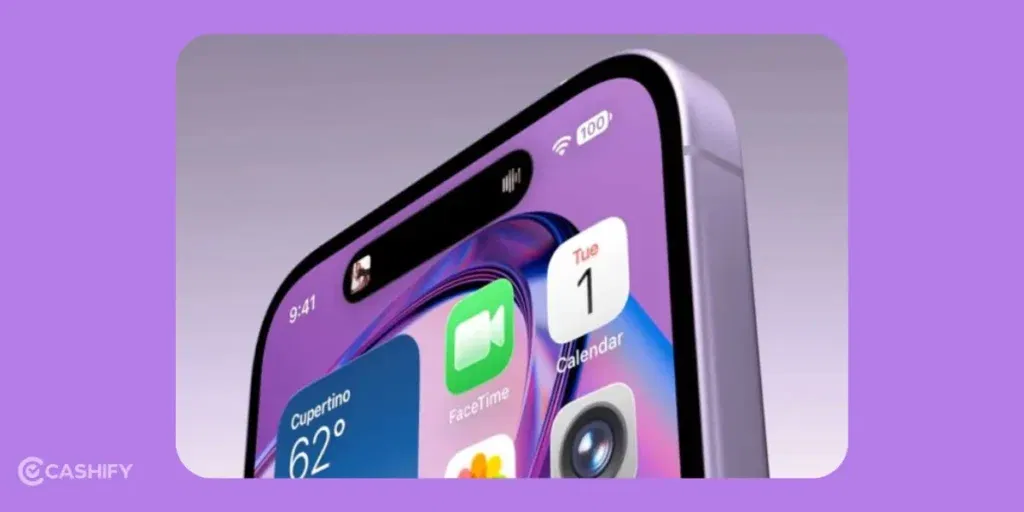
iOS 27 Features Details: What To Expect?
iOS 27 emphasises behind-the-scenes improvements alongside some noticeable enhancements.
Smarter Siri with AI Capabilities
One of the biggest upgrades in iOS 27 is a completely revamped Siri experience.
Being a conversational assistant, it features better context understanding, personal awareness, on-screen awareness, and multi-turn conversations.
It can now handle complex, natural requests and integrate deeply across apps. For example, instead of giving simple responses, it is able to understand personal data, like emails, messages, and files. Also, to help you find things more easily. You could ask something like, “Show me the documents Joe sent last week,” and Siri would understand exactly what you mean.
A dedicated Siri interface and possible third-party model support (like Gemini elements in reports) enhance flexibility. Some features will roll out as beta.
Also read: Apple iPhones Eligible For iOS 26: Check Supported Devices (2025 Update)
Foldable iPhone Support
Reports have suggested that iOS 27 could include software optimisations for Apple’s future foldable iPhone. However, Apple has not officially confirmed a foldable iPhone or specific iOS 27 foldable features.
Performance and Stability
A major focus of iOS 27 is expected to be performance improvements.
Apple seems to be taking a “refinement” approach this year. They are making sure everything works more smoothly rather than introducing too many new design changes.
Major focus on real-world improvements: faster app launches (up to 30 per cent in tests), better battery efficiency, snappier multitasking, and overall stability. Even in Low Power Mode. Developer beta feedback has been positive.
For everyday users, this means a more reliable and consistent experience. Even if the changes are not always immediately visible.
Also read: Nothing OS 4 Vs iOS 26: The Only Comparison You Need Now!
Other Expected Improvements
- Photos: Spatial Reframing (adjust composition after capture), Extend tool (AI expansion of images), upgraded Clean Up, and other generative tools.
- Enhanced parental controls and redesigned Screen Time/child safety features.
- AI tools in Calendar, Shortcuts (natural-language automations), Safari, Messages, Mail, and more.
- Camera upgrades with Visual Intelligence / Siri mode in the viewfinder.
- Separate volume controls for ringtones, alarms, timers, and system sounds.
- Extra-large widgets, faster AirDrop, and dozens of smaller usability tweaks.
- Software optimisations for foldable form factors (iPhone Duo).
Beta note (historical): Developer and public betas contained the usual bugs, crashes, and battery drain. The stable 27.0 release is the recommended version for daily drivers.
iOS 27 vs iOS 26: What’s New?
| Feature | iOS 26 | iOS 27 |
|---|---|---|
| Siri | Existing Siri experience | Full Siri AI overhaul + dedicated app |
| Apple Intelligence | Available on compatible devices | Expanded capabilities + deeper app integration |
| Photos | Existing AI tools | Spatial Reframing, Extend, upgraded Clean Up |
| Liquid Glass | Standard | Opacity/transparency slider + refinements |
| Performance | Baseline | Up to 30% faster app launches, 80% faster AirDrop, etc. |
| Home / Maps / others | Standard | More AI-powered features |
| Supported iPhones | iPhone 11 and newer | iPhone 11 and newer (same base list + new 2026 models) |
Also Read: Xiaomi HyperOS Vs MIUI 14: Which Is A Better OS For You?
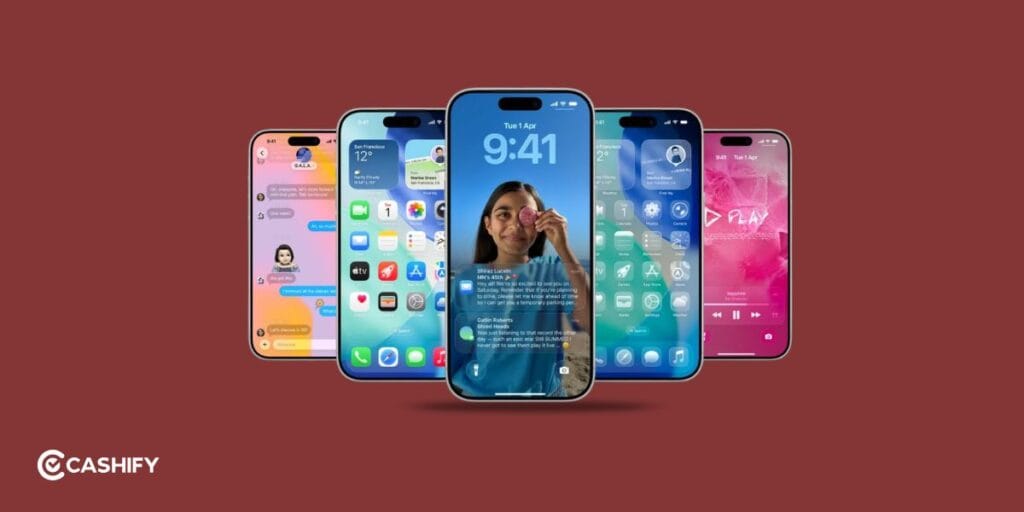
Should You Upgrade To iOS 27?
For most users with supported devices, yes. Especially for performance gains, security updates, and new AI features (on compatible hardware). Newer iPhones will get the full experience. On older supported models (like iPhone 11/12), you will still see meaningful improvements.
If you are on an unsupported device, this may be the time to upgrade for continued support.
Also Read: Apple iPhone Air Vs iPhone 17: Which Model Is Worth Buying In?
How To Download iOS 27 (When It Releases)
Once the stable version rolls out, updating is super easy:
- Go to Settings
- Tap General
- Select Software Update
- Tap Download and Install
Make sure you are on Wi-Fi and have enough battery before starting.
Final Thoughts
iOS 27 may not be the most visually dramatic update, but it’s an important one. Apple is focusing on smarter AI (especially Siri), performance refinements, Liquid Glass customisation, and preparing for foldables. All while supporting a broad range of devices. It feels like a polished, user-friendly step forward.
What do you think about this upcoming iOS 27 update? Share your thoughts in the comments below!
Frequently Asked Questions
When was iOS 27 released?
iOS 27 was announced at WWDC 2026 on June 8, and the stable version became available to the public on September 14, 2026.
Which iPhones support iOS 27?
iPhone 11 series and newer, including iPhone SE (2nd generation and later), the entire iPhone 12–17 lineups, iPhone Air, iPhone Duo, and the new iPhone 18 Pro / 18 Pro Max. Older devices (XS/XR and earlier) are not supported.
What are the biggest new features in iOS 27?
Siri AI (conversational assistant with personal context and a dedicated app), expanded Apple Intelligence tools (especially in Photos), Liquid Glass opacity controls, major performance gains (faster apps, AirDrop, etc.), enhanced parental controls, and numerous quality-of-life improvements.
Will all supported iPhones get Apple Intelligence / Siri AI features?
No. Core iOS 27 updates reach all supported devices, but the full Siri AI and advanced Apple Intelligence suite require iPhone 15 Pro / 15 Pro Max or any iPhone 16 series and later (including Air and Duo). Some voice-customization features need even newer chips.
If you’ve just bought a new phone and don’t know what to do with your old phone, then here’s your answer. Sell old mobile to Cashify and get the best price for it. If you are planning to buy a new phone, check out Cashify’s refurbished mobile phones. You can get your favourite phone at almost half price with six-month warranty, 15 days refund and free delivery.





- Smarter Siri with AI Capabilities
- Foldable iPhone Support
- Performance and Stability
- Other Expected Improvements
- When was iOS 27 released?
- Which iPhones support iOS 27?
- What are the biggest new features in iOS 27?
- Will all supported iPhones get Apple Intelligence / Siri AI features?
Recent Articles





Featured Videos










You May Also Read





Recent News



New Launches



Xiaomi Redmi 17C 5G

Vivo X Fold 6

Realme P4s Lite

OPPO F35 5G



