MagicOS 11 brings a completely redesigned interface, deeper AI integration, smarter connectivity, and automation. It goes far beyond basic voice commands. Everyday tasks are going to be faster and effortless with MagicOS 11 features. Instead of tapping through several menus, the software can handle much of the work for you.
If you’re planning to buy a new Honor phone in late 2026, here’s everything worth knowing.
Also Read: MagicOS 11 Release Date And Supported Devices List!
Dynamic Liquid Glass UI
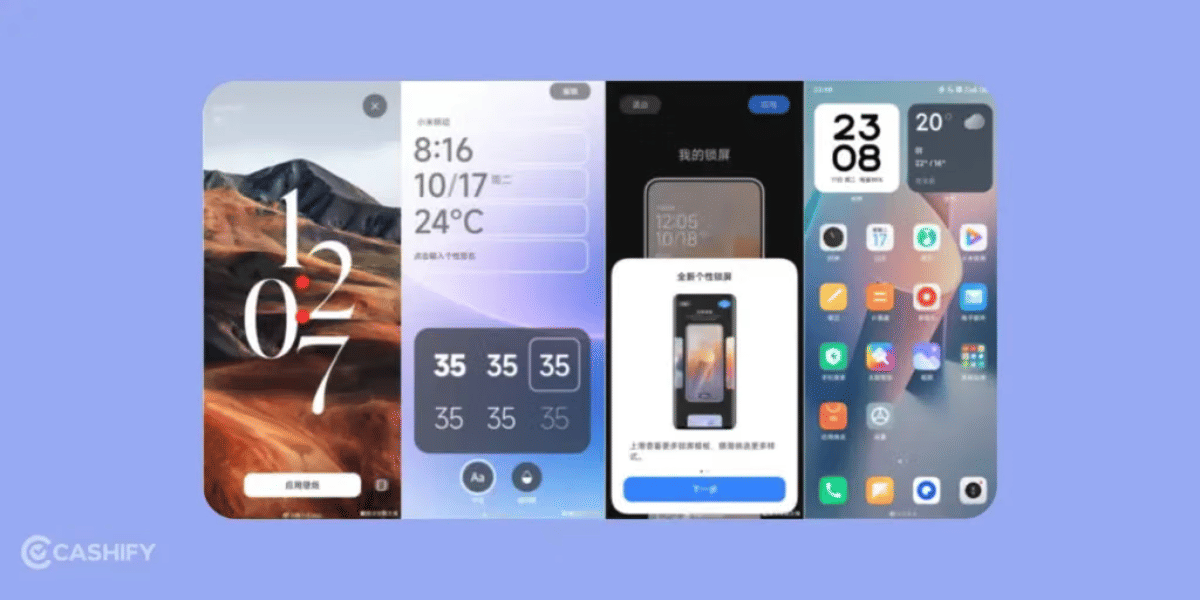
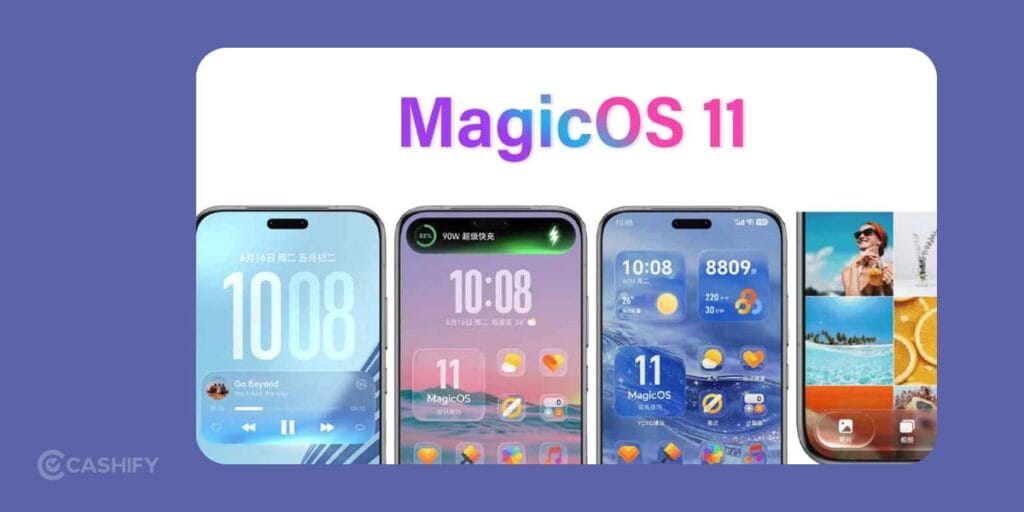
The first thing you’ll notice in MagicOS 11 is the new Dynamic Liquid Glass interface. MagicOS 11 uses transparent glass effects across the entire system. Your wallpaper is visible underneath interface elements. This creates a layered appearance that feels much more alive.
The effect isn’t limited to one or two menus either. You will see it across the lock screen, notification panel, Control Center, status bar, apps, and pop-up windows. Everything follows the same visual style. As a result, the overall software feels consistent.
Every Interaction Feels More Natural
As you swipe through menus, open apps, or interact, light reflections, shadows, and transparent layers react instantly. These animations aren’t random. They follow your finger naturally. This makes the interface feel connected to your actions.
Volume sliders bend light in real time, icons have subtle reflections, and interface panels respond with gestures.
Small touches like these might sound minor, but it feels far more polished than traditional Android interfaces.
You Can Adjust The Glass Effect
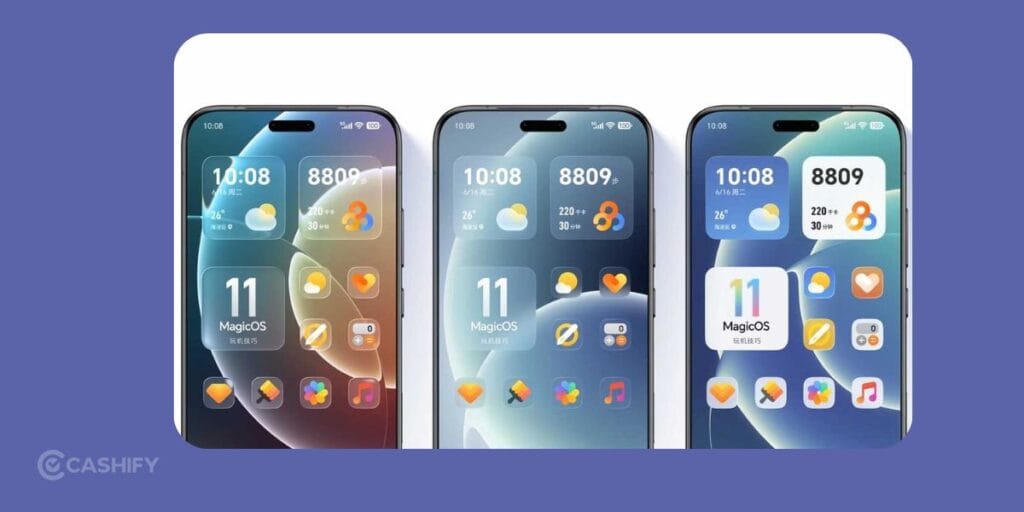
One concern many people have about transparent interfaces is readability. MagicOS 11 has transparency and clarity controls. These controls let you decide how much of the glass effect you actually want. If you love the crystal-clear appearance, you can increase transparency. If you prefer easier readability, you can add more frosting.
This simple option makes a huge difference because visual preferences aren’t the same for everyone.
Also Read: Samsung One UI 10 Release Date And Expected Launch Timeline!
Tilt Your Phone And Watch The Interface Respond
Another interesting addition is tilt-responsive lighting. It uses the phone’s motion sensors. It adds reflections and highlights shift naturally as you change the angle of the device. Instead of static graphics, the interface reacts physically to movement.
This creates the impression that you’re interacting with actual layers of glass rather than flat digital panels.
New Control Center Looks Much Cleaner
Honor has also redesigned the Control Center.
No more of traditional square quick-setting buttons. You’ll find floating glass capsules that blend into your wallpaper. The new layout feels less cluttered. Important controls are easy to spot without dominating the screen. Since these transparent capsules adapt to the background, the overall interface appears lighter.
Also Read: One UI 9 Vs One UI 8.5: What’s New And Should You Upgrade?
YOYO Claw Is More Than a Voice Assistant

The biggest upgrade inside MagicOS 11 features isn’t visual at all.
It’s YOYO Claw.
Most smartphone assistants can answer questions, set alarms, send messages, or open applications. That’s useful, but still fairly limited.
YOYO Claw takes things much further.
It is built around OpenClaw architecture. It can complete multiple actions across different apps without requiring constant user input. Instead of simply opening an app, it can continue working inside that app.
It Can Complete Multi-Step Tasks for You
Imagine telling your phone to complete something that normally takes several minutes. Instead of opening an app, tapping buttons, scrolling, filling forms, and confirming yourself, YOYO Claw can carry out those actions automatically. It understands your request, navigates the interface, selects options, enters information, and finishes the task.
The best part is that this works inside third-party applications instead of remaining limited to Honor’s own software.
Also read: Samsung Galaxy S27 Ultra Release Date, Expected Price And Specs!
Local AI Improves Speed And Privacy
MagicOS 11 also supports customised large language models running directly on compatible devices. Local processing has two major advantages.
First, responses arrive faster because many requests don’t need to travel to cloud servers. Second, sensitive information stays on your phone instead of constantly leaving your device.
Smarter Intent Recognition Removes Extra Steps
Another upgrade you’ll probably notice every day is contextual intent recognition.
Here’s a simple example.
Imagine someone sends you an address in a chat. Normally, you’d copy the address, open your maps app, paste the location, then begin navigation.
MagicOS 11 removes those extra steps.
You can simply drag the address towards the edge of the screen. The OS immediately recognises that it’s a location before opening your navigation app automatically. That might only save a few seconds each time, but those little improvements add up throughout the day.
Also Read: Vivo X300 FE Best Camera Settings: Take DSLR Level Shots!
Cross-Device Working Finally Feels Seamless
Instead of treating each device separately, MagicOS 11 lets connected Honor devices share stuff more naturally.
For example, you can move files between your phone, tablet, and laptop using one trackpad without relying on Bluetooth pairing or separate file transfer applications.
It feels like a one connected workspace instead of three independent devices. If you already own several Honor products, this alone could become one of the most useful upgrades.
Camera Sharing Saves Time
Another practical addition involves camera sharing.
Suppose you’re editing a report on your Honor laptop. Instead of photographing something, transferring the image manually, then inserting it into your document, you can capture the picture using your Honor phone and have it appear directly inside your laptop workflow.
This removes several repetitive steps that many people perform every day.
Android 17 Helps Keep Everything Running Smoothly
A flashy interface means very little if performance suffers. MagicOS 11 has several optimisation improvements inside Android 17.
The graphics engine processes live wallpapers, transparent interface layers, and HDR lighting simultaneously. It also maintains stable frame rates. That matters because advanced visual effects can quickly overwhelm weaker software optimisation.
MagicOS 11 features also use intelligent resource allocation. This places system resources behind active applications while reducing unnecessary background activity.
Is MagicOS 11 Actually Worth Getting Excited About?
I think so.
Many Android updates spend most of their time refining existing ideas.
MagicOS 11 features have meaningful changes across almost every part of the operating system.
The redesigned interface makes daily interaction feel more immersive. YOYO Claw goes beyond ordinary voice assistants by completing complicated actions inside apps. Cross-device connectivity becomes much easier for people already invested in Honor products.
AI also helps improve responsiveness while keeping more information on your own device.
FAQs: MagicOS 11 Features
1. What is MagicOS 11?
MagicOS 11 is Honor’s latest operating system based on Android 17. It has Liquid Glass UI, YOYO Claw AI assistant, and cross-device connectivity.
2. What is the Dynamic Liquid Glass UI?
The Dynamic Liquid Glass UI is a transparent system-wide design. It adds smooth animations, dynamic lighting effects, and adjustable transparency.
3. What can YOYO Claw do?
YOYO Claw can automate multi-step tasks inside apps by tapping, scrolling, and entering information.
4. When will MagicOS 11 be available?
MagicOS 11 is currently in early testing in China. The stable public release is expected in the fourth quarter of 2026.
5. Which devices will receive MagicOS 11?
Honor has not yet confirmed the complete list of supported devices. The update is expected to roll out to eligible Honor smartphones and tablets.
Final Thoughts
Right now, MagicOS 11 is available through Honor’s Pioneer Edition testing programme in China. The stable public release is expected during the fourth quarter of 2026. It’s worth waiting for the stable version unless you specifically enjoy testing early software.
Beta versions often contain bugs, unexpected behaviour, and unfinished optimisation. If you’re the kind of person who likes software that genuinely changes how you use your phone, MagicOS 11 is worth paying attention to.
I’d keep an eye on the stable release later in 2026 rather than jumping into early testing.
If you’ve just bought a new phone and don’t know what to do with your old phone, then here’s your answer. Sell old mobile to Cashify and get the best price for it. If you are planning to buy a new phone, check out Cashify’s refurbished mobile phones. You can get your favourite phone at almost half price with six-month warranty, 15 days refund and free delivery.