WhatsApp is introducing a new feature called AI Writing Help to help users refine their messages. This tool offers alternative ways to express your thoughts, whether you’re aiming for a professional tone, something humorous, or a more encouraging vibe. So, read ahead to know about this exciting new feature.
WhatsApp AI Writing Help Feature: How Does It Help?
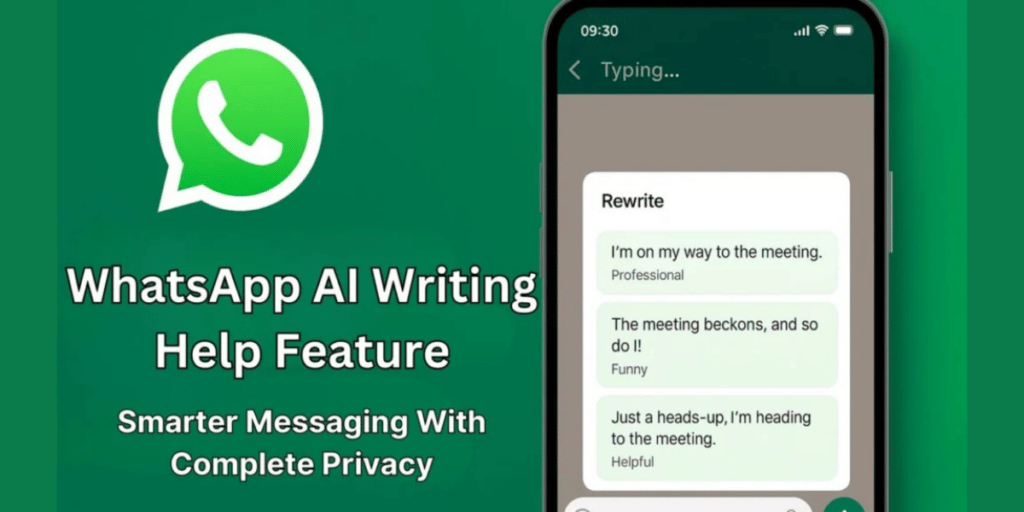
With the help of AI writing feature in WhatsApp, while typing in a one-on-one or group chat, just tap the pencil icon to view suggestions. From there, you can select one, tweak it, or keep your original wording.
Also Read: How To Create Whatsapp Backup On iPhone And Android: Easy Guide!
This AI writing feature is safe and private, as the company claims. It works on a technology that allows Meta AI to offer suggestions while ensuring that neither WhatsApp nor Meta ever has access to your messages. To ensure security, WhatsApp collaborated with external security specialists, and the system’s design has been validated through independent audits by NCC Group and Trail of Bits.
Moreover, WhatsApp emphasizes that the AI Writing feature and other features are completely optional. They are disabled by default, and you have the choice to turn them on if you wish.
Launch Details And Other Features
Writing Help is initially available in English in the United States and a few other countries, with plans to expand to more languages and regions later this year.
In other updates, WhatsApp has introduced new features for group calls, such as the ability to schedule calls with invitations, manage attendees, share calendar links, and receive notifications before calls begin. Users can now raise their hands or send reactions during calls, and call link creators will be notified when someone joins. As always, all calls are end-to-end encrypted.
Are you still browsing through your broken screen? Don’t worry! Book at-home mobile phone screen repair with Cashify—an affordable and one-stop destination for all your mobile phone needs. In case you break your screen within 1 month of repair, we will replace your screen again—for FREE.