Android 16 is now available, and TECNO has started rolling out its HiOS 16 update to eligible smartphones. The update brings new AI features, smoother animations, improved performance, and other system-level improvements.
If you own a TECNO smartphone, you may be wondering whether your device will get Android 16. TECNO has confirmed a phased HiOS 16 rollout covering selected CAMON, POVA, and PHANTOM smartphones, with updates scheduled across Q2, Q3, and Q4 2026.
Here’s the complete list of TECNO phones eligible for the Android 16 update, along with their expected rollout timelines, devices that are not included, new HiOS 16 features, and how to check for the update on your phone.
Also Read: Oppo Phones That Will Receive Android 16 Update: Check Full List
Why Android 16 Update Is A Big Deal For Tecno Users?
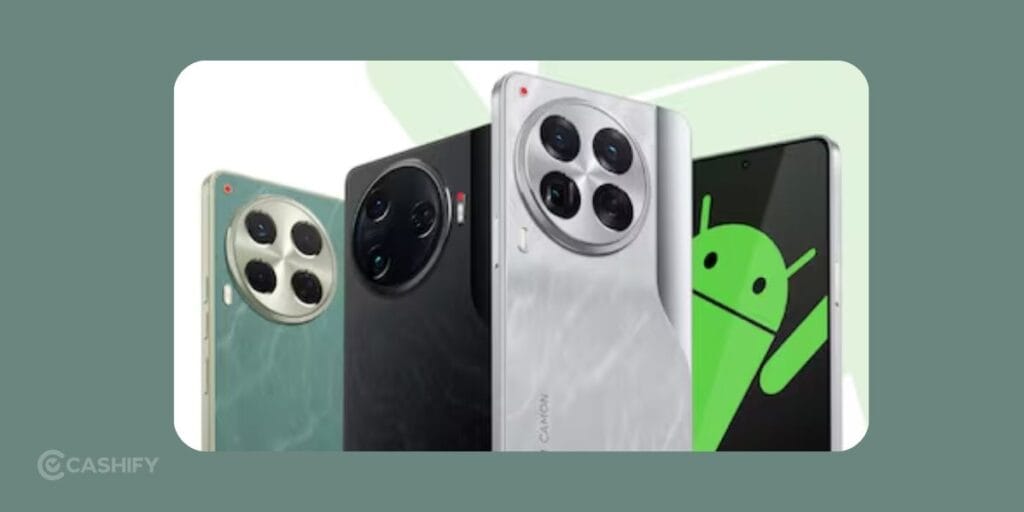
With each new Android release, Google introduces improvements that not only make your phone faster but also more intelligent and more secure. Android 16 focuses on optimizing battery life, boosting app performance, enhancing privacy features, and refining the user interface, all of which promise a better overall smartphone experience.
For Tecno phones, this Android 16 update means the devices will stay relevant longer with the latest innovations. Thus, receiving continuous security patches and system enhancements.
With Android 16 update, eligible Tecno devices are expected to receive:
- Improved performance and battery optimization
- Enhanced privacy and security controls
- Better AI-based system features
- Refined HiOS UI experience
- Improved multitasking and app behavior
How Tecno Decides Which Phones Get Android 16
Not every TECNO smartphone is eligible for the Android 16 update. TECNO determines software-update eligibility based on its software support policy and rollout plans for individual device series and models.
The availability of HiOS 16 can also vary depending on the region, device variant, and carrier certification. Therefore, even if a phone is included in the global rollout plan, the update may arrive at different times in different markets.
TECNO’s confirmed HiOS 16 rollout currently covers selected smartphones from the CAMON, POVA, and PHANTOM series. If your device is not included in the official rollout list, TECNO has not currently confirmed an Android 16 update for that model.
Tecno Phones With Android 16 Update: Confirmed List
After the global rollout of Android 16 update in June 2025, Tecno has confirmed that several of its phone will receive this update in 2026. Here, have a look at the phones eligible for this update:
TECNO has officially confirmed the HiOS 16 Global Rollout. The company has shared this exciting news from the official Instagram account of HiOS Global. In that, they also revealed the phased timeline and the list of eligible devices.
According to the official update plan, HiOS 16 will roll out in three phases during 2026. The actual availability may vary by region, device variant, and carrier certification. The rollout covers multiple device series, including POVA, CAMON, and PHANTOM.
| Series | Device | Rollout |
|---|---|---|
| CAMON | CAMON 40 Premier 5G | Q2 2026 |
| CAMON | CAMON 40 Pro 5G | Q2 2026 |
| CAMON | CAMON 40 Pro | Q2 2026 |
| CAMON | CAMON 40 5G | Q2 2026 |
| CAMON | CAMON 40 | Q2 2026 |
| POVA | POVA 7 | Q3 2026 |
| POVA | POVA 7 5G | Q3 2026 |
| POVA | POVA 7 Pro 5G | Q3 2026 |
| POVA | POVA 7 Neo | Q3 2026 |
| POVA | POVA 7 Ultra 5G | Q3 2026 |
| POVA | POVA Slim 5G | Q3 2026 |
| POVA | POVA 7 Curve 5G | Q3 2026 |
| CAMON | CAMON 30 Premier 5G | Q3 2026 |
| CAMON | CAMON 30 Pro 5G | Q3 2026 |
| CAMON | CAMON 30 5G | Q3 2026 |
| CAMON | CAMON 30S Pro | Q3 2026 |
| CAMON | CAMON 30S | Q3 2026 |
| CAMON | CAMON 30 | Q3 2026 |
| PHANTOM | PHANTOM V Fold2 5G | Q4 2026 |
| PHANTOM | PHANTOM V Flip2 5G | Q4 2026 |
Which TECNO Phones Are Not Included in the HiOS 16 List?
Here are some smartphones that won’t receive the HiOS 16 update from TECNO.
| Series | Device |
|---|---|
| PHANTOM | PHANTOM X2 5G |
| PHANTOM | PHANTOM X2 Pro 5G |
| PHANTOM | PHANTOM V Fold |
| PHANTOM | PHANTOM V Flip 5G |
| SPARK | SPARK Go 1 |
| SPARK | SPARK Go 2 |
| SPARK | SPARK 30 |
| SPARK | SPARK 30C |
| SPARK | SPARK 30C 5G |
| SPARK | SPARK 30 5G |
| SPARK | SPARK 30 Pro |
| POP | POP 10 |
| POP | POP 9 5G |
Also Read: These Samsung Phones Will Get Android 16 Update This Summer [Full List]
How To Check For Android 16 Update On Your Phone?
To check if the Android 16 update is available on your TECNO phone or any other Android phone, follow these steps:
- Open your phone’s Settings.
- Tap System or Software updates.
- Select Software update or System update.
- Tap Check for updates and follow the on-screen instructions.
The exact menu names may vary by phone model and software version. On TECNO phones, you may find the update option under Settings > System Update.
If the Android 16 update is ready, you’ll see an option to download and install. You need to make sure your device is connected to Wi-Fi and has enough battery before starting.
What If Your Tecno Phone Isn’t On The List?
If your device is not eligible for the Android 16 update, don’t worry:
- Your phone will continue to receive security patches for some time.
- You can still enjoy existing features with optimized performance.
- Consider upgrading to a newer Tecno model to experience the latest Android features.
Also Read: Samsung Vs Apple Resale Value In 2025: Why Camera Quality Matters
What’s New in HiOS 16?
HiOS 16 brings a redesigned and smoother software experience to compatible TECNO smartphones, along with new AI-powered features and improvements to everyday interactions.
Key HiOS 16 features include:
- Superfluidity design: Smoother animations and transitions across the interface.
- Ella AI improvements: TECNO’s AI assistant gets new capabilities and integrations.
- Minus One Screen: A central space for quick tools, smart services and features such as real-time translation.
- AI Art Gallery: AI-powered tools for creating and managing visual content.
- AI LightMaster 2.0: AI-assisted improvements for photo editing and image enhancement.
- Improved system experience: Faster app launches, smoother multitasking and other interface refinements.
What To Expect About India-Specific Rollout?
TECNO’s HiOS 16 rollout is phased. The availability can vary by region, device variant, and carrier certification. There is no universal waiting period for India. I would recommend that you check your eligibility regularly.
If your phone is eligible for the update but you haven’t received it yet, the rollout may simply not have reached your particular device or region.
If the update gets stuck or fails during the download, try these steps:
- Check that your phone has enough free storage and a stable Wi-Fi connection.
- Restart your phone and try the update again.
- If the update still fails, check TECNO’s official support resources for your specific model instead of installing firmware from an unofficial source.
- If needed, contact TECNO support or an authorised service centre for further assistance.
When Will TECNO Phones Get HiOS 16 in India?
TECNO is rolling out HiOS 16 in phases, so eligible users in India may receive the update at different times. The rollout schedule can vary depending on the smartphone model, region and device variant.
If your TECNO phone is listed as eligible but you haven’t received the update yet, there is no need to install unofficial firmware. Check the software update section on your phone regularly and wait for the official OTA update to become available.
What If Your TECNO Phone Isn’t on the HiOS 16 List?
If your TECNO phone isn’t included in the confirmed HiOS 16 rollout list, it currently does not have an official Android 16 update confirmation.
You can continue using your existing software version and install security updates whenever they become available. If you want Android 16 and your current phone is not eligible, upgrading to a newer supported TECNO model may be an option.
Avoid downloading unofficial HiOS 16 firmware from third-party websites, as installing unsupported software can cause compatibility, security or stability issues.
Final Thoughts
That’s all from our end on the Tecno phones with Android 16 update. This new update is all set to bring exciting new features and improvements to your phones. Whether your current phone is eligible for the update or you’re planning to upgrade, staying informed helps you make the most of your Tecno device. Hopefully this blog would have helped you find what you are looking for. Make sure to share this blog with your fellow Tecno users.
FAQs
What is new in HiOS 16?
HiOS 16 introduces a range of improvements. It has smoother animations, AI features, multitasking, faster app experiences, and upgrades to TECNO’s Ella AI assistant.
Can I install HiOS 16 manually if my phone is not eligible?
You should not install unofficial firmware or software packages to force an update. If your phone is not included in TECNO’s official rollout, wait for an official announcement or contact TECNO support.
Which TECNO phones are getting the Android 16 update?
TECNO has confirmed HiOS 16 for selected CAMON, POVA, and PHANTOM smartphones. The confirmed models and their planned rollout quarters are listed in the table above.
When will TECNO phones get Android 16 in India?
TECNO is rolling out HiOS 16 in phases during 2026. The update may arrive at different times depending on the smartphone model, region and device variant.
What is the difference between Android 16 and HiOS 16?
Android 16 is Google’s Android operating system version, while HiOS 16 is TECNO’s customised software interface built on Android 16. Eligible TECNO phones receive Android 16 features through the HiOS 16 update.
What are the new features in TECNO HiOS 16?
HiOS 16 introduces features including the Superfluidity design, improvements to the Ella AI assistant, Minus One Screen, AI Art Gallery and AI LightMaster 2.0, along with smoother animations and system improvements.
Why has my TECNO phone not received the HiOS 16 update yet?
Even if your TECNO phone is eligible, the update may not have reached your device yet because HiOS 16 is being rolled out in phases. Availability can vary by model, region and device variant.
Buying refurbished mobile phones was never this easy. Sell your old phone and get exclusive offers & discounts on refurbished mobiles. Every refurbished phone is put through 32-point quality checks to ensure like-new standards and comes with a six-month warranty and 15-day refund. Buy refurbished phone easily on no-cost EMI today!