Own the all-new Xiaomi 17 Ultra and want to start some solid filmmaking or reel-making? Well, the Xiaomi 17 Ultra is a hefty purchase, and everyone wants to get the best out of their phones. Especially in Ultra’s case, the camera is superb, and if you do not have the urge to make reels or shoot some filmy shots with this phone, then trust me, you’re rusting up a gold knife! The Xiaomi 17 Ultra is a hidden camera master, and in this blog, we tell you how to take perfect shots and videos from this phone without any editing or camera skills. So, be with us in this blog, as we take you through the Xiaomi 17 Ultra best camera settings guide, and help you understand all modes.
Also Read: Vivo X300 Best Camera Settings For Best Quality: Full Guide
Xiaomi 17 Ultra Best Camera Modes And Settings Explained
Before we dive in and see which are the best camera settings, it is important for us to go through the details of all the camera features of the Xiaomi 17 Ultra. Xiaomi 17 Ultra is currently one of the best choices for a camera phone. Its 200MP LEICA setup gives you superb shots, and the telephoto lens of this phone is the best in the market. Talking about videos, it has Dolby support, and the 4K and 8K modes nail it through.
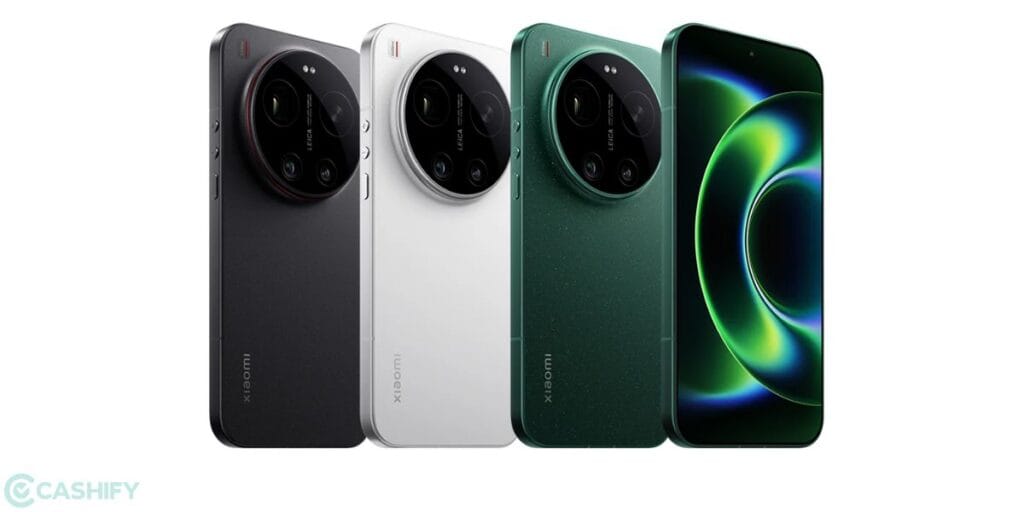
So, we can say that this phone is a powerful delight to hold when you are talking about the camera. So, before we begin this Xiaomi 17 Ultra best camera settings guide, let us brief you first with all the camera modes with the table below:
| Category | Modes | Key Details |
| Photo Modes | Auto, Portrait, Pro, Panorama, Macro | Manual controls (ISO, shutter, WB), depth effects, wide shots |
| High-Res | 50MP / 200MP Modes | Full-resolution capture (main + telephoto) |
| Zoom | Optical + Digital | 4.3× optical, up to 120× digital zoom |
| AI Features | AI Scene, ProFocus, HDR | Colour profiles + professional tuning |
| Leica Tools | Authentic/Vibrant, Filters | Color profiles + professional tuning |
| Special Modes | Long Exposure, Supermoon, Burst | Light trails, moon shots, high-speed capture |
| Video | 8K, 4K Dolby Vision, Slow-mo | 8K@30fps, 4K@120fps, 1080p@1920fps slow motion |
| Pro Video | Log Video, Movie Mode | Advanced color grading + cinematic shooting |
| Stabilization | OIS + EIS (ShootSteady) | Smooth handheld video |
| Front Camera | Portrait, HDR, Teleprompter | Hands-free + scripted video support |
| Pro Controls | RAW, Histogram, Focus Peaking | DSLR-level control tools |
Also Read: Google Pixel 10 Pro vs iPhone 17 Pro Camera Comparison: See The Winner Here
Now, let us move to see the Xiaomi 17 Ultra best camera settings guide and see which are the best modes for you.
Xiaomi 17 Ultra Best Camera Settings

Here are the best Xiaomi 17 Ultra camera settings, which will help you get pro photos and videos without the need for skilled photography.
Use Focus Peaking Mode For Clearer Photos
The Xiaomi 17 Ultra has a focus peaking mode, which works better in zoomed shots, outdoor shots, and even normal clicks. If you are not a professional and want better-focused shots without any ISO adjustments or focal range adjustments, then choose this mode.
Shoot At 4K at 120 FPS For Perfect Reels
The Xiaomi 17 Ultra enables 4K video recording at 120fps, delivering ultra-smooth footage ideal for reels and slow-motion edits. With Dolby Vision support and advanced stabilisation, users can capture vibrant, cinematic clips with excellent clarity, even during fast-moving scenes or handheld shooting.
Try Supermoon And Long Exposure Modes
Supermoon and Long Exposure make it to the top of Xiaomi 17 Ultra best camera settings list. Supermoon uses AI to capture detailed lunar shots, while Long Exposure allows artistic effects like light trails, silky water, and motion blur, giving users more expressive shooting possibilities at night.
Use Portrait Mode and Telephoto Powers For Photography
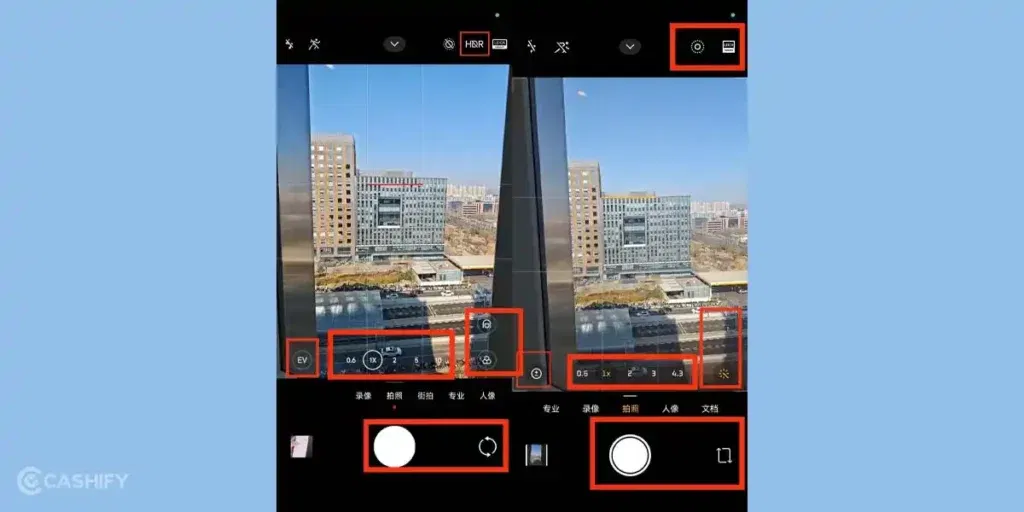
The Xiaomi 17 Ultra combines Portrait Mode with a powerful 200MP telephoto lens for professional-quality shots. With around 4.3× optical zoom and advanced depth processing, users can capture sharp subjects, natural bokeh, and detailed distant scenes without compromising image quality. Preferred modes will be 1x and 3x in Portrait mode.
Use Higher ISOs and White Balance For Pro Shots
Xiaomi 17 Ultra maintains a slightly more natural skin tone and vibrant posture in its camera. If you are on a hunt for aesthetic photoshoots, then shift the ISO to a higher zone, or even to an extremely low zone, and increase the White balance to get better results.
End Note
That’s it from this Xiaomi 17 Ultra best camera settings guide. We have mentioned all the pro modes and settings which will help you get aesthetic, filmy, and one of the best photos and videos. From a camera point of view, the Xiaomi 17 Ultra is currently one of the best phones globally for camera features. So, all in all, the phone won’t disappoint you, and with this guide, you can get the best out of Xiaomi 17 Ultra’s camera. So, go through this guide thoroughly and enjoy your photography!
Also Read: Xiaomi 18 Pro Camera Specs Leaked: The First Phone with Two 200MP Cameras!
If you’ve just bought a new phone and don’t know what to do with your old phone, then here’s your answer. Sell old mobile to Cashify and get the best price for it. If you are planning to buy a new phone, check out Cashify’s refurbished mobile phones. You can get your favourite phone at almost half price with six-month warranty, 15 days refund and free delivery.