The iPhone 16e comes equipped with a USB-C connector for charging. That’s a great utility for iPhone users now, but when issues arrive, you know it. Apple iPhone 16e charging jack repair is inevitable in some cases. When the phone suddenly stops charging, charges slowly, or only works when you hold the cable at a particular angle, the charging port is an obvious suspect.
But don’t rush to replace the port just yet.
A faulty cable, dust inside the port, moisture or a damaged charging connector can all create similar symptoms. Let’s have a closer look at this issue.
Also read: Apple iPhone 17 Pro Max Screen Broken? Repair Costs And Best Solution Revealed!
What Charging Port Does iPhone 16e Use?
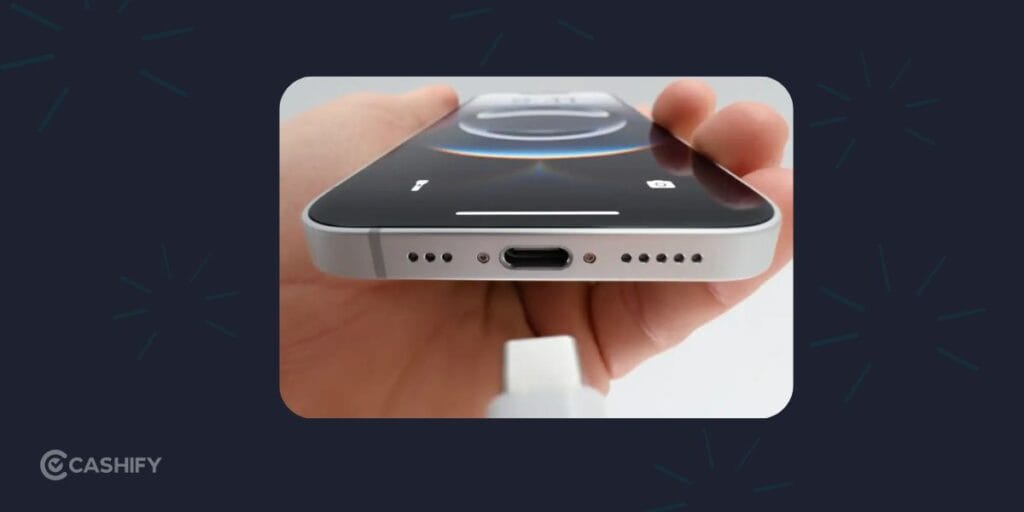
The iPhone 16e uses a USB-C connector for charging. Apple lists USB 2 data transfer speeds of up to 480Mbps through the connector. The phone also supports fast charging, reaching up to 50 percent charge in around 30 minutes when paired with a 20W adapter or higher and a USB-C charging cable.
That makes the charging port important for more than just topping up the battery.
A damaged USB-C connector can affect charging and wired data connections too.
How Do You Know the iPhone 16e Charging Jack Has a Problem?
A charging problem doesn’t always mean the port itself is damaged.
Watch out for these signs:
- The iPhone doesn’t charge after connecting the cable.
- Charging starts and stops randomly.
- The cable feels loose inside the port.
- The phone charges only at a certain angle.
- Charging is unusually slow.
- Your Mac or PC doesn’t detect the iPhone through USB-C.
- The connector looks damaged or bent.
- You see a charging-related warning repeatedly.
If the problem happens only when using one particular cable, test another compatible USB-C cable first.
If multiple known-good cables show the same behaviour, the port deserves closer inspection.
Also read: Apple iPhone 17 Pro Max Front Camera Issues? Here’s The Fastest Fix!
Why Does the iPhone 16e Charging Jack Stop Working?
There are several possible causes.
Dust and Debris
Pocket lint can collect inside a charging port over time.
Even a small amount can prevent the cable from sitting properly against the connector.
This is one of the easiest problems to overlook.
Physical Damage
Repeatedly inserting the cable, pulling it out at an angle or putting pressure on the connector can damage the port.
A loose-feeling connection is worth getting checked rather than forcing the cable into place.
Moisture
Liquid around the charging connector can interfere with charging and may damage internal components if ignored.
If the phone has recently been exposed to water or another liquid, don’t keep plugging it in to test it.
Cable or Adapter Problems
Sometimes the iPhone is perfectly fine.
A damaged cable or faulty adapter can produce symptoms that look like a charging port failure.
Try a different compatible cable and power adapter before booking a repair.
Internal Hardware Fault
If the basic checks don’t solve the problem, the charging assembly or another internal component may need professional inspection.
Also read: Apple iPhone 16e Front Camera Not Working? Easy Repair & Replacement Guide!
What Should You Do Before Booking an iPhone 16e Charging Jack Repair?
Try these checks first.
1. Try Another Cable
Use a reliable USB-C cable and see if the charging behaviour changes.
Avoid assuming that a faulty cable means your iPhone needs repair.
2. Check the Power Adapter
Test another compatible adapter and power source.
A faulty adapter can easily create charging problems.
3. Inspect the USB-C Port
Use a light to look inside the port.
If you notice visible lint or debris, don’t poke around aggressively using a pin, needle or other sharp object. You could damage the connector.
4. Restart the iPhone
A temporary software glitch can sometimes interfere with charging behaviour.
Restart the iPhone 16e and test it again.
5. Pay Attention to Moisture Warnings
If the phone has been exposed to liquid, don’t keep connecting the charging cable.
Let the device dry according to Apple’s safety guidance and seek professional help if charging problems continue.
Also read: Broken Back Glass on iPhone 11? Replace It Quickly!
Is iPhone 16e Charging Jack Repair Better Than Replacing The Phone?
In many cases, yes.
If the iPhone 16e works perfectly apart from its charging problem, replacing the entire phone would be an unnecessary expense.
A professional diagnosis can tell you if the issue is limited to the charging connector or linked to another component. That’s exactly where Cashify mobile repair service comes in handy. You can get the job done affordably.
Apple also provides a dedicated iPhone 16e repair manual. It includes troubleshooting for battery, wired charging and power issues, along with a specific procedure for the USB-C connector.
So if your iPhone 16e has developed a charging problem, repair is certainly worth investigating before you think about replacing the device.
Cashify iPhone Repair for the iPhone 16e
If you’ve tried another cable and adapter but the charging issue continues, Cashify can help. Get the problem diagnosed and repaired quickly and hassle-free.
Cashify’s iPhone repair service includes charging jack repair. It is available alongside repair services for iPhone 16e.
The phone repair service is available through doorstep and Cashify stores. it depends on location and service availability.
The mobile phone repair process is straightforward:
- Select your iPhone model on the Cashify Repair platform.
- Choose the required repair service.
- Check the estimated price.
- Pick a convenient appointment slot.
- Get the device inspected and repaired by a technician.
Cashify uses tested and graded parts. There’s also a warranty on spare parts used.
For a charging issue, doorstep service can also save you the hassle of carrying your iPhone to a repair centre. The technician can inspect the device and identify the actual problem before the repair goes ahead.
Also read: Apple iPhone 17 Front Camera Repair Under 5000: Fix Blurry Or Non-Working Selfie Camera
Final Thoughts
A charging problem doesn’t automatically mean your iPhone 16e needs a new battery or a new phone. Start by testing the cable and adapter. Check for visible debris. Think about recent liquid exposure. If the problem continues, get the charging port professionally inspected.
For users who need iphone 16e charging jack repair, seek Cashify. An accurate diagnosis matters more than simply replacing the port and hoping for the best.
After all, your iPhone 16e is still a capable phone. A charging port issue shouldn’t send the whole device into early retirement.
Use code: TECH25 to avail of a discount of up to Rs. 300 by using the (on the minimum order value of Rs. 2499).
Use code: RPR50 to avail up to 50 per cent off on a minimum spend value of Rs. 1000. (Limited Offer)
Are you still browsing through your broken screen? Don’t worry! Book at-home mobile phone screen repair with Cashify, an affordable and one-stop destination for all your mobile phone needs. In case you break your screen within 1 month of repair, we will replace your screen again for FREE.