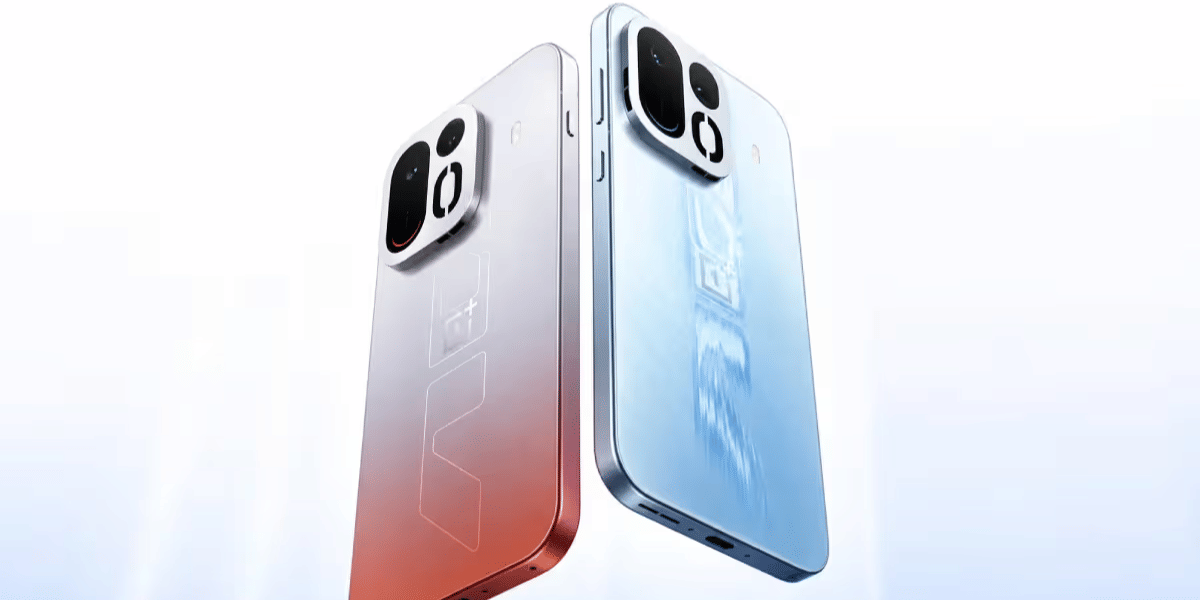
You pick up your iPhone 17, make a call, and the other person asks you to repeat yourself. Sometimes your voice sounds fine, and other times it just drops out, especially in videos or voice notes. That’s usually how Apple iPhone 17 mic issues begin, quietly and without any clear reason.
Before assuming something is seriously wrong, it helps to understand the possible reasons behind the problem. A few basic checks on your own can often clear things up faster than expected. If the mic still doesn’t work properly, we’ll explain when mobile repair is needed and why Cashify is reliable.
Also read: How To Fix Vivo V11 Pro Screen Issues? Replace It Affordably!
Main Reasons Behind Apple iPhone 17 Mic Issues
First, let’s check the common reasons behind Apple iPhone 17 mic issues during calls and recordings:
Case or Screen Protector Blocking the Mic
Some iPhone cases cover the mic openings slightly. Thick screen protectors can also block sound. This often causes a low or muffled voice during calls.
Dust Settling in the Mic Grills
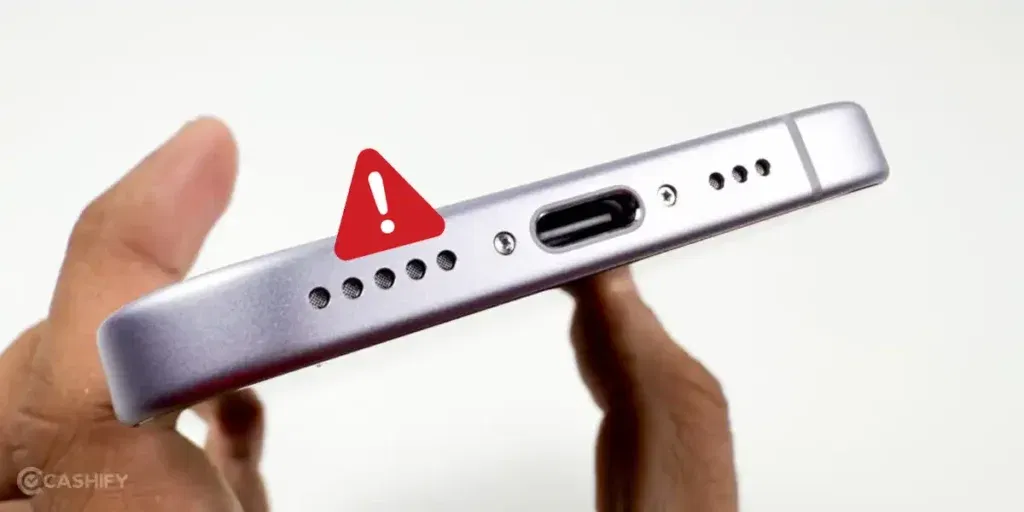
iPhones have tiny mic holes. Over time, pocket dust and lint can settle inside. The mic still works, but your voice sounds unclear to the other person.
Mic Switching Issue During Calls
iPhones automatically switch between microphones. Sometimes, the phone may use a secondary mic instead of the main one. This can lead to sudden voice drops mid-call.
iOS Update Glitches Affecting Audio
After an iOS update, mic behaviour can change temporarily. Some users notice issues in calls or apps until the system stabilises or updates again.
App-Specific Mic Permission Problems
Certain apps manage mic access differently. If permissions are restricted or reset, the mic may work in calls but fail during recordings or video calls.
Wear Around the Charging Port Area
The main mic is located near the charging port. Regular plugging and unplugging can cause wear in that area. This can affect mic clarity over time.
Water Exposure Causing Delayed Mic Issues
Even light water exposure may not cause immediate damage. Mic problems can appear days later once moisture affects internal parts.
Also read: How Do I Check My Android Hardware Health?
Quick Checks Before Opting For Mobile Repair
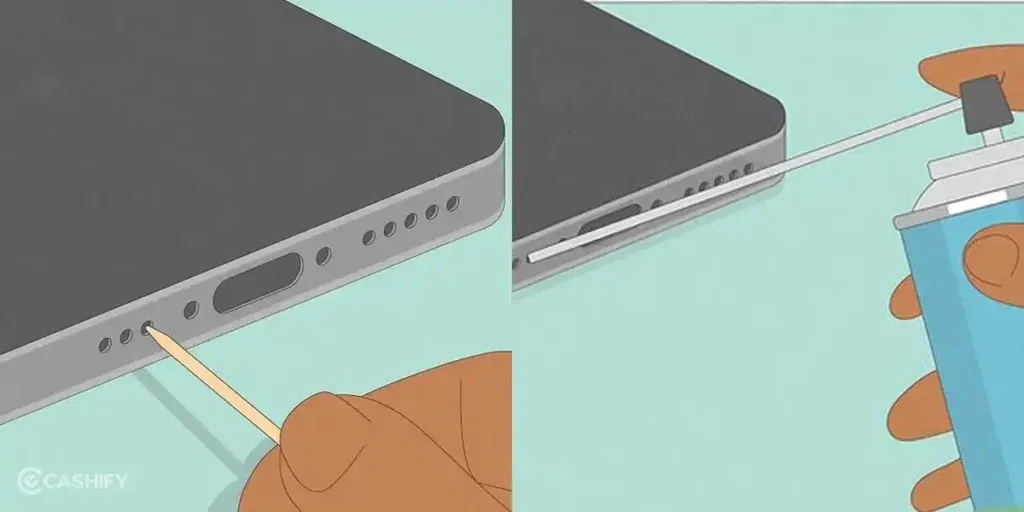
Now that you know the reasons behind Apple iPhone 17 mic issues, try these quick checks. You will know if the issue can be fixed at home or needs mobile repair:
Remove Case or Screen Protector
Take off your case and screen protector, then make a test call. If the mic works better, the cover was blocking the mic opening.
Clean the Mic Grill Carefully
Use a soft brush or a dry cotton swab to clean the mic hole near the charging port. Do it gently and avoid sharp tools, as they can damage the Apple iPhone 17 mic.
Check Mic Switching During Calls
During a call, switch to speaker mode and then back to normal. This can force the phone to select the right mic. Also, try calling through another app to see if the Apple iPhone 17 mic issues repeat.
Restart the Phone After iOS Update
If the issue started after an update, restart your iPhone. This helps the system settle and often fixes small software problems.
Check App Mic Permissions
Go to Settings > Privacy & Security > Microphone and ensure the app has access. If the permission is off, turn it on and test the mic again in that app.
Avoid Moisture and Dry the Phone
If your phone got wet recently, keep it in a dry place and avoid using heat. Wait 24-48 hours, then test the mic again.
Also read: 8 Signs That Your Android Phone Motherboard Needs Repair!
Why Choose Cashify For Apple iPhone 17 Mic Issues?
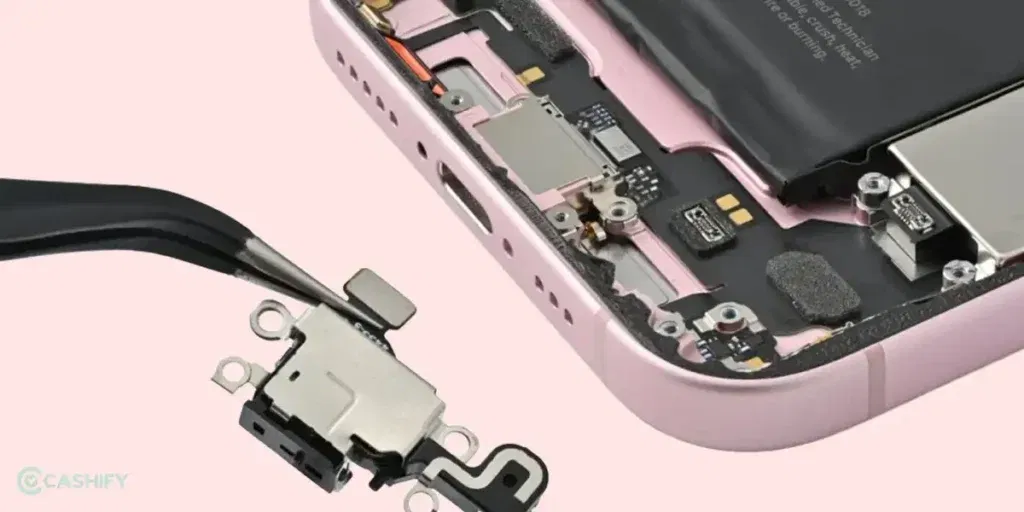
If the above checks don’t fix your Apple iPhone 17 mic issues, it’s time for professional mobile repair. Cashify can help you get it done easily. Here is how:
- The mobile phone repair cost is shared before booking, so you know the price upfront.
- A trained technician visits your location. He fixes the mic on the spot or takes the phone for service, based on the issue. You pay only after the repair.
- Every phone repair is handled by trained technicians who follow proper repair standards for Apple devices.
- High-quality compatible parts are used to restore clear microphone sound and stable performance.
- Cashify has more than 200 repair centres across India for users who prefer visiting a service centre.
Also read: Vivo Y83 Pro Aux Jack Not Working? Repair It Fast With Cashify
How To Book Apple iPhone 17 Mic Repair With Cashify?
If you’ve decided to fix Apple iPhone 17 mic issues with Cashify, booking is easy. Here’s how you can do it:
- Visit the Cashify website or open the Cashify app and go to the Mobile Repair section.
Choose Apple as your phone brand from the list. - Select iPhone 17 from the available models.
- Pick Mic as the issue you want to fix.
- Enter your address to book a free technician visit. You pay only for the repair, not the visit.
- Choose a date and time slot that works best for you.
- Confirm the booking, and a trained technician will visit your location to complete the iPhone 17 mic repair safely.
Also read: 8 Signs That Your Android Phone Motherboard Needs Repair!
Final Thoughts On Apple iPhone 17 Mic Issues
So, you’ve seen the common reasons behind Apple iPhone 17 mic issues and the quick checks you can try on your own. In many cases, these steps help fix the problem. If the issue still continues, getting professional Apple mobile repair through Cashify is a safe and easy option.
If you have any doubts or questions, drop a comment in the comment box below. I’ll be happy to help.
Use code: TECH25 to avail of a discount of up to Rs. 300 by using the (on the minimum order value of Rs. 2499).
Use code: RPR50 to avail up to 50 per cent off on a minimum spend value of Rs. 1000.
If you’ve just bought a new phone and don’t know what to do with your old phone, then here’s your answer. Sell old mobile to Cashify and get the best price for it. If you are planning to buy a new phone, check out Cashify’s refurbished mobile phones. You can get your favourite phone at almost half price with six-month warranty, 15 days refund and free delivery.