How To Fix Vivo V11 Pro Screen Issues? Replace It Affordably!
If you’re reading this, chances are your Vivo V11 Pro screen issues are giving you a headache. Maybe it’s frozen, showing weird lines, or just not responding to your taps. It’s normal to feel overwhelmed or frustrated by this. But guess what? You don’t have to anymore. Let’s discuss possible ways to restore the screen’s normal functioning. Also, we will explore affordable ways to replace the screen if it comes to that, with Cashify as your go-to for repairs.
Also read: Which Is The Best Way To Repair Broken Screen For Vivo V30?
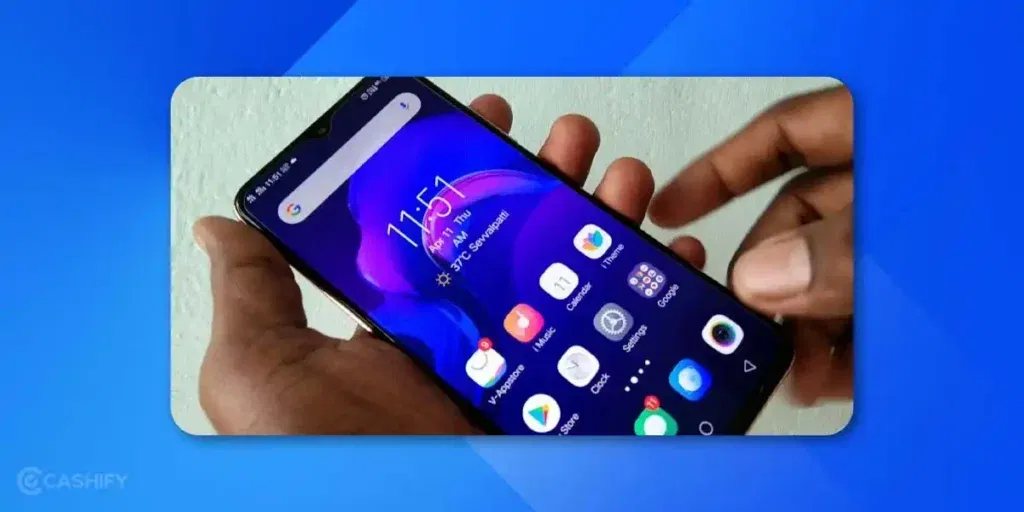
Vivo V11 Pro Screen Issues You Are Encountering!
The Vivo V11 Pro is a sleek device with a stunning AMOLED display. However, it doesn’t come with a screen or display issues disclaimer. Any smartphone of this generation is prone to certain common screen issues. These are some of the Vivo V11 Pro screen issues you might be facing:
- Unresponsive Touchscreen: The screen doesn’t respond to taps or swipes, making it impossible to use.
- Black Screen: The phone powers on (vibrates or rings), but the display stays dark.
- Green or Colored Lines: Annoying lines appear across the screen, distorting the display.
- Flickering or Glitching: The screen flashes or shows erratic behaviour.
- Cracked or Shattered Glass: Physical damage from drops that may or may not affect the display.
These issues can stem from software glitches, physical damage, or even overuse. Let’s start with some easy fixes you can try at home before considering a Vivo phone repair.
Also read: Vivo V11 Pro Battery Not Holding Charge: Replace Or Troubleshoot?
Fixes for Vivo V11 Pro Screen Issues
Firstly, inspect your phone for cracks, dents, or signs of water exposure. A cracked screen or loose internal connections from a drop can cause display issues. If that’s what is happening to your phone, skip to the “Affordable Screen Replacement” section below. Software fixes won’t help with hardware issues.
Below are some troubleshooting steps for the software problems causing screen issues.
Perform a Soft Reset
Works for: Screen freezing, unresponsiveness, black screen, screen flickering
A soft reset is like giving your phone a quick nap to refresh it. It can fix minor software glitches.
How to do it:
- Press and hold the Power button for 10-15 seconds.
- If that doesn’t work, try pressing the Power button + Volume Down button together for 10-15 seconds.
- Wait for the Vivo logo to appear, indicating a restart.
If the phone restarts but the screen is still unresponsive, move to the next step.
Also Read: 3 Reasons Why Your OnePlus 9 Pro Battery Is Draining Fast!
Boot into Safe Mode
Safe Mode disables third-party apps. It helps you figure out if an app is causing the screen to misbehave.
Works For: App interference causing lags or unresponsiveness.
How to do it:
- Turn off your phone (if possible, press Power + Volume Down for a forced shutdown).
- Turn it back on and hold the Volume Down button until the phone boots up.
- You will see “Safe Mode” in the bottom corner of the screen.
- Test the screen. If it works fine, a third-party app might be the culprit.
- Uninstall recently downloaded apps one by one (go to Settings > Apps) and restart the phone normally.
Also read: Dealing With Vivo V29e Unresponsive Screen Now!
Let the Battery Drain Completely
Letting the battery drain completely can sometimes reset minor software glitches.
Works if: the screen is unresponsive and other fixes don’t work.
How to do it:
- Leave the phone untouched for several hours until it shuts down.
- Charge it for at least 30 minutes, then try turning it on.
This is a last-ditch effort before considering a factory reset or repair.
Affordable Screen Replacement With Cashify!
Screen replacements aren’t supposed to be cheap, but Cashify makes it affordable at least. Usually, the screen replacement cost for the Vivo V11 Pro can go up to 5K. At Cashify, you can get it done for 3K! There are more benefits to look forward to!
- Cashify has the best turnaround time and quality when it comes to phone screen repairs and replacements. You can get the screen repaired within an hour, and in most cases, at your home itself! All you have to do is schedule the visit of a technician at your convenient time, date and place.
- The doorstep service is also free of cost. You only pay for the mobile phone repair fee after the service is complete.
- Coming to the phone repair cost, it is the most reasonable rate compared to others in the market. You can get a similar quality of repair as the authorised service centre at a lower cost. Occasionally, there are discounts too that will further reduce the cost.
- Cashify uses premium-quality screen replacements that are internally tested.
- For your peace of mind, screen repair also comes with a six-month warranty and a complimentary one-month warranty on replacement screens*. Check Warranty Policy for details.
Also read: Vivo V27 SIM Network Not Working? Try These Steps To Restore Connection!
Final Thoughts For Vivo V11 Pro Screen Issues
So why take all the hassles to repair on your own or go find a reliable mobile repair shop? Choose Cashify and rest with the assurance that you will get back your Vivo phone in top-notch condition and a freshly repaired screen!
Current Discount: Use code: TECH25 to avail of a discount of up to Rs. 300 by using the code (on the minimum order value of Rs. 2499) when booking online.
Limited time offer: RPR50 for up to 1000 off on a minimum order value of Rs. 1000.
(*Repair warranties are subject to discretion based on Cashify’s terms and conditions. Please refer to our warranty policy for detailed information.)
If you’ve just bought a new phone and don’t know what to do with your old phone, then here’s your answer. Sell your old mobile to Cashify and get the best price for it. If you are planning to buy a new phone, check out Cashify’s refurbished mobile phones. You can get your favourite phone at almost half price with a six-month warranty, 15-day refund and free delivery.





- Perform a Soft Reset
- Boot into Safe Mode
- Let the Battery Drain Completely
Recent Articles


Featured Videos










You May Also Read











New Launches


Apple iPhone 18 Pro Max

Apple iPhone 18 Pro

Vivo T5 5G