If there’s one thing most iPhone users can agree on, it’s this: Apple phone repairs are rarely cheap. And when you own a premium device like the Apple iPhone 17 Pro, even a small hardware issue can feel stressful. Apple iPhone 17 Pro receiver and mic repair is also one of them.
Imagine you are on an important call, but you can barely hear the other person. Or worse, they keep saying, “Hello? Your voice is breaking up.” Frustrating, right?
These are common signs that your receiver or microphone may be developing a fault. Before you start worrying about expensive repair bills, there’s some good news. Apple iPhone 17 Pro Receiver and Mic Repair is now available through Cashify at just Rs. 3999, making it one of the most affordable repair options available.
But before booking a mobile repair, let’s first understand how to identify the problem. Also, whether it can be fixed through basic troubleshooting.
Also read: Apple iPhone 17 Pro Max Front Camera Issues? Here’s The Fastest Fix!
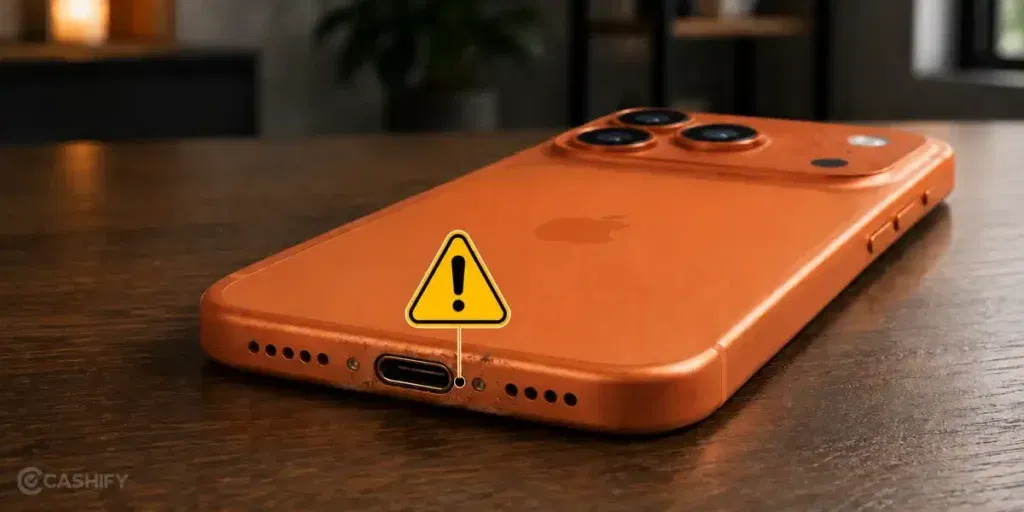
How To Detect A Mic Problem On Apple iPhone 17 Pro
The microphone plays a crucial role in calls, voice recordings, video recording, FaceTime conversations, and voice assistants. When it starts malfunctioning, you will notice the difference almost immediately.
Here are some signs that indicate a microphone issue:
People Cannot Hear You During Calls
One of the most obvious signs is when callers repeatedly complain that your voice sounds muffled, distant, or completely silent.
Voice Recordings Sound Distorted
Open the Voice Memos app and record a short clip. If the recording contains static noise, crackling sounds, or extremely low volume, your microphone may be faulty.
Siri Cannot Understand Commands
If Siri struggles to recognize simple commands even in a quiet room, the microphone could be having issues.
Video Recordings Have No Audio
Try recording a video and playing it back. Missing or distorted audio can indicate microphone damage.
Audio Cuts In And Out
If your voice randomly disappears during calls or recordings, internal microphone components may be failing.
Also read: Apple iPhone 16e Front Camera Not Working? Easy Repair & Replacement Guide!
How To Detect A Receiver Problem On Apple iPhone 17 Pro?
The receiver is the small speaker located near the top of your phone. It allows you to hear callers during regular phone conversations.
Here are some common symptoms of receiver problems:
Low Call Volume
Even at maximum volume, voices sound unusually quiet.
Crackling Or Distorted Audio
The caller’s voice may sound robotic, fuzzy, or crackly.
No Sound During Calls
Everything else works perfectly, but you cannot hear anyone during a normal call.
Audio Works Only On Speaker Mode
If you can hear people through speakerphone but not through the earpiece receiver, the receiver may be damaged.
Sound Keeps Fluctuating
Volume may randomly increase or decrease without any adjustment from your side.
Also read: Apple iPhone 17 Front Camera Repair Under 5000: Fix Blurry Or Non-Working Selfie Camera
Troubleshooting Before Booking A Mobile Repair
Now, here’s the thing. Not every sound issue automatically means hardware damage.
Sometimes software glitches, incorrect settings, or temporary bugs can create similar symptoms. That’s why it’s worth trying a few troubleshooting steps before opting for professional Apple iPhone 17 Pro receiver and mic repair.
Check Volume Settings
Go to: Settings > Sounds & Haptics
Make sure the volume sliders are properly adjusted.
Also, press the physical volume buttons during a call to ensure the call volume is not accidentally lowered.
Restart Your iPhone
It sounds simple, but you’d be surprised how often this works.
Restarting the device clears temporary software glitches that may interfere with audio performance.
Test Multiple Audio Sources
Play:
- YouTube videos
- Music tracks
- Voice recordings
- Instagram Reels
- FaceTime calls
This helps determine whether the issue is affecting only calls or all audio functions.
Remove Any Case Or Screen Protector Obstruction
Some third-party cases partially block microphones or speaker openings. Remove the case and test the phone again.
Clean Receiver And Microphone Openings
Dust, pocket lint, and debris can accumulate over time.
Use a soft brush or clean microfiber cloth to gently remove visible dirt. Avoid using sharp objects that may damage the components.
Check Bluetooth Connections
Sometimes your iPhone may still be connected to:
- Wireless earbuds
- Bluetooth speakers
- Car audio systems
Go to:
Settings > Bluetooth
Disconnect all connected devices and test the audio again.
Update iOS
Apple regularly releases software updates that fix bugs affecting device performance.
Go to: Settings > General > Software Update
Install any available updates.
Disable Noise Cancellation Temporarily
Sometimes accessibility settings can interfere with call audio.
Go to: Settings > Accessibility > Audio & Visual
Toggle relevant audio options and test call quality.
Reset Network Settings
Poor network quality can sometimes make the audio sound distorted.
Go to:
Settings > General > Transfer or Reset iPhone > Reset > Reset Network Settings
Then test the calling performance again.
Test Using Voice Memos
The Voice Memos app is a quick way to isolate microphone issues.
Record your voice and play it back. If the audio sounds weak or distorted despite all troubleshooting, hardware repair is likely required.
Also read: Apple iPhone 17 Pro Max Screen Broken? Repair Costs And Best Solution Revealed!
When Professional Repair Becomes Necessary
If none of the above solutions work, the problem is likely hardware-related.
Common causes include:
- Accidental drops
- Water exposure
- Dust accumulation inside components
- Wear and tear
- Internal connector damage
- Speaker membrane failure
- Microphone hardware faults
At this stage, professional diagnosis becomes essential.
And that’s exactly where Cashify comes in.
Apple iPhone 17 Pro Receiver And Mic Repair With Cashify
Let’s be honest. Many users hesitate to repair their iPhones because they expect a huge bill. Others worry about poor-quality local repair shops. Cashify offers a reliable middle ground.
Apple iPhone 17 Pro receiver and mic repair no longer has to be excessively expensive. Cashify offers quality repair of Rs. 3999 for either the mic or the receiver.
The certified technicians here specialise in iPhone repair, including premium Apple devices.
When you book an Apple iPhone 17 Pro receiver and mic repair, the technician first performs a detailed diagnosis to identify the exact cause of the issue. This ensures that the correct component is repaired as required.
Also read: How To Identify And Repair Dead Pixels On iPhone 11?
How To Book Apple iPhone 17 Pro Receiver And Mic Repair On Cashify
Booking a mobile phone repair is quite simple.
- Open the Cashify website or mobile app.
- Navigate to the smartphone repair section.
- Select Apple from the list of smartphone brands.
- Choose the Apple iPhone 17 Pro.
- Add The Issue
Select:
- Receiver issue
- Microphone issue
- Both receiver and microphone issues
Depending on your requirement.
- Log In And Apply Coupons
- Check available offers and discount coupons after signing in.
- Provide your location details for doorstep service.
- Choose a repair appointment that fits your schedule.
- Confirm your booking and wait for the technician to arrive.
It’s that simple.
In The End
Audio issues can ruin your premium smartphone experience. Imagine owning an expensive phone only for its volume to fail. In such cases, follow the measures mentioned above. Start with the troubleshooting steps mentioned above. If the problem persists, professional phone repair is usually the safest option.
Enjoy Certified technicians, transparent repairs, and free doorstep service. Getting your iPhone back to perfect working condition is easier and more affordable than ever.
You can book a mobile repair, at Cashify online using special discount coupons.
Use code: TECH25 to avail of a discount of up to Rs. 300 by using the (on the minimum order value of Rs. 2499).
Use code: RPR50 to avail up to 50 per cent off on a minimum spend value of Rs. 1000. (Limited Offer)
Are you still browsing through your broken screen? Don’t worry! Book at-home mobile phone screen repair with Cashify, an affordable and one-stop destination for all your mobile phone needs. In case you break your screen within 1 month of repair, we will replace your screen again for FREE.