Ever come across an Instagram Reel that you want to save for later, use as inspiration, or recreate with your own clips? We have all been there. From travel edits and food videos to trending transitions, Instagram Reels are full of ideas. If you’re searching for the best reel downloader apps, there’s something worth knowing before installing a random app. You don’t always need a separate downloader to save a Reel. Instagram has its own download option for eligible Reels. Meta’s Edits app offers another useful route if you want to work with a creator’s shared template and export your own version.
Today we’ll explore the legitimate ways to save Instagram Reels in 2026. Let’s see how to use Instagram Edits step by step, and look at a few third-party options you should evaluate carefully before using.
What Are The Best Reel Downloader Apps In 2026?
The right option depends on what you actually want to do. Do you want to save a public Reel for offline viewing, recreate its editing style, or download a video you’ve posted yourself? Each situation calls for a slightly different approach.
Here’s a quick look at the options worth considering.
| App or method | Best for | What to know |
|---|---|---|
| Downloading eligible public Reels directly | Availability depends on the Reel and the creator’s settings | |
| Instagram Edits | Recreating template-based Reels and exporting your version | Requires an available, shareable template for the workflow described below |
| ReelSave – Reels Downloader | Exploring a dedicated third-party downloader | Check the current app listing, privacy policy and permissions before installing |
| Video Downloader for Instagram | Saving content through a separate downloader app | Review its data safety disclosures and avoid sharing your Instagram login |
Our recommendation: Start with Instagram’s built-in download feature if you simply want an eligible Reel saved to your device. If you’re interested in recreating a Reel’s style, try Edits. Consider a third-party downloader only after reviewing its privacy and security practices.
1. Instagram: Download Reels Without Installing Another App
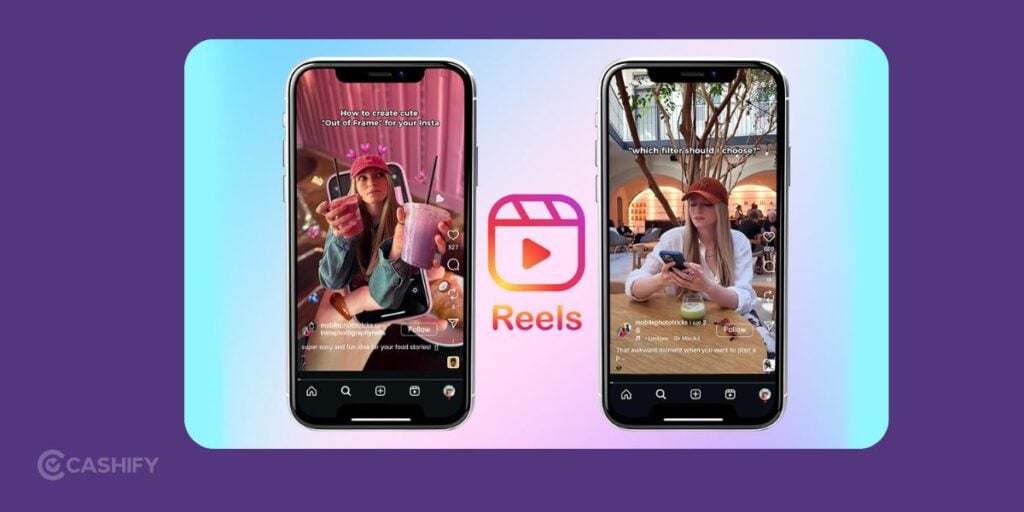
Before looking at dedicated downloader apps, check whether Instagram itself lets you download the Reel. It’s the simplest option when you want to save a video for offline viewing.
How To Download Reel From Instagram
- Open Instagram and find the public Reel you want to save.
- Tap the Share icon or open the Reel’s available options.
- Look for the Download option.
- If it’s available, tap it and allow the download to finish.
- Check your phone’s gallery or Photos app for the saved video.
The exact menu may vary depending on your app version and the Reel’s settings.
2. Instagram Edits: A Legitimate Way to Recreate and Export Reels
If you’ve found a Reel with a transition, beat sync, or editing style you love, Instagram’s Edits app is worth exploring.
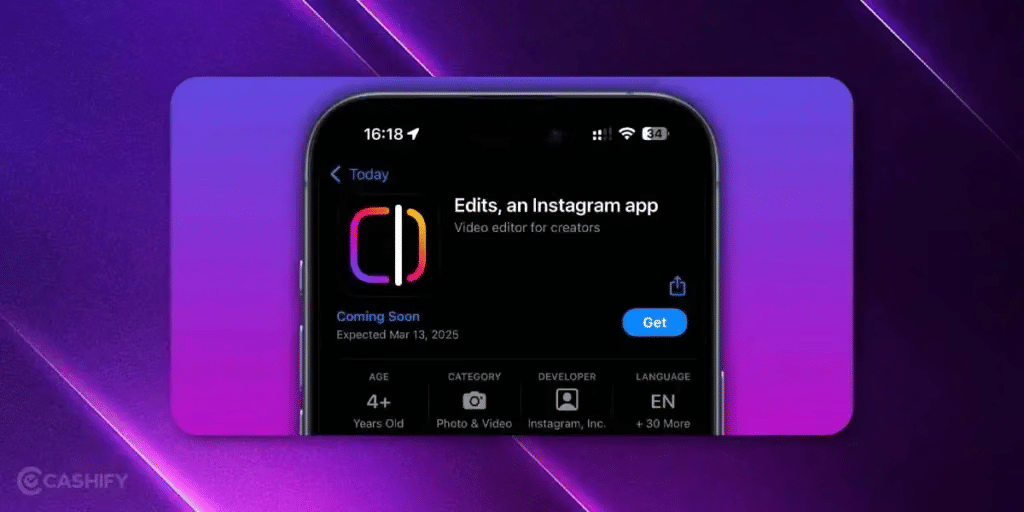
Edits is Meta’s dedicated video creation app. It includes editing tools, templates and options to export videos without an added watermark.
You can get the app from the official Edits listing on Google Play.
One important distinction: Edits is not a universal downloader for other people’s original Reels. It is more like an editing app. But we do have a trick to download the whole video without altering or editing anything.
Method 1: Start from Instagram and open the Reel in Edits
This approach is useful when you’re scrolling through Instagram and come across a Reel whose template you want to try.
Step 1: Find the Reel you like
Open Instagram and navigate to the Reel you want to use as inspiration.
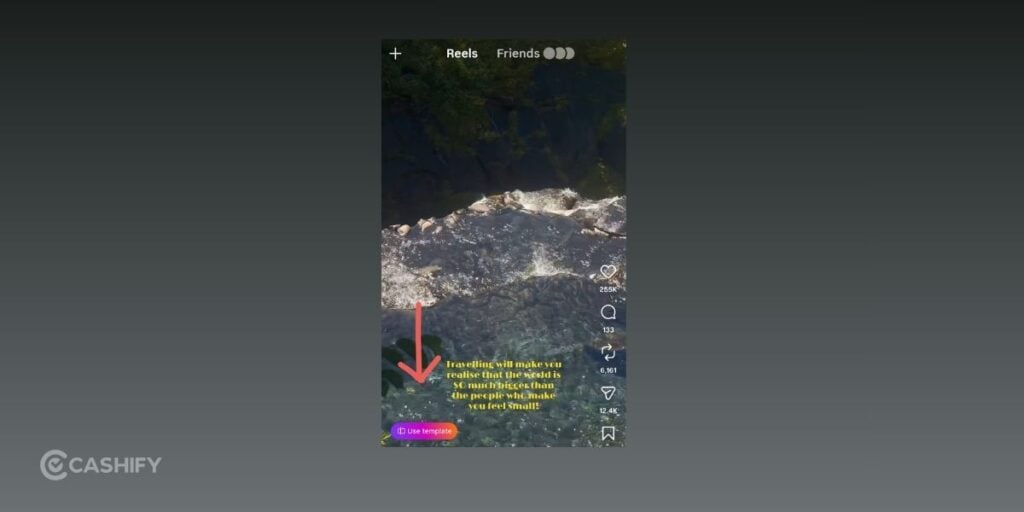
Step 2: Tap “Use template”
If the creator has made the template available, you’ll see the Use template option. Tap it to open the template in Edits.
Remember, this option won’t appear on every Reel. It depends on whether a suitable template has been shared and is available to you.
Step 3: Decide what to do with the clips
Once the template opens, you’ll be able to work with the clips used in that template.
You can either:
- Add your own video clips to follow the same editing pattern.
- Tap an existing clip and select ‘Keep clip’, where that option is available, to retain it in the project.
Repeat the process for the clips you want to keep or replace. Review the resulting timeline before moving ahead.
Step 4: Tap “Next”
When you’ve finished selecting or replacing the clips, tap ‘Next’ in the top-right corner.
Step 5: Download your exported video
The project should move to the next stage, where the export or download option is available. Use it to save the resulting video to your device.
That’s it! You can now keep the exported version for personal reference or continue editing it before sharing your own creation.
Method 2: Start directly from the Edits App
Already have Edits installed? You can also discover templates without opening Instagram first.
This method is particularly handy when you’re browsing for ideas rather than trying to save a specific Reel.
Step 1: Open Edits
Launch the Edits app on your phone and go to its home screen.
Step 2: Open the template discovery area
Use the bottom navigation bar to find the section that lets you explore other creators’ Reels and available templates. In the interface described here, it’s the third icon from the left.
The layout may change as Meta updates the app, so look for the area dedicated to discovering Reels or templates if the icon arrangement differs.
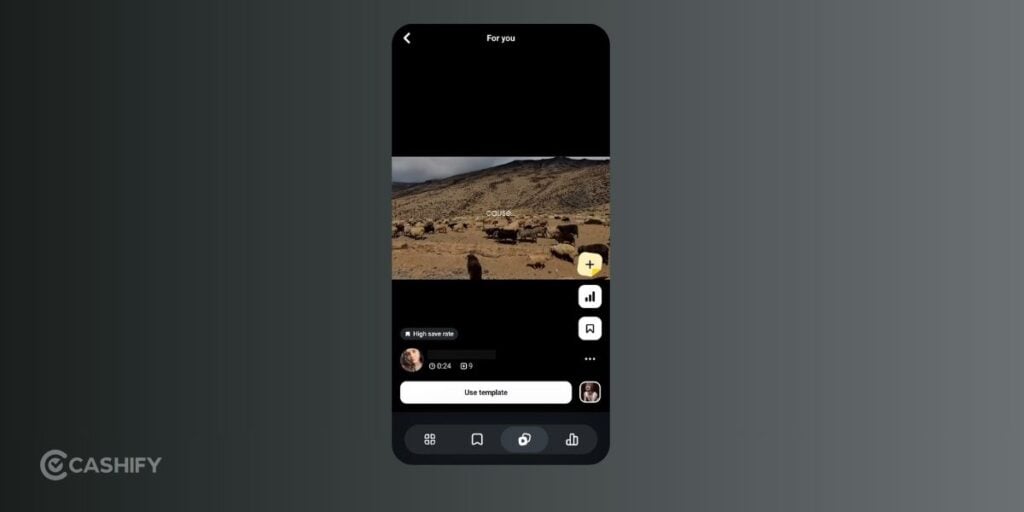
Step 3: Select a Reel
Browse the available videos until you find a Reel whose editing style you like.
Step 4: Tap “Use template”
Open the Reel’s template and follow the same clip-selection process described in Method 1. Replace clips with your own footage or keep existing clips where the app offers that option.
Step 5: Tap “Next” and export
Once you’ve finished arranging the clips, tap ‘Next’ in the top-right corner and use the available export or download option.
You’ll have a video created from the template that you can review and edit further.
Important Limitations Of Edits App Method
Before trying either method, keep these points in mind:
- Templates must be available: You can only follow this workflow on Reels that offer a usable Use template option.
- The original music may be missing: A video can export without the original track because of music licensing or copyright restrictions.
- Keeping clips is not guaranteed: The option to retain an existing clip may depend on the template and the current app interface.
- The result may differ from the original: Your exported video is a template-based project, not necessarily an exact copy of the creator’s published Reel.
- App menus can change: If you don’t see the same buttons, check for an app update and look for the equivalent template or export controls.
3. ReelSave – Reels Downloader
If you specifically need a dedicated downloader, ReelSave – Reels Downloader is one app you can investigate.
Its Google Play listing describes it as a tool for saving Reels and videos. The listing also provides developer-declared data safety information.
What To Check Before Using It
- Confirm that you’re installing the intended app from its official store listing.
- Read the privacy policy and data safety section.
- Check whether the app requires you to sign in to Instagram. Avoid giving a third-party downloader your Instagram password.
- Review its permissions and make sure they make sense for the feature you’re using.
- Confirm that the app supports the specific type of Reel you want to save.
A Google Play listing and a developer’s privacy declaration are useful starting points, but they don’t independently prove that an app is completely safe or that every download is authorised.
Treat this as an option to evaluate, rather than an unconditional recommendation.
4. Video Downloader for Instagram
Another option you may encounter is Video Downloader for Instagram, available through a Google Play listing.
This downloader for Instagram content includes developer-provided information about data handling.
Before installing it, pay attention to the details rather than relying on its name or download claims alone. Check the developer, recent update history, privacy policy, permissions, and current user feedback.
In particular, Google Play’s Data safety section is worth reading. Google explains that developers provide this information to describe how their apps collect, share and handle data. These disclosures are helpful, but they aren’t a guarantee that an app will behave exactly as expected in every situation.
Our take: If Instagram or Edits already meets your needs, installing another app may not be necessary. A dedicated downloader is worth considering only if it serves a specific purpose and you’re comfortable with its privacy practices.
Also Read: How To Link Aadhar With PAN Via Online And Offline Modes
Third-Party Downloader Warning
Third-party downloader apps and websites can have privacy and security risks. It includes intrusive ads, malicious downloads, and requests for passwords or unnecessary permissions. Avoid entering your Instagram password into any of these platforms.
Final Thoughts
Finding the best reel downloader apps in 2026 is less about installing as many tools as possible and more about choosing the right method for your needs.
Instagram’s built-in Download option is the simplest way to save eligible public Reels. No separate app or website is required. But know that downloaded videos may include Instagram branding and may lack licensed audio.
One final reminder: an available download button doesn’t automatically give you permission to republish a creator’s work. When in doubt, share the original Reel or ask the creator for permission.
That way, you can save the inspiration you love while respecting the people who made it.
FAQs: Best Reel Downloader Apps
Can I download Instagram Reels directly from Instagram?
Yes. For eligible public Reels, tap Share > Download. The option may be unavailable if downloads are disabled.
Can I download Reels from private accounts?
No. Instagram doesn’t allow native downloads from private accounts. You can use Save to keep the Reel in the app.
Do downloaded Reels have a watermark?
Yes. Instagram downloads can include the Instagram logo and creator’s username unless you are using Edits App.
Can I download a Reel without a Download option?
Not through Instagram’s native feature. The account may be private or downloads may be disabled.
Are third-party Reel downloaders safe?
They can have privacy and security risks. It includes ads, redirects, unwanted downloads, or credential requests. Never enter your Instagram password on a third-party downloader.
Also Read: Here’s How To Check Aadhar Card Status Using 4 Different Ways
If you’ve just bought a new phone and don’t know what to do with your old phone, then here’s your answer. Sell your old mobile to Cashify and get the best price for it. If you are planning to buy a new phone, check out Cashify’s refurbished mobile phones. You can get your favourite phone at almost half price with a six-month warranty, 15-day refund, and free delivery.