Selling your phone might feel like the end of the story. But your phone data could still have a part to play. A lot of people think that doing a reset makes everything okay, but that is not always what happens. The truth is, someone can sometimes recover data after selling your phone if you did not erase it properly. Your phone photos, phone chats and personal phone details may still be there in the background. That is why it is important to know what really goes on with your phone. Knowing a little about your phone now can save you from problems with your privacy later. This blog thoroughly explains this topic, so let’s start.
Also Read: Can You Sell a Phone With Pending Updates?
Why You Might Need to Recover Data
You might need to recover data after selling your phone. This thought often comes to you after you have already sold your phone. You start thinking about the one folder that had things in it, or those old photos that you really like or a contact that you did not save anywhere else. At this point, the need to recover data after selling your phone becomes very important.
This usually happens when you sell your phone quickly, or you think that you have already backed up all your data. Sometimes small things are missed, and these small things can be very important later on. Knowing that it is possible to recover data after selling your phone helps you to be prepared, whether you want to get your data back or you want to make sure that no one else can access your data after selling your phone.
Also Read: Should You Remove SIM & SD Card Before Selling?
Can Data Really Be Recovered?
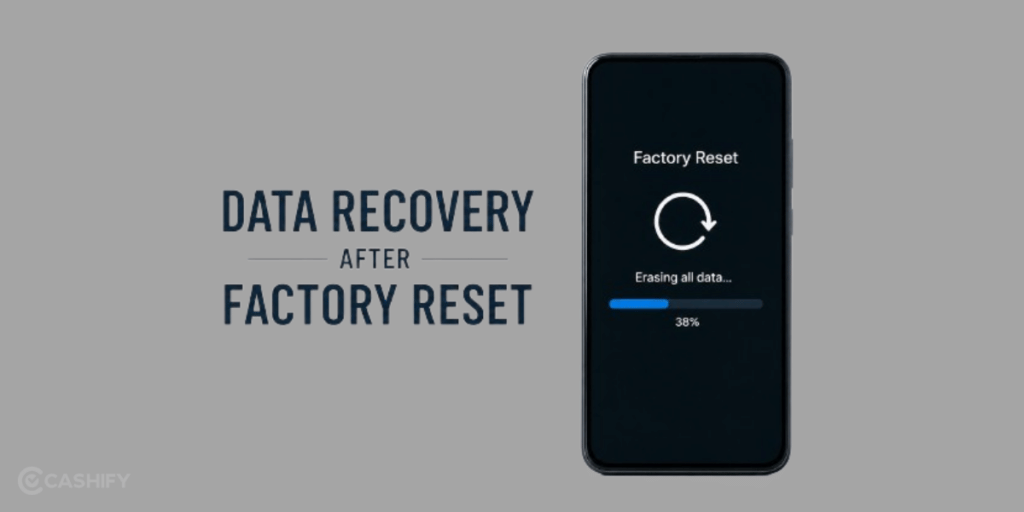
Yes, it is really possible. That surprises a lot of people. When you erase files or reset your phone, it does not get rid of everything completely. In some cases, it just takes away your ability to see the data while the actual files are still hidden in the phone’s storage. The Data stays there until new Data takes its place.
This is why it is sometimes possible to recover data after selling your phone, especially if the phone was not properly wiped. With the tools and a bit of knowledge, you can still get back old photos, messages and files from the phone, and that is why Data recovery is a real thing.
Also Read: Can You Negotiate Price When Selling Phone Online?
What Kind Of Data Can Be Recovered?
If you do not erase your phone properly, a lot of your data can still be on it. You might think that everything is gone. That is not always the case. Sometimes people can still recover data from your phone after you sell it. This can be really bad because it means that people can see things you thought you had deleted.
- Photos and videos, from your phone’s gallery
- Messages and chat history
- The contacts you saved on your phone
- The email login details you used
- Files you downloaded on your phone
Also Read: Why Does Phone Price Change During Pickup?
How To Keep Your Data Safe
When you sell your phone, you want to make sure nobody can get your info back. Here are some easy steps to take before handing it over.
Back Up Your Data: Save your stuff so you do not lose it.
Sign Out Of All Accounts: Log out of all your accounts; this keeps them safe.
Encrypt Your Phone: This adds a layer of protection to your phone.
Perform A Factory Reset: This clears most of the data you can see.
Remove SIM And SD Card: Always take them out before selling your phone.
Also Read: Does Insurance Claim History Affect Resale Value?
Where To Sell Your Phone After A Factory Reset
There are many resale sites available, but it is difficult to find a platform that offers higher prices at lower pickup charges after doing a factory reset. Introducing Cashify, the most trustworthy platform in India for buying or selling old smartphones and laptops.
There are a number of features that make it easy to sell your device on the Cashify platform. Let us see a few of them.
- Free device collection
- Doorstep pickup available in 1000+ cities
- Fast and secure transactions
- AI-based price estimates
Selling Process
Now that you know the truth about how it is possible to recover data after selling your phone, let’s see how to sell your phone with Cashify.
- At first, go to the official website of Cashify, or download the app and open it.
- Next, in the top left corner, you can find the Sell Old Phone Section.
- After that, select the brand of your phone among the various brands.
- After selecting the brand, select your device model, and immediately you will get an estimated price for your phone.
- Next, some easy questions will be asked about the condition of the phone. Be truthful and accurate about it.
- The final price of your smartphone will be given after this process.
- As the final step, fill in the details, and a Cashify pickup executive will pick up the device.
Buying refurbished mobile phones was never this easy. Sell your old phone and get exclusive offers & discounts on refurbished mobiles. Every refurbished phone is put through 32-point quality checks to ensure like-new standards and comes with a six-month warranty and 15-day refund. Buy refurbished phone easily on no-cost EMI today!