- Install and run the Cashify app on both your smartphones.
- Hit the sidebar menu on the left, and tap on the Data Transfer option.
- The Data Transfer screen should show up. Click ‘Transfer Now’, and pick whether you’re the receiver or sender on each of your devices.
- On the sender device, the app will begin to search for the receiver device. Once located, you can pick which sort of data you’d like to transfer.
- On the receiver device, you will be asked to grant Cashify access to the apps that will receive your data. Both devices will locate each other, connect, and allow you to transfer data.
- The transfer may take a few minutes or even more, depending on the size of the data you’re transferring.
- Go to the top right corner and click login.
- Enter your mobile number. You will then be asked to enter in your username and your email address.
- An OTP will be generated that will you will need to enter in the next step.
- That’s it, you are now signed up and logged in.
- Download the app. Go to the top right corner and select your city.
- Click on sign in/register.
- Enter your mobile number. You will then be asked to enter in your username and your email address.
- An OTP will be generated that will you will need to enter in the next step.
- As soon as you open the Cashify app, the main page will greet you with the device you have logged in with. Below it, you will see the brand and model mentioned, along with the price your device can be sold for.
- If that is not the device you intend to sell, you can either swipe tap in the top bar to search for the device you want to sell, or you can just search for it in the category of your choice – mobile phones, tablets, laptops and more.
- Select the brand of your device, followed by the model name.
- Cashify will then request information from you on the status and condition of your devices – such as on its display, speakers, Wi-Fi, battery, warranty status and more.
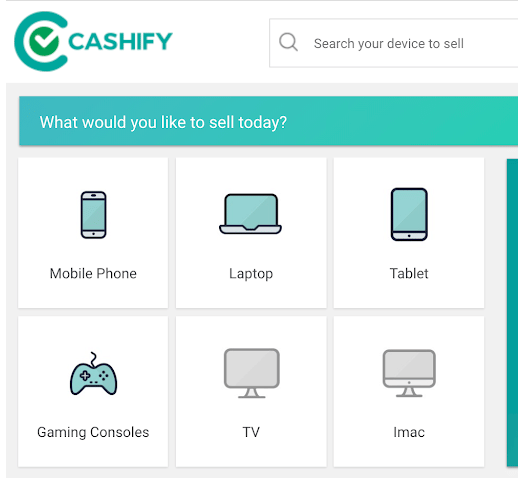
- Visit the Cashify website. On the homepage, you will see device categories for your selection.
- Select the device category – such as mobile phone, laptop, tablet, gaming console, TV and iMac.
- Select the brand of your device, followed by the model name.
- Cashify will then request information from you on the status and condition of your devices – such as on its display, speakers, Wi-Fi, battery, warranty status and more.
- The ‘My Profile’ section contains all your basic information – such as your username, email address and your phone number. The ‘My Address’ section contains all your pickup addresses stored with Cashify.
- The ‘My Orders’ tab stores a record of your current orders, past orders and any pending orders as well.
- The ‘My Payments’ options stores your transaction history with Cashify, along with your saved card and wallet details.
The Cashify app is not available for iOS. It is currently only available on Android smartphones and tablets. To transfer data from your iOS device, we recommend using Apple’s iCloud backup feature.
Follow the below steps to use the Data Transfer feature in the Cashify App:
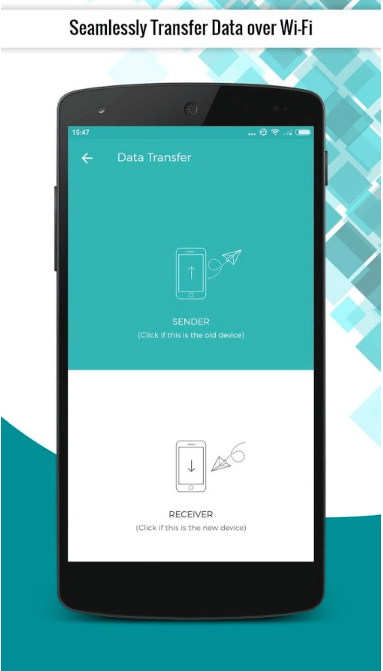
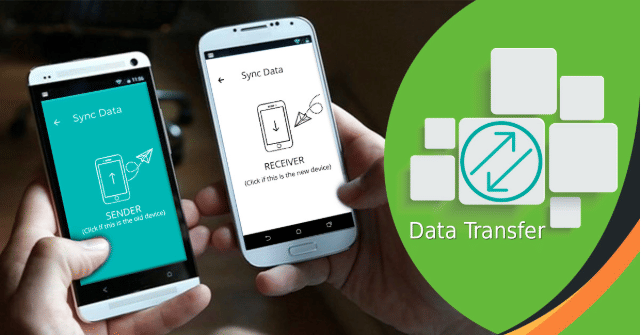
The Cashify app for Android features data transfer capabilities as well. You can use it to transfer data from your older device to your new one using the Cashify app on both the phones. It allows for the transfer of Contacts, Accounts, Documents, Messages, Photos, Video and Audio files.
Please drop an email to partner@cashify.in with the subject “Cashify Partnership”. We will then get in touch with you as soon as possible.
If you’re an individual (or a corporate entity) looking to trade in second-hand devices, check out Cashify’s model, or simply buy devices in bulk from Cashify.
The marketplace is Cashify’s core businesses – which connects customers selling old devices with our partners who are looking to buy second-hand devices. Cashify provides you the devices and the logistics. The bulk model allows partners to purchase multiple devices together, across a variety of sources.
To delete your Cashify account, please write to Cashify customer care at support@cashify.in, and we’d be happy to assist you in removing your account. If you’d like to uninstall the Cashify app from your smartphone, please head over to this section.
The signup process at Cashify is straightforward and can be completed on both the app and the website.
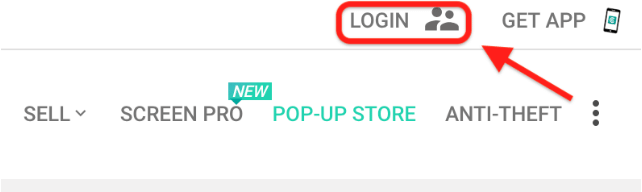
On the website:
On the Cashify app:
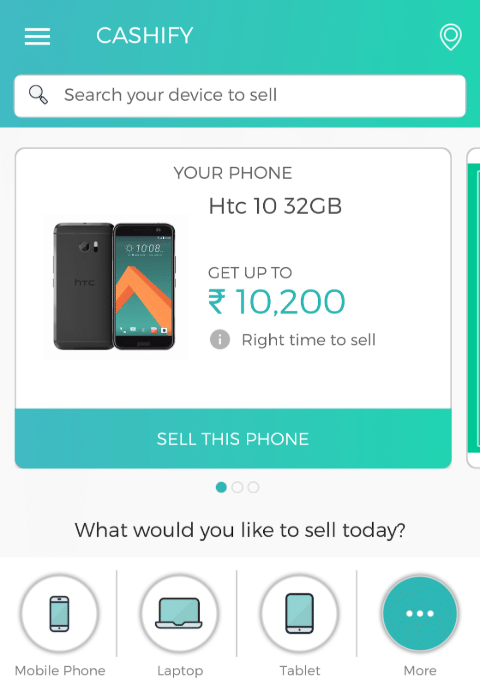
Answer the questions, get the best price quote in the industry and have Cashify agents pay you via any method you choose.
The process of navigating on the Cashify website is easy and straightforward:
After the device assessment is complete, you will receive an automatically generated quote. You can then accept it and schedule a pickup of your device by Cashify agents, who will deliver the payment to you at your place of residence or office.
After logging in and heading to your Cashify profile, you may notice several options on the left side of your screen. These include:
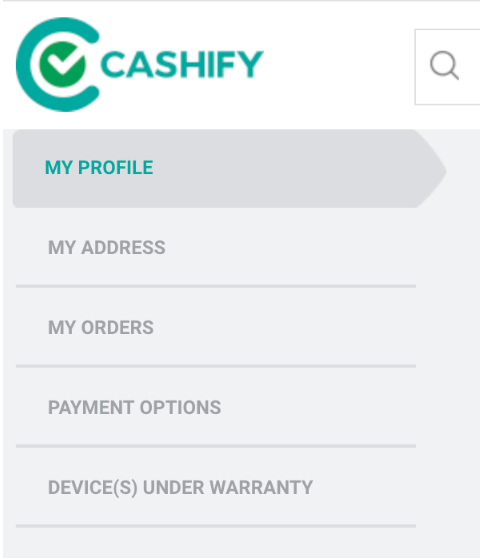
‘Devices under warranty’ shows you the devices that you may plan on selling and whether they are under warranty. You can add your devices here by entering their IMEI number.