Ghost touch on an iPhone is one of those problems that can go from mildly annoying to genuinely worrying very quickly. One moment, your screen is opening apps by itself. The next, the keyboard is typing random letters. Your phone is scrolling without you touching it, or an app suddenly disappears from the Home Screen.
And yes, these problems can be very real.
One iPhone 14 Pro Max user reported that their phone randomly opened Messages, generated strange text, and sent messages to contacts without intentional input. Another iPhone user reported their phone opening Camera and Wallet while it was simply sitting on a table. Apple Community discussions also include reports of iPhone keyboards. They type by themselves, and phones register actions when nobody is touching the screen.
If you are facing something similar, we’ve got this. We explain how to fix ghost touch on iPhone, what causes it, and when you should stop troubleshooting and get the screen checked.
Also read: How To Get Rid Of Ghost Touch On Android? Follow These Quick Fixes!
What Is Ghost Touch On iPhone?
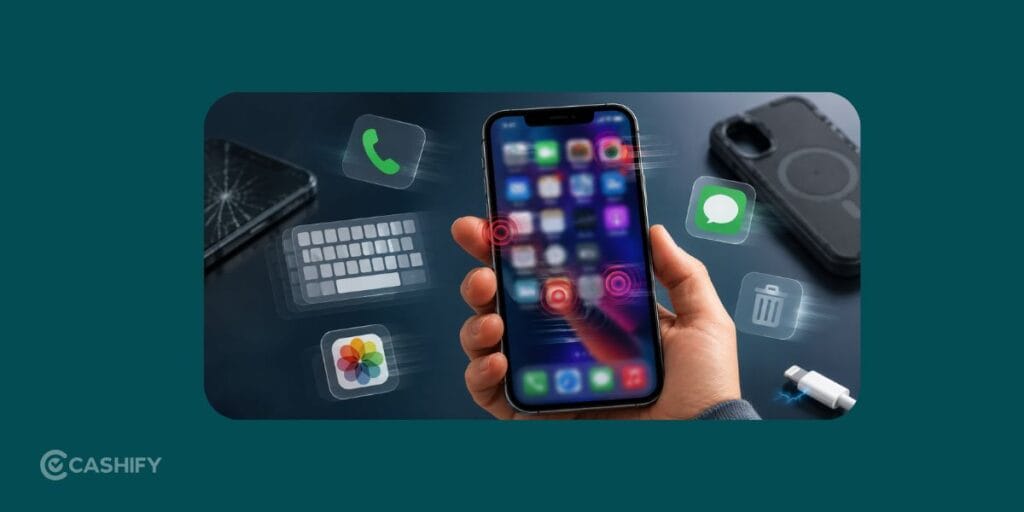
Ghost touch is when your iPhone screen registers taps, swipes, typing, or other touch inputs that you did not make.
Common signs include:
- Apps opening or closing on their own
- The keyboard typing random letters
- The screen scrolling by itself
- Random taps on the display
- Apps entering jiggle mode or moving around
- Accidental calls or FaceTime actions
- Touches registering in the wrong part of the screen
- The display becoming too sensitive or responding intermittently
In simple terms, the touchscreen behaves as if someone is touching it when nobody is.
Ghost touch can come from something minor, like moisture or a faulty charger. In other cases, it points to a damaged display, a failing digitizer, or a problem after a screen replacement.
How To Fix Ghost Touch On iPhone Quickly
If you want the short answer, try these steps in this order:
- Restart your iPhone.
- Clean and dry the screen.
- Remove the screen protector and case.
- Disconnect the charger and other accessories.
- Update iOS.
- Check if the problem happens only in one app.
- Check your Parts and Service History if the display was replaced.
- Back up your iPhone.
- Reset settings if the problem started after a software change.
- Get the display and touch system professionally checked if ghost touches continue.
Also read: Google Pixel 7 Pro Screen Ghost Touch? Here’s the Fix That Actually Works!
Why Does Ghost Touch Happen On iPhone?
There is no single reason for every ghost touch issue. The most common causes include:
1. A faulty or damaged display
The display and touch layer can fail over time or after physical damage.
2. Drop damage
Even when there is no visible crack, a drop can affect internal display components or connections.
3. Water or moisture
Moisture on the screen can affect touch detection temporarily. Internal liquid damage can cause more persistent problems.
4. A poor-quality or faulty replacement screen
This is a common possibility when ghost touch starts soon after a display repair. Apple notes that non-genuine displays can cause Multi-Touch performance issues and unexpected touch registration.
5. Charger or accessory interference
If the issue appears only while charging, test another cable, charger, and power source.
6. Software or app glitches
These are usually easier to rule out through a restart, update, and testing across different apps.
Should You Replace The Screen For Ghost Touch?
Sometimes, yes. But do not replace the screen blindly.
A screen replacement makes more sense when:
- The issue began after a drop
- The display has dead zones
- Ghost touches happen across the entire phone
- The screen was previously repaired with a questionable replacement part
- Basic troubleshooting has failed
- A technician confirms a display or touch hardware fault
Apple advises using trained technicians and genuine Apple display parts for screen repairs, noting that non-genuine displays can have touch and performance issues.
NOTE:
If your iPhone has already had a screen replacement, check its Parts and Service History before booking another repair. It can help explain what has been changed previously.
Also read: Fix Screen Burn Most Effectively For iPhone And Android Users!
How To Prevent Ghost Touch On iPhone
You cannot prevent every hardware failure, but these habits can reduce avoidable problems:
- Keep the screen clean and dry
- Use a good-quality, properly fitted screen protector
- Avoid cheap or unreliable chargers
- Protect the phone from drops
- Get display damage checked quickly
- Choose a trusted repair service if the screen needs replacement
- Check the repair history when buying a used or refurbished iPhone
- Avoid ignoring repeated random touches, even if they happen only occasionally at first
For supported iPhones, checking Parts and Service History can also help you understand previous repairs and display replacements.
FAQs
How do I fix ghost touch on iPhone?
Restart your iPhone, clean and dry the screen, remove the screen protector and case, disconnect accessories, and update iOS. If the problem continues, the display or touch hardware may need professional diagnosis.
Why is my iPhone pressing things by itself?
Your iPhone may be registering ghost touches because of a software glitch, moisture, screen protector, charger or accessory interference, display damage, or a faulty touch component.
Can ghost touch fix itself?
Temporary ghost touch caused by moisture, an accessory, or a minor software issue may disappear after troubleshooting. Persistent or worsening ghost touch is less likely to fix itself and may need repair.
Can a cracked screen cause ghost touch on iPhone?
Yes. A drop or screen damage can affect the touch layer or internal display connections. Ghost touch can also begin after an impact even when there is no obvious crack.
Why does my iPhone ghost touch while charging?
Test a different cable, charger, and wall socket. If the problem disappears when you unplug the phone, the accessory or power setup may be contributing to the issue.
Will replacing the iPhone screen fix ghost touch?
It can, but only if the display or digitizer is the actual cause. Get the phone diagnosed before paying for a screen replacement.
Also read: 5 Key Warnings: Your Phone Needs Repair ASAP!
In The End
Ghost touch on an iPhone is not something you should simply put up with. Start with the easy checks: restart the phone, clean the screen, remove the protector and case, and disconnect accessories.
But if your iPhone is repeatedly typing, swiping, opening apps, or registering taps while nobody is touching it, I would stop treating it like a minor glitch. Ghost touch can become disruptive, and Apple itself recognizes that intermittent or unexpected touch behavior can require service.
If the basic fixes do not solve the problem within a short period, back up your data and get the display and touch system professionally checked. Repeated ghost touches usually deserve a proper diagnosis, not endless restarting.
If you’ve just bought a new phone and don’t know what to do with your old phone, then here’s your answer. Sell old mobile to Cashify and get the best price for it. If you are planning to buy a new phone, check out Cashify’s refurbished mobile phones. You can get your favourite phone at almost half price with six-month warranty, 15 days refund and free delivery.