In March 2026, over 12,000 Indians lost approximately Rs 45 crore to fake PhonePe payment scams, according to the Indian Cyber Crime Coordination Centre. Rajesh Kumar, a small grocery store owner in Delhi, handed over goods worth ₹8,500 to a customer who showed him a genuine-looking payment screenshot. When Rajesh checked his PhonePe app 30 minutes later, he discovered no money had been transferred. The customer had vanished, and Rajesh had become another victim of the rapidly growing fake PhonePe payment fraud epidemic.
If you use PhonePe for business or personal transactions, you are a potential target. The sophistication of these scams has reached alarming levels in 2026, with fraudsters using advanced fake apps, AI-generated screenshots, and psychological manipulation tactics that can fool even tech-savvy users. This comprehensive guide will equip you with everything you need to identify, avoid, and report fake PhonePe payment scams before you lose your hard-earned money.
Also Read: Google Wallet Vs Google Pay: Difference, Uses, Features Explained!
What Is Fake PhonePe Payment?
Before we start, let’s first understand the process and what really happens in fake PhonePe Payments or what exactly we mean by it.
This is how the app works- whenever a payment is made through the PhonePe app, the sender requires either a QR code generated from the receiver’s app, a phone number, or a UPI ID. Once the money is sent, the sender and receiver both get a confirmation of the transaction. The sender can show that confirmation to the receiver to inform them that they have paid the money.
This is where scammers create counterfeit versions of this confirmation page to trick individuals and businesses into thinking they have received legitimate payments when, in reality, no money has been transferred.
These Are Some Common Scamming Methods
| Scam Type | Brief Description |
|---|---|
| Misleading Local Shops | Fake payment screenshots used to get goods without paying |
| Online Businesses | Fake payment proof sent to receive products |
| Sending Cash Trick | Victims send cash for a fake online transfer |
| Persistent Money Requests | Pressure to return money from a fake transfer |
Identifying Fake PhonePe Payment Confirmation
The first and most important step is to identify the moment someone is trying to scam you. There are some tell-tale signs that add to the suspicion rightfully. Some of them are listed below:
Unverified Payment Confirmations:
A missing transaction detail in your PhonePe app or confirmation from the Bank can be a good way to tell if the payment was genuine. Always cross-verify from these official sources.
Lack of Official Notifications:
Genuine payment confirmations will come through official channels like SMS, email, or in-app notifications.
- For SMS: Notice whether the number from which you are receiving the SMS is official or not. You can check the past SMSs from the number.
- For Emails: Be extra careful when reading the email address from where you may have received the mail. Go to the official website to cross-verify the email address if needed.
These are simple ways to identify a fake PhonePe Payment.
Random Contacts Asking For PhonePe Details
You have never come across this contact before and never heard them. However, out of the blue, they claim to be from PhonePe and are asking for sensitive information. Now that’s a red flag! As the PhonePe executives themselves admit that they will never request these details, you can probably refuse to engage.
Suspicious Sender Details
When you receive a payment request, verify the sender’s details, such as name and UPI ID. It should match the original design, font, and style as it happens when you make a genuine payment. Also, fake requests often come from unknown parties.
Also Read: How To Split Bill With Group on Google Pay
Request Money Fraud: New Fraud!
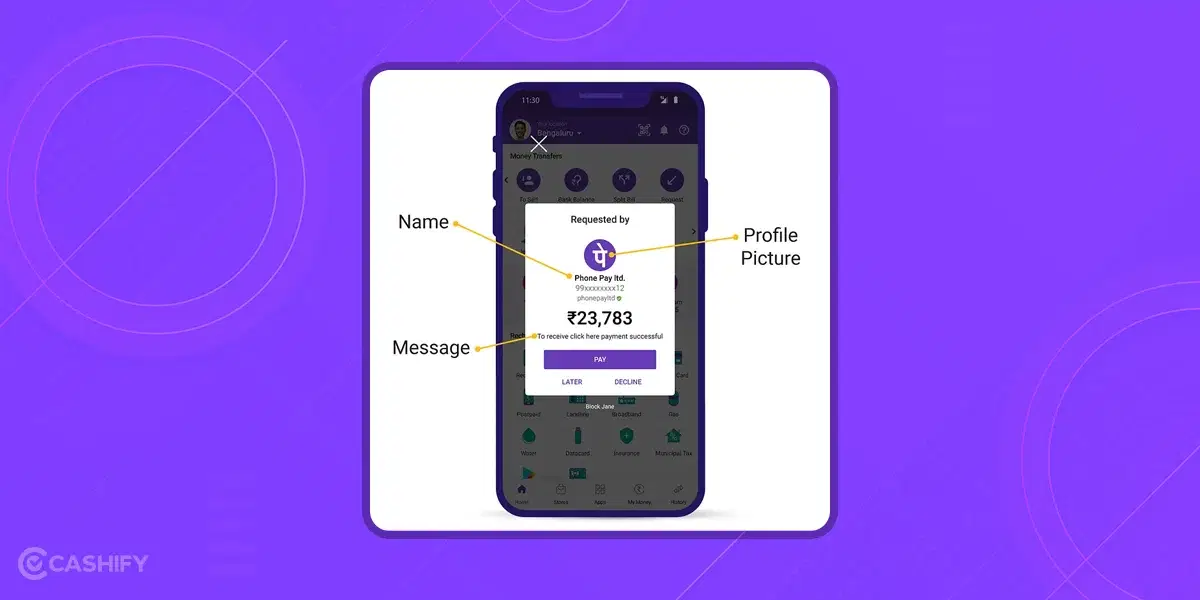
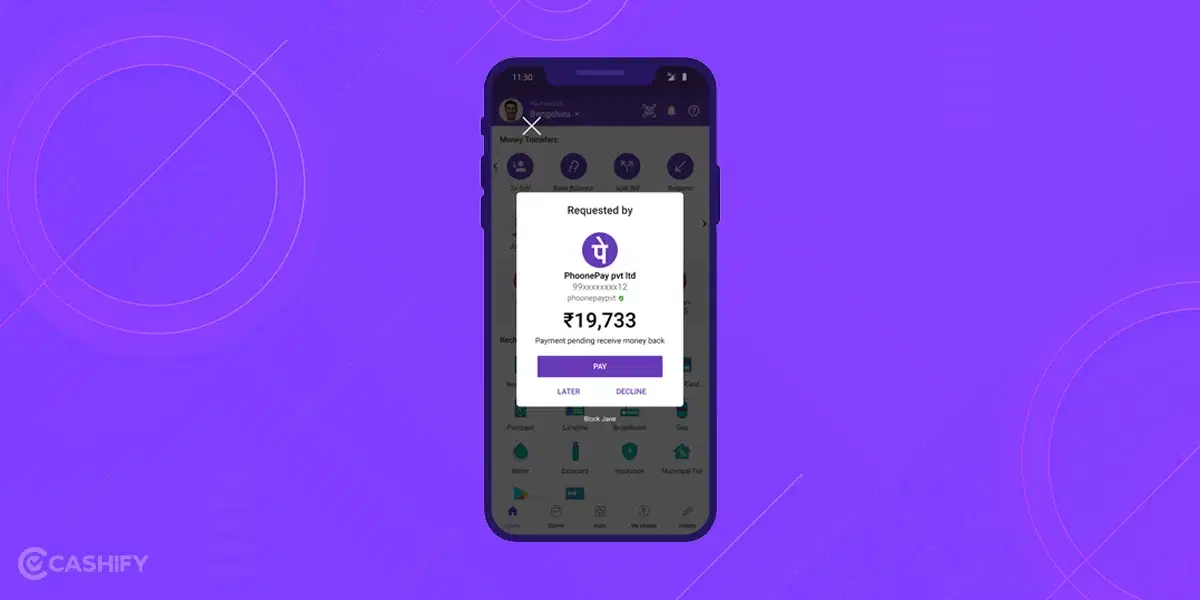
This scam trick is gaining momentum on the PhonePe app these days, and lots of users have fallen prey to it. Request Money fraud comes along with the ‘request money’ feature on the PhonePe App. Basically, with this feature, one can request payment of a certain amount (filled by them) to another person, known as a ‘collect-call’ request. With this action, a pop-up appears on the PhonePe app of the one who receives the payment request, along with the options to ‘Pay’ or ‘Decline’ it.
Here is how Scammers take advantage of this feature:
- Scammers are often found on websites like OLX or Quikr posing as buyers.
- They send collect payment requests instead of paying money.
- They send fake messages like “Once you pay, you will receive money.”
- Sometimes they pretend to be from companies like Flipkart or Myntra.
- They claim you have won a prize and send messages like “Congratulations!”
- They send collect payment requests using fake company logos.
- Fraudsters also share fake helpline numbers on Twitter.
- They pretend to help with money transfer or cashback issues but steal money instead.
A simple takeaway to safeguard yourself from fake PhonePe Payment is to understand that you do not need to click ‘Pay’ or enter your UPI PIN to receive money.
Already Fallen For Fake PhonePe Payment Trap? Here’s What You Should Do:
Don’t be upset, it wasn’t just your lucky day. However, don’t lose hope, you can take some important steps if such an incident happens:
| Method | How to Report |
|---|---|
| PhonePe App | Go to Help > Have an issue with the transaction or Account security issue / Report fraudulent activity |
| PhonePe Customer Care Call | Call 080-68727374 or 022-68727374 to speak to an executive and raise a ticket |
| Web Form | Fill out the complaint form on support.phonepe.com |
| Twitter (X) | Tweet your issue and tag @PhonePeSupport; they will DM for details |
| Police / Cyber Crime Cell | Lodge FIR at nearest police station or report online at cybercrime.gov.in or call 1930 |
| Report fraud via Facebook Official PhonePe page | |
| Grievance (Existing Complaint) | Log in to grievance.phonepe.com and submit your ticket ID |
Best Tips To Avoid Fraudulent Transactions
- Always double-check payments and do not trust screenshots, as they can be easily edited using fake PhonePe apps.
- Only believe payment confirmation messages from your bank or the PhonePe app.
- Never share personal details like card number, expiry date, PIN, or OTP with anyone.
- PhonePe representatives will never ask for your PIN or OTP.
- If someone claims to be from PhonePe, ask them to send an email from an official @phonepe.com email ID.
- Never download screen-sharing apps like AnyDesk, TeamViewer, or Screenshare to verify payments.
- These apps can give scammers control of your phone.
- Contact PhonePe only through their official app, website, or verified social media accounts.
Also Read: How To Change Or Reset UPI Pin on Google Pay?
Real vs Fake PhonePe Screenshot : How to Tell in 10 Seconds
When someone shows you a payment screenshot, don’t panic or rush. Take ten seconds and check these things:
| What to Check | What a Real PhonePe Screenshot Shows | What a Fake One Often Shows |
|---|---|---|
| Time and Date | Matches exactly with real-time | Slightly off, blurry, or inconsistent font |
| Amount | Bold green text, consistent sizing | Thin font, slightly different shade of green |
| Transaction ID | Long unique alphanumeric code | Missing, shortened, or clearly generic |
| UPI ID | Full format like name@okaxis with verified details | Cut off, misspelled, or using a fake handle |
| Bank SMS | Always accompanied by a bank message | Screenshot only, no corresponding SMS |
| Screen Quality | Crisp, clear pixels throughout | Slightly pixelated around the edited area |
One quick tip : zoom in on the edges of the text and numbers. Genuine screenshots have perfectly uniform pixels. Edited screenshots almost always show a slight blur or pixelation around the areas that were changed. You can also ask the person to show you the transaction live in their PhonePe app in real time rather than just a static screenshot.
Common Fake Apps to Avoid
Scammers love fake apps that make phony PhonePe screenshots. These apps promise “proof generators” but steal your personal data. Popular fake apps include “UPI Fake Pay” or “Payment Screenshot Maker” on shady sites or YouTube. They let anyone edit amounts, dates, or even bank names in seconds.
Never download them! They look real but have blurry edges or wrong colors. For example, a fake shows “Rs. 3000 paid” with a shaky green tick. Real PhonePe has crisp fonts and bank logos.
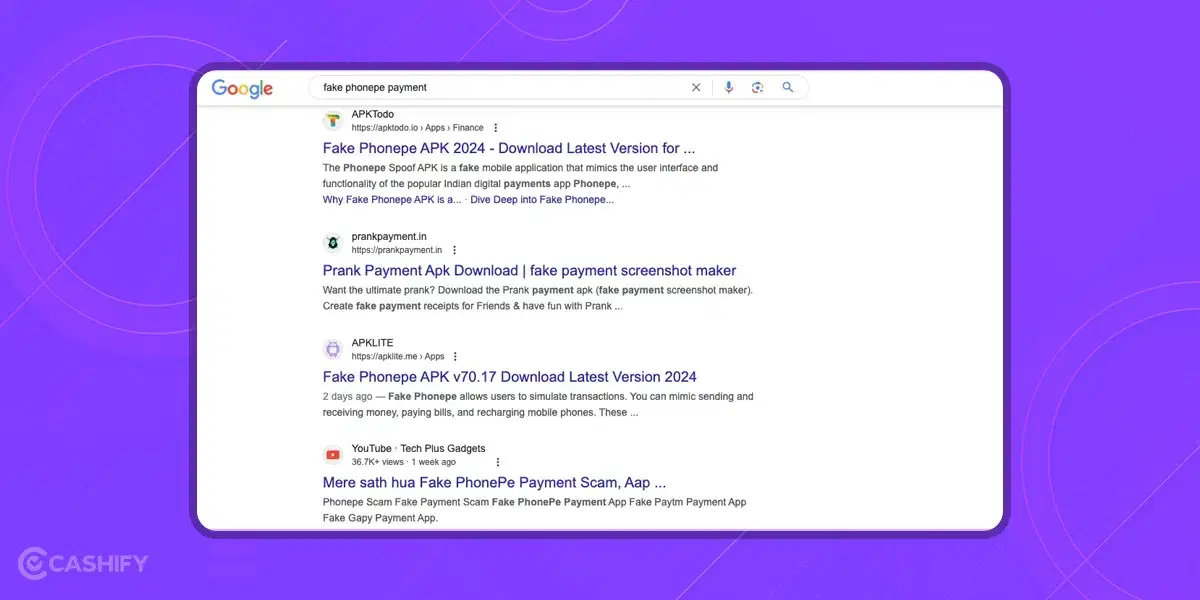
Here is how you can do a quick check. Open the Play Store and search “fake PhonePe.” If you see download links, report them. Delete any suspicious apps now. Stick to official PhonePe only. If you’re a shop owner, warn your staff too.
Zoom in on edges. fake screenshot pixelate. You can even ask for a live app demo.
The New AI Scams You Need to Know About in 2026
This is the part most articles aren’t talking about yet and it’s the most dangerous development of all.
Scammers in 2026 are no longer just editing screenshots manually. They are using artificial intelligence in ways that are genuinely alarming. AI voice cloning technology can now replicate a person’s voice from just a few seconds of audio, and fraudsters are using this to impersonate PhonePe customer support representatives in phone calls using a voice that sounds completely natural and trustworthy. They call you about a “suspicious transaction on your account” and guide you step by step into handing over your OTP or PIN.
Deepfake video technology is being used to conduct fake video calls where the “PhonePe representative” on screen looks and sounds like a real person. Some scammers have gone as far as creating deepfake videos of celebrities endorsing fake PhonePe investment schemes UPI Fraud 2026 alerts have specifically called out this trend.
AI is also being used to generate fake PhonePe screenshots that are virtually indistinguishable from real ones with perfectly matched fonts, colors, logos, and transaction IDs that pass a casual visual check. The only thing that can reliably catch these is checking your own app directly.
The bottom line with AI scams: no matter how convincing a call, video, or screenshot looks always verify on your own PhonePe app. That’s the only source of truth.
Essential Resources and Contact Information
PhonePe Official Contacts:
- Customer Care: 080-68727374 | 022-68727374 (24/7)
- Official Website: www.phonepe.com
- Support Portal: support.phonepe.com
- Grievance Portal: grievance.phonepe.com
- Twitter Support: @PhonePeSupport
- Official Email: support@phonepe.com
Cybercrime Reporting:
- National Cybercrime Helpline: 1930 (24/7, multilingual)
- Online Reporting: www.cybercrime.gov.in
- Cyber Crime Coordination Centre: cybercrime@gov.in
Financial Fraud Reporting:
- RBI Banking Ombudsman: https://cms.rbi.org.in (for bank-related issues)
- NPCI (National Payments Corporation of India): https://www.npci.org.in
- Consumer Helpline: 1915 or consumerhelpline.gov.in
Emergency Contacts:
- Police: 100
- Women’s Helpline: 1091
- Senior Citizen Helpline: 1091
- Cyber Crime Helpline: 155260 (in some states)
Know Your Rights:
- IT Act 2000: Covers cyber fraud, identity theft, digital cheating
- IPC Section 420: Cheating and dishonesty
- Consumer Protection Act 2019: Protection for consumers in commercial transactions
- Right to file FIR: Police cannot refuse to register FIR for cognizable offenses
In The End
The key takeaway is to be careful whenever you engage in online money transactions, especially through PhonePe or other similar payment apps. Learn to identify fake PhonePe payment and avoid sharing anything other than your PhonePe number as that’s all one needs to send you money through this app.
Share this guide with family members, especially elderly parents, young adults new to digital payments, and local business owners. Every person educated about these scams is one less potential victim. Together, we can create a safer digital payment ecosystem in India.
Stay alert, verify everything, and protect your hard-earned money. Digital India can be both convenient and secure when we’re all informed and vigilant.
Frequently Asked Questions
What are common PhonePe scams in 2026?
In 2026, scammers use fake apps, edited screenshots, and messages that look very real. They trick people by showing fake “payment successful” screens or sending fake payment requests.
How can I know if a PhonePe payment is real?
A real payment will always show in your PhonePe app and you will also get a message from your bank. Screenshots or WhatsApp messages are not proof of payment.
What should I do if I see a fake payment?
You should report it quickly. Go to the PhonePe app > Help > Report an issue. You can also call customer care or report it to the cyber crime helpline 1930.
Can fake apps show payment success?
Yes. In 2026, scammers use fake PhonePe apps that show “payment successful” messages even when no money is sent. Always check your official PhonePe app.
Do I need to enter PIN to receive money?
No. You never need to enter your PIN to receive money. If someone asks for a PIN, it means you are sending money.
Do real PhonePe staff ask for OTP or PIN?
No. PhonePe staff never ask for OTP, PIN, or card details. Anyone asking for these details is a scammer.
Are screen-sharing apps dangerous?
Yes. Apps like AnyDesk or TeamViewer can give scammers control of your phone. Never install them for payment help.
How should I contact PhonePe safely?
Contact PhonePe only through the official app, website, or verified social media pages. Do not trust phone numbers shared by strangers.
How can shopkeepers stay safe?
Shopkeepers should not accept screenshots. They should wait for payment confirmation in the PhonePe app before giving goods.
How can I protect my family from scams?
Tell them not to share PINs or OTPs, not to trust screenshots, and to report fraud quickly. Awareness helps everyone stay safe.
If you’ve just bought a new phone and don’t know what to do with your old phone, then here’s your answer. Sell old mobile to Cashify and get the best price for it. If you are planning to buy a new phone, check out Cashify’s refurbished mobile phones. You can get your favourite phone at almost half price with six-month warranty, 15 days refund and free delivery.