Apple has already unveiled iOS 27 at WWDC 2026, and it is shaping up to be one of the biggest iPhone updates in recent years. While developers have been testing the software since June, millions of iPhone users are now waiting for the iOS 27 Public Beta Release.
Are you curious about when the public beta will arrive? Whether your iPhone is supported, and if it’s worth installing, here’s everything you need to know.
Also read: iOS 27 Beta 3 Release Date And Features: Everything You Need To Know!
iOS 27 Public Beta Release: Quick Answer
If you just want the short answer:
| Details | Information |
|---|---|
| Announcement | June 8, 2026 |
| Developer Beta | Available since June 8, 2026 |
| iOS 27 Public Beta Release | Expected around mid-July 2026 |
| Stable Release | Expected September 2026 |
| Eligible Devices | iPhone 11 and newer, plus iPhone SE (2nd generation and later) |
What’s New In iOS 27?
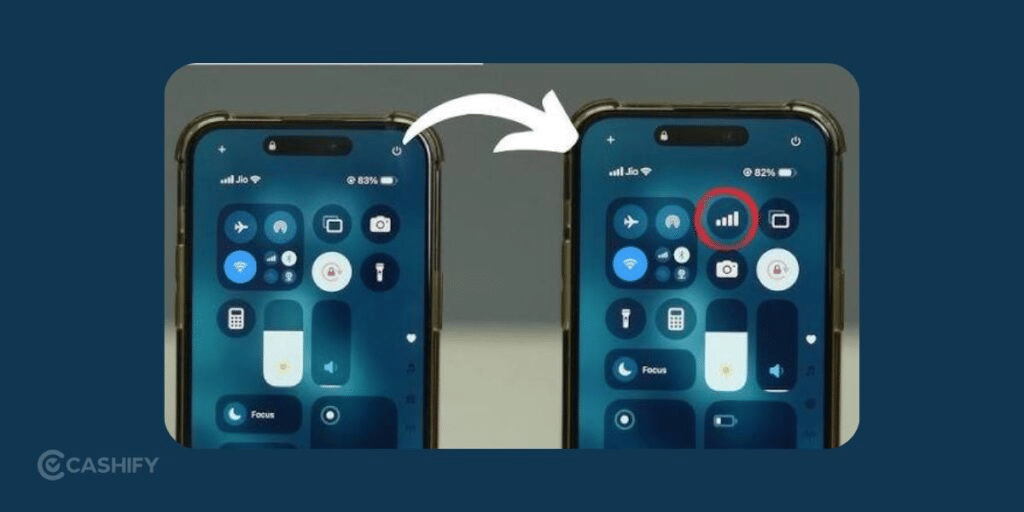
Apple isn’t completely redesigning the iPhone experience, but iOS 27 introduces meaningful improvements across the system.
Some of the biggest additions include:
- A much smarter and more conversational Siri
- Better Apple Intelligence features
- Improved on-screen awareness for Siri
- A dedicated Siri app
- More Liquid Glass customisation, including transparency controls
- Faster app launches
- Quicker Photos loading
- Improved AirDrop performance
- Various system-wide stability and battery optimisations
The upgraded Siri is easily the biggest highlight. Instead of only responding to individual commands, it can better understand conversations, remember context, and interact with what’s currently displayed on your screen.
Also Read: Android 17 Vs iOS 26: Design, AI, Performance, Customisation, More!
iOS 27 Supported Devices
One pleasant surprise this year is that Apple hasn’t dropped support for any iPhones that received iOS 26.
That means if your device currently runs iOS 26, there’s a good chance it can also install iOS 27.
Apple iPhone 17 Series
- iPhone 17
- iPhone 17e
- iPhone 17 Pro
- iPhone 17 Pro Max
- iPhone Air
Apple iPhone 16 Series
- iPhone 16
- iPhone 16e
- iPhone 16 Plus
- iPhone 16 Pro
- iPhone 16 Pro Max
Apple iPhone 15 Series
- iPhone 15
- iPhone 15 Plus
- iPhone 15 Pro
- iPhone 15 Pro Max
Apple iPhone 14 Series
- iPhone 14
- iPhone 14 Plus
- iPhone 14 Pro
- iPhone 14 Pro Max
Apple iPhone 13 Series
- iPhone 13
- iPhone 13 mini
- iPhone 13 Pro
- iPhone 13 Pro Max
Apple iPhone 12 Series
- iPhone 12
- iPhone 12 mini
- iPhone 12 Pro
- iPhone 12 Pro Max
Apple iPhone 11 Series
- iPhone 11
- iPhone 11 Pro
- iPhone 11 Pro Max
Apple iPhone SE Models
- iPhone SE (2nd generation)
- iPhone SE (3rd generation)
Also read: iOS 26 Launch Date, Features, Eligible Devices, And More!
Which Apple iPhones Will Not Receive iOS 27?
The following devices are no longer supported:
- iPhone XR
- iPhone XS
- iPhone XS Max
- Original iPhone SE
- Older iPhone models
Will Every Supported iPhone Get Apple Intelligence?
No.
This is one point many users overlook.
Although many iPhones support iOS 27, not every device can run Apple’s latest AI features.
Here’s a quick comparison:
| Feature | Device Requirement |
|---|---|
| Core iOS 27 features | iPhone 11 and newer |
| Apple Intelligence | iPhone 15 Pro and newer |
| Most advanced Siri AI features | Expected on iPhone 17 Pro, iPhone Air, and newer high-end models |
If you own an iPhone 11, 12, 13, or 14, you’ll still receive the new interface, performance improvements, security updates, and many quality-of-life enhancements. However, the most advanced AI tools will remain exclusive to newer hardware with faster chips and more memory.
Also read: Everything About iOS 18.5: Release Date, Features, And More!
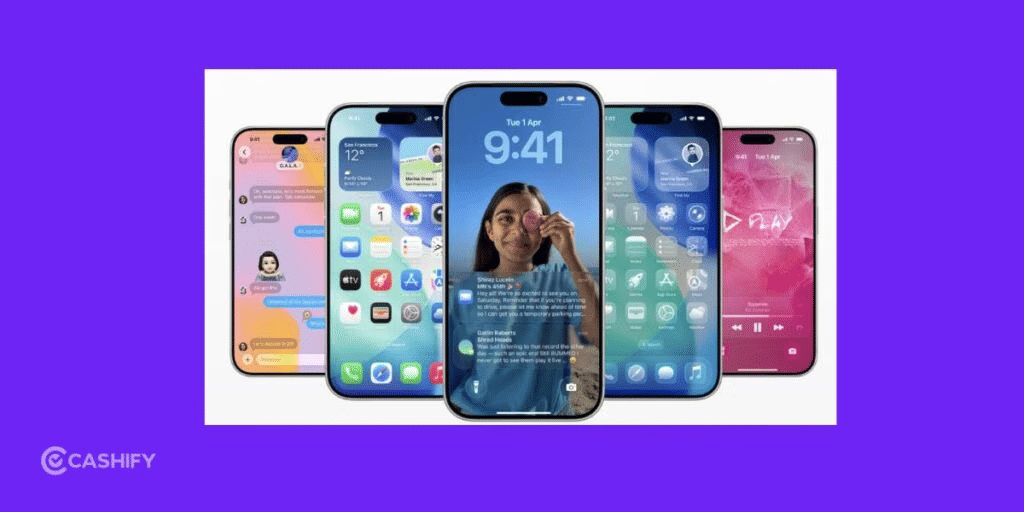
How To Install The iOS 27 Public Beta?
Once the iOS 27 Public Beta Release becomes available, installing it is fairly simple.
Follow these steps:
- Visit beta.apple.com on your iPhone.
- Sign in using your Apple ID.
- Enroll your device in the Apple Beta Software Program.
- Open Settings > General > Software Update > Beta Updates.
- Select iOS 27 Public Beta.
- Download and install the update.
Before updating, make sure you:
- Create a full iCloud or computer backup.
- Keep at least 5–20GB of free storage.
- Connect to Wi-Fi.
- Ensure your battery is sufficiently charged or plug your iPhone into power.
Also read: iOS 27 Features: Everything New Coming To Your iPhone
Should You Install The iOS 27 Public Beta?
If you’re someone who enjoys trying new software early, the public beta is usually the safest way to experience upcoming features before the final release.
That said, it still isn’t perfect.
You may encounter:
- Unexpected bugs
- Faster battery drain
- App compatibility issues
- Occasional crashes
Personally, I’d only recommend installing the beta on a secondary iPhone. If your primary phone is important for work, banking, or daily communication, waiting for the stable September release is usually the smarter choice.
Also keep in mind that some Apple Intelligence and Siri AI features may not be available in every region immediately due to regulatory requirements.
Also read: Apple iPhone 16 Vs iPhone 15: Expected Features And Upgrades!
Key Takeaways
Before you decide to install the beta, here are the main things to remember:
- The iOS 27 Public Beta Release is expected in mid-July 2026.
- The stable version is expected to arrive in September 2026.
- iPhone 11 and newer models are supported.
- iPhone XR, XS, and XS Max will not receive iOS 27.
- Apple Intelligence features require newer devices, starting with the iPhone 15 Pro.
- Always back up your iPhone before installing any beta software.
Final Verdict
The iOS 27 Public Beta release looks promising. Mainly because of the upgraded Siri experience, expanded Apple Intelligence, and noticeable performance improvements. Apple has also maintained broad device compatibility. This allowed users with iPhone 11 and newer models to experience the latest software.
If you are comfortable dealing with occasional bugs and want early access to iOS 27, the public beta is worth trying on a secondary device. For everyone else, waiting a couple more months for the polished September release will provide a smoother and more reliable experience.
Also Read: A18 Pro VS Exynos 2400: Which Flagship Is Worth It?
If you’ve just bought a new phone and don’t know what to do with your old phone, then here’s your answer. Sell your old mobile to Cashify and get the best price for it. If you are planning to buy a new phone, check out Cashify’s refurbished mobile phones. You can get your favourite phone at almost half price with a six-month warranty, 15-day refund and free delivery.