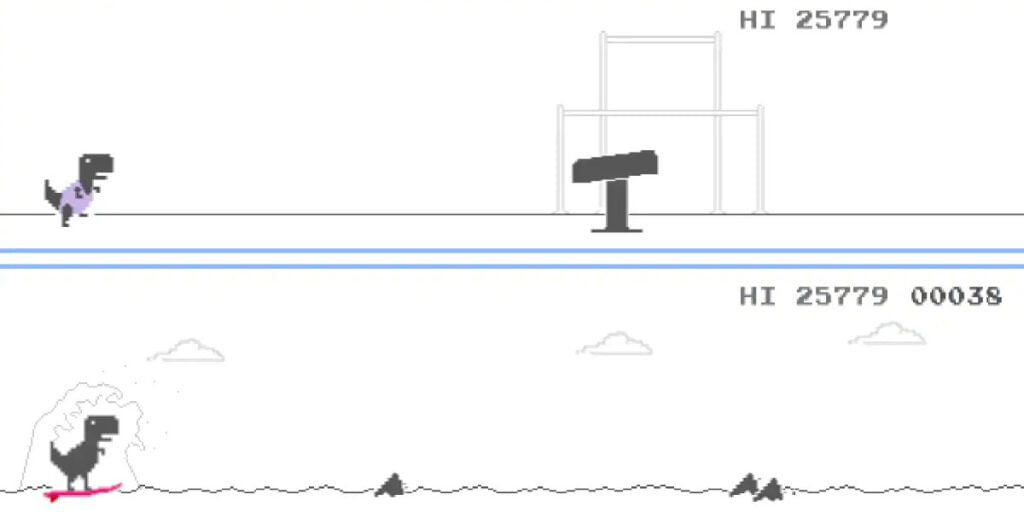
Google Chrome’s Dinosaur Game has been around for many years now. Now, Google has given it a new makeover to mark the Tokyo Olympics 2020 event. The classic game has received several tweaks that stick to the Olympics 2020 theme. Previously, the T-rex on screen would just have to jump over cacti of different sizes. Now, after running into a couple of cacti, an Olympic torch appears. When running into it, the T-rex changes its outfit and takes part in fun new minigames.
Moreover, Sundar Pichai, Google’s CEO, also took to Twitter to reveal the minigames that the classic Dinosaur game comes with now. There are several minigames integrated within the classic game which the player, when on a streak, experiences. This is indeed a great and unique way of celebrating the Tokyo Olympics 2020. It is great to see the classic Dinosaur game get a makeover. Several Twitter users are reporting and posting screenshots of the fun new makeover to the game.
Also read: Amnesty International Researchers Develop Pegasus Spyware Detection Tool
Google Chrome Dinosaur Offline Game: Steps To Play
Here are the steps to play the Google Chrome Dinosaur game on your desktop, laptop or mobile phone:
Step 1: Firstly, open the Google Chrome application on your desktop, laptop or mobile phone. Now, disconnect your WiFi or mobile data.
Step 2: Type in chrome://dino in the address bar and the title screen for the game will appear.
Also read: Garena Free Fire Surpasses 1 Billion Downloads On Google Play Store
Step 3: Now, this is a single tap game so, if you are on your smartphone, just tap on the dinosaur to make it jump. On your desktop, tap on the spacebar to make the T-rex jump in the dinosaur game.
Step 4: You have to jump over the first couple of cacti and then the Olympic torch appears. Now, instead of jumping over it, you have to run into it.
Step 5: Finally, the Dinosaur gets into a new outfit and the Olympic events start from there on.
Also read: PS5 Owners Are Now Eligible For 6 Months Of Free Apple TV Plus: All You Need To Know