Does your Nothing phone make it to the list of Nothing OS 4.1 eligible devices? Worry not, we will help you find out. The Nothing OS update, which has been trending over the past few days, has received a new patch update in the first week, and all the phones which are eligible for this patch update have been mentioned in this blog. So, let us explore what new features you will see in this update and which are the phones are eligible for this add-on. Without further ado, let us begin.
Also Read: Nothing OS 4.1 Comes For Phone 4 Series: See All New Features Here
Nothing OS 4.1 Gets A New Revamp: See What Specs Have Been Added
Before we dive into the blog to see the Nothing OS 4.1 eligible devices list, let us first walk you through the additions that have been made in this OS update.
Nothing brought a severe OS update around the third week of March, which was especially significant for the Nothing Phone 4 series. After this, recently, in the first week of April 2026, Nothing rolled out another revamp version of OS 4.1, which introduced new live updates, performance updates, and a new and exciting ‘Nothing xRCB’ collaboration as well.
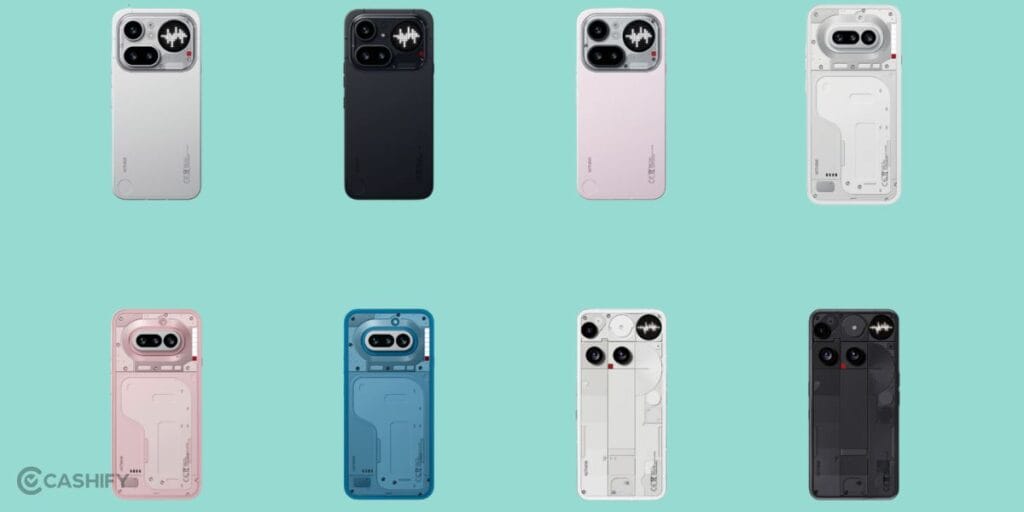
So, what are the new features added inside the Nothing OS 4.1? Let us tell you right here, then we’ll check out the Nothing OS 4.1 eligible devices list.
Here are the latest features you will get in the Nothing OS 4.1’s April 2026 update:
All New Specs Of Nothing OS 4.1
| Feature | Detailed Specifications. |
| Offline AI Eraser | Built directly into the Nothing Gallery, this tool uses on-device NPU (Neural Processing Unit) processing. Unlike cloud-based erasers, it functions without data/Wi-Fi, allowing users to highlight and remove objects or people. It uses generative filling to reconstruct the background realistically while maintaining privacy. |
| Depth Effect Wallpapers | This feature uses AI-driven image segmentation to identify the subject in a photo. It allows the Lock Screen Clock to sit partially behind the subject (e.g., a person’s head or a building), creating a layered 3D aesthetic. Users can toggle the intensity of this effect and adjust clock alignment. |
| Live Updates | A cornerstone of the Android 16 integration, this surfaces real-time data in a dynamic “pill” in the status bar. It supports third-party APIs like Uber and Zomato, showing ETA or order status. This info also mirrors onto the Always-On Display (AOD) and the rear Glyph Interface for at-a-glance tracking. |
| Generative Glyph Ringtones | An evolution of the Glyph Composer. Users can now use AI prompts or choose specific genres to “generate” unique melodic patterns. These are automatically synced to the LED strips on the back, ensuring every custom ringtone has a perfectly timed light show for specific contacts. |
| Camera “Cricket” Preset | Developed via a partnership with RCB, this mode is optimised for high-velocity sports. It increases the shutter speed to freeze action and applies a specific “Amber” colour grade. It also includes a unique “Nothing x RCB” watermark and enhances telephoto clarity for stadium shots. |
| Performance Refinements | The patch includes specialised tuning for HDR consistency, preventing “flicker” when moving between light and dark environments in video. Additionally, the autofocus algorithms for the front camera have been rewritten to ensure faster eye-tracking in low-light “Vlog” scenarios. |
Also Read: Nothing Phone 4a vs 4a Pro: Complete Comparison And Better Choice
Nothing OS 4.1 Eligible Devices List
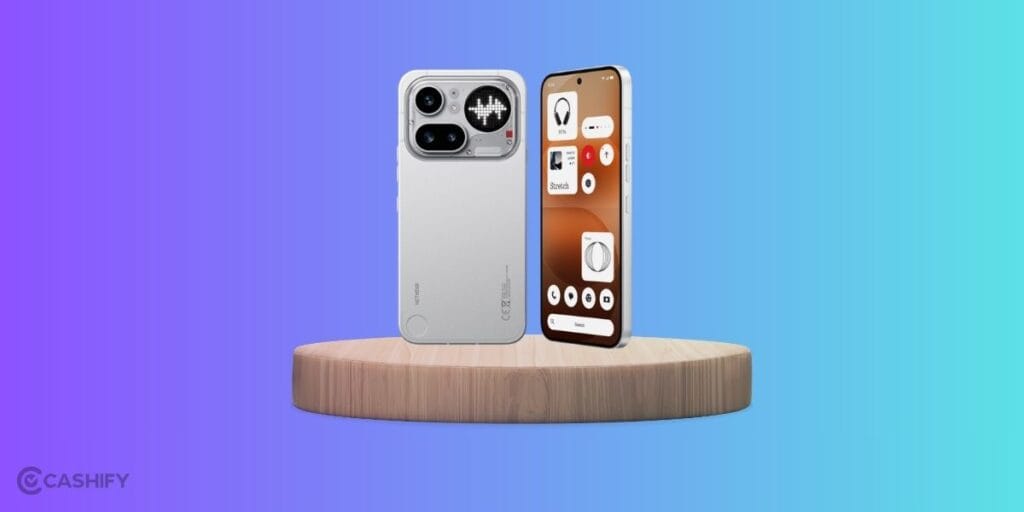
Here are all the Nothing phones eligible for the Nothing OS 4.1:
- Nothing Phone 4a
- Nothing Phone 4a Pro
- Nothing Phone 3
- Nothing Phone 3a
- Nothing Phone 3a Pro
- Nothing Phone 3a Lite
- Nothing Phone 2
- Nothing Phone 2a
- Nothing CMF Phone 2 Pro
- Nothing CMF Phone 1
How To Download This Update?
Now, let us tell you how to download this update on your nothing phones. Here are the steps to download the Nothing OS 4.1 in eligible devices:
- Step 1 – Open Settings: Navigate to the Settings app on your Nothing Phone.
- Step 2 – System Settings: Scroll down and tap on System.
- Step 3 – Check for Update: Tap on System Update.
- Step 4 – Download & Install: If the update is live for your region and device, you will see the “Nothing OS 4.1” prompt. Tap Download and Install.
These steps are valid for all the phones in this Nothing OS 4.1 eligible devices list.
In A Nutshell
Nothing OS 4.1 eligible devices list guide ends here. That’s it from our side, we have mentioned all the eligible devices and all the new features that you will see. The OS 4.1 update will surely make your Nothing phones funkier, and get ready to get an unmatched OS experience that’s next to OneUI or iOS-level flagship and premium touch. And the funky features, which are the brand identity of Nothing, stay as the cherry on the top of your cakes. So, make sure you do not miss out on these latest specs, and if your phone lies in the Nothing OS 4.1 eligible devices list, then download it asap!
FAQs
Which phones are eligible for the Nothing OS 4.1 update?
Nothing OS 4.1 is available for the Nothing Phone 4a, Phone 4a Pro, Phone 3, Phone 3a, Phone 3a Pro, Phone 3a Lite, Phone 2, Phone 2a, CMF Phone 2 Pro, and CMF Phone 1.
What are the new features in Nothing OS 4.1?
Nothing OS 4.1 introduces Offline AI Eraser, Depth Effect Wallpapers, Live Updates, Generative Glyph Ringtones, a Cricket Camera Preset, and several performance and camera improvements.
Does Nothing OS 4.1 support AI-powered photo editing?
Yes, Nothing OS 4.1 includes an Offline AI Eraser that can remove unwanted objects and people from photos directly on the device without requiring an internet connection.
How do I download the Nothing OS 4.1 update?
Go to Settings > System > System Update and check for available updates. If Nothing OS 4.1 is available for your device, tap Download and Install.
Is Nothing OS 4.1 based on Android 16?
Yes, Nothing OS 4.1 incorporates Android 16 features, including the new Live Updates system that displays real-time information from supported apps.
What is the Live Updates feature in Nothing OS 4.1?
Live Updates displays real-time information such as ride status, delivery tracking, and estimated arrival times directly on the status bar, Always-On Display, and Glyph Interface.
Does Nothing OS 4.1 improve camera performance?
Yes, the update brings better HDR consistency, improved front camera autofocus, enhanced eye-tracking in low-light conditions, and a dedicated Cricket Camera Preset.
What is the Nothing x RCB feature in Nothing OS 4.1?
The Nothing x RCB collaboration introduces a Cricket Camera Preset designed for sports photography, featuring faster shutter speeds, telephoto enhancements, and a special RCB-themed watermark.
Can CMF phones receive the Nothing OS 4.1 update?
Yes, both the CMF Phone 1 and CMF Phone 2 Pro are eligible for the Nothing OS 4.1 update.
Is Nothing OS 4.1 free to install?
Yes, Nothing OS 4.1 is a free software update for all eligible Nothing and CMF smartphones.
What is the biggest new feature in Nothing OS 4.1?
The biggest addition in Nothing OS 4.1 is the Offline AI Eraser, which lets users remove unwanted objects from photos directly on the device without uploading images to the cloud, improving both privacy and convenience.
Also Read: Google Gemma 4 Just Changed the Rules of AI (And No One Saw It Coming)
Are you still browsing through your broken screen? Don’t worry! Book an at-home mobile phone screen repair with Cashify—an affordable and one-stop destination for all your mobile phone needs. In case you break your screen within 1 month of repair, we will replace your screen again—for FREE.