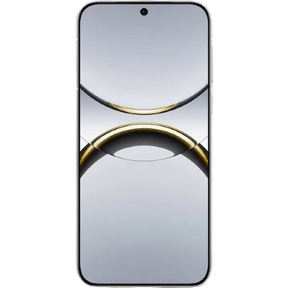
If you are dealing with the Nothing Phone 2a speaker issue, you must be going through a hell of a time!. You must be facing problems like low sound output, distorted audio, or annoying crackling noises during calls, music playback, or videos. But you can finally put the frustration to rest as these issues are often fixable with a few simple checks and tweaks.
Let’s break it down in a way that’s easy to follow and actually useful.
Also read: Restore POCO C3 Speaker Quality With Cashify’s Repair Services!
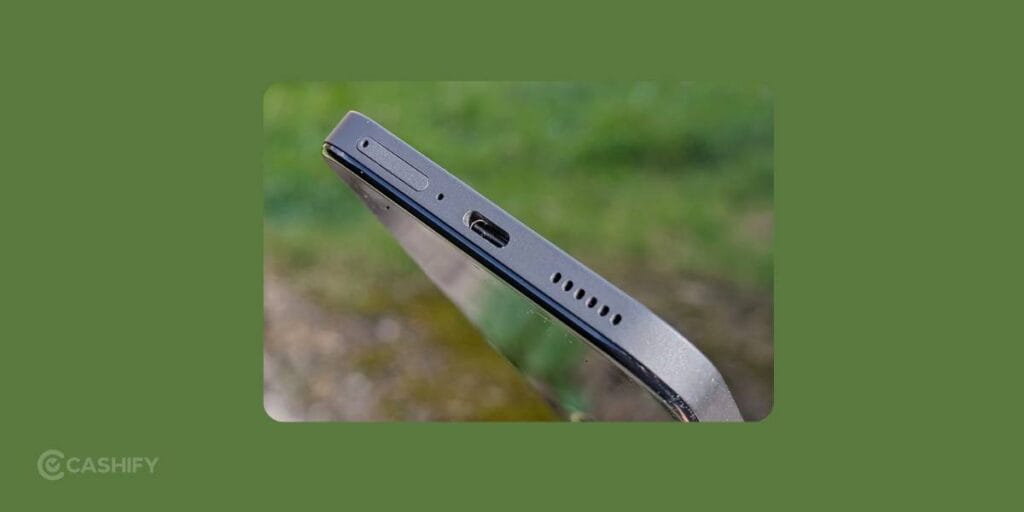
Common Nothing Phone 2a Speaker Problems
Before jumping into solutions, it helps to understand what exactly might be going wrong. Most users report:
- Sound suddenly becomes very low
- Crackling or distorted audio at higher volumes
- Speaker is working fine sometimes, then acting up randomly
- No sound at all during calls or media playback
These symptoms can come from either software glitches or hardware-related issues.
Start With the Basics
It sounds obvious, but you’d be surprised how often this works for Nothing Phone 2a.
Check Volume Levels Properly
Make sure your media volume is actually turned up. Sometimes, call volume and media volume are controlled separately, so double-check both.
Restart Your Phone
A simple restart can clear temporary bugs causing sound glitches. If your speaker suddenly started acting weird, this is the first thing to try.
Also read: How Do I Get My iPhone Low Call Volume Back to Normal: Step-by-Step Guide!
Clean the Speaker Grille (Very Common Cause)
This step is a no-brainer and should be done regardless of what type of Nothing Phone 2a speaker issue you are facing. Dust and dirt can easily block the speaker, especially if you keep your phone in pockets or bags.
- Use a soft brush or a clean toothbrush
- Gently clean the speaker holes
- Avoid using water or blowing too hard
Even a small blockage can make your speaker sound muffled or low.
Also read: Nothing Phone 2 Screen Acting Weird? Here’s The Fix You Can Rely On!
Check for Software Bugs or Updates
Sometimes, the Nothing Phone 2a speaker issue is caused by software glitches.
Update Your Phone
Go to Settings > System > Software Update and check if there’s a new update available. Brands often fix audio bugs through updates.
Boot in Safe Mode
This helps you figure out if a third-party app is causing the issue.
- Press and hold the power button
- Tap and hold “Restart” until Safe Mode option appears
- Test the speaker
If the speaker works fine in Safe Mode, some app is likely interfering.
Also read: Facing Apple iPhone 13 Sound Problems: How To Resolve Now!
Turn Off Audio Enhancements (If Enabled)
Some sound effects or equaliser settings can actually mess with audio output.
- Go to Sound settings
- Turn off any audio enhancements or EQ
- Test the speaker again
This can help if your sound feels distorted or unnatural.
Test the Speaker Properly
Try different types of audio:
- Play music
- Watch a video
- Make a call on speaker
If the issue only happens in one scenario (like calls only), it may not be a full speaker problem. It could be related to a specific function.
When It Might Be a Hardware Problem?
If you’ve tried everything above and still face:
- Persistent crackling sound
- Speaker completely dead
- Sound breaking at certain volume levels
Then it could be a hardware issue, like a damaged speaker unit or an internal connection problem.
Also Read: POCO F5 Overheating: 5 Troubleshoots To Try Before Hardware Fix!
Rely On Cashify For Hassle-Free Nothing Phone 2a Speaker Issue!
If the cleaning process or the software troubleshoots didn’t fix the issue, it’s time to welcome some professional hands. Cashify’s certified platform is not only the most accessible at this point but also the most trusted one for all kinds of phone repair. Experts here are well-versed in Nothing phone repair. So you know you will get back the device with properly working speakers, crystal clear sound post-repair.
Plus, enjoy a comfortable doorstep service where a Cashify technician visits your place to repair in front of you or pick up the device. You decide the location, date and time while scheduling a visit online. Use the Cashify website or app for the same. Along with that, enjoy discounts and save more!
Also read: Facing OPPO A83 Speaker Distortion? Clean Or Replace It Easily!
Need Tips To Avoid Speaker Issues In Future? Follow These…
- Avoid using your phone in dusty environments
- Keep it away from water or moisture
- Don’t play audio at max volume for long periods
- Use a protective case that doesn’t block speakers
Final Thoughts
The Nothing Phone 2a speaker issue might seem like a costly affair, but in many cases, it’s something simple like dust, a bug, or a setting gone wrong. Start with the easy fixes first, and only move to repairs if nothing works. Even then, Cashify makes it affordable and convenient for you.
Need a discount right now? When booking mobile phone repair online via Cashify:
Use code: TECH25 to avail of a discount of up to Rs. 300 by using the (on the minimum order value of Rs. 2499).
Use code: RPR50 to avail up to 50 per cent off on a minimum spend value of Rs. 1000. (limited offer).
Also Read: How Can Cashify Smart Repair Service Enhance Your Mobile Repair Experience?
Are you still browsing through your broken screen? Don’t worry! Book at-home mobile phone screen repair with Cashify, an affordable and one-stop destination for all your mobile phone needs. In case you break your screen within 1 month of repair, we will replace your screen again for FREE.