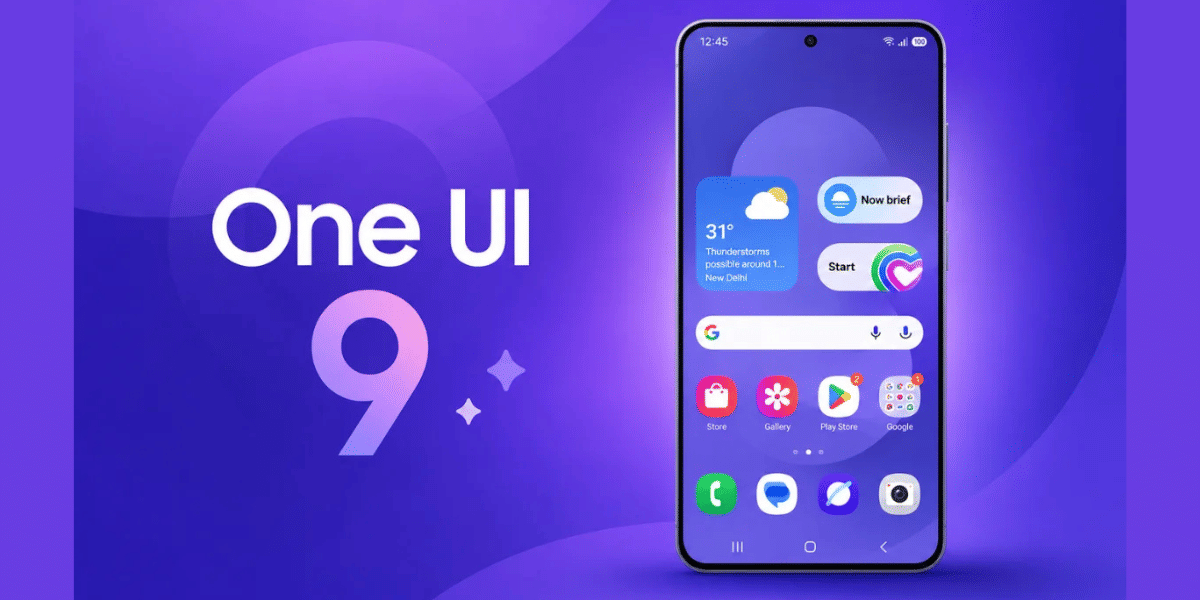
If you are thinking about upgrading your phone or just curious about the latest Android skins, you have probably wondered: should I go with Samsung’s OneUI 8 or OnePlus’ OxygenOS 16? Both offer unique experiences, but they cater to slightly different tastes. OneUI 8 focuses on depth, features, and customization, while OxygenOS 16 emphasizes fluidity, speed, and simplified iOS-inspired aesthetics. In this OneUI 8 Vs OxygenOS 16 comparison, let us break down what each has to offer and help you figure out which one suits you best.
Also Read: HyperOS 3.1 Release Date, Eligible Devices, More Details!
OneUI 8: Deep Customization And Feature-Rich Experience
When you use OneUI 8, the first thing you will notice is how much control you have over your device. Thanks to Good Lock, Samsung’s customization suite, you can tweak almost every aspect of your interface.
From stacked widgets to live wallpapers and icon layouts, OneUI lets you create a look and feel that’s truly your own. You can even adjust the recent apps screen, which now borrows a few iOS-like elements, making multitasking easier and more visually appealing.
Beyond appearances, OneUI 8 packs built-in features that make your phone more productive. You get tools like video editing, casting to other devices, and writing assistants, which can be surprisingly powerful.
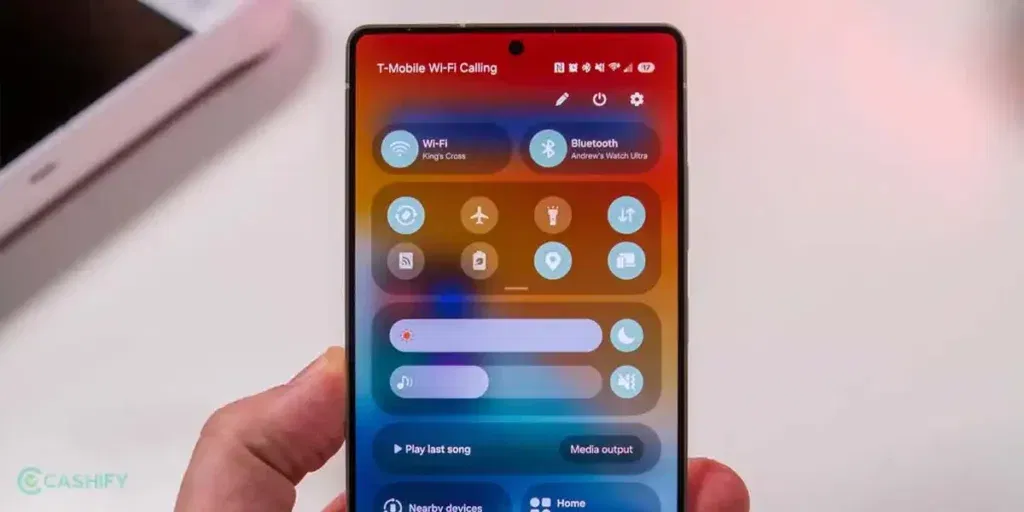
The camera app is one of Samsung’s strongest points, offering detailed controls and a wide variety of modes. Notifications are also handled exceptionally well- you can organize, prioritize, and manage them in a way that suits your workflow.
The trade-off? While OneUI 8 is feature-packed, it’s sometimes less fluid than OxygenOS 16. Animations can feel a bit heavier, and switching between apps may not always feel as buttery smooth.
But if you love having a phone that does more out of the box and lets you tweak every detail, OneUI 8 might feel like a dream.
| Pros of OneUI 8 | Cons of OneUI 8 |
| Extensive customization with Good Lock | Animations are slightly heavier |
| Feature-rich tools for productivity and creativity | Can feel less fluid compared to OxygenOS |
| Superior camera app with advanced options | Some built-in tweaks, like icon packs, are more limited |
| Detailed notification management |
OxygenOS 16: Smooth, Fluid, And iOS-Inspired
If smoothness and aesthetics matter most to you, OxygenOS 16 may be the better choice. OnePlus has focused on what they call “Flow Motion” animations, giving the system an almost liquid-like fluidity.
Everything from opening apps to scrolling through menus feels fast and satisfying. You will also notice iOS-inspired touches, like frosted glass lock screens, depth effects, and dynamic clocks that give the interface a polished, modern look.
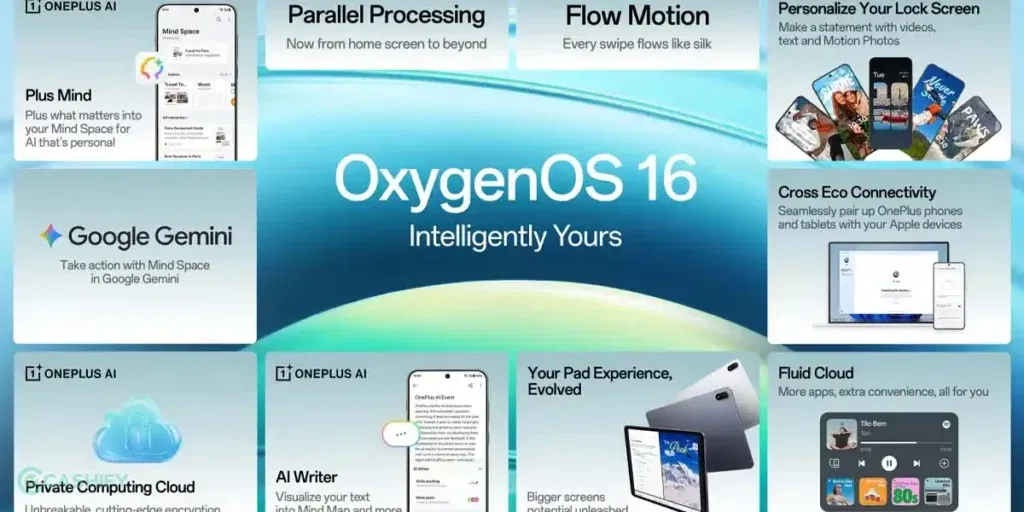
Customization is simpler but still flexible. You can use third-party icon packs easily, adjust lock screen widgets, and configure quick settings without diving into multiple menus. The AI features, powered by Gemini, are more prominent here- they offer smart suggestions, a privacy dashboard, and improved app sorting that helps you stay organized without thinking too much.
Overall, OxygenOS 16 feels closer to stock Android but with style. It’s fast, visually pleasing, and smooth in a way that makes daily interactions enjoyable. If you prioritize speed, AI integration, and a clean, elegant interface, this might be the interface for you.
| Pros of OxygenOS 16 | Cons of OxygenOS 16 |
| Extremely smooth animations with “Flow Motion” | Fewer deep customization options compared to OneUI |
| Easy third-party icon and lock screen customization | Built-in tools are less extensive than Samsung’s |
| AI features for smart suggestions and privacy | Notification management is simpler and less detailed |
| Clean, stock-like Android feel with visual flair |
Also Read: Best Camera Settings For Vivo X300 Pro: Tips For Stunning Photos
What Are The Key Differences Between OneUI 8 Vs OxygenOS 16?
When you compare OneUI 8 Vs OxygenOS 16 side by side, a few clear differences stand out:
- Animations and Fluidity: OxygenOS 16 takes the lead here. The Flow Motion system makes scrolling, opening apps, and transitions feel buttery smooth, while OneUI’s animations can feel a little heavier due to the feature depth.
- Customization: If you love tweaking, OneUI 8 is your playground. Good Lock allows extensive control over widgets, layouts, and system behavior. OxygenOS 16 is easier for casual tweaks like icons or lock screen widgets but doesn’t offer the same deep-level customization.
- AI Integration: OxygenOS 16 integrates AI prominently with Gemini, offering smart suggestions and privacy features. OneUI 8 has some AI tools but emphasizes built-in productivity features over smart automation.
- Features and Tools: OneUI 8 wins in sheer feature depth. It comes with video editing, advanced camera modes, casting, writing assistants, and superior notification management. OxygenOS 16 is more minimalist but makes up for it with a smooth, visually satisfying experience.
- Design Philosophy: OneUI 8 blends traditional Android with iOS-like elements in multitasking, while OxygenOS 16 leans toward a modern, clean, and fluid design that emphasizes aesthetics and simplicity.
Which One Should You Choose?
Your choice really depends on what you value most in a smartphone experience:
- Pick OneUI 8 if: You want deep customization, powerful built-in tools, and the ability to control every aspect of your phone. You’ll appreciate the advanced camera, detailed notifications, and Samsung’s ecosystem of features.
- Pick OxygenOS 16 if: You prioritize fluid animations, a clean, iOS-inspired interface, and AI-driven suggestions. It’s perfect if you enjoy smooth interactions, minimalist design, and fast, visually satisfying daily use.
Think of it this way: OneUI 8 is about features and depth, while OxygenOS 16 is about speed, fluidity, and elegance. Both are excellent choices, but the best one for you depends on whether you prefer power or polish.
Tips For Experiencing Both UIs Yourself
If you have access to Samsung and OnePlus devices, try the following to compare:
- Explore the home screen and widgets: Notice how deep customization feels in OneUI 8 versus the smooth, dynamic widgets in OxygenOS 16.
- Check animations: Open apps, switch between screens, and observe which transitions feel more fluid to you.
- Test built-in tools: Try the camera, video editor, or AI suggestions to see which features enhance your workflow.
- Play with notifications: See how each system manages alerts, prioritization, and quick actions.
Even spending 10–15 minutes on each device can give you a good sense of what fits your style.
Also Read: Moto G57 Power VS Realme P4X 5G: Best Budget 5G Phone Of 2025
Final Thoughts
OneUI 8 vs OxygenOS 16 offer two distinct takes on Android. OneUI 8 is a powerful, feature-rich interface that rewards tinkerers and Samsung fans, while OxygenOS 16 is a sleek, fluid experience ideal for those who enjoy smooth performance and elegant, iOS-inspired visuals.
Ultimately, there is no wrong choice. If you prefer depth, control, and Samsung’s ecosystem, go with OneUI 8. If you want speed, smoothness, and visual polish with AI enhancements, OxygenOS 16 is your best bet.
The decision comes down to what feels right in your hand and suits your workflow, so take time to explore both if possible.
Frequently Asked Questions
Which is better, OneUI 8 or OxygenOS 16?
It depends on what you value most. OneUI 8 excels in deep customization, built-in tools, and feature-rich apps, ideal for productivity and Samsung users. OxygenOS 16 prioritizes fluid animations, smooth performance, and iOS-inspired aesthetics, making it perfect for users who prefer speed, simplicity, and visual polish.
Is OneUI 8 better for productivity?
Yes. OneUI 8 offers extensive tools for productivity, including advanced notifications, writing assistants, video editing, and Samsung’s ecosystem integration. These features make multitasking and managing daily tasks easier, giving it an edge over OxygenOS 16 if you rely heavily on your phone for work or creative projects.
Is OxygenOS 16 better for gaming and animations?
Absolutely. OxygenOS 16’s Flow Motion animations and smooth interface provide a fluid experience, reducing lag and making gaming and app transitions feel seamless. Its lightweight design and stock-like feel also help maintain high performance, making it ideal for users who prioritize speed and visual fluidity.
Which UI is easier for casual users?
OxygenOS 16 is generally easier for casual users. Its clean, minimalist design, iOS-inspired lock screen, and simpler customization options make the interface intuitive and visually appealing, while OneUI 8 may feel overwhelming to those who don’t want to manage extensive settings and features.
Which UI handles notifications better?
OneUI 8 leads in notification management. It provides detailed controls, prioritization options, and integrated quick responses. You can organize alerts efficiently across apps, which is particularly useful for users who receive a high volume of notifications daily. OxygenOS 16 is simpler but less granular in comparison.
Which interface is more customizable?
OneUI 8 offers deeper customization through Good Lock, allowing you to tweak widgets, layouts, icons, and system behavior extensively. OxygenOS 16 supports basic customization like icon packs and lock screen widgets, but it doesn’t provide the same level of fine-tuning for advanced users.
If you’ve just bought a new phone and don’t know what to do with your old phone, then here’s your answer. Sell old mobile to Cashify and get the best price for it. If you are planning to buy a new phone, check out Cashify’s refurbished mobile phones. You can get your favourite phone at almost half price with Six-month warranty, 15 days refund and free delivery.