Your POCO X4 Pro may still work well, but the battery doesn’t last as long as it once did. You start charging it more often, even when your daily usage hasn’t changed. Over time, this becomes difficult to ignore. It usually means the battery has started to lose its original capacity. Let’s look at the POCO X4 Pro battery replacement cost, how long the battery usually lasts, and when it’s the right time to replace it.
Also Read: Do You Lose Data When Replacing LCD Screen?
Why Does The POCO X4 Pro Battery Drain Faster Over Time?

Several factors can affect your POCO X4 Pro’s battery life over time. Here are the most common ones:
The Battery Has Reached The End Of Its Lifespan
Every battery loses capacity with age. After a few years of regular use, the POCO X4 Pro may not hold a charge as long as it once did. This is one of the most common reasons for faster battery drain.
Background Apps Continue Running Without You Noticing
Some apps keep running even after you close them. They continue syncing data, tracking location, or sending notifications. This uses extra power throughout the day.
The 120Hz Display Uses More Power
The POCO X4 Pro comes with a 120Hz AMOLED display. It delivers smoother scrolling but also uses more power than a 60Hz display. High brightness can reduce battery life even further.
Software Problems Can Increase Battery Drain
An outdated MIUI version or a buggy app can increase power usage. Battery drain may start after a software update or a newly installed app. Updating the software often fixes the problem.
Poor Network Coverage Makes The Phone Work Harder
Weak mobile signals force the phone to search for a better connection. This uses more power than usual. You’ll notice it more in areas with poor network coverage.
Excessive Heat Speeds Up Battery Wear
Heat is one of the biggest causes of battery wear. Long gaming sessions or charging in hot conditions can raise the phone’s temperature. Over time, this reduces battery capacity.
Also read: 8 Signs That Your Android Phone Motherboard Needs Repair!
Things To Try Before Replacing The POCO X4 Pro Battery
Before going for a POCO X4 Pro battery replacement, it’s worth trying these fixes first:
Check Your Battery Usage
Open Settings > Battery > Battery Usage and see which apps are using the most power. If you notice an app consuming an unusually high percentage, update it or uninstall it to see if battery life improves.
Update MIUI And Your Apps
Software updates often include battery optimisations and bug fixes. Install the latest MIUI version and update your apps through the Play Store before deciding that the battery needs replacing.
Turn On Battery Saver
If your phone runs out of charge quickly during the day, enable Battery Saver mode. It limits background activity, reduces power consumption, and helps the battery last longer between charges.
Reduce The Refresh Rate
If you’re using the display at 120Hz, switching to 60Hz can improve battery backup. You may notice slightly less smooth scrolling, but the phone will usually last longer on a single charge.
Restart Your Phone
A simple restart can stop apps or background processes that aren’t working properly. It’s a quick step that often resolves unexpected battery drain.
Also read: Vivo Y83 Pro Aux Jack Not Working? Repair It Fast With Cashify
Why Choose Cashify For POCO X4 Pro Battery Replacement?
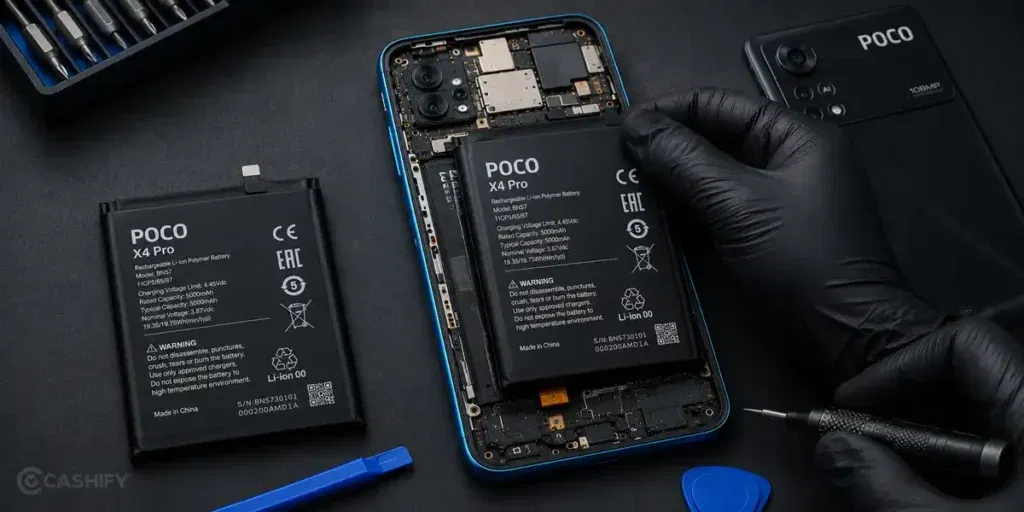
If the battery on your POCO X4 Pro has reached the end of its lifespan, the next step is choosing a reliable repair service. Cashify offers a POCO X4 Pro battery replacement for just Rs. 1,899, with an easy online booking process.
To book a mobile phone repair, follow these steps.
- Open the Cashify app or website.
- Go to Phone Repair.
- Select Xiaomi.
- Choose POCO X4 Pro.
- Select Battery as the issue.
- Enter your address details.
- Pick a convenient time slot.
- Confirm your booking.
Apart from easy booking, your POCO X4 Pro battery replacement comes with these additional benefits.
| Benefit | What You Get |
| Battery Inspection Before Replacement | The technician checks the battery and the phone before starting the phone repair to confirm that a replacement is actually needed. |
| Upfront Repair Pricing | The repair cost is shared before the service begins, so you know exactly what you’ll pay. You only pay after the mobile repair is completed. |
| Doorstep Battery Replacement | If doorstep service is available in your area, your POCO X4 Pro is inspected and repaired at your location. |
| 200+ Cashify Service Centres | If you prefer an in-store visit, you can get your phone repaired at any of Cashify’s service centres across India. |
| High-Quality Compatible Parts | If a new battery is required, Cashify uses a high-quality compatible battery that works reliably with your POCO X4 Pro. |
| 3-Month Warranty | Every POCO X4 Pro battery replacement comes with a 3-month warranty*. If you face any covered issue during this period, you can contact Cashify for support. |
(*Repair warranties are subject to discretion based on Cashify’s terms and conditions. Please refer to our warranty policy for detailed information.)
Use code: TECH25 to avail a discount of up to Rs. 300 (on the minimum order value of Rs. 2499).
Use code: RPR50 to avail up to 50 per cent off on a minimum spend value of Rs. 1000 (limited offer).
Also read: Pixel 6A Detected Water In USB Port? Get Your Best Fix Today!
Service Charges For POCO X4 Pro Mobile Repair At Cashify:
| Repair Service | Current Charge |
|---|---|
| Screen Replacement | Rs. 4,999* |
| Battery Replacement | Rs. 1,899* |
| Speaker Replacement | Rs. 1,499* |
*The prices are subject to change as per market rates. Please check the website for the current repair fee estimation for your mobile.
Final Thoughts
To sum up, if your POCO X4 Pro battery is draining faster than before, a few basic fixes may help. But if the problem doesn’t go away, the battery may need to be replaced.
In that case, you can book a POCO X4 Pro battery replacement with Cashify. The repair is affordable, and the booking process is simple.
If you have any questions about POCO mobile repair, feel free to leave a comment below. We’ll be happy to help.
Are you still browsing through your broken screen? Don’t worry! Book at-home mobile phone screen repair with Cashify, an affordable and one-stop destination for all your mobile phone needs. In case you break your screen within 1 month of repair, we will replace your screen again for FREE.