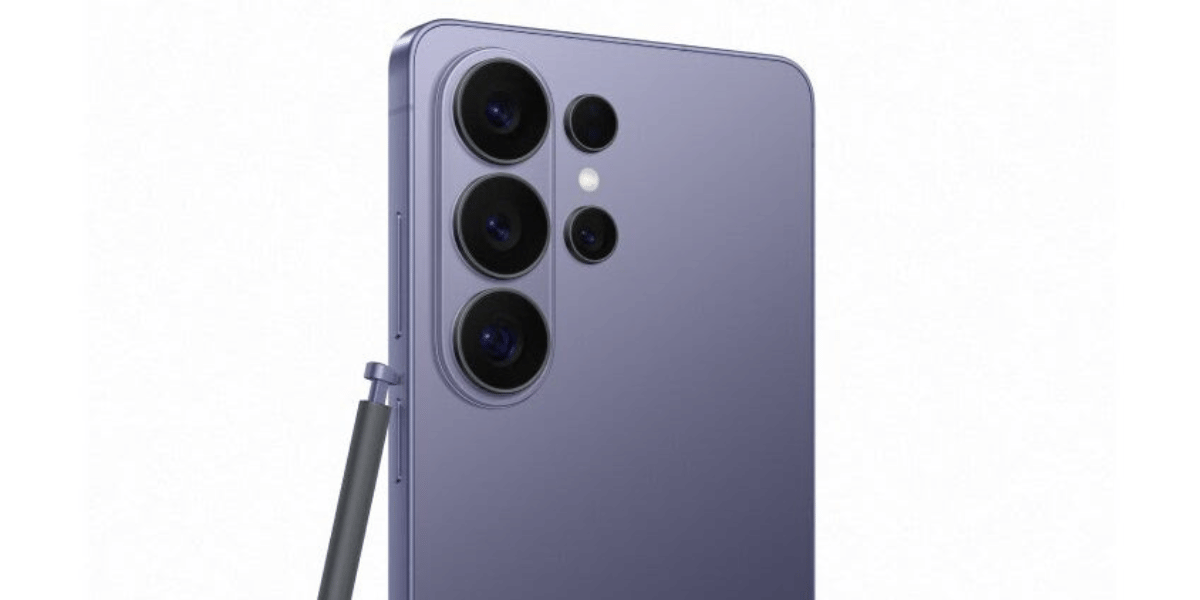
Using your phone in public has always come with a small risk. Whether you’re checking messages in a crowded metro, replying to a work email in a café, or opening a banking app while standing in line, your screen is often visible to people around you. Until now, smartphone privacy features tried to solve this problem in ways that felt restrictive and inconvenient. With the Samsung S26 Ultra smart localised privacy screen, that changes.
Samsung has introduced a feature that protects only the content that actually needs privacy- without affecting the rest of your display. It’s a thoughtful upgrade designed for real-life use, not just for marketing slides.
Let’s take a closer look at how it works and why it’s such a meaningful improvement.
Also Read: How To Switch Off Oppo Phone: Complete Guide For All Users
Why Traditional Privacy Screens Fall Short?
Older privacy solutions try to solve this issue, but they often create new problems for you.
Some phones dim the entire display when privacy mode is on. Others restrict viewing angles across the whole screen. While these methods do block side views, they also make your phone harder to use.
Your screen looks darker. Colors lose their vibrancy. Text becomes less readable. Even you struggle to see what’s on your phone, especially in bright environments.
What makes this frustrating is that you rarely need the entire screen to be private. Most of the time, it’s just one notification, one message, or one sensitive pop-up.
This is where Samsung Galaxy S26 Ultra smart localised privacy screen takes a smarter approach.
A New Way to Think About Screen Privacy
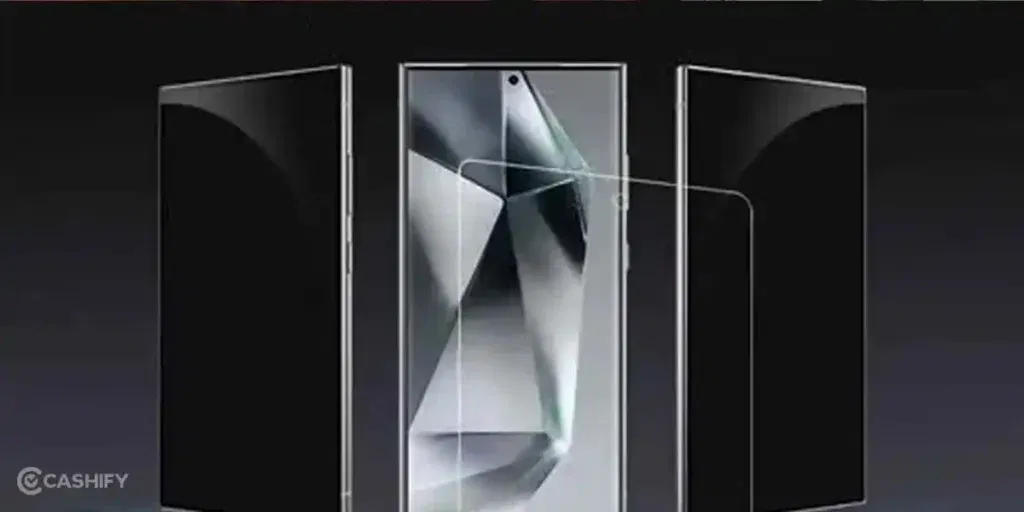
The Samsung S26 Ultra doesn’t treat privacy as an all-or-nothing feature. Instead, the Samsung S26 Ultra introduces a smart localised privacy screen control, meaning only specific parts of your screen can be protected.
Rather than dimming or restricting the entire display, the phone identifies areas that contain sensitive information and applies privacy protection only there.
This shift may sound small, but it completely changes how comfortable your phone feels to use in public.
Also Read: iQOO 15 Vs iQOO 15 Ultra: Which One Should You Buy In 2026?
How The Samsung S26 Ultra Smart Localised Privacy Screen Works
The smart localised privacy screen on the Samsung Galaxy S26 Ultra is built to work quietly in the background, without changing the way you normally use your phone. Instead of feeling like a separate “mode” you have to manage, the technology blends naturally into your everyday interactions, making privacy feel effortless rather than forced.
Privacy Applied Only Where It Matters
Unlike traditional privacy features that affect the entire display, the smart localised privacy screen on Samsung S26 Ultra allows privacy protection to be applied only to specific on-screen elements. This includes things like message notifications, sensitive alerts, verification codes, or confidential pop-ups that appear while you’re using other apps.
Because the protection is limited to these areas, the rest of your screen remains completely normal. You don’t lose brightness, color accuracy, or visibility just because one small part of the screen contains private information.
Clear And Normal From Your Viewing Angle
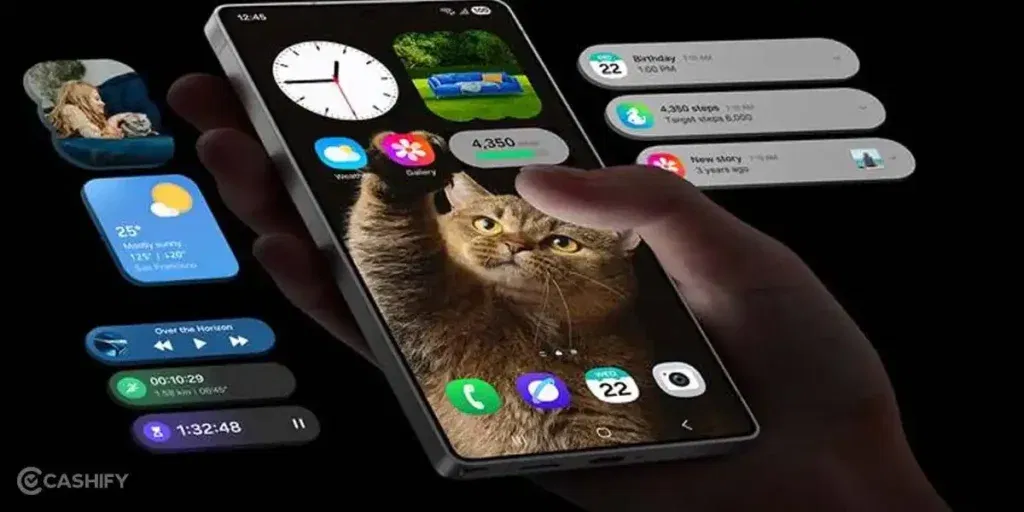
When you’re looking at the screen directly, nothing feels different. The protected content stays sharp, clear, and fully readable, just like any other part of the display. There’s no blur, no dimming, and no visual distortion that would make reading uncomfortable for you.
The smart localised privacy screen on Samsung S26 Ultra ensures privacy never comes at the cost of usability. You can read messages, check alerts, or enter sensitive information without feeling like your screen is working against you.
Complete Blackout From Side Angles
The real magic happens when someone tries to peek at your screen from the side. From off-axis viewing angles, the protected areas turn completely black. Not faded. Not partially visible. Just solid black that reveals absolutely nothing.
This means anyone standing next to you sees an empty block instead of your private content, effectively shutting down shoulder-surfing without you needing to adjust how you hold your phone.
Also Read: iQOO 15 Ultra Launch Date, Specs And Price: Full Details Revealed
The Rest Of The Screen Stays Fully Visible
While private content is shielded, everything else on your display remains bright and unaffected- even from side angles. Your app interface, videos, photos, or web pages continue to look exactly the way they should.
This balance is what makes the Samsung S26 Ultra smart localised privacy screen so practical. You’re not sacrificing your viewing experience just to protect one notification or message. Your screen stays usable, immersive, and visually rich at all times.
Privacy That Works Only For You
In simple terms, the system ensures that you see everything clearly while others see nothing that they shouldn’t. The Samsung S26 Ultra smart localised privacy screen is a precise, intelligent approach to privacy that focuses on real-world usage rather than blanket restrictions.
You stay in control, your screen stays usable, and your personal information stays yours- exactly the way modern smartphone privacy should work.
What This Says About The Future Of Smartphone Displays
The Samsung Galaxy S26 Ultra shows that displays are evolving beyond just resolution and brightness. Screens are becoming smarter and more aware of how you use them.
Features like smart localised privacy screen on Samsung S26 Ultra hint at a future where your phone understands context- what needs protection and what doesn’t- without constant manual input.
This is a step toward displays that don’t just look good but behave intelligently.
What Are The Specs Of The Samsung Galaxy S26 Ultra?
Now that you know about the smart localised privacy screen, let us now have a look at the specs of the Samsung Galaxy S26 Ultra:
| Display | 6.9-inch, M14 Dynamic AMOLED 2X display with QHD+ resolution, 120Hz refresh rate |
| Battery | 5400mAh |
| Processor | Snapdragon 8 Elite Gen 5 chipset |
| Rear Cameras | 200MP Main sensor + 50MP Ultra-wide + 12MP 3x telephoto lens + 50MP periscope lens offering 5x optical zoom |
| Front Camera | 12MP |
Final Thoughts
The smart localised privacy screen on the Samsung S26 Ultra proves that innovation doesn’t always need to be flashy. Sometimes, the best features are the ones that quietly improve your everyday life.
By protecting only the content that needs privacy, Samsung delivers a solution that feels practical, thoughtful, and genuinely useful. You keep full visibility, full usability, and full control- while your sensitive information stays hidden from prying eyes.
In a world where you use your phone everywhere, this kind of precision privacy isn’t just nice to have. It’s exactly what you’ve been waiting for.
Also Read: iQOO 15R Launch Date In India, Specs, Price, and What to Expect
Frequently Asked Questions
Can you choose which parts of the screen get privacy protection?
Yes, you can apply privacy protection only to specific on-screen elements such as message notifications, sensitive alerts, or pop-ups. This gives you precise control, so your entire screen doesn’t get restricted just because one small section contains private information.
Does the localised privacy screen reduce display brightness or quality?
No, the feature does not affect overall brightness, color accuracy, or sharpness. Only the protected areas behave differently from side angles. From your viewing angle, everything remains clear, vibrant, and fully readable without any visual compromise.
Will this feature work automatically or require manual activation?
The localised privacy screen is designed to feel seamless. It can work automatically for sensitive content like notifications and secure pop-ups, reducing the need for constant manual toggling. This makes privacy protection feel natural and effortless during everyday phone use.
Is this feature useful only in public places?
While it’s most helpful in public spaces like metros, cafés, and queues, it’s also useful in offices or shared environments. Anytime someone might glance at your screen, this feature helps keep personal or confidential information hidden from unintended viewers.
Does the blacked-out area appear for me as well?
No, the blacked-out effect is visible only from side angles. When you look at the screen directly, the protected content remains fully visible and clear. This ensures that privacy is maintained without disrupting your own viewing experience.
If you’ve just bought a new phone and don’t know what to do with your old phone, then here’s your answer. Sell old mobile to Cashify and get the best price for it. If you are planning to buy a new phone, check out Cashify’s refurbished mobile phones. You can get your favourite phone at almost half price with six-month warranty, 15 days refund and free delivery.