If you are shopping for a new laptop in 2026, you have probably noticed something interesting. Intel is no longer the only big name in Windows laptops. Qualcomm’s Snapdragon X series has quickly become a serious competitor. Thanks to its excellent battery life, AI capabilities, and impressive everyday performance. So, Snapdragon X vs Intel i5, which one actually makes more sense?
The answer depends on what you use your laptop for. Say your work revolves around web browsing, office tasks, video calls, and long battery life. Snapdragon X is surprisingly hard to ignore. But if you rely on specialised software, older applications, or simply want the safest compatibility, Intel Core i5 still has a strong advantage.
Let’s compare them in detail.
Also read: Motorola Edge 70 Max Alternatives: Best Phones You Should Consider In 2026!
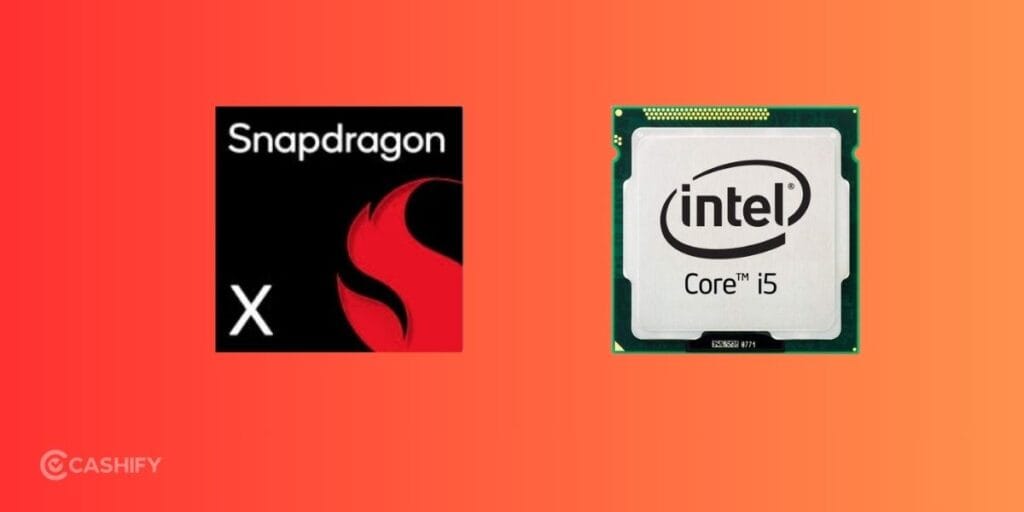
Snapdragon X vs Intel i5 At A Glance!
| Feature | Snapdragon X Series | Intel Core i5 |
|---|---|---|
| Architecture | ARM64 | x86-64 |
| CPU Cores | 8-12 Oryon cores | Hybrid P-cores + E-cores |
| Manufacturing Process | TSMC 4nm | Intel 7 / newer |
| Graphics | Adreno GPU | Intel UHD, Iris Xe, or Arc (Core Ultra) |
| AI Performance | 45 TOPS NPU | Lower on older i5, improved on Core Ultra |
| Battery Life | Excellent | Good |
| App Compatibility | Improving but limited in some cases | Excellent |
| Gaming | Casual gaming | Better compatibility for PC games |
| Heat & Noise | Cooler and quieter | Depends on laptop cooling |
| Best For | Productivity, travel, AI | Compatibility, office work, legacy apps |
Snapdragon X Explained
Snapdragon X is Qualcomm’s latest family of ARM-based processors. It is built specifically for Windows laptops. The lineup includes Snapdragon X Elite, Snapdragon X Plus, and entry-level Snapdragon X chips.
Unlike previous Windows-on-ARM processors, these use Qualcomm’s custom Oryon CPU cores. These were developed after Qualcomm acquired Nuvia. The result is a processor that focuses heavily on performance without sacrificing battery life.
Some highlights include:
- Up to 12 CPU cores
- Adreno integrated graphics
- Hexagon NPU with 45 TOPS AI performance
- Support for LPDDR5X memory
- Wi-Fi 7 and optional 5G
- Efficient 4nm manufacturing process
These chips are mainly found inside Microsoft’s Copilot+ PCs.
Also read: 5 Signs Your Laptop Needs Professional Repair Immediately!
Intel Core i5 Explained
Intel Core i5 has been one of the most popular laptop processors for years. It sits comfortably in the middle of Intel’s lineup and powers everything from budget notebooks to premium ultrabooks.
Modern Core i5 processors use Intel’s hybrid architecture with Performance cores and Efficient cores. Depending on the model, you can find anywhere between 10 and 14 cores with turbo speeds crossing 5GHz.
Recent Core i5 laptops also feature:
- Intel UHD or Iris Xe graphics
- Intel Arc graphics in some Core Ultra models
- DDR5 and LPDDR5X memory support
- Wide software compatibility
- Huge variety of laptop options
The biggest advantage remains compatibility. Almost every Windows application is designed with Intel processors in mind.
Snapdragon X vs Intel i5: Performance
Performance is where things become interesting.
Snapdragon X surprised many reviewers because it doesn’t just compete with Intel. It often beats comparable Core i5 laptops in daily use.
For tasks like:
- Web browsing
- Microsoft Office
- Google Docs
- Video conferencing
- Multitasking
- Streaming
Snapdragon X feels extremely responsive.
Its Oryon cores deliver strong single-core performance while maintaining impressive multi-core efficiency.
Intel Core i5, however, still performs better in some situations.
Heavy desktop software compiled specifically for x86 architecture often runs faster on Intel. Applications like engineering software, older creative tools, virtualisation software, and certain enterprise programs still favour Intel hardware.
Winner: Snapdragon X for everyday productivity. Intel Core i5 for specialised desktop workloads.
Also read: Oppo Reno 16 Alternatives: 6 Similar Phones You Can Buy Instead!
Software Compatibility
This is one category where Intel remains the safer choice.
Intel processors support virtually every Windows application natively.
Snapdragon X has improved dramatically thanks to Microsoft’s Prism translation layer, but compatibility isn’t perfect yet.
Before buying a Snapdragon laptop, check if your essential software supports Windows on ARM.
Potential compatibility concerns include:
- Older Adobe plugins
- Some VPN software
- Specialized drivers
- Enterprise applications
- Certain development tools
- Older PC games
For regular users who spend most of their time in browsers and Office apps, these limitations are becoming less significant.
Winner: Intel Core i5
Also Read: Best Intel Evo Laptops To Buy In India
Heat and Fan Noise
Efficient processors usually generate less heat.
This is another area where Snapdragon X shines.
Many Snapdragon laptops stay cool even during long work sessions. Fans spin less frequently, resulting in quieter operation.
Intel Core i5 laptops depend more heavily on their cooling system. Thin laptops can become warm during extended workloads, while larger models generally manage heat better.
Winner: Snapdragon X
Also read: How To Transfer Files From Phone To Laptop: 5 Easy Ways!
Which Processor Is Better for Students?
Snapdragon X is an excellent choice if your work mostly includes:
- Research
- Online classes
- Office documents
- Video streaming
- Note-taking
- Web browsing
The long battery life alone makes campus use much easier.
However, engineering, programming, architecture, or media students should verify software compatibility before buying an ARM-based laptop.
Also Read: Intel Processor: A Complete Buying Guide
Which Processor Is Better for Office Work?
Both processors handle office work well.
Snapdragon X offers:
- Longer battery life
- Better AI features
- Quieter laptops
- Cooler operation
Intel Core i5 offers:
- Better compatibility
- Wider laptop selection
- Easier integration with older office software
For modern cloud-based workplaces, Snapdragon X is becoming a very attractive option.
Which Processor Is Better for Creators?
Content creators need to look beyond processor names.
Photo editing, video editing, and design software increasingly support ARM processors. Applications like Photoshop and Lightroom already run well natively on Snapdragon X.
Still, professionals using niche plugins, advanced editing suites, or specialiSed production software should verify compatibility before switching.
Intel remains the safer pick for professional workflows where software support is critical.
Also read: AMD Ryzen 9 Vs Intel Core i7: Choose The Best!
Snapdragon X vs Intel i5: Pros and Cons
Snapdragon XIntel Core i5Excellent battery lifeOutstanding software compatibilityPowerful AI engineWide laptop availabilityQuiet and cool operationBetter support for legacy softwareFast everyday performanceBetter gaming compatibilityEfficient ARM architectureStrong performance across many workloadsSome apps still require emulationBattery life usually shorter
Which One Should You Buy IN Snapdragon X vs Intel i5?
Choose Snapdragon X if you:
- Want all-day battery life
- Travel frequently
- Mainly use browsers and productivity apps
- Want the latest AI features
- Prefer lightweight laptops
Choose Intel Core i5 if you:
- Need maximum Windows compatibility
- Use older software regularly
- Play PC games
- Need a wider selection of laptops
- Want a more traditional Windows experience
Snapdragon X vs Intel i5: Pros and Cons
| Snapdragon X | Intel Core i5 |
|---|---|
| Excellent battery life | Outstanding software compatibility |
| Powerful AI engine | Wide laptop availability |
| Quiet and cool operation | Better support for legacy software |
| Fast everyday performance | Better gaming compatibility |
| Efficient ARM architecture | Strong performance across many workloads |
| Some apps still require emulation | Battery life usually shorter |
Also Read: Best Intel Processors To Buy In India
In The End
The Snapdragon X vs Intel i5 comparison isn’t about one processor being universally better. They’re designed with different priorities.
If you’re buying a laptop for everyday work, studying, browsing, video calls, and AI-powered features, Snapdragon X feels like the more modern platform. The battery life is outstanding, performance is fast, and the quieter operation is something you’ll appreciate every day.
Intel Core i5 still earns its place if compatibility is your top priority. It supports virtually every Windows application, works well with older software, and gives you a much wider choice of laptops across different price ranges.
For most new buyers who primarily use modern apps, I’d lean toward Snapdragon X. But if your work depends on specific desktop software or legacy applications, Intel Core i5 remains the safer investment.
If you’ve just bought a new phone and don’t know what to do with your old phone, then here’s your answer. Sell your old mobile to Cashify and get the best price for it. If you are planning to buy a new phone, check out Cashify’s refurbished mobile phones. You can get your favourite phone at almost half price with a six-month warranty, 15-day refund and free delivery.