Having more charging issues than you can tolerate? One might wonder whether the USB cable is the issue or battery failure, but the charging jack could be the culprit, too. The most obvious sign of a Vivo X200 Pro charging jack problem is when the phone does not detect the charger at all. There could be other problems, too. We are going to talk about all of them, how to tackle the problem and the best solutions that don’t cause stress. Let’s hop in.
Also read: Vivo X200 Pro Repair Under 999: All Parts Repair In Budget!
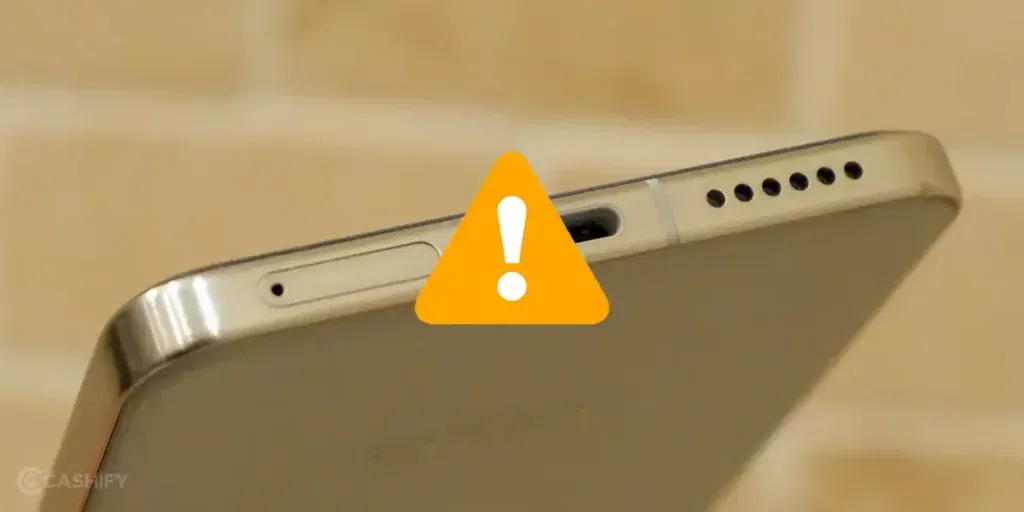
Are You Facing Any of These Vivo X200 Pro Charging Jack Problems?
- Phone not charging at all or charging very slowly.
- Charger connects loosely and falls out easily.
- Intermittent charging that starts and stops repeatedly.
- “Charging paused” or no charging animation despite cable insertion.
- Overheating near the charging port during attempts to charge.
- Phone charges only in specific angles or positions.
These signs usually point to a hardware issue with the charging port (also called the charging jack or USB-C connector) rather than just a faulty cable.
Safe Troubleshooting Steps: Verify It’s the Charging Jack
Before concluding it’s a Vivo X200 charging jack problem, perform these non-invasive checks to rule out other common causes:
Test with Original Accessories:
Use the original Vivo 90W charger and cable. Try a different wall outlet. If it still doesn’t charge properly, move to the next step.
Try Alternative Chargers:
Test with another compatible high-quality charger (PD 3.0 or higher, at least 65W). If the phone charges normally with a different charger and cable, the issue is likely with your original cable/adapter. Not the phone’s jack.
Inspect and Clean the Port Safely:
Look inside the USB-C port for visible dust, lint, or debris using a flashlight. Gently blow compressed air (if available) to clean it. Do not insert any sharp objects like needles or toothpicks.
Restart and Software Checks
- Restart your Vivo X200 Pro.
- Check for system updates in Settings > System & Updates.
- Boot into Safe Mode (press and hold the Power button > long-press “Power off” > select Safe Mode) and test charging. If it works in Safe Mode, a third-party app may be interfering.
Test Wireless Charging:
The Vivo X200 Pro supports 30W Wireless FlashCharge. Place it on a compatible Vivo wireless charger.
- If wireless charging works but wired doesn’t: This strongly indicates a charging jack / port issue.
- If wireless also fails: The problem could be with the battery, charging circuit, or software.
Monitor Charging Behaviour Plug in the charger and observe:
Does the phone show any charging icon, even briefly? Check battery percentage after 10 to 15 minutes. Persistent failure across multiple cables + successful wireless charging usually confirms the Vivo X200 Pro Charging Jack Problem.
Also read: Do You Need A Vivo Y15c Motherboard Repair? Recognise Signs And Repair Solutions!
Vivo X200 Pro Charging Jack Repair Cost
Repair costs can vary slightly based on the exact damage and location, but here’s a general estimate:
| Repair Type | Approximate Cost (Rs.) | Time Required |
|---|---|---|
| Charging Port Cleaning Only | 399 – 799 | Same day |
| Charging Jack / Port Replacement | 1,499 – 2,499 | Same day / Next day |
| Charging Flex Cable + Port | 2,299 – 3,299 | 1-2 days |
| Full Sub-Board Replacement | 3,500+ | 1-3 days |
Note: Prices are indicative and may vary.
Get an instant quote on the Cashify app or website by selecting your model and issue. We offer transparent pricing with no hidden charges.
At Cashify, the repair service for the Vivo X200 charging jack starts around Rs. 999. Cashify often runs repair discounts and combo offers. Check while booking the service.
Professional Diagnosis & Repair Process At Cashify
Cashify provides the fastest and easiest mobile repair in town. There are over 200+ stores throughout the country. Just visit the nearby Cashify or book a phone repair online. After a point, professional inspection becomes important. Instead of guessing or attempting self-repairs. Here’s what our process looks like:
- Our technicians check if the issue is with the port, flex cable, or related components.
- We use reliable charging port assemblies compatible with Vivo X200 Pro (V2413).
- Trained experts handle the delicate sub-board replacement carefully.
- Available in major cities. No need to visit a service centre.
- Fastest turnover time and one-day, instant repairs available in most cases.
- Discounts available to reduce repair expenses overall.
Many users who faced the Vivo X200 Pro Charging Jack Problem have successfully revived their devices through Cashify’s professional service.
How To Book A Repair On Cashify?
- Go to the Cashify website or app.
- Select the “Vivo” brand tab
- Choose your model “Vivo X200 Pro” or search in the search bar.
- Choose “Charging Jack” as the issue. Also, check the Vivo phone repair fee here.
- Enter your address or sign in to create a profile for the future.
- Select a slot for the technician’s visit.
- Place an order.
Payment will be made only after the mobile phone repair process is complete.
We do not recommend DIY repairs on the Vivo X200 Pro. Opening the device can void any remaining warranty, risk further damage to the water-resistant seal, or cause motherboard issues.
Also read: How To Fix Vivo V11 Pro Screen Issues? Replace It Affordably!
Final Words
Thankfully, the Vivo X200 Pro charging jack problem isn’t as serious as it seems. You can simply go to reliable professionals like Cashify. Whether it’s slow charging, no charging, or a loose port, don’t stress out. Cashify can surely offer a fast and hassle-free solution.
Are you still browsing through your broken screen? Don’t worry! Book at-home mobile phone screen repair with Cashify, an affordable and one-stop destination for all your mobile phone needs. In case you break your screen within 1 month of repair, we will replace your screen again for FREE.