OPPO, with the new ColorOS 17, expects to polish everything that already exists. Based on Android 17, it is set to focus heavily on smoother animations, better touch feedback, and a more consistent interface. Today we are going to go all in with the ColorOS 17 features.
The biggest change so far is not a massive redesign. Instead, OPPO is refining the way different parts of the interface move and respond to your touch. The company has teased features such as a new floating navigation system, Fluid Fusion animations, and a physics-based feedback system.
The full feature list is still not known. The official ColorOS 17 announcement is scheduled for September 17, 2026. Still, OPPO’s teasers give us a pretty good idea of what to expect.
Here are the ColorOS 17 features we know about so far.
Also read: ColorOS 16 vs ColorOS 17: What’s New, What’s Better, And Should You Upgrade?
ColorOS 17 Features: What’s New?
1. Global Floating Island Navigation
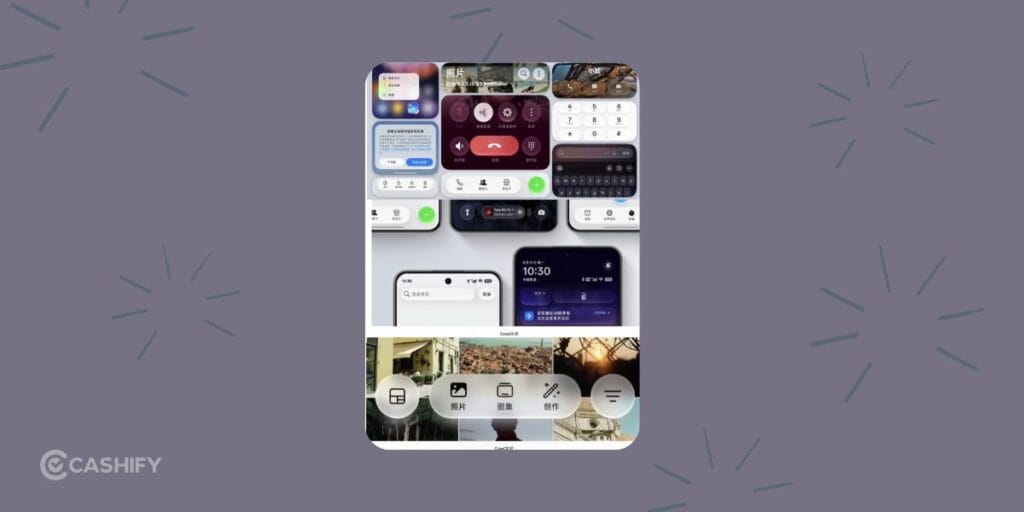
One of the most noticeable ColorOS 17 changes is the new Floating Island Navigation system.
Instead of having different navigation treatments across individual apps, OPPO is introducing a floating navigation bar that works across a wide range of built-in apps. This includes apps such as Files, Photos, Phone Manager, Compass, Notes and Documents.
The floating bar sits above the main content, giving the interface a cleaner edge-to-edge appearance. You can also swipe left or right on the bar to move between different sections.
This sounds like a small change on paper, but it could make ColorOS feel much more cohesive. One of the annoying things about smartphone software is when every system app seems to follow a slightly different design language. OPPO appears to be trying to fix that.
2. Fluid Fusion Animations
ColorOS 17 also gets smoother animations with Fluid Fusion.
OPPO is improving the fluid animations introduced with ColorOS 16. The goal is to make transitions between different actions feel smoother and more connected.
Instead of one animation suddenly stopping and another starting, the elements will smoothly move from one action to the next. This can be seen in areas like the lock-screen island, notification panel, global search, and floating navigation.
For example, when you swipe through notifications, the different options can appear one after another in a smoother way. In the search section, elements can also smoothly expand and shrink instead of simply appearing or disappearing.
These changes may seem small, but they can make the phone feel much smoother and more polished during everyday use.
3. A More Responsive Touch Experience
Another interesting part of ColorOS 17 is its Flexible Feedback System.
The idea here is simple: the interface should react to your finger in a way that feels closer to a physical object.
UI elements can stretch when you drag them, compress during quick movements, and spring back after you release them. The system can also adjust how quickly an element responds based on the speed of your gesture.
A quick swipe can trigger a faster response, while a slower drag can introduce subtle resistance.
This is where ColorOS 17 could feel different from a standard visual refresh. OPPO is not just changing what the interface looks like. It is also tweaking how it behaves under your fingers.
Also read: ColorOS 17 Features, AI Tools, Performance Upgrades: Everything Explained!
4. Refined Liquid Acrylic Design
ColorOS 17 is also getting some visual changes under OPPO’s Liquid Acrylic design.
You can expect more consistent rounded corners across pop-ups, notifications, menus, and other parts of the system. OPPO is also cleaning up the overall look by reducing visual clutter while keeping some transparency and soft lighting effects.
Don’t expect a major “Liquid Glass” makeover, though. OPPO has already indicated that it isn’t going for a heavy glass-like design across the entire interface.
Instead, the focus is on making ColorOS look cleaner, easier to read, and more consistent. And honestly, that sounds like a good move. Too much blur and transparency can make a phone’s interface look messy.
5. Better Overall System Performance
Performance is another key focus of ColorOS 17.
OPPO says the update will improve everyday tasks such as opening apps, moving around the interface, and keeping apps running in the background.
| Performance area | Claimed improvement |
|---|---|
| Interface smoothness | Up to 35% |
| App cold-start speed | Up to 20% |
| Keeping background apps active | Up to 50% |
Keep in mind that these are OPPO’s own claims, so the actual experience can vary from one phone to another.
Still, these improvements could make a noticeable difference in daily use. Smooth animations look nice, but they don’t mean much if apps take too long to open or keep reloading in the background.
6. ColorOS 17 Is More About Refinement Than A Major Redesign
If you were expecting ColorOS 17 to completely change the look and feel of OPPO phones, the current teasers suggest otherwise.
OPPO is focusing more on improving the basics, such as smoother animations, faster responses, cleaner system apps, and better overall performance.
That isn’t necessarily a bad thing. ColorOS has already seen plenty of visual changes over the years. Instead of changing everything again, OPPO seems to be focusing on polishing what is already there.
The bigger question now is what else OPPO has planned. The company is yet to reveal the full list of ColorOS 17 features, including its new AI features and other major changes.
Also read: Android 15 Features, Eligible Devices List, All Details!
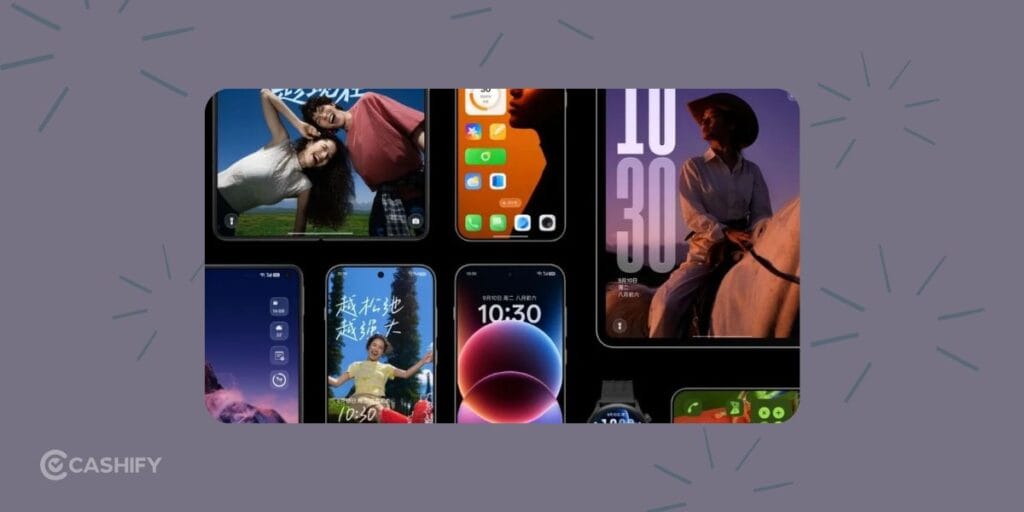
What Other ColorOS 17 Features Could Arrive?
The current teasers don’t represent the complete ColorOS 17 feature list.
OPPO is expected to reveal more at its September 17 event. Areas that are still waiting for detailed confirmation include:
- New AI features
- Control Center changes
- Lock-screen clock customisation
- Additional interface changes
- More performance improvements
- Device-specific features
- Exact rollout schedules
There are also reports of beta builds showing things such as progressive blur, frosted effects and new visual elements like Contour Glow. These changes should be treated carefully for now since OPPO has not fully confirmed all of them.
So, if you’re looking for the complete list of ColorOS 17 features, we’ll have to wait for the official announcement.
When Will ColorOS 17 Roll Out in India?
The stable rollout should start after the China launch, with newer flagship phones likely getting the update first.
Based on previous ColorOS rollout patterns, Indian users can expect something like this:
- Flagships: Late September to October 2026
- Mid-range phones: Following weeks or months
- Older and budget phones: Late 2026 to early 2027
Indian users often receive major ColorOS updates a few weeks to a couple of months after the initial China rollout. The exact timing can vary by model and region.
Also Read: Xiaomi HyperOS 3.0 Release Date, Eligible Devices, Features!
Expected ColorOS 17 Eligible Devices in India
OPPO, OnePlus, and realme have not yet released the final list of ColorOS 17 eligible phones. Still, based on their recent update policies and current beta activity, these are some of the devices and series that could receive the update.
OPPO
- Find X9, X9 Pro, X9 Ultra and newer models
- Find X8 series
- Recent Find N foldables
- Reno 15, Reno 14, Reno 13 and recent variants
- Select F and K series phones
- Eligible OPPO Pad models
OnePlus
- OnePlus 15 and 15R
- OnePlus 13 series
- OnePlus 12 and 12R
- OnePlus 11
- OnePlus Open
- Recent Nord models, including Nord 6, Nord 5 and newer variants
- Select OnePlus Pad models
Realme
- realme GT 8 Pro and recent GT series models
- Recent Number series phones
- Select P and Narzo series devices
- Eligible realme tablets
Keep in mind that this is an expected list, not the final official eligibility list. Older phones and some entry-level models may not qualify based on their promised Android update cycles.
Also read: ColorOS 17 Release Date And Eligible Devices: All Details Here!
ColorOS 17 Features Compared To ColorOS 16.
| Feature Category | ColorOS 16 | ColorOS 17 |
|---|---|---|
| Base Android Version | Android 16 | Android 17 |
| Core Animation System | Seamless Animations + Luminous Rendering Engine | Fluid Fusion animations (extended system-wide) |
| Touch Feedback | Smooth, point-of-touch animations | Flexible Feedback System (stretch, compress, elastic bounce based on finger pressure & speed) |
| Navigation | Standard bottom navigation bars | Global Floating Island Navigation (system-wide floating bar across nearly all built-in apps; swipe left/right to switch sections) |
| Visual Style / Materials | Luminous Design (light & shadow, soft glows, translucency) | Refined Liquid Acrylic materials + more consistent rounded corners system-wide |
| Rendering Engine | All-New Luminous Rendering Engine (unified seamless architecture) | Further optimised / extended from ColorOS 16 foundation |
| Performance Engine | Trinity Engine (chip-level Dynamic Frame Sync) | Further refinements focused on stability & efficiency |
| Lock Screen / Live Alerts | Lockscreen Island / Aqua Dynamics improvements, full-screen AOD, motion wallpapers | Enhanced Lockscreen Island + Fluid Fusion animations applied |
| Home Screen | Flux Home Screen (resize icons/folders dynamically) | Expected to retain + refined animations & consistency |
| AI Features | AI Portrait Glow, AI Eraser, AI Unblur, Reflection Remover, Mind Space, Gemini Live integration | Expected expansions & refinements (full details still pending) |
| Cross-Device | O+ Connect (improved Mac/Windows + iOS support) | Expected continuation + possible expansions |
| Design Philosophy | Nature-inspired light & shadow, Seamless Animation focus | Core experience polish, physics-based motion, consistency over radical redesign |
| Status (as of Sep 2026) | Stable & widely rolled out | Closed beta live; stable expected late Sep / Oct 2026 onward |
Also Read: One UI 5 vs One UI 6: A Complete Interface Comparison!
Final Words
The biggest strength of ColorOS 17 is that OPPO is focusing on the basics. Smoother animations, better touch response and the new Floating Island Navigation should make everyday use feel more fluid.
If you were expecting a completely new design with lots of new features, ColorOS 17 may feel a bit less exciting. But if you want a phone that feels smooth, fast and easy to use, this update looks promising.
Overall, ColorOS 17 looks like a better everyday experience than ColorOS 16. OPPO is improving the parts of the software you use the most. We will know more after the September 17 launch, when OPPO reveals the full list of features and eligible devices.
If you’ve just bought a new phone and don’t know what to do with your old phone, then here’s your answer. Sell your old mobile to Cashify and get the best price for it. If you are planning to buy a new phone, check out Cashify’s refurbished mobile phones. You can get your favourite phone at almost half price with a six-month warranty, 15-day refund and free delivery.