Select City
TECH500

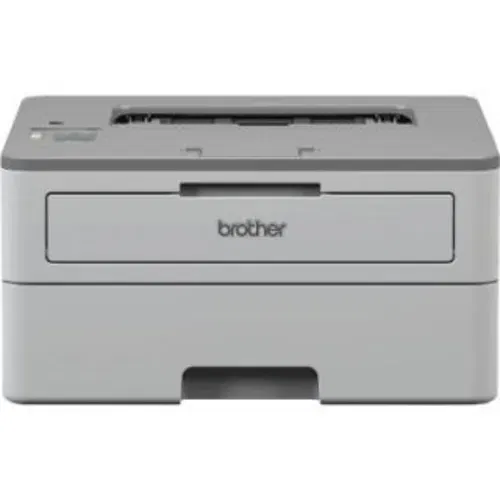
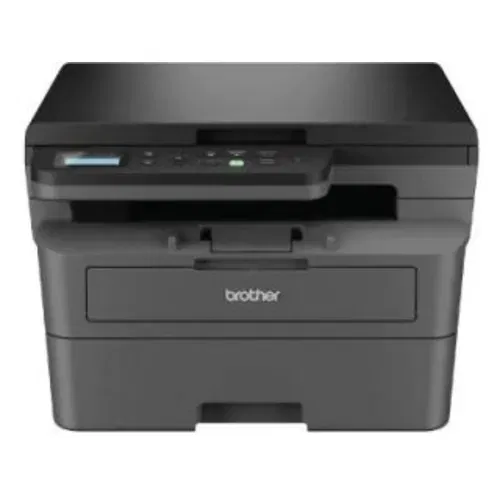
Pantum M7102DN Multi Function Laser vs HP LaserJet MFP 136nw (4ZB87A) Multi Function Laser

Key Feature Comparison

Pantum M7102DN Multi Function Laser

Check Price
close

HP LaserJet MFP 136nw (4ZB87A) Multi Function Laser

Check Price
close
Add more printers to compare

At a Glance

Show differences only

2 Line LCD Display

Copy,Print,Scan, Multi Function

2-Line LCD Display

Copy,Print,Scan, Multi Function

Laser

Monochrome

Laser

Monochrome

2 Pages

150 Pages

10000 Pages

12 kgs

7.4 kgs

Detailed Specs

Brand

Pantum
HP

Model

M7102DN
LaserJet MFP 136nw (4ZB87A)

Price

Rs. 16,138
Rs. 16,999

Price Status

Confirmed
Confirmed

Market Status

Discontinued
Available

Display

Yes
Yes

Display Specifications

2 Line LCD Display
2-Line LCD Display

Functionality

Copy,Print,Scan
Copy,Print,Scan

Functionality Type

Multi Function
Multi Function

Internal Memory

256 Mb
128 Mb

Printing Method

Laser
Laser

Printing Output

Monochrome
Monochrome

Printer Type

Laser
Laser

Input Tray Capacity

2 Pages
150 Pages

Media Size Supported

250
A4; A5; A5(LEF); B5 (JIS); Oficio; Envelope (DL,C5)

Number of Paper Trays

2
1

Media Types

A4, A5,A5L A6 JIS B5, IS0 B5,B6 , Letter, Legal, Executive, Folio, Oficio, Statement, 16K, Big
Plain, Thick, Thin, Cotton, Color, Preprinted, Recycled, Labels, CardStock, Bond, Archive, Envelope

Media Types Supported

Plain Paper, Thin Paper, Recycled Paper, Thick Paper
-

Output Tray Capacity

150 pages
100 pages

Supported Media

80 g/m2
75 g/m2

Auto Document Feeder

-
Yes

Paper Input

-
Up to 10 Envelopes

Paper Handling Optional, Input

-
150-Sheet Input Tray

Paper Handling Standard (Output)

-
Sheetfed

Ethernet Support

Yes
Yes

USB support

Yes
Yes

First Page Out

8.2 Seconds
8.3 Seconds

Duplex Printing

Yes
Yes

Print Speed

33 per min
-

Max Print Resolution

1200,1200 dpi
-

Monthly Duty Cycle

60000 Pages
10000 Pages

Print Speed, Black (Normal Quality Mode)

33 per min
20 per min

First Page Out (Black)

-
8.3 Seconds

Duty Cycle

-
10000 Pages

Mobile Printing Capability

-
Yes

Print Resolution (Black)

-
600,600 dpi

Recommended Monthly Print Volume

-
100,2000 Pages

Warm Up Time

-
32 Seconds

Copy Resolution

600,600 dpi
-

Copy Speed

35 cpm
-

Copier Resize

-
25400%

Maximum Copies

-
99 Pages

Operating Humidity Range

20,80
10,80

Operating Temperature Range

10,35 Celsius
10,30 Celsius

Rated Voltage

220 V
220 V-240 V

Consumption (Active)

-
300 Watt

Consumption (off)

-
0.2 Watt

Rated Frequency

-
50 HZ-60 HZ

Memory

256 MB
128 MB

Operating System

Microsoft Windows 98SE, NT, 2000, XP, Vista or Windows 7, Windows 8/8.1/10, MAC OS, NetWare, UNIX or Linux
Windows 7

Processor Speed

600 MHz
600 MHz

Network Management Tool

-
TCP/IP, IPv4, IPv6; print: TCP-I, SNMPv1/v2/v3, HTTP

Depth

350 mm
359.6 mm

Height

350 mm
253 mm

Width

415 mm
406 mm

Weight

12 kgs
7.4 kgs

In The Box

Printer, Accessories, Power Cord, Warranty Card User Manual

Warranty

-
1 Year

Scan Resolution

-
48,004,800

Bit Depth Colour

-
8 bit

Maximum Scan Area

-
216,297 mm

Method

-
Contact Image Sensor (CIS)

Scan Features

-
PDF, JPG, TIFF, PNG, BMP

Scan to USB

-
Yes

Scanner Type

-
Flatbed

TWAIN Compliant

-
Version 1.9

Print Languages & Standard

-
SPL
Turn your old phone into cash

You May Also Read

Best 4GB RAM Mobile Phones With 2000mAh Battery
Best 4GB RAM Phones

Tips & Tricks

Free Fire Diamond Hack 2026: Tricks To Get Unlimited Diamonds!
16th Nov 2026
How To Check WiFi Password On iPhone: 4 Easy Ways
16th Nov 2026
How To Check Jio Data Balance: Quick And Easy Steps​
16th Nov 2026
20 Tricks To Make Your Phone Not Reachable And Avoid Unwanted Calls!
16th Nov 2026
How To Disable Flash Messages? Let’s Find Out Here
15th Nov 2026

Recent Articles

Best Free Fire Sensitivity Settings – Check All Details November 2026
16th Nov 2026
Best Claude Alternatives That You Should Try Now (Free And Paid)
16th Nov 2026
Apple iPhone 12 Pro Max Battery Replacement: Cashify Vs Apple Repair Compared
16th Nov 2026
How To Check WiFi Password On iPhone: 4 Easy Ways
16th Nov 2026
Best Phone Under 40000: Top Picks To Buy In 2026
16th Nov 2026