A convenient survey or quiz, which you can quickly create using Google Forms, might benefit any business or project. All you have to do is pick what the digital document will be about and then put it together in a few stages. Using a tool like Google Forms to construct an online survey is one of the most popular and dependable methods to swiftly collect input from a large number of people. However, in order to collect the replies you need, you must first understand how to make or create a Google Form.
Here’s a step-by-step instruction for creating a Google Form, from selecting choices to putting items. The more familiar you become with the programme, the more quickly you will be able to utilise it. It’s also a useful tool to learn if you want to frequently monitor and see different statistics of your organisation. So, let us take a look.
Also Read: How To Link Aadhar With PAN Via Online And Offline Modes
How To Create A Google Form?
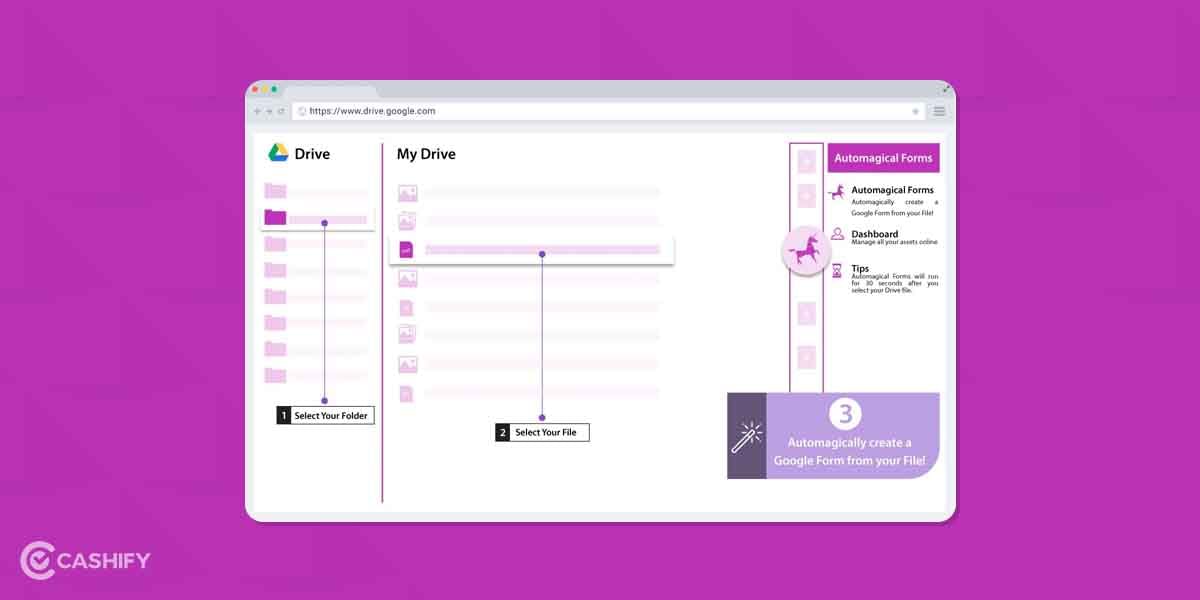
There are a few basic steps to create a Google Form. Let us now take a look at all of them below.
Start A Google Form
- The initial step is to launch Google Forms. Go to the official website of Google Forms; You can also go to Google Drive and click New on the left pane.
- Next, after clicking on that, click on Google Forms. Make sure you are signed in with your Google account.
- There are several readymade options available, including RSVP, feedback, order, and contact information forms. You can choose any of them and modify them to make a Google Form of your choice.
Fill in the blanks afterwards, but make sure they’re clear and precise. For example, if you’re making a Google form for a survey, you may need to describe what it’s for and what to keep in mind. When requesting updates from your remote team, you can provide additional instructions to personnel in other departments.
Also Read: How To Recover A Disabled Facebook Account
What Do You Need To Write In A Google Form?
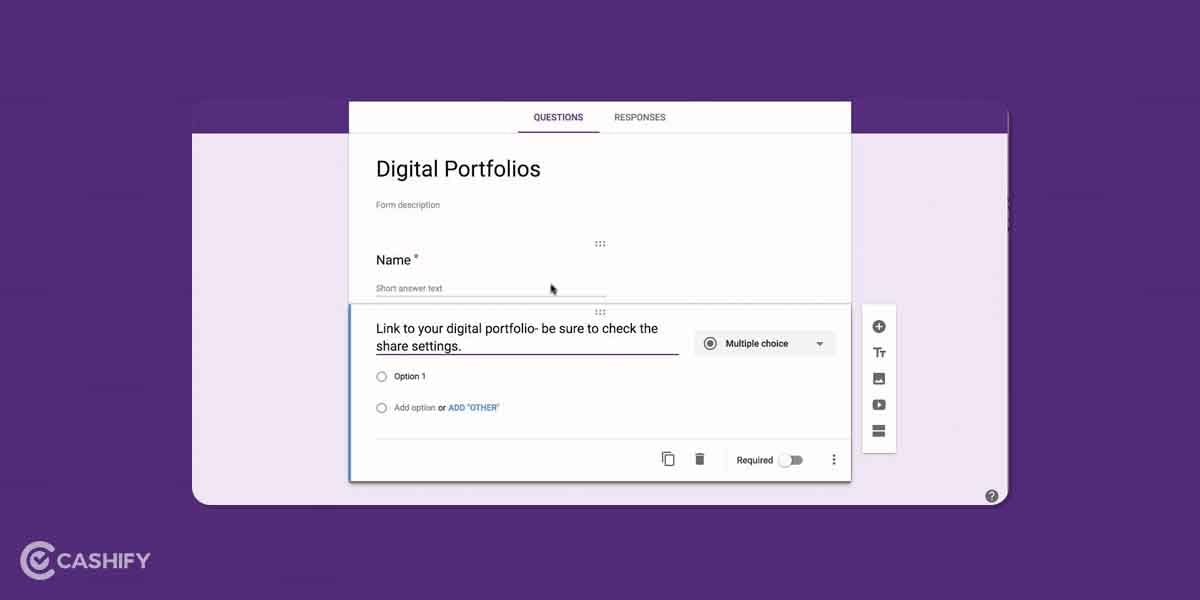
Now that you have learned how to access and open a Google Form, you must now know what to write in a Google Form. There are various types of questions and multiple choices you can add to any custom Google Form. Let us take a look at all of those.
- Questions – You can enter your question here or import it from another form. Then, beside the question form, click the drop-down menu to specify how recipients should respond. Click the Plus symbol in the righthand toolbar of your form to add new questions.
- Multimedia – With your mobile phone’s camera, URL, Google Drive, and Google Images as potential sources, you have a lot of options to add any multimedia. You can also put photographs and infographics between questions by selecting the image icon in your sidebar. You’ll also see the Add video icon there. It allows you to import material from a URL or from YouTube’s library.
- Theme – Make the Google form as appealing as possible. The Customize theme icon may be found at the top of the main page. When you click on it, a new sidebar appears with options for adding a header picture and changing the document’s colours and font. The editor will automatically propose matching colours for the form and its backdrop based on the image. Fonts are similarly limited to four selections. However, if you use everything carefully, you will be able to create unique shapes every time.
- Preview – It’s a good idea to preview your form before sharing it with the rest of the world. Simply click the Preview (eye) button in the top-right corner of the page to do so. This will open your form in a new tab, where you can test all of the questions to ensure that everything is working properly.
So with all of these tools and methods, you can easily create Google Forms according to your needs. These methods also allow you to customise and preview the Google Form according to your liking.
Also Read: Ok Google Set Up My Device: Get Started On Your New Phone Easily
How To Share A Google Form?
The last step is to share your form with the rest of the world! To do so, go to the top-right corner of the page and click the Send button. This will launch a sharing dialogue in which you may submit your form through email or share it via a link to multiple websites or accounts. If you like, you can also embed your form on a website. Google also allows you to make a form public or visible to a few members of your choice.
Synopsis
Exploring all of your accessible options and successfully adding survey questions is the first step in learning how to make a Google Form. You can experiment with various templates, themes, and settings. Then you’ll have a solid notion of what you can achieve with various tools. You need to then how to link or share Google Forms with other platforms you use. Professional polls, quizzes, surveys and many other different types of questionnaires can be added to any Google Form. We hope our article will certainly help you regarding that aspect and help you create a successful Google Form.
Cashify helps you sell old mobile phone and sell old laptop. If you are looking forward to getting the best deal for your product, then Cashify is the right place for you