Have you forgotten your PDF password? Or are you stressed because an urgent document needs to be printed, and it shows “Enter password.” Such problems are familiar to us, especially with our stressful lifestyle and routines. These days, online documents and PDFS are an essential part of our work routine and studies. We share, receive, and build many PDF files in our daily schedule. But what if you want to remove the password from a PDF file? Well, this article will help you with a detailed guide on how to remove the password from a PDF file.
PDF Passwords: Why Are They Necessary?
This PDF file is password-protected – this message is a common pop-up whenever you open a PDF document these days. The password protection feature for PDF documents came in around the decade of 2010. This feature was an important security measure with the increased sharing of PDF files, especially across mobile devices. But why were PDF passwords necessary? Here are some of the common reasons:
- Enhanced Security
- In order to save the file from any third-party breach.
- PDF passwords are important when sharing a private document.
- Password-protected PDFs have a lower chance of being misused than normal PDF files.
- Password protection can be extremely useful if you are sharing government documents/official documents.
Password protection gives your files an added layer of security. But what if you need to remove this added layer? What if you see a password-protected PDF file and need to remove the password? Well, there are many ways to remove the password from a PDF. Let us unveil these methods here.
Also Read: Best Free PDF Editors That Work Like Magic
How to Remove the Password From a PDF File?
Let us now discover some of the key ways to remove the password from a PDF file, so the next time you are in such trouble, you won’t need to worry. Here are some of the ways you can do it:
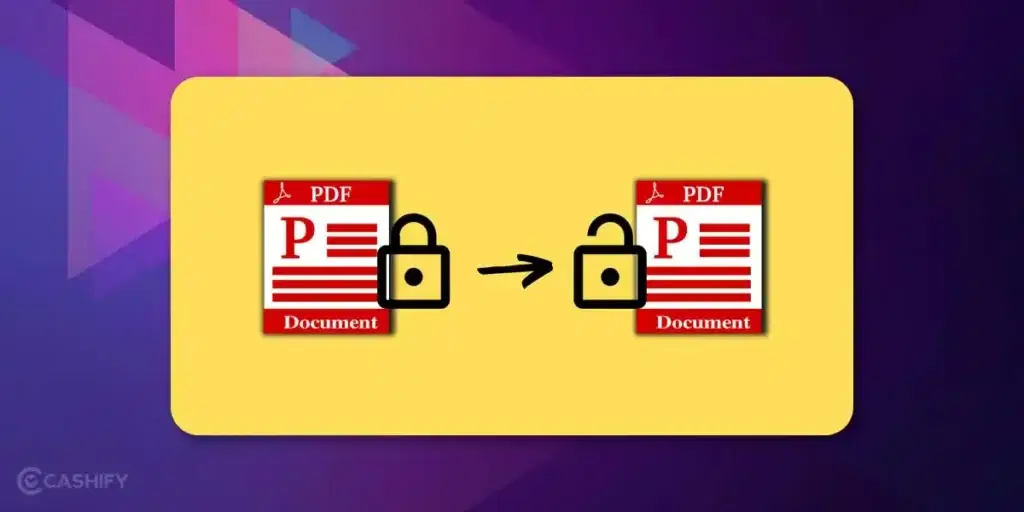
1- Ask the File Owner to Remove the PDF Password
The first, safest, and most efficient way to remove the password from a PDF document is to consult the file owner directly. Usually, the file owners put password protection on the PDF documents. So it would be great if you talked to the owner directly and asked him/her to remove the password protection and reshare the file with you.
Who Should Use This Step?
- Those who are in direct contact with the owner of the file
- Anyone who does not know other methods to solve it.
- Those who have completely forgotten the password and can’t access.
But then, what if I do not know the author? How do I remove the password from a PDF? Here’s another alternative.
Also Read: How To Make a PDF On Mobile? A Step-by-Step Guide
2- Using Online Tools
There are many online tools available which you can use to remove passwords from PDF files. These tools help you remove PDF passwords through just four to five steps. However, many of these online tools might not be safe, so it is advised to stay extremely careful (especially if you are dealing with any official/private document).
Who Should Use This Step?
- Those who know how to use online tools.
- Anyone who does not have access to the file for once.
- People who do not have a mobile app and want to unlock a PDF through the web.
3- Using Adobe Acrobat
Adobe Acrobat is probably the most commonly used platform to access/share/frame PDF documents. This platform is used worldwide on mobile devices, PCs, laptops, for PDF documents.
Here’s how you can remove a PDF password using Adobe:
- Open the file in Adobe Acrobat Pro
- Go to the ‘tools’ section.
- Click on ‘Protect’, then choose ‘Encrypt’
- After this, you will find a ‘remove security’ option; click on it.
Who Should Use This Step?
- Those who have access to the file for once.
- Those who have the Adobe Acrobat app.
- People who want to take a safer step.
4- Using Software Techniques
There are multiple options to remove the password from a PDF document. Well, this option is for extreme-level PC geniuses and coders. You get many software tools, coding prompts, and HTML extensions, etc, through which you can remove the passwords of your PDF files.
Who Should Use This Step?
- People who know advanced computer tricks.
- Those who have installed such software.
- Those who know how to use these software tools.
5- Changing the File Format
It can often be tried that you change the format of the PDF file, to retrieve/unlock/access the inside content without having to open the password-protected file. However, this step is not that successful, and can be achieved through some special or third-party software (which is often malicious)
Who Should Use This Step?
- People who know how to change file formats.
- Those who use such tools.
- Those who have access to the content of the PDF file.
Also Read: How To Convert PDF To Doc For Free On Desktop And Mobile Phones
Although we have mentioned the ways you can get out of your troubles, we also want you to stay managed and safe while dealing with PDF documents. That is why we bring you certain tips.
Tips to Save You From The ‘Remove Password’ Case
Below are specific tips through which you can stay managed and safe, and ensure that you do not need to search the web for questions like ‘how to remove a PDF password’:
- Note down your passwords in special places, so you don’t forget them.
- Use easy-to-remember passwords.
- Do keep a copy of the content with you, so that the content can be accessed/shared.
- Manage your workload efficiently.
- Do keep a track of your shared files and shared passwords.
- Maintain a sheet/update of your important/official files.
- Have a record of the documents that are on your device.
Also Read: Lesser-Known Google Drive Tips And Tricks To Increase Productivity
End Note
The password tensions and mismanagement are quite common, and you do not need to worry. Managing digital documents should make life easier, not harder. While the security of your documents is essential, it is also important to have some backup solutions for such problems. If you find yourself constantly typing the same PDF password over and over again, it’s better that you try the above mentioned methods and stay vigilant ahead.
Are you still browsing through your broken screen? Don’t worry! Book at-home mobile phone screen repair with Cashify—an affordable and one-stop destination for all your mobile phone needs. In case you break your screen within 1 month of repair, we will replace your screen again—for FREE.