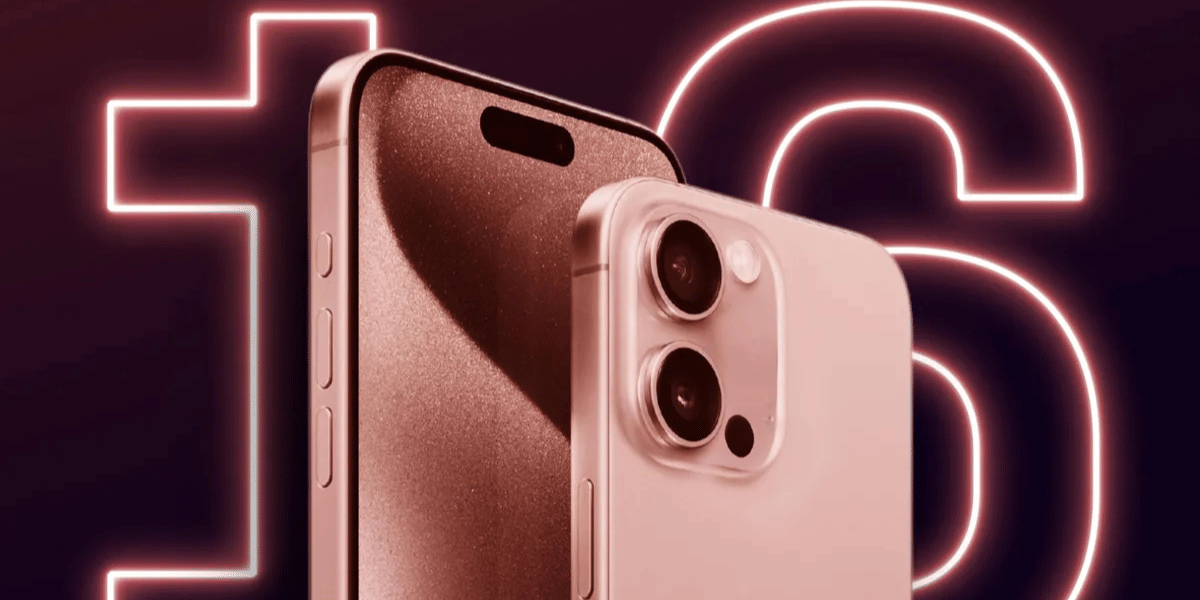
Apple is here with the public beta version of iOS 27, known as iOS 27 Beta 4. Hence, we need to discuss the most important details of this OS update. Some say it is just a bug-fix roundup, while others say it might slow down your camera optics, but what is the full story? Well, to discover all the key details of this update and analyse whether Apple users should get this update or not, and if yes, then how. So, I hope this explainer helps you out. Let us begin.
Also Read: Galaxy Unpacked Event 2026: Fold 8, Flip 8 & Everything You Can Expect
What Will You Get In This OS Update?
Before we begin, it is important to know all the key highlights of the iOS 27 Beta 4 update. This update’s biggest highlight has been the Siri advancement that you will see. Apple has completely focused on giving AI an upper hand and bringing some solid performance features to the table.
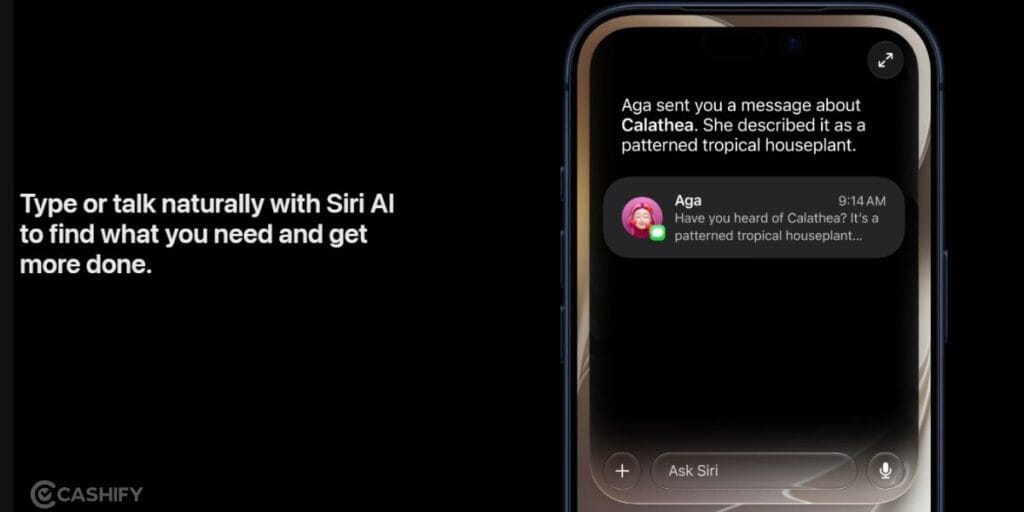
Siri Gets A New Version, Looks Also Change

Siri has been at the centre of the iOS 27 Beta 4 update. Siri’s commands, UI, and the complete interface have got the ‘Liquid Glass’ makeover, which earlier had static backgrounds. Also, the redesigned Siri welcome screen has come. It has got smarter; new AI optimisation has been added, and Siri’s revamp has got us all talking about this update.
Photos App Changes
The Photos app in your iPhone will get a new visual makeover. The app gets refinements, the camera app has got better optimisation. More importantly, a new “Zoom Photos to Fill” option has been added to the Photos app settings.
TV App Gets A New Feature
Automatic Downloads can now download the next two episodes of a show automatically.
Bug Fixes
Heating bugs, performance bugs, and Apple ID security enhancements will also come inside the iOS 27 Beta 4 update in upcoming releases. So, almost all the previous bugs have been almost fixed.
iOS 27 Beta 4 Features Summary
| Feature | Details |
| AI-Powered Siri Improvements | iOS 27 Beta 4 continues testing Apple’s next-generation Siri with better understanding, improved responses, and deeper app integration. |
| New Siri Interface | Apple has introduced a redesigned Siri welcome screen with a refreshed visual experience. |
| Enhanced Siri Voices | New voice options offer improved expression, natural pacing, and better conversational quality. |
| Apple Intelligence Expansion | AI features are being extended across apps like Photos, Mail, Safari, Messages, Home, and Shortcuts. |
| Liquid Glass Refinements | Apple has improved transparency controls and visual elements across the interface. |
| Dynamic Island Updates | Siri interactions now offer a more integrated experience through Dynamic Island. |
| Performance Improvements | Beta 4 brings faster app launches, improved Camera response, smoother AirDrop transfers, and better connectivity. |
| Photos & TV App Updates | New photo display settings and automatic episode downloads improve everyday usability. |
| AirPods Enhancements | Adaptive Mode controls are now more accessible through Control Centre. |
Also Read: One UI 9 Beta 4: Supported Devices And New Features
iOS 27 Beta 4 Release Date: When Will You Be Able To Download It?
This update was released on July 20, 2026. The update is currently available to developers through the Settings app and will likely become available to public beta testers soon.
How To Get This Update?
- Back up your iPhone using iCloud or a computer before installing the beta update.
- Join Apple’s Developer Program or Apple Beta Software Program using your Apple ID.
- Open Settings > General > Software Update on your iPhone.
- Tap Beta Updates and select iOS 27 Developer Beta or iOS 27 Public Beta (if available for your account).
- Return to the Software Update page and wait for iOS 27 Beta 4 to appear.
- Tap Download and Install, then enter your passcode and accept Apple’s terms and conditions.
FAQs
What are the major new features in iOS 27 Beta 4?
The update brings an upgraded Siri experience, new Siri voices, Dynamic Island improvements, Liquid Glass refinements, better AirPods controls, and performance optimisations across the system.
Does iOS 27 Beta 4 improve Siri AI features?
Yes, the update continues Apple’s work on AI-powered Siri with improved conversations, a refreshed interface, enhanced voices, and deeper integration with Apple apps.
Which iPhones support iOS 27 Beta 4?
The beta is available for compatible iPhone models supported by iOS 27. However, some advanced Apple Intelligence features require newer iPhones with AI-capable hardware.
Is this update safe to install?
Since it is a developer beta, users may experience bugs, battery issues, or app compatibility problems. It is recommended for testers rather than primary devices.
How can users download this update?
Users enrolled in Apple’s Developer or Beta Software Programme can download the update through the Software Update section in iPhone settings.
In A Nutshell
That’s it from this guide on iOS 27 Beta 4. This OS update is here to stay because of the utilities that it is providing. The kind of update is mostly for bug fixes. Hence, this might not fascinate many users with its number of updates and fancy widgets and add-ons, but as far as performance is concerned and bug fixes are concerned, this update is a crucial one.
Also Read: Android 17 Beta For Pixels: How To Download, Eligible Devices And More
Are you still browsing through your broken screen? Don’t worry! Book at-home mobile phone screen repair with Cashify—an affordable and one-stop destination for all your mobile phone needs. In case you break your screen within 1 month of repair, we will replace your screen again—for FREE.