A laptop suddenly starts acting up, and the first thought is usually: “Should I repair this or just buy a new one?” It’s a fair question, and laptop repair vs replacement is a big debate.
Laptop repairs can get expensive, but replacing a laptop can put a much bigger dent in your wallet. Plus, if your current laptop still does everything you need, buying a new one may not make much sense.
So, how do you decide? Let’s break it down!
Also read: Most Common Laptop Problems For Possible Repair Instead Of Replacing The Device!
Laptop Repair vs Replacement: The Quick Answer
Repair your laptop if:
- It is still reasonably fast for your daily work.
- The problem is limited to one or two components.
- The repair cost is much lower than a new laptop.
- The laptop is relatively new.
- You still have several years of software support left.
- You are happy with its screen, keyboard, battery life and overall performance.
Consider replacing it if:
- It is very old and already slow.
- Several major components need attention.
- The repair bill is close to the cost of a new laptop.
- It has recurring problems.
- It no longer gets important software or security updates.
- You need better performance for work, gaming or creative tasks.
That’s the basic rule. But there’s a little more to it.
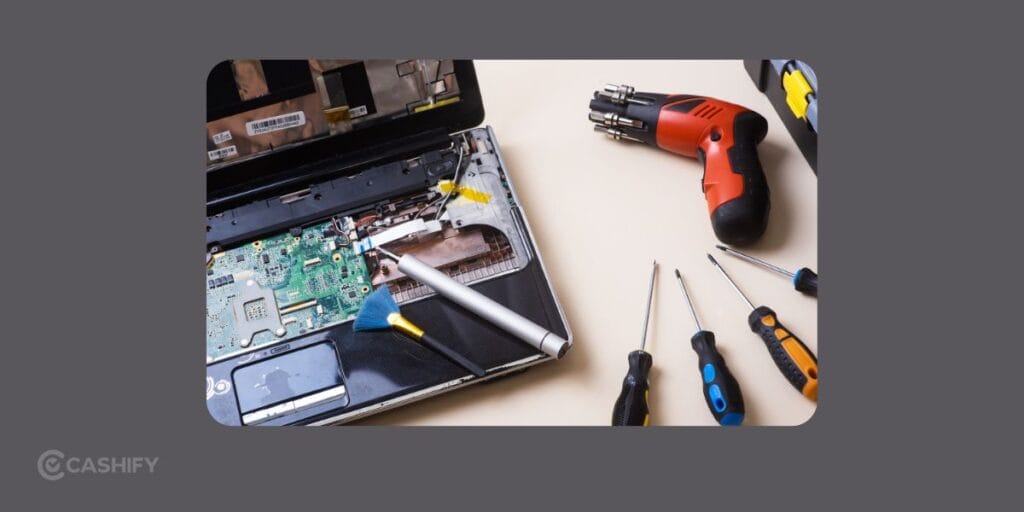
Start With The Problem, Not The Laptop
A cracked screen is very different from a dead motherboard. A worn-out battery is very different from a laptop that struggles with every task.
Here’s a quick look at some common problems:
| Laptop problem | Repair usually makes sense? |
|---|---|
| Broken screen | Yes, in most cases |
| Worn-out battery | Yes |
| Damaged keyboard | Yes |
| Faulty charging port | Yes |
| Overheating | Yes |
| Slow performance | Depends on the cause |
| Storage failure | Yes |
| RAM issue | Yes, if upgradeable |
| Motherboard failure | Depends on repair cost |
| Multiple major failures | Replacement may make more sense |
For example, if your laptop has become slow because its old hard drive is struggling, replacing it with an SSD can make a noticeable difference.
The laptop itself may not be the problem. One aging component might be holding it back.
Also read: 5 Signs Your Laptop Needs Professional Repair Immediately!
Compare The Repair Cost With A New Laptop
This is probably the biggest factor in the laptop repair vs replacement decision.
Suppose your laptop is worth around Rs. 35,000 today. A screen repair costs Rs. 7,000. Spending Rs. 7,000 to keep using a laptop you already know and like can be perfectly reasonable.
Now imagine the repair estimate is Rs. 25,000, and the laptop already has poor battery life and outdated hardware.
That changes things.
A useful rule is to compare the repair bill with the price of a comparable new laptop.
If the repair costs only a small portion of the replacement cost, repair is usually the easier choice.
If the repair gets close to half the price of a good replacement laptop, take a closer look at the laptop’s age and condition before spending the money.
Think About the Laptop’s Age
Age matters, but it shouldn’t be the only deciding factor.
A five-year-old premium laptop can still be more useful than a cheap two-year-old laptop. Build quality, processor, RAM, storage and software support all matter.
Ask yourself:
Does this laptop still handle everything I need?
If the answer is yes and the repair is affordable, there is little reason to replace it simply because it has crossed a certain age.
On the other hand, an older laptop that already struggles with basic browsing, video calls and office applications may not be worth putting more money into.
Also Read: Do You Lose Data When Replacing LCD Screen?
Check Performance Before Spending On Laptop Repair
A repair fixes a problem. It doesn’t automatically make an old laptop feel new. This is especially important if you’re dealing with slow performance.
Before spending money, check:
- Processor generation
- RAM capacity
- Storage type and capacity
- SSD health
- Battery condition
- Boot time
- Multitasking performance
- Heating and fan noise
If the laptop has 8GB RAM and an SSD but still performs well for your needs, repairing a broken component could give you several more useful years.
But if it has an outdated processor, limited RAM and an old hard drive, a repair may only solve one problem while the laptop remains frustratingly slow.
What About Battery Replacement?
Battery problems often make people think their laptop has reached the end of its life.
That’s not necessarily true.
If your laptop works perfectly when plugged in but the battery barely lasts, a battery replacement can be a much cheaper solution than buying another laptop.
The same applies to charging ports and adapters. A charging issue doesn’t automatically mean you need a new machine.
In fact, relatively small repairs can sometimes extend a laptop’s useful life by another couple of years.
When Laptop Replacement Makes More Sense?
There are situations where repairing a laptop is simply throwing good money after bad.
For example, imagine this:
Your six-year-old laptop has a damaged motherboard. The battery is weak, the keyboard has a few dead keys, and the laptop already feels slow.
You could repair one problem today and run into another one a few months later.
At that point, replacing the laptop starts to make more financial sense.
A new laptop also gives you newer hardware, better battery efficiency and longer software support. You may also get features your old laptop simply cannot offer, such as a better display, faster Wi-Fi or improved performance.
Also read: What Is The Difference Between Screen Repair And Screen Replacement?
Get A Proper Repair Estimate First
If you’re unsure, don’t make the decision based on a guess.
Get the laptop inspected and ask for a clear repair estimate. Go to laptop repairing shop near me and Find out:
- Which component has failed?
- Does it need replacement or can it be repaired?
- What part will be used?
- What warranty comes with the repair?
- How long will the repair take?
- Are there any other problems that could appear soon?
This can make the laptop repair vs replacement decision much easier.
Cashify’s laptop repair service offers repairs at its stores or at home. They have trained technicians and certified parts. Its listed services also include a three-month warranty on replaced spare parts and a six-month warranty on replaced screens. The company also highlights device and data security during the repair process.
That kind of warranty and repair information is worth checking before handing over an older laptop.
A Simple Laptop Repair vs Replacement Formula
Still confused?
Try this simple calculation:
Repair cost ÷ cost of a comparable new laptop × 100
For example:
Your repair costs Rs. 8,000. A new laptop with similar capabilities costs Rs. 40,000.
Calculation: Rs. 8,000 ÷ Rs. 40,000 × 100 = 20 percent.
A 20 percent repair cost looks quite reasonable, especially if the laptop is otherwise in good condition.
Also Read: What Is ‘Over Battery Temperature Error’ In Android Phone: How To Fix It?
So, Should You Repair or Replace Your Laptop?
The best choice depends on what you’re getting for your money.
If your laptop is in good shape and has one repairable problem, fixing it can be the smarter financial decision. You avoid the cost of a new machine and continue using a laptop you’re already comfortable with.
If the laptop is old, slow and developing multiple problems, replacement may save you from repeated repair bills.
And don’t forget one important thing: you don’t have to replace a laptop just because something broke. Just see if the expense is worth taking and giving back multiple years of extra usage. Afterall, you can save a perfectly good laptop from an unnecessarily early retirement.
If you’ve just bought a new phone and don’t know what to do with your old phone, then here’s your answer. Sell old mobile to Cashify and get the best price for it. If you are planning to buy a new phone, check out Cashify’s refurbished mobile phones. You can get your favourite phone at almost half price with six-month warranty, 15 days refund and free delivery.