


Choosing a MacBook can feel confusing right now. Apple just changed its lineup, and the choices look confusing. Let’s break it down in simple words.
On October 28, Apple brought touchscreen controls to the MacBook Pro for the first time. The new model has a tandem OLED display. It comes with M5 Pro and M5 Max processors. A day earlier, Apple unveiled a new standard 14-inch MacBook Pro with the M6 chip. It keeps the regular Liquid Retina XDR display. Sales start on November 6. So, which one should you buy in the MacBook Air vs MacBook Pro debate? Let’s find out.
What Do “Air” and “Pro” Really Mean?
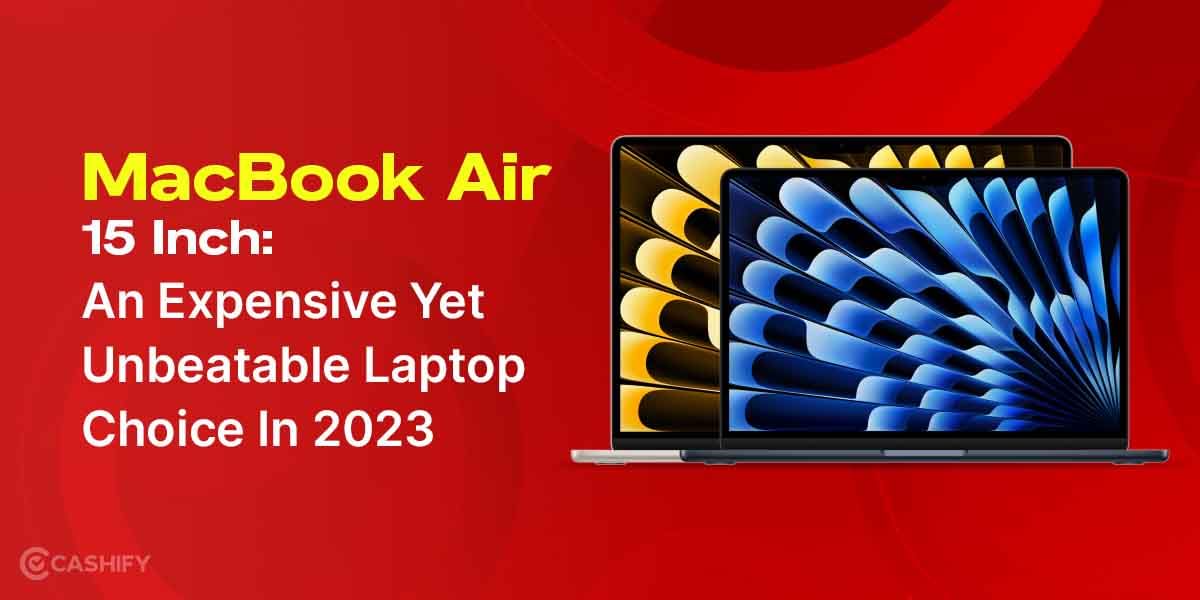
Apple split the MacBook line in two because people use laptops in very different ways. The MacBook Air is for everyday life. It is thin, light, and silent, and it has no fan. It handles browsing, Office work, online classes, coding basics, and casual 4K editing with ease, and its battery lasts a full day.
The MacBook Pro is for heavy work. It has fans, so it holds full speed during long exports. It also gets stronger chips, a brighter display, better speakers, and more ports like HDMI and an SD card slot. Think of it this way: if you come from Windows, the Air is like a smooth everyday ultrabook, and the Pro is like a workstation laptop you can carry.
Apple wants you to pay only for the power you use. A student shouldn’t pay extra for features a video editor needs, and an editor shouldn’t wait on a machine built for light tasks. Most first-time Mac buyers do well with the Air, and you can move to the Pro later if your work grows.
Also Read: Samsung Galaxy Z Flip8 Quick Review: The Flip Phone Gets Better
MacBook Air vs MacBook Pro: Prices in India
Let’s talk price first. The price gap tells you most of the story between the MacBook Air vs MacBook Pro.
- MacBook Air M5 (13-inch, 16GB + 512GB): Rs 1,19,900
- MacBook Pro M6 (14-inch): starts at Rs 2,39,900
- Touchscreen MacBook Pro (14-inch): starts at Rs 3,49,900
The gap is big. The Touch Pro costs almost three times the base Air. So ask yourself one honest question: will you use that extra power every week?
Who Should Buy the Touchscreen MacBook Pro?
Go for the M5 Pro or M5 Max touch model if you tick these boxes:
- You want the latest Mac experience, and you want it now.
- You love the idea of touch on a Mac.
- You edit video for a living.
- You work with heavy VFX, 3D, or colour grading.
The M5 Max is the beast here. It doubles the GPU cores over the M5 Pro. Both chips support up to 128GB of unified memory. That much memory helps a lot when you stack effects and layers.
My suggestion: Don’t buy the touch Pro just because it is new. Buy it when your work earns money from the extra power. If you only want to flex a new feature, your wallet will feel the pain.
One more thing to know. The new touch experience depends on how quickly developers adapt their Mac apps. Some apps may feel better with touch than others. Check that your main editing software supports it.
Also Read: Samsung Galaxy Z Fold8 Ultra First Impressions: Slimmer, Smarter, But Is It Truly Ultra?
Is the MacBook Air Enough for Video Editing?
For most people, yes. The Air handles normal 4K editing well. You can cut YouTube videos, wedding clips, vlogs, and reels without trouble. Add basic colour correction, titles, and simple transitions, and the Air still stays smooth.
What about 8K? A short 8K clip can work if you keep the project light. But long 8K timelines take a lot of time to render on an Air. For regular 8K work, I would pick a Pro.
The Air also has no fan. It stays silent. But in a long export, it slows down to control heat. The Pro keeps its full speed for hours because it has fans.
My suggestion: If you edit a few videos a month, the Air works great. If you export videos daily, the Pro saves you hours.
Quick Scenarios: MacBook Air vs MacBook Pro for Your Work
Scenario 1: Student or beginner creator. You edit 4K clips for Instagram or YouTube once in a while. Pick the MacBook Air.
Scenario 2: Full-time freelancer. You edit client videos every week with light effects. Pick the Air with 16GB RAM or more. Or step up to the M6 MacBook Pro if the budget allows.
Scenario 3: Heavy graphics and VFX artist. You use motion graphics, 3D, and layers of effects. Pick the M5 Pro or M5 Max.
Scenario 4: Professional editor with daily deadlines. Time is money for you. Pick the M5 Max with high memory.
Scenario 5: Tech lover who wants the newest thing. You want touch and the new OLED screen. Pick the touchscreen Pro. Just know it costs a lot.
Should You Wait for the MacBook Air M6?
It depends on how soon you need a laptop. The MacBook Air M6 is expected to arrive around March 2027. That is a few months away. It may bring better speed and battery life. But the price may go up too.
If your old laptop still works, you can wait. If you need a laptop now, buy the M5 Air. It is a fast machine, and you won’t regret it.
Don’t Skip the Refurbished Option
You don’t always need a brand-new Mac. A refurbished MacBook Air or Pro from a trusted platform like Cashify can save you thousands of rupees. The older M4 Air or an older Pro still handles most work with ease. Before you buy, check battery health, warranty, and return policy.
Also Read: Samsung Galaxy S26 Plus Review: An Excellent Choice for Power Users
Final Verdict
Here are simple suggestions from my side. Choose the MacBook Air if you edit 4K videos now and then, study, work in an office, or travel a lot. It is light, silent, and easy on your pocket. Choose the MacBook Pro with M5 Pro or Max if you do heavy VFX, graphics work, or daily video exports. Choose the touch model only if you want the latest experience and can afford it. Buy for the work you do today, not the work you might do someday. That is how smart buyers save money. I hope you liked my explanation on MacBook Air vs MacBook Pro. So, comment down your thoughts.
Are you still browsing through your broken screen? Don’t worry! Book an at-home mobile phone screen repair with Cashify—an affordable and one-stop destination for all your mobile phone needs. In case you break your screen within 1 month of repair, we will replace your screen again—for FREE.