Google has announced a major update that will make its Free YouTube Picture-in-Picture feature available to users worldwide. The move marks a big shift, as the feature was earlier limited to paid Premium subscribers in many regions. Now, more users will be able to watch videos in a floating window while using other apps, without paying any subscription fee.
The company shared the update through an official blog post, confirming that the rollout will happen globally over the coming months. This change is expected to improve multitasking and make video viewing more flexible for millions of users.
Free YouTube Picture-in-Picture Rolls Out Globally
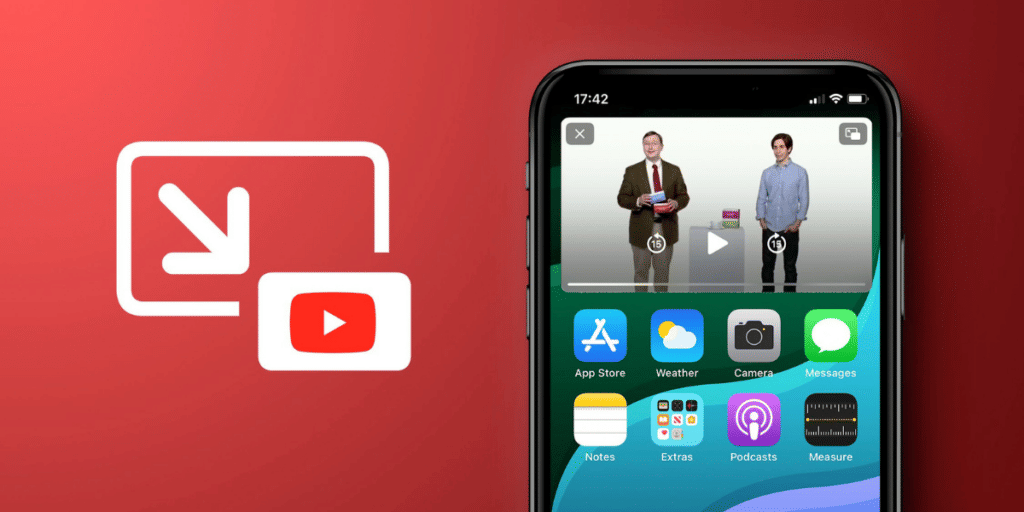
The Free YouTube Picture-in-Picture feature allows users to continue watching videos in a small floating window while browsing other apps on their phones. Earlier, this feature was restricted to Premium users outside the United States, but that restriction is now being removed.
Also Read: How To Delete YouTube Channel? Quick Steps!
YouTube first introduced Picture-in-Picture on iOS for Premium users in 2021. With this update, both Android and iOS users across different countries will get access without needing a paid plan.
This rollout shows YouTube’s effort to make useful features more accessible and improve the overall user experience.
How Picture-in-Picture Works And Key Features
The free Picture-in-Picture feature in YouTube is simple to use and designed for smooth multitasking. Once activated, videos continue playing in a small window even after exiting the app.
Key features include:
- Watch videos in a floating mini player while using other apps
- Move the mini player anywhere on the screen
- Resize or adjust the window for better viewing
- Tap to access playback controls like pause or close
- Drag the window down or tap the “X” to dismiss it
Users can enable or disable the feature through settings:
- In the YouTube app: Go to Settings > Playback > toggle Picture-in-Picture
- On Android devices: Go to Settings > Apps > YouTube > Advanced > Picture-in-Picture
This update comes as YouTube also introduces tools to help users manage screen time, especially for Shorts. Together, these changes reflect a growing focus on user control and digital well-being while keeping engagement high.
Are you still browsing through your broken screen? Don’t worry! Book at-home mobile phone screen repair with Cashify—an affordable and one-stop destination for all your mobile phone needs. In case you break your screen within 1 month of repair, we will replace your screen again—for FREE.