OnePlus has started rolling out a fresh OxygenOS 16.1 update for the OnePlus 12 and OnePlus 13R. The new software brings several useful improvements, including AI-powered photo tools, better note-taking features, privacy updates and the August 2026 security patch. The update is around 968MB, although the size may vary slightly depending on the region.
The OnePlus 12 and OnePlus 13R OS update is being released through an OTA rollout, so it may take some time to reach all eligible users. Along with new features, OnePlus has also focused on system stability, animations and battery performance.
OxygenOS 16.1 Adds New AI And Notes Features
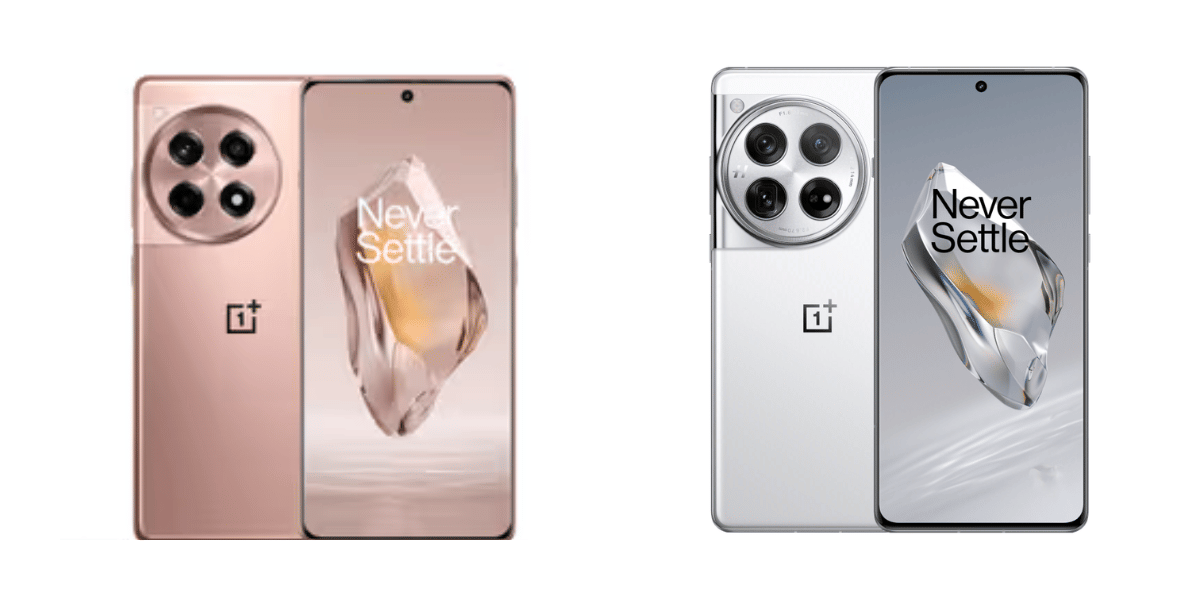
The latest update brings some practical additions that users can use in everyday tasks. One of the biggest highlights is the new AI Remix Collage feature in the Photos app.
It uses on device AI to arrange and style photos into collages automatically. This can make it easier to create attractive photo layouts without relying on a separate editing app.
The Notes app is also getting a useful upgrade. Users can now draw, sketch and add text directly over saved images. This makes the feature handy for marking important details, adding quick notes or highlighting parts of an image.
Also Read: OnePlus 15 Starts ColorOS 17 Beta Testing In India, OxygenOS Era Nears End
Key features include:
- AI Remix Collage in the Photos app
- Image drawing and text annotation in Notes
- Improved background permission management
- August 2026 Android security patch
- Bug fixes and system stability improvements
- Better UI animations and battery optimization
OnePlus 13R OS Update: How To Download OxygenOS 16.1
OnePlus is following a staged rollout for OxygenOS 16.1. This means the update will initially reach a limited number of devices before becoming available to more users.
To check for the update manually, open Settings > About Device and tap the OxygenOS banner. If the update is available, select Download and Install.
Before starting the installation, users should keep the phone connected to Wi Fi and ensure the battery has at least 30 percent charge.
Overall, OxygenOS 16.1 is more than a routine security update. The combination of AI photo tools, improved Notes functionality, privacy changes and system optimizations makes it a useful refresh for both the OnePlus 12 and OnePlus 13R.
Comaprison With Previous Update:
AI features | Limited | AI Remix Collage |
|---|---|---|
Notes app | Basic image support | Image drawing and text annotation |
Privacy | Standard controls | Improved permission management |
Performance | Existing optimizations | Bug fixes, smoother animations and battery improvements |
Update size | Varies | Around 968MB |
Are you still browsing through your broken screen? Don’t worry! Book at-home mobile phone screen repair with Cashify—an affordable and one-stop destination for all your mobile phone needs. In case you break your screen within 1 month of repair, we will replace your screen again—for FREE.