Breaking news! WhatsApp reveals a new feature for all its users: WhatsApp Remind Me Feature. This new feature is set to change your calendars and alarms forever! No need to set additional alarms, check out calendars, or take any stress, as you can do all this inside WhatsApp easily. So let us dive inside this story to find out more.
WhatsApp Remind Me Feature: Set Your Alarms With WhatsApp

WhatsApp Remind Me feature is a simple yet the most important WhatsApp feature to roll out recently. With the help of this feature, you can now set reminders, alarms, and notifications directly on your WhatsApp, and it will remind you as soon as the event heads up, just like the Google Calendar or the regular alarm in your phone.
Also Read: Vivo V60 Launch Date Revealed: Expected To Arrive With These Specs
How The WhatsApp Remind Me Feature Works?
The whole dimension is very simple.
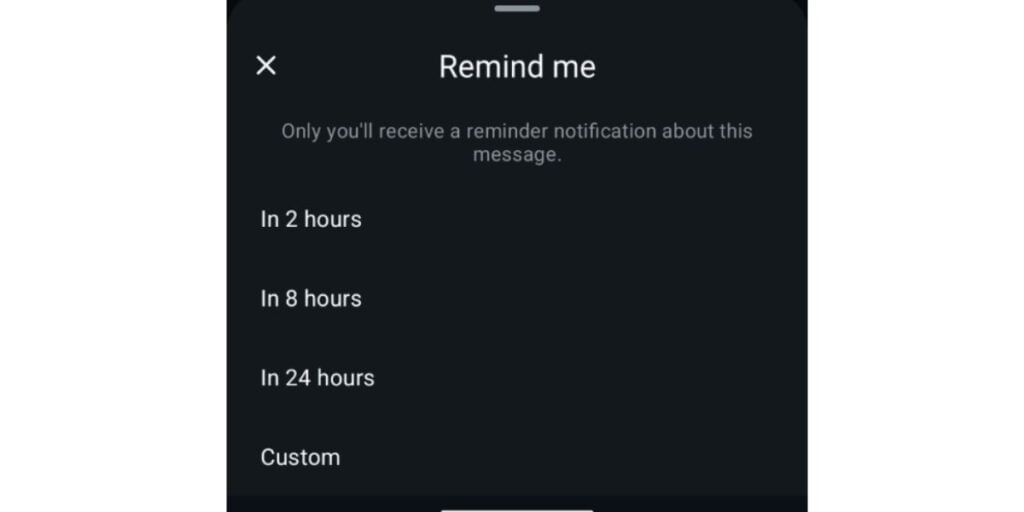
You just have to open your WhatsApp first. After this, a new bell icon will appear in the top action bar. Now, simply tap on it and choose a time for which you need to set the reminder. Now, add a note, like “lunch”, or “meeting with manager”. Once set, WhatsApp will remind you of the specific message that you said.
Simple Yet The Most Needed Feature
This new feature is the most needed thing for us. For a long time, we had been messaging our own profiles on WhatsApp for reminders, rough notes, and alarms. Or, you needed to separately set an alarm. And admit it, you often forget the event, and also forget the reminder for the event. But, with these new reminder features, this whole stress job can be sorted.
Which Phones Will Get This Feature?
All the phones with the latest WhatsApp update, or the 2.25.21.17 version installed, are eligible for the WhatsApp Remind Me feature.
Also Read: Free Fire Lets You Create An Invisible Space
Are you still browsing through your broken screen? Don’t worry! Book at-home mobile phone screen repair with Cashify—an affordable and one-stop destination for all your mobile phone needs. In case you break your screen within 1 month of repair, we will replace your screen again—for FREE.