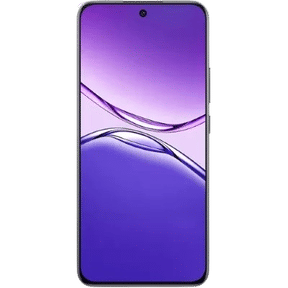
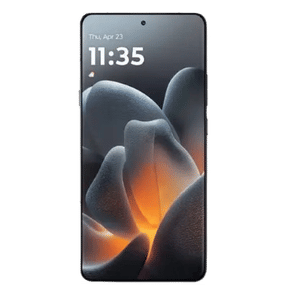
Most of us use our phones every day without ever checking the exact model name. That works fine until it is time to sell. Suddenly, every quote, every listing, and every buyer asks the same question: which phone is this? The good news is that the answer takes only a few minutes to find. Here is how to know phone model before selling, and why it matters more than you might think.
Also Read: How To Evaluate The Fair Market Value Of Your Mobile Phone
Why You Should Know Phone Model Before Selling
Your phone's price starts with its model. A quote is built on the brand, the model, and the variant, so a wrong guess leads to a wrong price. The mistake usually shows up at pickup, when the buyer checks the real phone and adjusts the offer. That is an easy surprise to avoid.
The name on the box is also not always enough. Two phones with the same name can have different RAM and storage, and some even differ by region. That is one more reason to know phone model before selling, instead of relying on memory.
Also Read: Does Apple Pencil Compatibility Matter When Selling an iPad?
How To Find Your Phone Model In Minutes

The fastest way to know phone model before selling is through your phone's own settings. The steps are similar across brands, with small changes in menu names. Here is where to look:
Phone | Where To Look | What You Will See |
|---|---|---|
iPhone | Settings > General > About | Model Name, Model Number, and Capacity |
Samsung | Settings > About phone > Software information | Model name and model number |
Google Pixel | Settings > About phone | Model name at the top |
Other Android | Settings > About phone (or About device) | Device name and model number |
On an iPhone, the Model Number first appears as a part number. Tap it, and it changes to a code starting with the letter A, which you can match to an exact model. Keep in mind that the "Name" field only shows the name you gave your phone, so look at "Model Name" instead.
If you cannot open the settings, you still have options. The box, the invoice, and the paperwork that came with your phone all list the model. On some iPhones, the model number is also engraved on the SIM tray.
Also Read: Why Honest Condition Descriptions Get Higher Offers Online
What To Do Before You Sell
Once you know phone model before selling, a few small steps keep everything smooth:
- Write down the model name, model number, RAM, and storage
- Dial *#06# to see your IMEI, and keep it handy
- Take a screenshot of the About screen, so you can double-check later
- Find the box, bill, and charger
- Back up your data, sign out, and reset the phone
Then describe your phone's condition honestly. A correct model and an honest description together give you the most accurate quote.
Also Read: Pixel 8 Pro Overheating? Here’s What You Can Do About It
Cashify: Best Place To Sell Your Phone

With the details ready, the next step is choosing where to sell. Cashify is one of India's most trusted names for selling old phones, laptops, and other gadgets, and it gives you a fair, AI-based price. It also asks for your brand, model, and variant, so it helps when you know phone model before selling.
Along with that, Cashify also offers:
- Free doorstep pickup in over 1,500 cities
- Fair pricing based on your phone's real condition
- No pressure to fix anything yourself first
Selling Process
Want to sell it with Cashify? Here is what the process looks like:
- First, visit Cashify’s official website or download the app.
- Next, you can find the Sell Old Phone Section; just select it.
- After that, you can select the brand and model.
- Then select the model and RAM variant.
- On the next page, you will get an estimated price for your phone.
- As a next step, a few simple questions will be asked about the phone’s condition.
- After that, the final price of your smartphone will be given.
- Next, add your details like name, address, pick-up date, and time, and a Cashify pickup executive will then pick up the device from your doorstep.
Verdict
Finding your phone's model takes only a few minutes, but it protects your price. Open the About screen, note the model and variant, and keep your proof close. Then you can sell with confidence and avoid surprises at pickup. So before you list anything, take a moment to know phone model before selling.
Buying refurbished mobile phones was never this easy. Sell your old phone and get exclusive offers & discounts on refurbished mobiles. Every refurbished phone is put through 32-point quality checks to ensure like-new standards and comes with a six-month warranty and 15-day refund. Buy refurbished phone easily on no-cost EMI today!