Sometimes the screen on your Redmi 14C 5G just stops responding without any clear reason. You tap once, then again, but nothing happens, or it reacts after a delay. It does not always point to a serious problem, but it can interrupt everything you are trying to do. Issues like this can come from small glitches or something affecting the screen itself. Let’s look at what could be behind Redmi 14C 5G screen not responding and how to deal with it.
Also read: How To Fix Vivo V11 Pro Screen Issues? Replace It Affordably!
Reasons Behind Redmi 14C 5G Screen Not Responding
Let’s first see the main reasons behind the Redmi 14C 5G screen not responding issue before trying any fixes.
Touch IC Not Responding Properly
The touch IC controls how the screen reads your taps. If it starts failing or loses connection with the display, the screen may stop responding completely or only work at times.
Loose Display Connector Inside the Phone
The display is connected to the motherboard through a thin cable. When this connection becomes slightly loose, touch input may stop working even if the screen looks normal.
Moisture Entering the Screen Layers
Even small amounts of moisture can affect how the touchscreen works. It can disturb the touch signals, leading to delayed response or no response at all.
Damage to the Digitiser Layer
The digitiser is the layer that detects touch. If it gets damaged due to impact or pressure, the display may still show everything clearly, but the touch will stop working.
Software Glitch Affecting Touch Response
Sometimes the issue is not hardware. A system glitch or bug can freeze the touch input, making the screen unresponsive until the system resets or stabilises.
Also read: Vivo Y83 Pro Aux Jack Not Working? Repair It Fast With Cashify
What To Do Before Going For A Screen Repair
After looking at the reasons, here is how you can fix the Redmi 14C 5G screen not responding issue:
Force Restart Using Button Combination
Press and hold the Power button for a few seconds until the phone restarts. If the screen is fully stuck, keep holding until it turns off and back on. This helps bring back touch without using the screen.
Remove Screen Protector and Test Again
Take off the screen protector and use the Redmi 14C 5G directly. Try tapping on the same areas that were not working before. This helps you check if touch improves without any layer on top.
Use Safe Mode to Check Touch Response
Restart the phone in Safe Mode. In this mode, only basic system apps run. Use the screen for a few minutes and check if touch works smoothly.
Check Touch Using Hidden Test Menu
Open the dialer and enter *#*#6484#*#*. This opens the hardware test menu. Select the touch test and move your finger across the screen to see if all areas respond.
Reset All Settings Without Deleting Data
Go to Settings and choose the option to reset all settings. This will not remove your files. It only resets system settings that may affect touch response.
Let the Phone Dry Before Using
If the phone was exposed to moisture, keep it in a dry place for some time. Avoid charging during this period. After that, test the screen again.
Also read: 8 Signs That Your Android Phone Motherboard Needs Repair!
Why Cashify Is the Right Choice For Redmi 14C 5G Screen Repair?
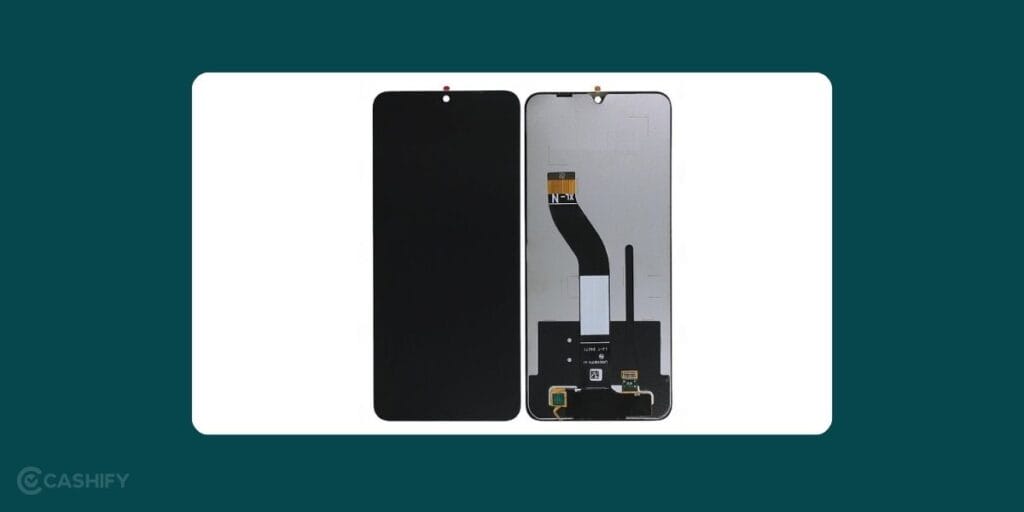
Tried the basic fixes, but the Redmi 14C 5G screen not responding issue is still there? That’s usually the point where a quick fix is no longer enough. Getting it checked by a professional can prevent the problem from getting worse and bring the screen back to normal. Cashify makes this process simple and easy to manage.
You can book a mobile phone repair in just a few steps:
- Visit the Cashify website or open the app
- Go to the Mobile Repair section
- Select Xiaomi as your device brand
- Choose Redmi 14C 5G from the list
- Select Screen as the issue
- Enter your address for doorstep service
- Pick a suitable date and time
- Confirm your booking
After your booking is confirmed, here are some benefits you get with Cashify:
Flexible Service Options
You can choose doorstep phone repair or visit a nearby store. Cashify has 200+ service centres across India.
Skilled Technicians
Trained technicians handle your phone with care. They make sure the screen is fixed or replaced properly. This helps your phone work smoothly after the mobile repair.
Clear Pricing
You know the cost before the Xiaomi mobile repair starts. There are no hidden charges. You pay only after the work is done.
High-Quality Compatible Parts
High-quality compatible parts are used during the repair. This helps the display work smoothly and last longer after the repair.
Use code: TECH25 to avail of a discount of up to Rs. 300 by using the (on the minimum order value of Rs. 2499).
Use code: RPR50 to avail up to 50 per cent off on a minimum spend value of Rs. 1000. (Limited Offer)
Also read: How Do I Check My Android Hardware Health?
Final Thoughts
Redmi 14C 5G screen not responding issue can happen due to different reasons, including both software and hardware problems. In many cases, the steps shared above can help bring the screen back to normal. If the issue still continues, it may be time to go for a screen repair. In that situation, Cashify can help you get the repair done easily.
If you still have questions about your Redmi phone or the repair process, feel free to leave a comment below. I’ll be happy to help.
Are you still browsing through your broken screen? Don’t worry! Book at-home mobile phone screen repair with Cashify, an affordable and one-stop destination for all your mobile phone needs. In case you break your screen within 1 month of repair, we will replace your screen again for FREE.