TL;DR: If your Instagram feed feels irrelevant or your Reels aren’t interesting, the 2025 algorithm may be trained incorrectly. You can reset it using the Reset Suggested Content feature, clean up your feed, engage intentionally with the content you like, and manage Reels and Explore recommendations. Following these steps improves your feed experience and boosts engagement.
If your Instagram feed feels off- full of irrelevant posts, repetitive Reels, or random accounts- you’re not alone. In 2025, Instagram’s algorithm is smarter and more sensitive, tracking your likes, saves, comments, searches, watch time, and even your pause behavior. Additionally, old interactions or accidental signals can disrupt your feed, making Instagram less enjoyable. Here’s a step-by-step guide to reset your instagram algorithm and reclaim control.
Also Read: How to Delete Your Snapchat Account in Minutes (2025 Guide)
Signs You Need A Reset
If you notice any of these, it’s time to reset your Instagram algorithm.
- Your feed is cluttered with content you don’t enjoy
- Reels feel repetitive or irrelevant
- Explore page suggestions are off-topic
- Engagement dropped suddenly
- Your posts aren’t reaching the right audience
Step 1: Use the “Reset Suggested Content” Feature (Fastest Method)
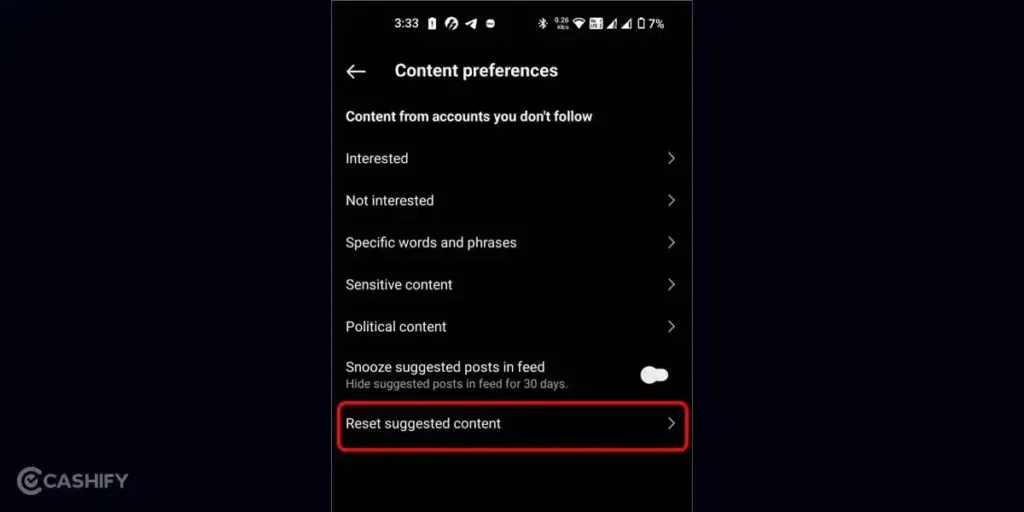
Instagram’s Reset Suggested Content feature is the quickest way to refresh your feed.
How to reset suggested content:
- Go to Profile → Menu → Settings & Privacy → Suggested Content
- Tap Reset Suggested Content
This clears old personalization signals, outdated categories, past Reels preferences, and suggested accounts. Furthermore, it gives you a fresh start and ensures your new interactions shape your feed accurately. This is one of the easiest way to reset Instagram algorithm.
Step 2: Clean Up Your Feed
Unfollow Irrelevant Accounts
- Influencers you don’t follow anymore
- Brands you no longer care about
- Meme pages or inactive accounts
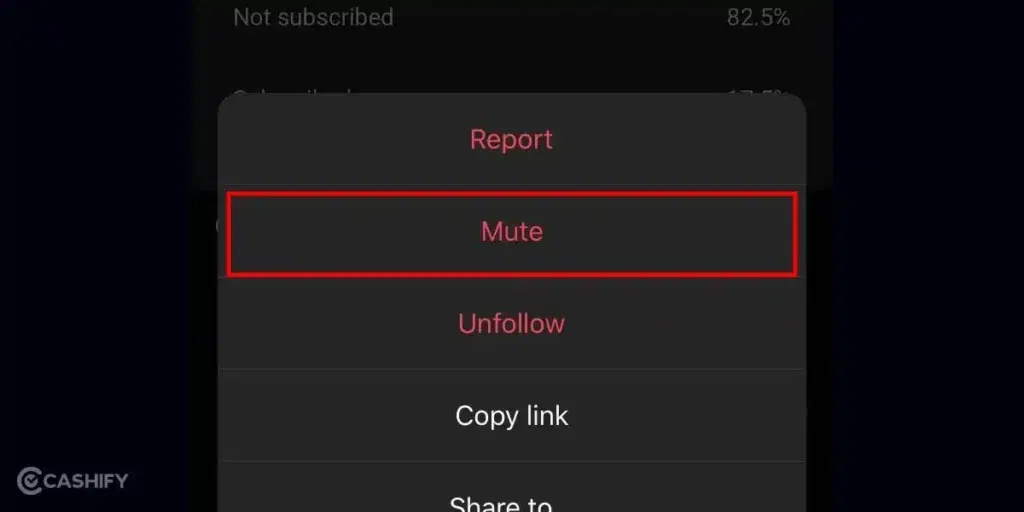
Mute Accounts Instead of Unfollowing
- Mute posts, stories, notes, or Reels to reduce feed noise
Mark “Not Interested” Frequently
- Tap three dots → Not Interested on posts you dislike
On top of that, this teaches Instagram what content to avoid and will reset your algorithm.
Also Read: iQOO 15 Vs Vivo X300 Pro: The Winner Will Surprise You
Step 3: Rebuild Your Feed With Intentional Engagement

By interacting only with content you like, you reset the Instagram algorithm quickly.
- Search for content you enjoy: hobbies, travel, fitness, or niche creators
- Engage purposefully: like, save, comment, share, follow
- Save posts often: saving is the strongest positive signal in 2025
Step 4: Reset Your Reels Algorithm
Reels uses a separate micro-algorithm.
- Mark Reels “Not Interested” for content you dislike
- Scroll quickly past uninteresting Reels
- Watch fully or rewatch Reels you enjoy
- Like, save, comment, or follow creators
Also, watch time and interaction heavily influence your Reels feed. It is crucial to follow these steps to reset Instagram algorithm.
Step 5: Reset Your Explore Page
These steps ensure your Explore page reflects your current interests.
- Clear search history: Profile → Your Activity → Recent Searches → Clear All
- Search new topics and explore content you like
- Save, like, or follow from Explore
Step 6: Clean Your Activity Log

Instagram stores all interactions, likes, comments, and saved posts.
- Review and remove outdated likes or saves
- Delete irrelevant comments
- Clear old searches
Additionally, this removes confusing signals and helps Instagram understand your current preferences and helps reset the algorithm.
Step 7: Adjust Suggested Account Settings
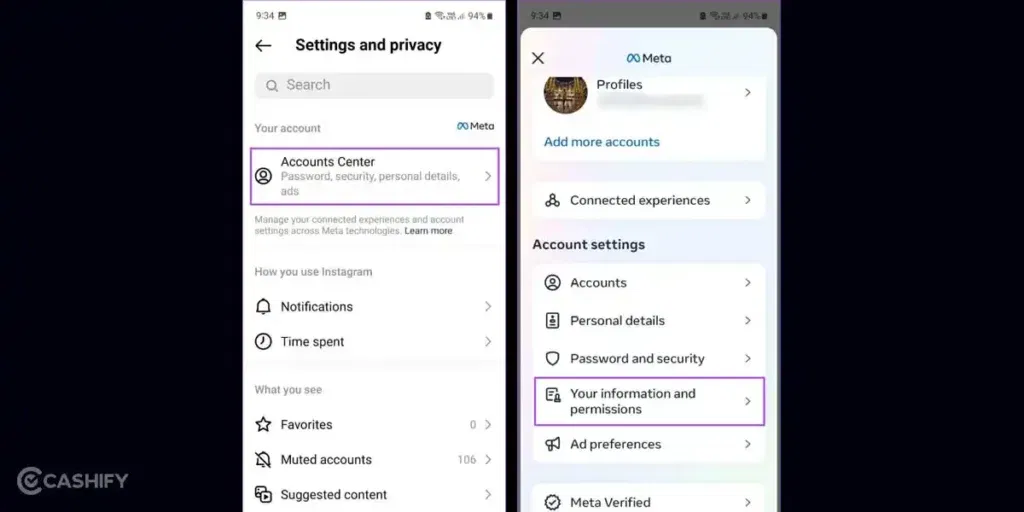
- Go to Suggested Content
- Turn off categories you no longer want
- Refresh suggestions by interacting with new creators
This improves Reels, Explore, and Feed recommendations.
Step 8: Take A Short Break
Even a 24–48 hour break helps Instagram “cool off,” reducing the influence of old behavior. When you return, your new actions dominate the algorithm’s learning.
Also Read: OnePlus 15 Vs Google Pixel 10: What’s Better For Your Money In 2025?
Step 9: Follow a 7-Day Re-Engagement Routine
Daily habits for a week:
- Like only content you enjoy
- Save at least 5 posts related to your interests
- Comment on meaningful posts
- Search for topics you like
- Tap “Not Interested” for irrelevant content
- Follow 1–3 new accounts in your niche
By the end of the week, your feed and Reels should feel refreshed.

Why Resetting Your Algorithm Helps Engagement?
Resetting isn’t just for personal enjoyment- it also helps creators:
- Posts reach the right audience
- Reels reach users who care
- Engagement becomes consistent
- Explore suggestions match your niche
When your feed aligns with your true interests, Instagram understands you better and rewards quality interactions.
Final Thoughts
Your Instagram feed shouldn’t feel overwhelming or irrelevant. With the right steps, you can quickly reset the Instagram algorithm to show you content you actually enjoy, and boost your engagement if you’re a creator.
Resetting Instagram in 2025 is all about intentional actions, consistent signals, and using the platform’s built-in tools like Reset Suggested Content. Once you complete the steps, your feed becomes cleaner, smarter, and way more enjoyable.
Also Read: iQOO 15 Vs iQOO 13: Five Key Improvements You Must Know
Frequently Asked Questions
1. Can you fully reset the Instagram algorithm?
Yes, using Reset Suggested Content plus intentional engagement is the closest thing to a full reset.
2. How long does it take to fix your feed?
Usually 5–10 days with consistent behavior.
3. Does clearing search history help?
Yes, it resets Explore page signals.
4. Will my saved posts affect the algorithm?
Yes, saving posts is a strong positive signal.
5. How do I reset my Reels feed?
Mark uninteresting Reels as Not Interested and engage fully with Reels you like.
6. Can I maintain a good feed long-term?
Yes, save content, follow relevant creators, and clean your activity log regularly.
If you’ve just bought a new phone and don’t know what to do with your old phone, then here’s your answer. Sell old mobile to Cashify and get the best price for it. If you are planning to buy a new phone, check out Cashify’s refurbished mobile phones. You can get your favourite phone at almost half price with Six-month warranty, 15 days refund and free delivery.