Have you ever taken a great photo only to realize it needs a little improvement? Maybe the lighting looks dull, the colors seem flat, or there is an unwanted object in the background. The good news is that you don’t always need expensive software or advanced editing skills to make your photos look better. There are several best photo editing websites that serve the purpose well.
Whether you are creating content for social media, editing personal photos, designing marketing materials, or working on creative projects, these tools can make the process quick and easy.
The best part is that many of these platforms offer free versions packed with useful features. You can crop images, remove backgrounds, add filters, create graphics, and even perform advanced edits without downloading any software.
In this blog, we will talk about some of the best photo editing websites available today. So, let’s get started.
Also Read: 5 Best Video Downloader Apps For Android (2026): Fast And Free Picks
Quick Comparison Of The Best Photo Editing Websites
Let us compare the best photo editing websites in brief here:
| Website | Best For | AI Features | Ease of Use | Mobile Support |
| Canva | Social media, marketing, graphic design | Excellent | Easy | Excellent |
| Picsart | Creative content creation | Excellent | Easy | Excellent |
| Pixlr | Advanced browser editing | Excellent | Moderate | Good |
| Fotor | AI photo enhancement | Excellent | Easy | Good |
| BeFunky | Beginners and casual users | Good | Easy | Good |
1. Canva: Best Photo Editing Website For Social Media and Marketing
When discussing the best photo editing websites, Canva consistently ranks among the most popular options. While it started as a graphic design platform, Canva has evolved into a complete content creation suite that combines photo editing, AI-powered design, video editing, and collaboration tools.
If you regularly create content for Instagram, Facebook, LinkedIn, Pinterest, or YouTube, Canva offers everything you need in one place.
Why Canva Stands Out
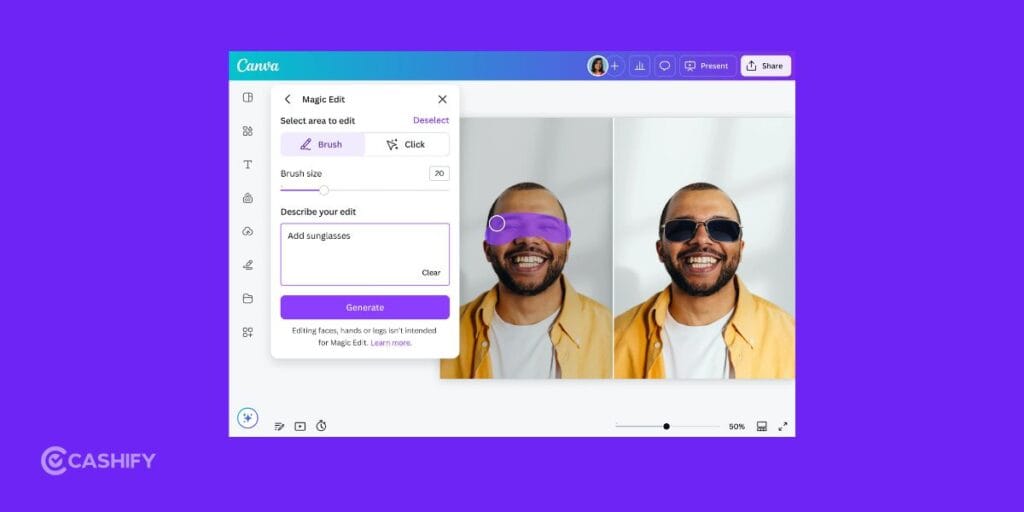
One of the biggest reasons Canva is considered one of the best photo editing websites is its ability to simplify complex design tasks. You can edit photos, remove backgrounds, resize graphics, add text, and create complete marketing assets without needing professional design skills.
Its AI-powered tools also help speed up content creation by automating many repetitive tasks.
Key Features
- Drag-and-drop editor
- Millions of customizable templates
- AI-powered Magic Design
- AI image editing tools
- Background remover
- Smart resizing
- Video editor
- Brand kits
- Team collaboration tools
- Social media scheduling
Best For
- Content creators
- Marketing teams
- Business owners
- Students
- Non-designers
Pros And Cons
| Pros | Cons |
| Extremely easy to use | Limited advanced retouching tools |
| Massive template library | Some premium features require Canva Pro |
| Excellent collaboration features | |
| Strong AI-powered editing tools |
Key Takeaway
If your workflow revolves around social media, presentations, branding, or marketing content, Canva is one of the best photo editing websites available today.
Also Read: 5 Best Messaging Apps For Android And iPhone For Secure Chats (2026)
2. Picsart: Best Editing Website For Creative Content Creation
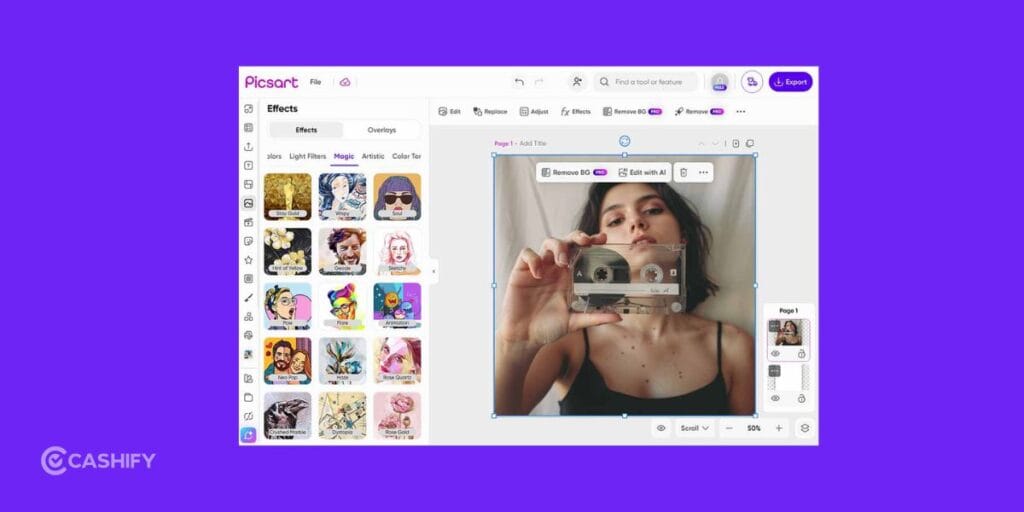
Picsart has become a favorite among influencers, creators, and social media users who want to create visually engaging content quickly.
Unlike traditional photo editors that focus primarily on image correction, Picsart emphasizes creativity through AI tools, effects, stickers, and visual enhancements.
Why Picsart Stands Out
One reason Picsart appears on many lists of the best photo editing websites is its mobile-first approach. Additionally, the platform is designed to help users create eye-catching content with minimal effort.
Whether you’re editing Instagram posts, TikTok thumbnails, YouTube graphics, or promotional content, Picsart offers a wide range of creative tools.
Key Features
- AI image generator
- AI editing tools
- Background remover
- Object remover
- AI upscaling
- Creative filters
- Sticker maker
- Text editing tools
- Collage creator
- Mobile-first workflow
Best For
- Influencers
- Instagram creators
- TikTok creators
- Social media managers
- Mobile users
Pros And Cons
| Pros | Cons |
| Excellent mobile editing experience | Less suitable for professional workflows |
| Powerful AI tools | Some advanced features require a subscription |
| Large collection of effects and stickers | Desktop editing tools are more limited |
| Easy learning curve |
Key Takeaway
If your primary focus is social media content creation, Picsart deserves a place among the best photo editing websites available today.
3. Pixlr: Best Photo Editing Website For Advanced Browser-Based Editing
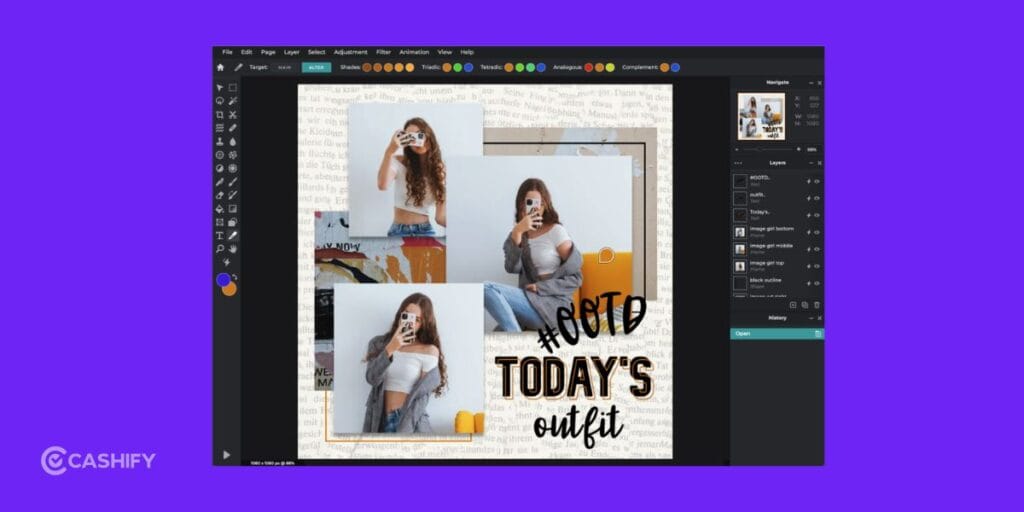
Pixlr is one of the most versatile options among the best photo editing websites because it caters to both beginners and advanced users.
The platform offers two editing modes:
- Pixlr X for quick edits
- Pixlr E for more advanced editing tasks
This flexibility makes Pixlr suitable for a wide variety of projects.
Why Pixlr Stands Out
Pixlr combines traditional editing features with modern AI capabilities, allowing users to perform complex edits directly in a browser.
Furthermore, it offers many tools that are typically found in desktop software while maintaining a lightweight web-based experience.
Key Features
- AI image generator
- AI video generator
- Generative Fill
- Generative Expand
- AI upscaling
- Background remover
- Object removal
- Batch editing
- Face swap tools
- Layer-based editing
- Pixlr Designer
Best For
- Designers
- Small businesses
- Bloggers
- Content creators
- Users who want browser-based editing
Pros And Cons
| Pros | Cons |
| Excellent AI-powered tools | Smaller template library than Canva |
| Strong editing capabilities | Premium AI tools require paid credits |
| Multiple editing modes | Slight learning curve for beginners |
| Fast browser performance |
Key Takeaway
If you’re searching for one of the best photo editing websites that balances AI tools and advanced editing, Pixlr is an excellent choice.
Also Read: 10 Best Mobile Phones Under 25000: June 2026 List
4. Fotor: Best Editing Website For AI Photo Enhancement
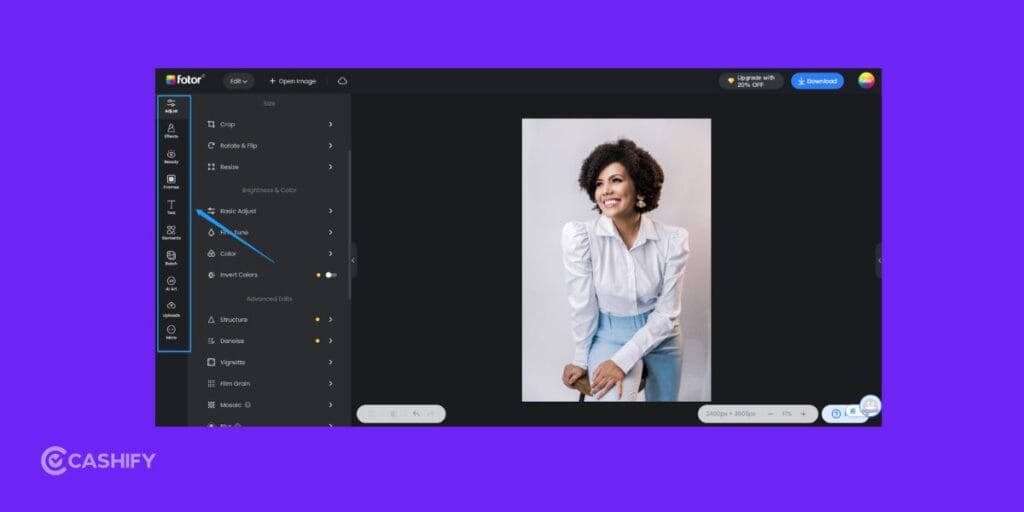
Fotor has built its reputation around helping users improve photos quickly through artificial intelligence.
If your goal is to make photos look better without spending time learning complex editing techniques, Fotor is worth considering.
Why Fotor Stands Out
Among the best photo editing websites, Fotor is especially strong when it comes to automatic image enhancement.
Its AI technology can improve sharpness, adjust colors, optimize exposure, and enhance portrait photos with minimal manual effort.
Key Features
- AI photo enhancer
- AI image generator
- Portrait beautification tools
- Background remover
- Object remover
- Batch photo editing
- Text overlays
- Collage maker
- AI avatar creator
- AI image expansion
Best For
- Portrait photography
- Product photos
- Social media images
- Bloggers
- Beginners
Pros And Cons
| Pros | Cons |
| Excellent AI enhancement tools | Limited layer-based editing |
| Very beginner-friendly | Some AI tools require premium access |
| Great portrait retouching features | Professional workflows may feel restrictive |
| Strong batch processing capabilities |
Key Takeaway
For users who prioritize speed and convenience, Fotor remains one of the best photo editing websites for AI-powered image enhancement.
5. BeFunky: Best Photo Editing Website For Beginners
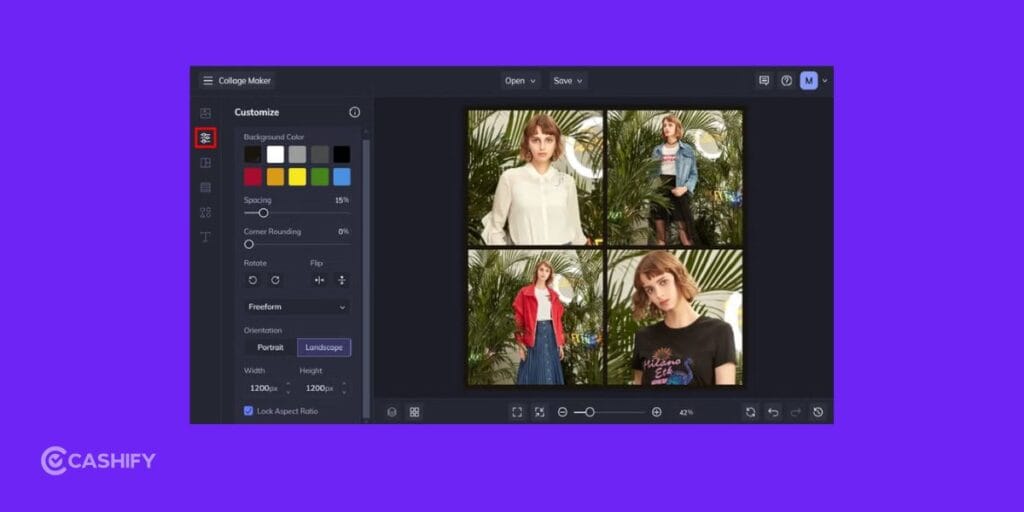
BeFunky may not receive as much attention as some larger competitors, but it remains one of the best photo editing websites for casual users and beginners.
Its straightforward interface makes editing photos simple and approachable.
Why BeFunky Stands Out
Many photo editors overwhelm users with dozens of advanced tools. However, BeFunky takes a different approach by focusing on the most commonly used editing features.
This makes it ideal for users who want quick results without a steep learning curve.
Key Features
- Simple photo editor
- Exposure correction
- Cropping tools
- Color adjustments
- Artistic filters
- Graphic design tools
- Collage maker
- Portrait enhancements
- Creative effects
Best For
- Beginners
- Students
- Hobby photographers
- Casual users
- Small projects
Pros And Cons
| Pros | Cons |
| Very easy to use | Fewer AI features than competitors |
| Clean and simple interface | Limited advanced editing tools |
| Fast editing workflow | Smaller feature set overall |
| Good collection of effects |
Key Takeaway
If you’re new to editing and want a simple experience, BeFunky is one of the best photo editing websites to start with.
Also Read: 17 Ways To Fix Play Store Won’t Download Or Install Apps Issue
Which Of These Best Photo Editing Websites Should You Choose?
Choosing among the best photo editing websites ultimately depends on your goals.
| Your Need | Best Choice |
| Social media graphics | Canva |
| Marketing content | Canva |
| Creative social content | Picsart |
| Mobile content creation | Picsart |
| Browser-based advanced editing | Pixlr |
| AI image generation | Pixlr |
| AI photo enhancement | Fotor |
| Portrait editing | Fotor |
| Beginner-friendly editing | BeFunky |
| Casual photo editing | BeFunky |
Final Thoughts
The best photo editing websites make it easier than ever to create high-quality images without expensive software or advanced editing skills. Thanks to AI-powered tools, tasks like background removal, photo enhancement, and content creation can now be done in just a few clicks.
The right platform ultimately depends on your needs. Canva is ideal for social media and marketing content, Picsart is great for creative and mobile-first editing, Pixlr offers more advanced browser-based tools, Fotor excels at quick AI photo enhancements, and BeFunky is perfect for beginners.
Since most of these photo editing websites offer free plans, it’s worth trying a few to see which one fits your workflow best. The best choice is the one that helps you edit faster, create better content, and achieve the results you’re looking for.
Frequently Asked Questions
1. What are the best photo editing websites for beginners?
Canva and BeFunky are among the best photo editing websites for beginners because they offer intuitive interfaces, simple editing tools, and minimal learning curves.
2. Which of the best photo editing websites is best for social media?
Canva and Picsart are the best photo editing websites for social media content because they provide templates, AI tools, filters, and content creation features designed specifically for social platforms.
3. Which photo editing website offers the best AI tools?
Pixlr, Fotor, Canva, and Picsart all provide excellent AI-powered features, including image generation, background removal, object removal, and automatic image enhancement.
4. What is the best browser-based alternative to Photoshop?
Pixlr is one of the strongest browser-based alternatives to Photoshop, offering advanced editing capabilities, AI tools, layers, and professional-level controls.
5. Are the best photo editing websites free to use?
Most of the best photo editing websites offer free plans with basic features. However, premium subscriptions unlock advanced AI tools, higher export quality, and additional editing capabilities.
Also Read: Android 17 Eligible Devices List In 2026: Is Your Phone Compatible?
If you’ve just bought a new phone and don’t know what to do with your old phone, then here’s your answer. Sell old mobile to Cashify and get the best price for it. If you are planning to buy a new phone, check out Cashify’s refurbished mobile phones. You can get your favourite phone at almost half price with six-month warranty, 15 days refund and free delivery.