Android TVs have been in huge demand as they offer a smart way to enjoy streaming, browsing and gaming on the big screen. However, as it is with any device, with time, Android TV might start feeling a bit slow. So, if you too have noticed a lag in your TV, this blog is just for you. Find here the best ways to make your Android TV faster.
Also Read: Xiaomi Xring O1 Vs Snapdragon 8 Elite: Performance Face-Off 2025
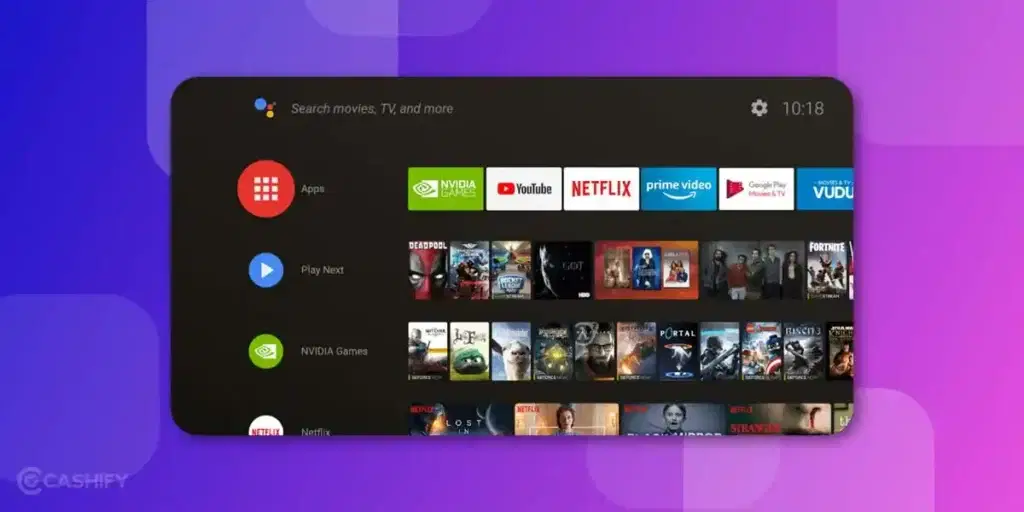
1. Clear Cache Regularly
Just like smartphones, Android TV also store temporary data or cache files. And with time, these cache files can slow things down. That is why, you need to clear them time and again. Here’s how to do it:
- Go to the Settings> Apps> See all Apps.
- Choose the app for which you want to clear the cache.
- Select clear cache and you are good to go.
Note: Do this at least once a month for apps like YouTube, Netflix, etc. to make your Android TV faster.
2. Uninstall Unused Apps
Every app that you install on your TV takes up storage and background resources, even when not in use. So, keeping too many unnecessary apps can take up a lot of space, thus making your TV slow. It is thus advisable to uninstall unused apps.
- Open the Settings on your Android TV.
- Select and uninstall the apps you no longer use.
3. Disable Automatic Updates
Some apps have auto-update feature turned on. This means, you don’t have to manually update the app but it will start on its own. And auto-updates can slow down your TV, especially during streaming. So, disabling automatic updates can make your Android TV faster.
- Open Google Play Store
- Go to Settings > Auto-update apps> Disable auto update
4. Keep Your Software Updated
Keeping your Android TV and individual apps up to date will make it faster. Updates bring performance improvements, bug fixes, and better resource management.
- Go to Settings > Device Preferences > About > System Update
- Check for updates and install them if available.
- Also update individual apps via the Google Play Store.
5. Limit Background Processes
Background apps eat up RAM and processing power. You can limit them using Developer Options. This will ultimately make your Android TV faster.
How to enable Developer Options:
- Go to Settings > Device Preferences > About > Build
- Click on Build 7 times until you see “You are now a developer!”
Then:
- Go to Settings > Developer Options > Limit background processes
Set it to “At most 2 processes” for noticeable speed improvement.
Also Read: Exynos 2400 Vs Snapdragon 8 Gen 3: Who Wins The Battle In 2025?
6. Use A Fast Internet Connection
A slow internet connection can mess up with your entire Android TV experience. To make your TV perform faster without any lags or delays, you need a faster internet connection. Also, if possible, you can use a wired ethernet connection instead of WiFi for faster speed and better stability.
Why it helps:
- Reduces buffering time
- Speeds up app launches
- Improves system responsiveness
7. Factory Reset Your Android TV
If all said and done and your Android TV is still not operating fast, you might have to factory reset it. Factory reset will wipe out all the clutter and bring back your TV to its original performance.
- Go to Settings > Device Preferences > Reset > Factory data reset.
Note: Factory reset will wipe out all the data, so make a back up of important things first.
Final Thoughts
A slow Android TV can leave with you a frustrating experience. However, with the tips mentioned above, you can make your Android TV faster, thus enhancing your overall experience. Do you have any specific tip that worked for you? Share it in the comments section below.
Frequently Asked Questions
How to improve Android TV speed?
There are certain tips that you can follow to make your Android TV faster. Some of them include- clearing cache regularly, keeping software up to date, using a fast internet connection, etc.
Which brand is best for Android TV?
There are several good Android TV brands that you can invest in, such as, Sony Bravia, Xiaomi, Realme, TCL, etc.
How to clear cache in Android TV?
You can clear cache for specific apps in Android TV. For this, you need to go to the Settings> See all apps and choose the apps for which you want to clear cache.
Buying refurbished mobile phones was never this easy. Sell your old phone and get exclusive offers & discounts on refurbished mobiles. Every refurbished phone is put through 32-point quality checks to ensure like-new standards and comes with a six-month warranty and 15-day refund. Buy refurbished phone easily on no-cost EMI today!